
Products compared

ASUS
ASUS ProArt PA278QV
U.S. 27-inch 16:9 monitor; verify the listing is the PA278QV model.
Model PA278QV
Amazon ASIN B088BC5HMM
LG
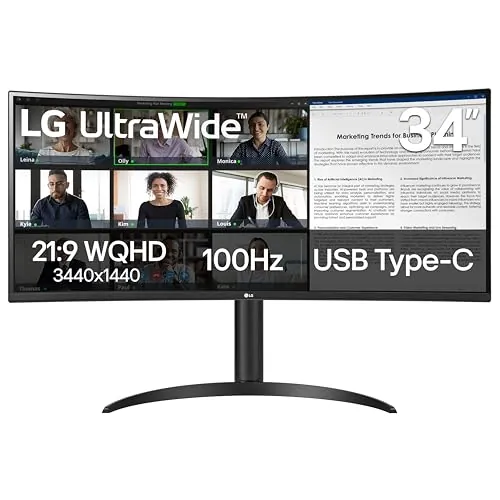
LG 34WR55QK-B.AUS
U.S. 34-inch 21:9 curved model; check the listing suffix .AUS and exact included bundle.
Model 34WR55QK-B.AUS
Amazon ASIN B0DQF8LRGZ
Differences that matter
What matters most to you?
Choose a priority to see what it changes.
Sources for Native desktop grid (landscape)
Sources for Stand adjustment and desk footprint
Sources for Direct video-source inputs
Choose the screen shape around your actual window layout
The ASUS PA278QV is a 27-inch 16:9 display with a listed 2560 × 1440 grid. LG's 34WR55QK-B.AUS is a 34-inch 21:9 display with 3440 × 1440. In landscape, the extra LG pixels are horizontal: each specification still lists 1440 vertical pixels. If your work is usually one or two side-by-side windows, judge the wider grid against the apps you use and the scaling you prefer instead of treating diagonal size as a direct measure of usable space.
Both vendors publish maximum refresh figures—75 Hz for ASUS and 100 Hz for LG—but the source, port, cable and operating-system path must support the mode you intend to use. Verify the full resolution/refresh combination in your computer's documentation before making it a purchase requirement.
Check width, depth and orientation before you order
The ASUS's estimated with-stand footprint is 24.21 inches wide and 8.90 inches deep, and ASUS lists ±90° pivot plus height adjustment. Its estimated dimensions are marked as region-dependent. The U.S. LG product listing gives about 31.9 inches of width and 10.2 inches of depth, with stand height ranging from about 18.0 to 22.4 inches; LG lists height and tilt adjustments. Allow room for the stand and cables and confirm the exact model, especially if the desk edge, shelf or arm position is constrained.
If portrait mode is a hard requirement with the supplied stand, the ASUS is the documented choice. The LG's U.S. stand specification lists height and tilt; a separate mount would need its own fit check and should not be assumed from these stand dimensions.
Map the computer's video outputs to the monitor inputs
The PA278QV lists one HDMI, DisplayPort, Mini DisplayPort and dual-link DVI. The LG lists two HDMI inputs, DisplayPort and USB-C. That makes the LG a better direct match if two HDMI-only sources must remain plugged in; ASUS offers more legacy connector types if your existing computer already has one of those outputs. This is a port-planning comparison, not a guarantee that every adapter combination or refresh mode works.
Before buying, note the computer's actual output connector, required resolution and refresh rate, then check the computer and cable specifications. If those details are unknown, keep the output choice open until you can check the host model.
Plan the USB hub and charging path as a separate connection
ASUS lists four USB Type-A downstream sockets. Its PA278QV manual identifies a Type-B upstream port and says that connecting upstream enables the downstream USB ports; connect video separately. ASUS's technical page says supplied accessories vary by region, so verify whether the exact offer includes the cable you plan to use.
LG lists two USB downstream sockets and USB-C with data and up to 65 W Power Delivery. That can simplify a compatible laptop setup, but the laptop's USB-C connection must support display output and the available power must match the laptop's needs. LG's support guidance says to check both devices' specifications for USB PD; its display guidance also notes that the host's video output capability affects the supported mode. If either condition is uncertain, plan a separate video input and the laptop's own power supply instead of assuming USB-C by shape alone.
Product details
ASUS ProArt PA278QV
- Native display
- 27-inch, 16:9, 2560 × 1440; maximum listed refresh rate 75 Hz. Source
- Stand and estimated footprint
- Pivot ±90° and height adjustment; estimated with-stand dimensions 24.21 × 20.94 × 8.90 in (W × H × D; may vary by region). Source
- Display and USB connections
- One HDMI 1.4, one DisplayPort 1.2, one Mini DisplayPort, one dual-link DVI, and four USB 3.2 Gen 1 Type-A downstream ports. USB requires a separate Type-B upstream connection to the computer. Source
LG 34WR55QK-B.AUS
- Native display
- 34-inch, 21:9, 3440 × 1440; maximum listed refresh rate 100 Hz. Source
- Stand and estimated footprint
- Height and tilt adjustment; U.S. specifications list about 31.9 in wide and 10.2 in deep, with height from about 18.0 to 22.4 in depending on stand position. Source
- Display and USB connections
- Two HDMI inputs, one DisplayPort, one USB-C connection, and two USB 3.0 downstream ports. The USB-C port is listed for data and up to 65 W Power Delivery. Source
Before you buy
Community discussions
Switching between HDMI and DisplayPort at a desk
ASUS ProArt PA278QV
A PA278QV owner using HDMI and DisplayPort for different devices asked whether the monitor’s shortcut buttons could switch directly between the inputs.
What to check
Try selecting each source at your normal seating position. Check whether the screen control is easy to reach when both devices stay attached.
Common questions
Does the 34-inch LG provide more native vertical workspace than the ASUS?
No, not in landscape: both manufacturers list 1440 vertical pixels. LG increases the horizontal count from 2560 to 3440. The amount of usable application space still depends on the computer's scaling and the app layout.ProArt Display PA278QV U.S. technical specificationsLG 34 Inch UltraWide 34WR55QK-B U.S. product specifications
Can I connect four USB devices to the ASUS without connecting it to the computer by USB?
The PA278QV manual identifies a USB Type-B upstream port and says that connection enables the monitor's Type-A ports. The USB upstream link is separate from the display cable, so plan both connections from monitor to host.ASUS PA278QV / PA278QEV Series User Guide
Will the LG charge any laptop over USB-C?
LG lists up to 65 W Power Delivery on the 34WR55QK-B.AUS. The computer must support the display connection over USB-C, and its charging requirements must be compatible with that power level. Check the computer's maker specifications before relying on one cable for both jobs.LG 34 Inch UltraWide 34WR55QK-B U.S. product specificationsLG Monitor - How to Use the USB PD (Power Delivery) Charging FunctionLG Monitor - Troubleshooting Low Resolution via USB-C or Display Port Connection
Which one is easier to set up for two HDMI sources?
The LG lists two HDMI inputs. The ASUS lists one HDMI input plus DisplayPort, Mini DisplayPort and dual-link DVI, so a second HDMI-only source would need a different supported output or an adapter on that model.ProArt Display PA278QV U.S. technical specificationsLG 34 Inch UltraWide 34WR55QK-B U.S. product specifications
Sources and scope
This is a manufacturer-specification and connection-planning guide, not a hands-on evaluation of image quality, productivity, gaming, comfort, compatibility or reliability. Maximum refresh-rate listings do not establish that a given computer, cable or adapter can drive the mode. Approximate monitor dimensions are references for desk planning, not fit guarantees; measure the actual workspace and allow for cables. LG's USB-C and ASUS's USB hub features depend on the appropriate host-side connection. No current prices or offer comparison are included.
- ProArt Display PA278QV U.S. technical specifications
- ASUS PA278QV / PA278QEV Series User Guide
- LG 34WR55QK-B.AUS U.S. Product Support Page and Owner's Manual listing
- LG 34 Inch UltraWide 34WR55QK-B U.S. product specifications
- LG Monitor - How to Use the USB PD (Power Delivery) Charging Function
- LG Monitor - Troubleshooting Low Resolution via USB-C or Display Port Connection
Related comparisons

ASUS ProArt PA279CRV vs PA278QV: 4K USB-C or QHD Legacy Inputs?
Both are 27-inch ASUS ProArt IPS monitors, but they solve different desk problems. PA279CRV is 3840×2160 (4K) and its USB-C input supports DisplayPort Alt Mode and up to 96 W Power Delivery; with a compatible laptop it can carry video and USB data through one cable while connecting the monitor's hub. PA278QV is 2560×1440 (QHD), lists HDMI, DisplayPort, Mini DisplayPort and dual-link DVI-D, and has a four-port USB-A hub that needs a separate USB-B upstream connection. Before buying, check the laptop's USB-C video support and power needs, or check which legacy video port your desktop uses. ASUS lists different color-space coverage on the two models; these manufacturer specifications do not predict a user's calibrated result.
Read comparison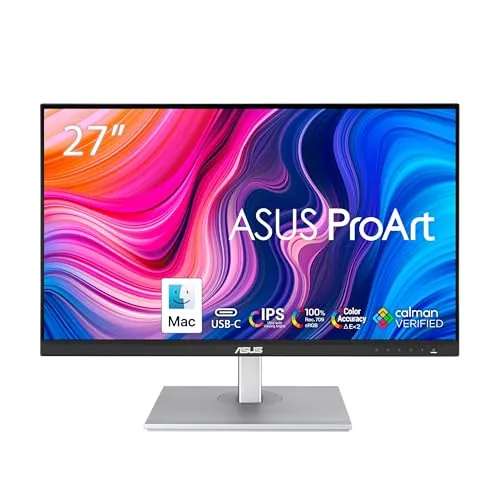
ASUS ProArt PA278CV vs PA278QV: USB-C or Legacy Monitor Ports?
The PA278CV and PA278QV are both 27-inch QHD ProArt monitors with ASUS-listed 75Hz refresh, 100% sRGB/Rec.709 coverage and adjustable stands. The practical difference is the connection path: PA278CV combines USB-C video (when the host supports DisplayPort Alt Mode), USB data and up to 65W power, plus a DisplayPort output. PA278QV has DVI-D and Mini DisplayPort inputs but no digital output. Check your laptop port, charger requirement and multi-monitor plan before choosing.
Read comparison