
Products compared

ASUS
ASUS ProArt PA279CRV 27-inch 4K Professional Monitor
ASUS ProArt PA279CRV, 27-inch 3840×2160 U.S. model with USB-C DP Alt Mode and 96W Power Delivery listed in ASUS U.S. specifications.
Model PA279CRV
Amazon ASIN B0BQPSX5CR
ASUS
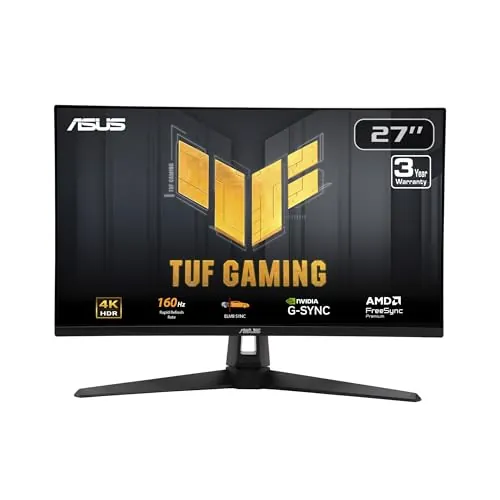
ASUS TUF Gaming VG27UQ1A 27-inch 4K Gaming Monitor
ASUS TUF Gaming VG27UQ1A, 27-inch 4K U.S. model; its guide identifies HDMI and DisplayPort video inputs and USB-C as service-only.
Model VG27UQ1A
Amazon ASIN B0DHG1GTG2
Differences that matter
What matters most to you?
Choose a priority to see what it changes.
Sources for Resolution and maximum refresh
Sources for Video ports and supported host path
Sources for USB-C charging and hub workflow
Sources for Included stand and mounting
Both are 4K; decide how your host will drive them
ASUS lists 3840×2160 for both models. PA279CRV's maximum refresh is 60Hz; VG27UQ1A's is 160Hz. ASUS's TUF guide lists the 4K/160Hz PC timing on both HDMI and DisplayPort. ASUS describes up to 4K/120Hz console visuals on VG27UQ1A over HDMI 2.1. Choose a mode your actual computer or console supports, not just a number on the product page.
A monitor's supported mode does not establish the frame rate an application will render. Check the GPU or console output, the selected input, cable and settings together. PA279CRV lists HDMI 2.0, DP 1.4 and USB-C DP Alt Mode; VG27UQ1A lists HDMI 2.1 and DP 1.4 DSC.
Choose the connector for your laptop and power setup
PA279CRV lists USB-C with DisplayPort Alt Mode, up to 96W Power Delivery and USB hub ports. ASUS describes the USB-C port as transmitting video and data while charging a laptop. That can reduce cable count for a compatible laptop desk, but confirm the laptop supports DP Alt Mode and check its power needs against the monitor's listed maximum.
VG27UQ1A lists HDMI 2.1 and DisplayPort 1.4 DSC video inputs. The user guide labels its USB-C port service-only, so do not plan on it for display or laptop charging. A laptop connected to the TUF needs a separate power path.
Plan for the stand movement you need
ASUS lists 0–130mm height adjustment, swivel and portrait pivot for PA279CRV's stand. The VG27UQ1A guide lists tilt from +20° to −5° and no height adjustment, pivot or swivel. It supports a 100×100mm VESA wall mount; ASUS says the mount kit is purchased separately.
If you want to position a screen vertically or raise it without buying an arm, PA279CRV is the documented fit. If you need VG27UQ1A's input modes, check that its fixed stand works at your desk or arrange a compatible separate mount.
Product details
ASUS ProArt PA279CRV 27-inch 4K Professional Monitor
The PA279CRV fits a compatible laptop desk where the monitor should carry USB-C video/data, provide up to 96W charging and offer USB hub connections. Its 60Hz listed ceiling and adjustable included stand suit a different setup priority than the TUF's higher refresh specification.
- Display and refresh
- 27-inch 3840×2160; ASUS lists a 60Hz maximum refresh rate. Source
- Video and laptop ports
- USB-C with DisplayPort Alt Mode and up to 96W USB-C Power Delivery; two DisplayPort 1.4 ports with daisy-chain support; two HDMI 2.0 ports; USB hub with three USB-A ports and one USB-C downstream port. Source
- Included stand
- Tilt, swivel, pivot and 0–130mm height adjustment; 100×100mm VESA mounting is also listed. Source
ASUS TUF Gaming VG27UQ1A 27-inch 4K Gaming Monitor
The VG27UQ1A fits a host and cable path that can use its HDMI 2.1 or DisplayPort modes. Plan separate laptop charging because ASUS labels its USB-C port service-only, and check whether tilt-only stand adjustment or a separately obtained VESA mount fits the desk.
- Display and refresh
- 27-inch 3840×2160; maximum refresh rate 160Hz. ASUS's specification lists a 48–160Hz vertical signal-frequency range on HDMI and DisplayPort, and the user guide includes 4K/160Hz timing on both inputs. Source
- Video inputs
- Two HDMI 2.1 inputs and one DisplayPort 1.4 DSC input. ASUS describes 4K/120Hz console visuals via HDMI 2.1; its USB-C port is service-only, not a display input. Source
- Included stand
- Tilt +20° to −5°; no height, pivot or swivel adjustment is listed. 100×100mm VESA mounting is supported and mount is separately purchased. Source
Before you buy
Community discussions
Working out which USB-C port does what
ASUS ProArt PA279CRV 27-inch 4K Professional Monitor
A PA279CRV owner had a Mac mini connected by USB-C and asked what the monitor’s second USB-C port could do.
What to check
Map which cable carries video and connects the host to the monitor’s hub. Check the intended function of the peripheral port you need.
Sharing peripherals between a laptop and a desktop
ASUS ProArt PA279CRV 27-inch 4K Professional Monitor
A PA279CRV buyer wanted to keep a webcam, keyboard and mouse attached while switching between a work laptop and a gaming desktop.
What to check
Plan how video and USB peripherals will switch when you change computers. Check whether you need a separate USB switch or dock.
Matching a monitor to a console’s output
ASUS TUF Gaming VG27UQ1A 27-inch 4K Gaming Monitor
An Xbox Series S shopper included the VG27UQ1A on a shortlist and was comparing it with a larger monitor.
What to check
Check the console’s resolution and refresh options over HDMI and compare them with the input modes on the exact display.
Common questions
Are both monitors 4K?
Yes. ASUS lists 3840×2160 resolution for both. The published maximum refresh rates differ: 60Hz for PA279CRV and 160Hz for VG27UQ1A.ProArt Display PA279CRV Technical Specifications - ASUS USATUF Gaming VG27UQ1A Technical Specifications - ASUS USA
Can I connect my laptop to VG27UQ1A using USB-C video?
The VG27UQ1A user guide identifies its USB-C port as service-only and describes HDMI and DisplayPort for video. For PA279CRV, ASUS lists USB-C DisplayPort Alt Mode, hub ports and up to 96W Power Delivery; verify that the laptop supports DP Alt Mode and the power is suitable.ProArt Display PA279CRV Technical Specifications - ASUS USAVG27UQ1A Series User Guide - ASUS
Does the VG27UQ1A support 4K/160Hz on both HDMI and DisplayPort?
The VG27UQ1A user guide's supported operating mode table lists 3840×2160 at 160Hz under both DisplayPort and HDMI. Confirm the source device, connection and settings support that mode; the timing table is not a game frame-rate promise.VG27UQ1A Series User Guide - ASUS
Which included stand adjusts height?
PA279CRV lists 0–130mm height adjustment, swivel and pivot. The VG27UQ1A manual lists tilt only, with no height adjustment, pivot or swivel; it supports a separate 100×100mm VESA mount.ProArt Display PA279CRV Technical Specifications - ASUS USAVG27UQ1A Series User Guide - ASUS
Sources and scope
This guide compares ASUS PA279CRV and ASUS TUF Gaming VG27UQ1A from their U.S. product and specification pages plus the VG27UQ1A series user guide. ASUS lists PA279CRV at up to 60Hz and VG27UQ1A at up to 160Hz, but source-device, cable and configuration requirements still apply. USB-C video/charging on PA279CRV requires a host that supports DisplayPort Alt Mode and compatible power needs; the VG27UQ1A manual labels its USB-C port service-only. No image-quality, color-accuracy, motion, brightness, response, latency or reliability comparison was tested.
Related comparisons

ASUS ProArt PA279CRV vs PA278QV: 4K USB-C or QHD Legacy Inputs?
Both are 27-inch ASUS ProArt IPS monitors, but they solve different desk problems. PA279CRV is 3840×2160 (4K) and its USB-C input supports DisplayPort Alt Mode and up to 96 W Power Delivery; with a compatible laptop it can carry video and USB data through one cable while connecting the monitor's hub. PA278QV is 2560×1440 (QHD), lists HDMI, DisplayPort, Mini DisplayPort and dual-link DVI-D, and has a four-port USB-A hub that needs a separate USB-B upstream connection. Before buying, check the laptop's USB-C video support and power needs, or check which legacy video port your desktop uses. ASUS lists different color-space coverage on the two models; these manufacturer specifications do not predict a user's calibrated result.
Read comparison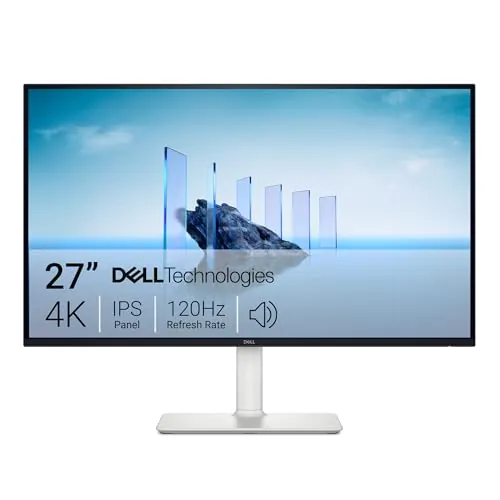
Dell S2725QS vs ASUS ProArt PA279CRV: Pick the Right Laptop Connection
Both are 27-inch 4K monitors, but their port layouts answer different desk needs. Dell S2725QS lists two HDMI 2.1 inputs and DisplayPort 1.4, with supported signals up to 120 Hz. ASUS PA279CRV supports 60 Hz and adds USB-C DisplayPort video with up to 96 W power delivery, a USB hub and DisplayPort daisy-chain output. Check your computer's ports and charging needs before buying; a retailer listing title that calls the S2725QS USB-C is not supported by Dell's exact-model port list.
Read comparison