
Products compared

ASUS
ASUS ProArt Display PA279CRV 27-inch 4K UHD Monitor
Black U.S. ProArt Display PA279CRV. ASUS U.S. technical specifications apply to this exact model family; no alternate PA279 variant is substituted.
Model PA279CRV
Amazon ASIN B0BQPSX5CR

ASUS
ASUS ROG Strix XG27ACS 27-inch QHD Gaming Monitor
Black U.S. ROG Strix XG27ACS, ASUS config 90LM09Q0-B011C1 in the assigned source route; not a nearby XG model.
Model XG27ACS
Amazon ASIN B0CV24GQ9W
Differences that matter
Sources for Resolution and refresh by input
Sources for USB-C one-cable display and laptop power planning
Start with the input and display mode your source can deliver
PA279CRV is the 4K option by published mode: ASUS lists 3840 × 2160 and 60Hz maximum, with digital vertical signal frequency from 48 to 60Hz. Its spec page does not split that range by input. XG27ACS is QHD at 2560 × 1440; ASUS lists 48–180Hz vertical for USB-C/DisplayPort and 48–144Hz for HDMI.
For a pre-buy check, write down the host's output port, cable and required resolution/refresh mode. Then compare those details with the exact input range above. The product's maximum does not guarantee that a laptop, GPU, console, operating system, game or cable can produce that mode.
Check laptop power before relying on one USB-C cable
Both ASUS pages list USB-C DisplayPort Alt Mode. PA279CRV lists Power Delivery up to 96W; XG27ACS lists 7.5W. That difference can matter for a laptop desk, but it is not a guarantee that either display charges every laptop or replaces every laptop adapter.
Look up the laptop's required USB-C input and verify that its port supports display output and the desired charging behavior. If you choose XG27ACS, plan separate laptop power unless 7.5W fits your exact device and usage. If you choose PA279CRV, confirm that the laptop's profile is compatible with the display's listed maximum and keep a separate adapter available until your setup is verified.
Match the stand to how you position the screen
ASUS lists 0–130mm height and ±30° swivel for PA279CRV, and 0–120mm height and ±45° swivel for XG27ACS. Both offer ±90° pivot. Check the available clearance around the screen and the attached cables.
Both specs list 100 × 100mm VESA mounting. If the XG27ACS's listed stand movements do not cover your layout, a compatible VESA arm may be an option; verify the arm, monitor attachment, load range and desk clearance for your particular setup. This is a fit-planning aid, not an assessment of panel quality or gaming speed.
Product details
ASUS ProArt Display PA279CRV 27-inch 4K UHD Monitor
- Resolution and signal frequency
- 3840 × 2160; maximum refresh 60Hz. ASUS lists digital vertical signal frequency as 48–60Hz; this page does not break that range out separately by input. Source
- USB-C display and power
- One USB-C port with DisplayPort Alt Mode; ASUS lists USB-C Power Delivery at 96W. The model also lists two DisplayPort 1.4 ports (Daisy Chain) and two HDMI 2.0 ports. Source
- Listed stand adjustments
- Tilt +23° to −5°, swivel +30° to −30°, pivot +90° to −90°, and 0–130mm height adjustment. Source
ASUS ROG Strix XG27ACS 27-inch QHD Gaming Monitor
- Resolution and input-specific signal frequency
- 2560 × 1440; maximum refresh 180Hz. ASUS lists 48–180Hz vertical over USB-C or DisplayPort, and 48–144Hz over HDMI. Source
- USB-C display and power
- One USB-C port with DisplayPort Alt Mode; ASUS lists USB-C Power Delivery at 7.5W. The model also lists one DisplayPort 1.4 port and one HDMI 2.0 port. Source
- Listed stand adjustments
- Tilt +20° to −5°, swivel ±45°, pivot ±90°, and 0–120mm height adjustment. Source
Before you buy
Community discussions
Checking the matte surface with a bright document
ASUS ROG Strix XG27ACS 27-inch QHD Gaming Monitor
An XG27ACS owner noticed a grain-like sheen most clearly on light backgrounds such as web pages and documents.
What to check
Try white documents and a window with fine text at your normal distance. Compare what the surface looks like with the lighting you actually use.
Common questions
Does the XG27ACS support 180Hz over HDMI?
ASUS lists 48–180Hz vertical over USB-C and DisplayPort, and 48–144Hz over HDMI. Check the host and cable as well as the selected input before assuming a particular mode is available.ASUS ROG Strix XG27ACS - Tech Specs (U.S.), configuration 90LM09Q0-B011C1
Can either monitor power a laptop over USB-C?
Both list USB-C with DisplayPort Alt Mode, but their listed power differs: up to 96W for PA279CRV and 7.5W for XG27ACS. Whether that is sufficient depends on the laptop's USB-C input profile and the way you use it; keep the laptop's separate adapter available if needed.ASUS ProArt Display PA279CRV - Tech Specs (U.S.)ASUS ROG Strix XG27ACS - Tech Specs (U.S.), configuration 90LM09Q0-B011C1
Which stand supports portrait rotation?
ASUS documents ±90° pivot for both included stands. Allow room for the bezel and cables through the rotation.ASUS ProArt Display PA279CRV - Tech Specs (U.S.)ASUS ROG Strix XG27ACS - Tech Specs (U.S.), configuration 90LM09Q0-B011C1ASUS ROG Strix XG27ACS global specificationsASUS ROG Strix XG27ACS English user guide
Sources and scope
This guide compares listed modes, port power and stand movements for the exact ASUS models. Check the connected host and cable for your target mode and whether the USB-C power meets your laptop's requirement. Confirm usable space for the monitor in its intended stand position.
Related comparisons

ASUS ProArt PA279CRV vs PA278QV: 4K USB-C or QHD Legacy Inputs?
Both are 27-inch ASUS ProArt IPS monitors, but they solve different desk problems. PA279CRV is 3840×2160 (4K) and its USB-C input supports DisplayPort Alt Mode and up to 96 W Power Delivery; with a compatible laptop it can carry video and USB data through one cable while connecting the monitor's hub. PA278QV is 2560×1440 (QHD), lists HDMI, DisplayPort, Mini DisplayPort and dual-link DVI-D, and has a four-port USB-A hub that needs a separate USB-B upstream connection. Before buying, check the laptop's USB-C video support and power needs, or check which legacy video port your desktop uses. ASUS lists different color-space coverage on the two models; these manufacturer specifications do not predict a user's calibrated result.
Read comparison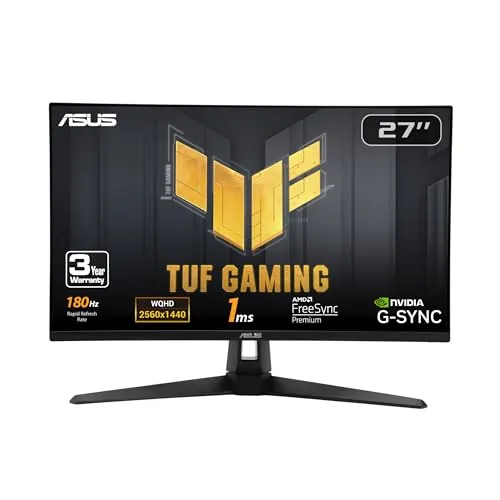
ASUS ROG Strix XG27ACS vs TUF VG27AQ3A: USB-C, 180Hz and Desk Setup
Both exact ASUS models are 27-inch 2560×1440 Fast IPS monitors with a listed maximum refresh rate of 180Hz. The connector path matters: ASUS lists HDMI up to 144Hz on both; ROG XG27ACS also lists DisplayPort and USB-C DisplayPort Alt Mode up to 180Hz, while TUF VG27AQ3A lists DisplayPort up to 180Hz. ROG adds USB-C with 7.5W power delivery and a stand that raises up to 120 mm and rotates to portrait. TUF has two HDMI inputs, built-in 2W × 2 speakers, tilt and swivel, but no stand height adjustment or pivot. Before buying, match the monitor input to your computer's output and decide whether you need to raise the screen or connect multiple HDMI sources.
Read comparison