
Products compared
ASUS
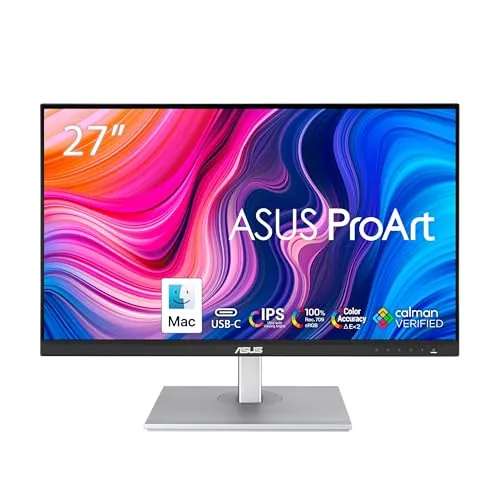
ASUS ProArt Display PA278CV
US PA278CV model. ASUS lists a 27-inch 2560×1440 display and estimates 61.50 cm assembled width and 22.80 cm depth with stand; its stand adjusts in height, so check your intended position. USB-C supports DisplayPort Alt Mode, hub data, and up to 65 W power delivery when host and cable requirements are met.
Model PA278CV
Amazon ASIN B08LCPY1TR
ASUS
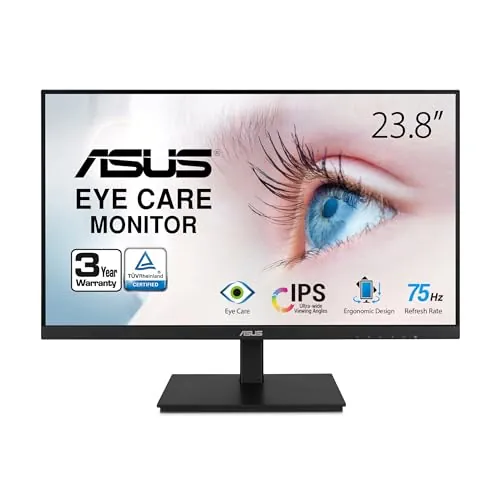
ASUS VA24DQSB
US VA24DQSB model. ASUS lists a 23.8-inch 1920×1080 display, HDMI, DisplayPort, VGA, and two USB 2.0 Type-A hub ports. ASUS estimates 54.00 cm assembled width and 21.10 cm depth with stand; the manual lists height from 33.5 to 45 cm across the stand's lowest and highest positions. The USB hub uses a separate Type-B upstream cable to the computer.
Model VA24DQSB
Amazon ASIN B09F9WVYTY
Differences that matter
What matters most to you?
Choose a priority to see what it changes.
Sources for Native screen format
Sources for Estimated width and depth with stand
Sources for USB-C laptop video and power path
Sources for Video ports and peripheral hub wiring
Start with the screen and desk dimensions
PA278CV is listed at 27 inches with 2560×1440 native resolution; VA24DQSB is 23.8 inches at 1920×1080. The number of pixels and diagonal size describe the panels, but not perceived sharpness or your usable layout at a particular operating-system scale. Check both in the context of the applications and text size you use.
ASUS estimates the assembled PA278CV at 61.50 cm wide and 22.80 cm deep, versus 54.00 cm wide and 21.10 cm deep for VA24DQSB. The maker notes these measurements may vary by region. Measure your own available surface and include space for cable bends and stand movement before deciding that either one fits.
Check the laptop's USB-C and charging support
PA278CV's USB-C port can carry DisplayPort Alt Mode video, data for the monitor hub, and up to 65 W of power. ASUS's manual says the computer must support DP Alt Mode and recommends a suitable certified Type-C cable. Check the exact laptop port and power requirements; USB-C connector shape alone does not establish that video will work or that 65 W is enough.
If the laptop only has USB-A available for an upstream hub connection, the PA278CV manual documents a Type-C-to-Type-A cable for the USB hub. That arrangement enables hub data only; it does not send USB-C video or charge the host. Use a separate supported HDMI or DisplayPort connection for the image.
Plan VA24DQSB's separate video and USB cables
VA24DQSB lists HDMI, DisplayPort, and VGA video inputs alongside two USB 2.0 Type-A hub ports. Its manual's VA24DQSB branch uses a separate USB Type-B upstream lead to connect that hub to the computer. Plan a video lead plus a hub lead when you want the monitor's USB ports; the hub connection is not the video connection.
This may match an older desktop with VGA or a current computer with HDMI/DisplayPort. Laptop power remains a separate part of the setup because the checked model sources do not document a USB-C charging connection.
Include stand travel in your measurement
PA278CV's listed stand adjustment includes up to 150 mm of height movement, ±45° swivel, tilt, and pivot. VA24DQSB lists up to 130 mm of height movement, tilt and pivot; its manual says the stand stop screw must be removed for ±180° swivel. That model-specific step matters if you plan to rotate or reposition the display frequently.
Before buying, mark the monitor's estimated width and depth on the desk, then check whether the position you plan to use leaves room for the stand's movement and cable routing. These listed dimensions and adjustments cannot guarantee a fit on a particular desk.
Pre-buy checklist
1. Measure the width and depth you can spare, allowing for the stand, cable bends, and your preferred adjustment. Start with ASUS's estimates of 61.5 × 22.8 cm for PA278CV and 54.0 × 21.1 cm for VA24DQSB.
2. Check your computer's exact video port and, if considering PA278CV USB-C, verify DP Alt Mode and USB-C charging wattage. A 65 W ceiling does not meet every laptop requirement.
3. Draw the cable route. PA278CV can combine USB-C video/data/power only with a compatible host and cable; USB-C-to-A gives hub functionality only. VA24DQSB uses video and Type-B hub upstream separately.
4. Select the native resolution and scaling you actually prefer. The specifications distinguish 2560×1440 from 1920×1080 but do not substitute for checking your chosen text size and application layout.
5. If you need the VA24DQSB stand's full swivel range, read the manual's stop-screw instruction and check that the desk has room for the display's movement.
Product details
ASUS ProArt Display PA278CV
- Screen format
- 27-inch, 16:9, 2560×1440 native resolution Source
- USB-C connection
- USB-C DisplayPort Alt Mode input; up to 65 W power delivery; four USB 3.2 Gen 1 Type-A downstream ports Source
- Estimated assembled dimensions
- 61.50 cm width and 22.80 cm depth with stand; height changes with stand adjustment. ASUS estimates may vary by region. Source
- Stand adjustment
- Tilt +35° to −5°, swivel ±45°, height adjustment up to 150 mm, and pivot; verify the clearance needed for your chosen position Source
ASUS VA24DQSB
- Screen format
- 23.8-inch, 16:9, 1920×1080 native resolution Source
- Video inputs and USB hub
- HDMI, DisplayPort, VGA; two USB 2.0 Type-A downstream ports with separate USB Type-B upstream connection Source
- Estimated assembled dimensions
- 54.00 cm width and 21.10 cm depth with stand; manual lists height from 33.5 cm lowest to 45 cm highest stand position. ASUS estimates may vary by region. Source
- Stand adjustment
- Tilt +35° to −5°, height adjustment up to 130 mm, pivot; manual specifies that the swivel stop screw must be removed for ±180° swivel Source
Before you buy
Community discussions
Using one cable for a laptop and its peripherals
ASUS ProArt Display PA278CV
A PA278CV owner used USB-C with an M1 Pro MacBook so the monitor could also connect the mouse and audio interface.
What to check
Check the laptop’s video output and charging needs. Count the accessories you want attached to the display before setting up a one-cable desk.
Common questions
Can PA278CV charge any laptop over USB-C?
No universal compatibility is established. ASUS lists up to 65 W and requires a host that supports DisplayPort Alt Mode for USB-C video; check the exact laptop port's charging support and wattage requirement. A 65 W maximum may not meet every laptop's needs.ProArt Display PA278CV: US Technical SpecificationsASUS PA278CV Series LCD Monitor User Guide
Can PA278CV's USB hub work with a computer that only has USB-A?
The PA278CV manual documents a USB Type-C-to-Type-A upstream connection for the monitor's hub. It enables the USB-A downstream ports only; it does not provide video or USB-C charging. Connect video separately through a supported input.ASUS PA278CV Series LCD Monitor User Guide
Does VA24DQSB use USB-C for video or charging?
ASUS's VA24DQSB page lists HDMI, DisplayPort, VGA, and a USB hub; its applicable manual shows a separate Type-B upstream cable for the hub. It does not document a USB-C video/power input for this model.VA24DQSB: US Technical SpecificationsASUS VA24D Series LCD Monitor User Guide — VA24DQSB sections
How much desk width should I allow?
ASUS lists estimated assembled widths of 61.50 cm for PA278CV and 54.00 cm for VA24DQSB. Those are regional estimates, not a guarantee of fit; measure your desk and leave room for cable routing and your chosen stand position.ProArt Display PA278CV: US Technical SpecificationsVA24DQSB: US Technical Specifications
Does VA24DQSB swivel all the way around?
Its model-specific manual says to remove the stop screw at the base to allow ±180° swivel. The adjustment is part of the VA24DQSB/VA24DQSBY stand branch; check the manual before adjusting your exact unit.ASUS VA24D Series LCD Monitor User Guide — VA24DQSB sections
Sources and scope
This guide compares ASUS US specifications and model-specific manuals; it is not display testing. It does not establish perceived sharpness, color accuracy, brightness uniformity, motion quality, or reliability. ASUS labels the physical dimensions estimates that may vary by region. Desk fit depends on your actual usable space, cable bend room, mount and chosen adjustment. PA278CV's USB-C video requires host DisplayPort Alt Mode and an appropriate cable; its maximum power delivery is 65 W, which may not meet every laptop's requirement. VA24DQSB uses its video input separately from its Type-B USB hub upstream connection.
Related comparisons

ASUS ProArt PA278CV vs PA279CRV: QHD or 4K for Your Desk?
Both are 27-inch ProArt IPS monitors with factory calibration claims, USB-C video, and daisy-chain connections. The PA278CV is 2560×1440 at 109 PPI, rated up to 75Hz, and lists 100% sRGB/100% Rec.709 with 65W USB-C power. The PA279CRV is 3840×2160 at 163 PPI, 60Hz, and lists 99% Adobe RGB and 99% DCI-P3 with 96W USB-C power. Choose by your deliverable color space, laptop charging needs, and host support for multi-display output.
Read comparison
ASUS ProArt PA278CV vs PA278QV: USB-C or Legacy Monitor Ports?
The PA278CV and PA278QV are both 27-inch QHD ProArt monitors with ASUS-listed 75Hz refresh, 100% sRGB/Rec.709 coverage and adjustable stands. The practical difference is the connection path: PA278CV combines USB-C video (when the host supports DisplayPort Alt Mode), USB data and up to 65W power, plus a DisplayPort output. PA278QV has DVI-D and Mini DisplayPort inputs but no digital output. Check your laptop port, charger requirement and multi-monitor plan before choosing.
Read comparison