
Products compared

ASUS
ASUS ProArt Display PA278QV
U.S. 27-inch QHD IPS monitor
Model PA278QV
Amazon ASIN B088BC5HMM
LG
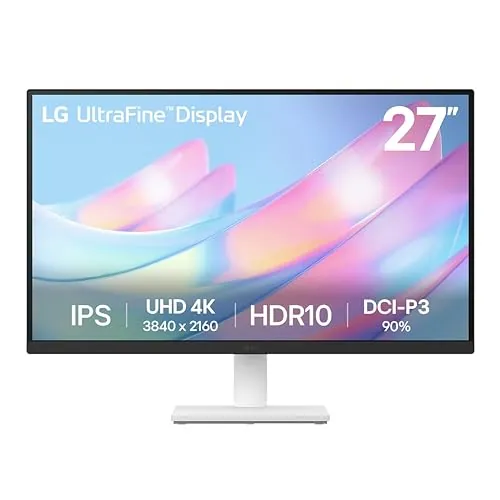
LG UltraFine 27US500-W
U.S. 27-inch 4K UHD IPS model; verify the .AUS variant on the listing
Model 27US500-W.AUS
Amazon ASIN B0D9R7Q449
Differences that matter
What matters most to you?
Choose a priority to see what it changes.
Sources for How the included stand changes placement
Sources for Connectors to check against your computer or dock
Sources for Maker-listed color and picture controls
Sources for Using a separate monitor arm
Compare the resolution to your actual app workflow
The ASUS is native 2560 × 1440; the LG is native 3840 × 2160 at its listed recommended 60 Hz. If your work needs a 4K source shown at native resolution, the LG is the direct fit provided the computer, dock and cable can deliver that mode. If QHD is already enough, the ASUS may make more sense when stand movement is also a priority.
Resolution is not the same as comfortable text size. In Windows, Scale adjusts text and app size separately from display resolution. Test your common apps at your actual viewing distance before expecting the LG's extra pixels to enlarge the usable workspace or make text easier to read.
Check stand movement and desk height
PA278QV's stand documents up to 150 mm height adjustment, tilt, swivel and bidirectional pivot. LG's exact U.S. 27US500 manual describes tilt; the sections for height adjustment and pivot apply to other identified models, not this one. If the LG is placed on a fixed-height desk, compare its screen position with your seated setup or account for a separate mount.
Both documents list a 100 × 100 mm mounting pattern. That does not by itself establish arm fit: check the monitor's exact manual and your selected mount's rating, hardware and desk installation requirements.
Match inputs and color controls to what you use
The ASUS U.S. datasheet lists DisplayPort 1.2, Mini DisplayPort 1.2, HDMI 1.4 and dual-link DVI, plus a USB-A hub. LG's U.S. 27US500-W.AUS support/manual documentation covers HDMI and DisplayPort inputs. Compare the exact ports on your source, dock and cable before selecting by resolution; the monitor specification alone cannot confirm your computer's supported output.
For color setup, ASUS explicitly lists sRGB and Rec.709 ProArt Presets with six-axis adjustment. LG markets Reader Mode, HDR10 and up to 90% DCI-P3 gamut expression. These labels describe different maker features, not interchangeable measurements or proof of which panel looks more accurate.
Product details
ASUS ProArt Display PA278QV
The desk-fit case for the PA278QV is its supplied adjustable stand and manufacturer-listed color presets, in exchange for a native QHD rather than 4K panel. ASUS specifications describe features, not independent calibration or visual testing of this unit.
- Native resolution
- 2560 × 1440 on a 27-inch, 16:9 IPS panel Source
- Included-stand adjustment
- 0–150 mm height, bidirectional 90° pivot, ±90° swivel and +35° to −5° tilt Source
- Video inputs
- DisplayPort 1.2, Mini DisplayPort 1.2, HDMI 1.4 and dual-link DVI; four USB-A 3.0 ports are a hub, not display inputs Source
- Maker-listed color controls
- ProArt Preset modes include sRGB and Rec.709; also lists six-axis color adjustment and gamma selection Source
- Mount pattern
- 100 × 100 mm VESA Source
LG UltraFine 27US500-W
The 27US500-W.AUS case is native 4K on a 27-inch panel with a tilt-only supplied stand. LG's color-gamut and picture-mode labels do not establish a measured visual advantage over the ASUS.
- Native resolution
- 3840 × 2160 at the maker-listed recommended 60 Hz Source
- Supplied-stand adjustment
- Tilt only; the U.S. manual's height/pivot sections apply to other named models, not 27US500 Source
- Video connection
- HDMI and DisplayPort inputs; check the exact .AUS manual and your host output for the intended resolution and refresh mode Source
- Maker-listed picture features
- LG lists Reader Mode, HDR10 and up to 90% DCI-P3 color-gamut expression; these are manufacturer claims, not a direct test against ASUS presets Source
- Mount pattern
- 100 × 100 mm VESA; verify the exact manual's mount instructions and suitable arm or wall hardware Source
Before you buy
Community discussions
Trying the text scale on a Mac
ASUS ProArt Display PA278QV
A PA278QV owner using a Mac found the text looked soft in their setup and asked about scaling settings.
What to check
Preview macOS text and interface scaling at your normal desk distance. Check both readable type size and the usable desktop area.
Common questions
Does the LG 27US500-W rotate to portrait on its included stand?
The U.S. 27US500 manual documents tilt for this stand; its height and pivot sections are identified for other models (27US550/27BA45U), not 27US500. Windows can change display orientation, but that software setting does not physically rotate the LG stand. The PA278QV includes pivot on its stand.LG 27US500 owner's manual, English U.S. download linked by model supportProArt Display PA278QV U.S. datasheetChange your screen resolution and layout in Windows
Will the LG's 4K resolution create more usable desktop space?
It provides a higher native pixel resolution, but usable workspace and text size also depend on host settings and app scaling. Microsoft describes changing Scale separately from resolution in Windows. Try your apps at your normal viewing distance and check the computer or dock's output limits; this comparison did not test your setup.LG U.S. 27 Inch UltraFine 4K UHD Monitor 27US500-WChange your screen resolution and layout in Windows
Are the ASUS presets proof that it is more color accurate than the LG?
No direct comparison follows from the feature lists. ASUS documents ProArt Preset modes and adjustment controls; LG lists Reader Mode, HDR10 and DCI-P3 gamut expression. Neither source is a matched test of these two exact retail units in your workflow.ProArt Display PA278QV U.S. datasheetLG U.S. 27 Inch UltraFine 4K UHD Monitor 27US500-W
Sources and scope
This is a manufacturer-specification and setup-fit comparison, not a side-by-side test of color accuracy, text clarity, HDR, motion, or reliability. Your computer, dock, cable and apps determine which modes are available and comfortable; no host setup was tested.
- ProArt Display PA278QV U.S. datasheet
- ASUS ProArt Display PA278QV technical specifications
- LG U.S. 27 Inch UltraFine 4K UHD Monitor 27US500-W
- LG USA support and manual downloads for exact model 27US500-W.AUS
- LG 27US500 owner's manual, English U.S. download linked by model support
- Change your screen resolution and layout in Windows
Related comparisons

ASUS ProArt PA279CRV vs PA278QV: 4K USB-C or QHD Legacy Inputs?
Both are 27-inch ASUS ProArt IPS monitors, but they solve different desk problems. PA279CRV is 3840×2160 (4K) and its USB-C input supports DisplayPort Alt Mode and up to 96 W Power Delivery; with a compatible laptop it can carry video and USB data through one cable while connecting the monitor's hub. PA278QV is 2560×1440 (QHD), lists HDMI, DisplayPort, Mini DisplayPort and dual-link DVI-D, and has a four-port USB-A hub that needs a separate USB-B upstream connection. Before buying, check the laptop's USB-C video support and power needs, or check which legacy video port your desktop uses. ASUS lists different color-space coverage on the two models; these manufacturer specifications do not predict a user's calibrated result.
Read comparison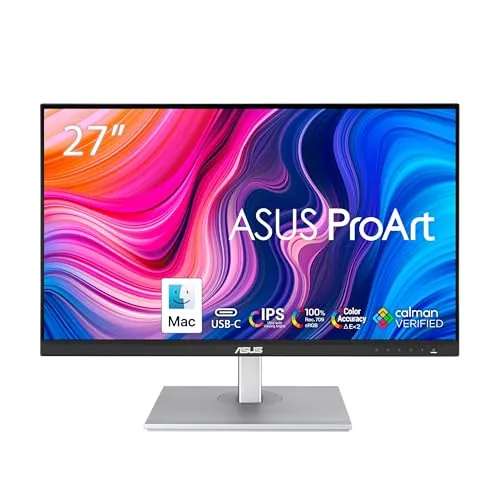
ASUS ProArt PA278CV vs PA278QV: USB-C or Legacy Monitor Ports?
The PA278CV and PA278QV are both 27-inch QHD ProArt monitors with ASUS-listed 75Hz refresh, 100% sRGB/Rec.709 coverage and adjustable stands. The practical difference is the connection path: PA278CV combines USB-C video (when the host supports DisplayPort Alt Mode), USB data and up to 65W power, plus a DisplayPort output. PA278QV has DVI-D and Mini DisplayPort inputs but no digital output. Check your laptop port, charger requirement and multi-monitor plan before choosing.
Read comparison