
Products compared

ASUS
ASUS ProArt PA278QV 27-inch QHD Monitor
United States listing; fixed desktop monitor with bundled stand and AC power cord listed by ASUS.
Model PA278QV
Amazon ASIN B088BC5HMM
ASUS
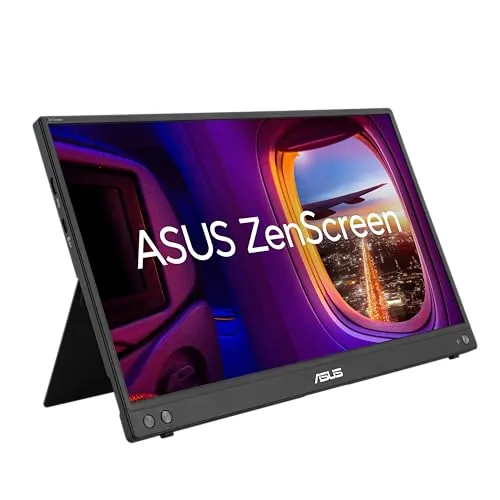
ASUS ZenScreen MB16AHV 15.6-inch Portable Monitor
United States listing; portable Full HD monitor with fold-out kickstand, two USB-C video/power ports and mini HDMI.
Model MB16AHV
Amazon ASIN B0CGGLZ8YT
Differences that matter
What matters most to you?
Choose a priority to see what it changes.
Sources for Screen and intended placement
Sources for Connection to the computer
Sources for Stand, movement and setup
Start with where the second screen will live
If the display will remain on one desk, the PA278QV is the larger-format option: ASUS lists a 27-inch 2560 × 1440 panel, a desktop stand and conventional DisplayPort, Mini DisplayPort, HDMI and DVI inputs. Its stand adjusts for height, swivel, pivot and tilt. This describes the listed hardware, not a guarantee of color or image results in your room.
If you will move the display with a laptop, the MB16AHV is a 15.6-inch 1920 × 1080 portable model weighing about 0.9 kg. Its fold-out stand and small footprint suit a different placement pattern. Decide whether the smaller panel is enough for the work you intend to put on it; neither resolution nor size alone tells you which will feel better at your viewing distance.
Check video and power together before buying
For the PA278QV, identify an available computer or dock output that matches one of the monitor’s listed inputs, then confirm the cable is in the seller’s box or add the correct one to your setup. The datasheet marks the signal cables optional and lists AC power separately.
For a one-cable MB16AHV setup, check the exact USB-C port’s DP Alt Mode support and whether the host supplies enough power. ASUS’s manual says a USB-C-shaped connector is not sufficient evidence of video support and illustrates an adapter-assisted setup when host USB-C output is too low. With HDMI, plan to connect the supplied power adapter. Use the bundled power adapter and USB cable as the manual instructs.
Make the seller’s package part of the comparison
ASUS’s PA278QV datasheet lists a power cord and marks the signal cables optional. For MB16AHV, ASUS’s U.S. specification page says accessories vary by region; its manual lists the USB-C cable, power adapter, HDMI-to-mini-HDMI adapter and sleeve. The HDMI adapter is not an HDMI cable, and the tripod socket does not mean a tripod is included. Check the exact seller offer rather than assuming every retail box or bundle contains the same extras.
A useful pre-buy check is to write down the intended placement, monitor input, computer output, cable or adapter, power source and included accessories. If any link in that chain is uncertain, confirm it with the computer manufacturer or seller before ordering. For travel, ASUS also warns not to stack the MB16AHV with a computer that is powered on or in standby; power the computer off before placing both in one bag.
Product details
ASUS ProArt PA278QV 27-inch QHD Monitor
- Panel and native resolution
- 27-inch IPS, 2560 × 1440 Source
- Video inputs
- DisplayPort 1.2, Mini DisplayPort 1.2, HDMI 1.4 and DVI Source
- Stand adjustments
- Tilt, swivel, pivot and up to 150 mm height adjustment Source
- Power and listed box contents
- 100–240 V, 50/60 Hz; power cord listed. Signal cables are marked optional in the datasheet. Source
ASUS ZenScreen MB16AHV 15.6-inch Portable Monitor
- Panel and native resolution
- 15.6-inch IPS, 1920 × 1080, up to 60 Hz Source
- Video inputs
- Two USB-C ports with DP Alt Mode and one mini HDMI input Source
- Weight and support
- About 0.9 kg; fold-out kickstand and 1/4-inch tripod socket Source
- Documented package items
- Manual lists a power adapter, USB-C-to-USB-C cable, HDMI-to-mini-HDMI adapter and sleeve; verify the seller’s exact package. Source
Before you buy
Community discussions
A desk setup pairs two 27-inch PA278QVs with a smaller portable screen
ASUS ProArt PA278QV 27-inch QHD Monitor
A work, relax, and gaming desk setup lists two 27-inch PA278QVs plus a separate 14-inch ASUS PA147CDV portable display. The post does not say whether the smaller screen is carried away from the desk or describe its connection workflow.
What to check
If you are comparing a fixed monitor with the ZenScreen, decide whether the smaller screen needs to travel or will stay as another desk display. Check the video and power path for the host you plan to use; the post's PA147CDV is a different portable model and does not establish MB16AHV compatibility.
Common questions
Can any USB-C laptop port drive the MB16AHV?
No. ASUS’s manual says USB-C video works only when the computer supports DisplayPort Alt Mode. Confirm the capability of the exact port with the computer maker; a USB-C-shaped port alone does not show that it supports video.ASUS MB16AHV User Guide (First Edition, August 2023)
Can I connect the MB16AHV over HDMI?
The monitor has a mini HDMI input. ASUS’s manual says to connect the bundled power adapter when using HDMI, and lists an HDMI-to-mini-HDMI adapter in the package. Check whether your exact seller listing includes the relevant adapter and HDMI cable; the adapter is not itself an HDMI cable.ASUS ZenScreen MB16AHV US Technical SpecificationsASUS MB16AHV User Guide (First Edition, August 2023)
Does the MB16AHV replace a full-size adjustable monitor stand?
It has a fold-out kickstand with a documented tilt range and a 1/4-inch tripod socket, while the PA278QV stand has height, swivel, pivot and tilt adjustments. Choose based on your actual desk or travel position; the specifications do not establish a comfort outcome.ProArt Display PA278QV DatasheetASUS ZenScreen MB16AHV US Technical SpecificationsASUS MB16AHV User Guide (First Edition, August 2023)
Sources and scope
This is a specification-based setup comparison, not a hands-on image-quality, color-accuracy, productivity, gaming, durability or comfort test. Check your exact computer and dock documentation for video output and USB-C power; a USB-C connector alone does not establish display support. Confirm the seller’s exact MB16AHV package and use its bundled power adapter and USB cable as the manual directs. Prices and offer status are not compared.
Related comparisons

ASUS ProArt PA279CRV vs PA278QV: 4K USB-C or QHD Legacy Inputs?
Both are 27-inch ASUS ProArt IPS monitors, but they solve different desk problems. PA279CRV is 3840×2160 (4K) and its USB-C input supports DisplayPort Alt Mode and up to 96 W Power Delivery; with a compatible laptop it can carry video and USB data through one cable while connecting the monitor's hub. PA278QV is 2560×1440 (QHD), lists HDMI, DisplayPort, Mini DisplayPort and dual-link DVI-D, and has a four-port USB-A hub that needs a separate USB-B upstream connection. Before buying, check the laptop's USB-C video support and power needs, or check which legacy video port your desktop uses. ASUS lists different color-space coverage on the two models; these manufacturer specifications do not predict a user's calibrated result.
Read comparison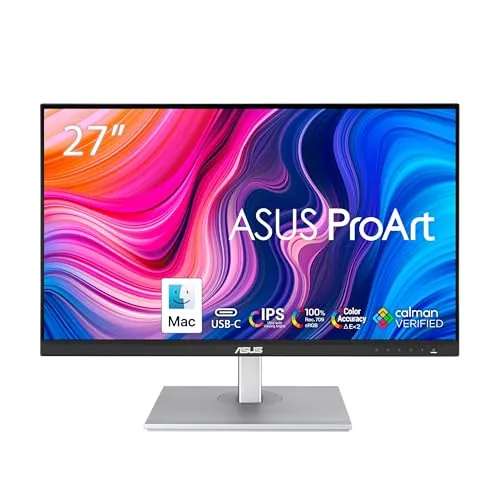
ASUS ProArt PA278CV vs PA278QV: USB-C or Legacy Monitor Ports?
The PA278CV and PA278QV are both 27-inch QHD ProArt monitors with ASUS-listed 75Hz refresh, 100% sRGB/Rec.709 coverage and adjustable stands. The practical difference is the connection path: PA278CV combines USB-C video (when the host supports DisplayPort Alt Mode), USB data and up to 65W power, plus a DisplayPort output. PA278QV has DVI-D and Mini DisplayPort inputs but no digital output. Check your laptop port, charger requirement and multi-monitor plan before choosing.
Read comparison