
Products compared

ASUS
ASUS ProArt Display PA279CRV 27-inch 4K HDR Monitor
Exact assigned US Amazon listing is the black ASUS ProArt PA279CRV. Manufacturer specifications apply to the PA279CRV model; confirm the selected seller's package and regional terms.
Model PA279CRV
Amazon ASIN B0BQPSX5CR
LG
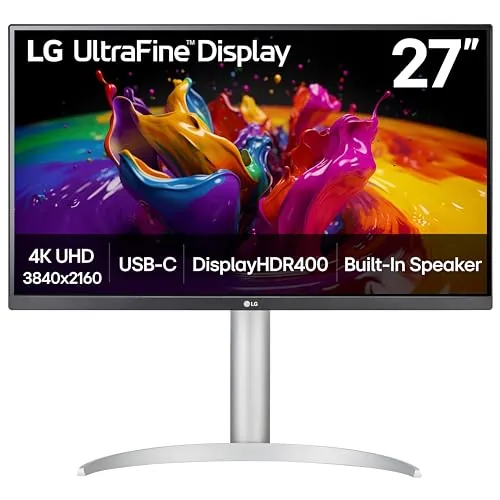
LG 27UP850K-W 27-inch UltraFine 4K UHD IPS Monitor, White
Exact selected listing listing is the white LG 27UP850K-W. LG USA's support page uses model suffix 27UP850K-W.AUS. LG's detailed public specification page is regional; verify the US offer, package, port and warranty details before buying.
Model 27UP850K-W.AUS (LG US support suffix)
Amazon ASIN B0DQFF7FBS
Differences that matter
What matters most to you?
Choose a priority to see what it changes.
Sources for USB-C laptop video and charging
Sources for Hub and input layout
Sources for Two-monitor daisy-chain setup
Sources for Stand adjustment and desk fit
Sources for Exact US listing and regional specification boundary
Choose by the color space in your deliverable
These are both 27-inch 4K IPS monitors rated up to 60Hz, so the core resolution is not the deciding distinction. ASUS lists Adobe RGB and DCI-P3 ProArt presets and published coverage values for sRGB, Adobe RGB and DCI-P3. LG US lists up to 95% DCI-P3. If an Adobe RGB workflow is essential, PA279CRV is the one whose official US source explicitly documents that mode.
Do not convert those manufacturer figures into a claim that one panel is universally more accurate. LG's detailed 95% DCI-P3 number is specified using CIE 1976 on a regional page, while ASUS provides its own values and calibration claims. Neither figure measures uniformity on your unit or guarantees color through your particular OS, app, profile and calibration device.
One-cable video and charging depend on your laptop
ASUS lists USB-C DisplayPort Alt Mode and up to 96W Power Delivery. LG US advertises USB Type-C; the detailed 27UP850K-W specification page lists USB-C data/video and up to 90W PD. The six-watt difference is a ceiling, not proof that either monitor will satisfy a specific laptop while it is under load.
Before using a monitor as a dock, check the laptop maker's required adapter wattage, the computer port's DP Alt Mode support and the cable. Then count downstream ports: ASUS lists one USB-C plus three USB-A hub ports, while LG's detailed specification lists two USB downstream ports. This helps decide whether the monitor can simplify a particular desk, but does not establish that all connected devices will work without drivers or setup.
Daisy chaining is conditional on the computer and OSD
ASUS documents a PA279CRV daisy-chain path over DisplayPort or USB-C. Its manual says the computer must support Multi-Stream Transport (MST), and the monitor must use Power Saving Normal Level. Deep Level makes the connected displays show cloned content; with the DP-out cable connected, input auto-detection is fixed. These are setup constraints, not optional fine print.
The reviewed LG US and regional pages list input and USB port layouts but do not supply a daisy-chain procedure. That evidence gap does not prove LG cannot support a chain through another configuration. If a chain is central to the purchase, confirm it with LG for the exact .AUS model and validate the host's supported display count, connection path, resolution and refresh.
Check stand movement and the exact LG region suffix
ASUS explicitly lists tilt, swivel, pivot and up to 130mm of height adjustment. LG USA lists height, tilt and pivot for 27UP850K-W, but the US page does not list swivel. If side-to-side movement matters, ASUS is the documented fit; check LG's exact manual or ask support rather than assuming a missing bullet means the feature cannot exist.
The assigned LG listing information is the white 27UP850K-W, and LG USA support identifies the .AUS model suffix. The 90W and downstream-port details above come from LG's detailed page for 27UP850K-W in another region. Treat them as same-model reference information and verify the US offer and its manual for regional differences before you plan cables, accessories or a warranty claim.
A four-step desk-fit check before buying
1. Name your output color space and decide whether ASUS's documented Adobe RGB preset is necessary. 2. Look up your laptop's charging requirement and video-capable USB-C/DisplayPort output; compare that with the monitor's listed power and host path. 3. Count devices for the USB hub and inputs, using the exact US package/manual for the chosen LG suffix. 4. If you plan a monitor chain, verify host MST, OS display limit and target mode first, then use the ASUS manual's Normal Level power-saving requirement if choosing that route.
For a simpler one-monitor desk, either can meet a 27-inch 4K/60Hz brief from the listed sources. ASUS documents a more specific creator-mode, hub and chain workflow; LG offers the assigned white finish and an explicitly listed tilt/height/pivot stand. No matched testing here establishes a universal picture-quality, HDR, uniformity, latency or sound winner.
Product details
ASUS ProArt Display PA279CRV 27-inch 4K HDR Monitor
- Resolution and refresh
- 27-inch IPS, 3840 × 2160 (4K), 163 PPI, up to 60Hz. Source
- Color workflow features
- ASUS lists 100% sRGB, 99% Adobe RGB and 99% DCI-P3, with ProArt Presets including Adobe RGB and DCI-P3; manufacturer calibration claims are not an independent comparative test. Source
- USB-C and hub
- USB-C DisplayPort Alt Mode with up to 96W Power Delivery; one USB-C and three USB-A downstream hub ports. Source
- Multi-display and stand
- Two DisplayPort 1.4 connections listed for daisy chaining; stand lists tilt, swivel, pivot and up to 130mm height adjustment. Daisy chain requires an MST-capable source and specific OSD settings. Source
LG 27UP850K-W 27-inch UltraFine 4K UHD IPS Monitor, White
- Resolution and refresh
- LG US lists a 27-inch 4K UHD (3840 × 2160) IPS display; its detailed 27UP850K-W specification lists up to 60Hz. Source
- Published color coverage
- LG US advertises up to 95% DCI-P3; the detailed regional page specifies DCI-P3 95% (CIE 1976). Do not treat this different source method as a direct panel-quality test against ASUS figures. Source
- USB-C and downstream ports
- The same-model detailed specification lists USB-C data and video up to 3840 × 2160 at 60Hz, 90W Power Delivery, two USB 3.0 downstream ports, one DisplayPort and two HDMI inputs. Source
- Stand movement
- LG US lists height, tilt and pivot adjustment. The US page does not list swivel; confirm with LG if side-to-side stand swivel is required. Source
Before you buy
Community discussions
Choosing a monitor for both web and projection work
ASUS ProArt Display PA279CRV 27-inch 4K HDR Monitor
A shopper considering the PA279CRV wanted one 4K display for color grading projects destined for the web and projection. They were weighing the color coverage against brightness and contrast on another monitor.
What to check
List the output color spaces for your own work and test those modes on the exact displays you are considering. Check laptop charging separately.
Sharing the desk between a Windows workstation and a laptop
ASUS ProArt Display PA279CRV 27-inch 4K HDR Monitor
An ASUS PA279CRV owner considering a second display described long workdays in design and photo apps on Windows, plus occasional use with a MacBook Air. They wanted to move their current monitor to the side of the desk.
What to check
If the desk alternates between a laptop and a workstation, verify the video and power paths for both. Also measure how you would place a second monitor.
Common questions
Are these two monitors both 4K?
Yes. ASUS specifies 27-inch 3840 × 2160 and LG US describes its 27UP850K-W as 27-inch 4K UHD. Both source sets list up to 60Hz; this is not a high-refresh monitor comparison.ProArt Display PA279CRV — ASUS USA Tech Specs27UP850K-W — LG USA product page27UP850K-W — LG detailed model specifications (Australia region)
Which one should I choose for Adobe RGB work?
ASUS explicitly lists Adobe RGB coverage and an Adobe RGB ProArt Preset for PA279CRV. The reviewed LG 27UP850K-W pages publish DCI-P3 coverage but do not establish an Adobe RGB preset. This feature fit does not prove superior measured accuracy, uniformity or a better result in every color-managed pipeline.ProArt Display PA279CRV — ASUS USA Tech Specs27UP850K-W — LG USA product page27UP850K-W — LG detailed model specifications (Australia region)
Will either monitor charge my laptop over one USB-C cable?
Both have USB-C. ASUS lists DisplayPort Alt Mode and up to 96W PD; LG US lists USB-C, and its detailed same-model regional specification lists video/data and up to 90W PD. Confirm your laptop port supports video and the required charging wattage, and check the exact US product manual and cable.ProArt Display PA279CRV — ASUS USA Tech SpecsASUS PA279CRV User Guide27UP850K-W — LG USA product page27UP850K-W — LG detailed model specifications (Australia region)
Can I daisy-chain two displays through the PA279CRV?
ASUS documents this for PA279CRV but requires an MST-capable source. Its manual says use Power Saving Normal Level; Deep Level makes connected monitors clone and DP-out fixes input auto-detection. Check the computer's exact GPU/OS display limit and the desired mode before relying on a chain.ASUS PA279CRV User Guide
Does the LG 27UP850K-W definitely not support daisy chaining or swivel?
The cited LG US page lists height, tilt and pivot but not swivel, and the reviewed US and regional product specification pages do not provide a daisy-chain procedure. That is not proof either feature is impossible. Confirm with LG or the exact .AUS manual if either is essential.27UP850K-W — LG USA product pageLG USA support: 27UP850K-W.AUS27UP850K-W — LG detailed model specifications (Australia region)
Are the LG port and color figures specific to the US .AUS listing?
LG USA support identifies the assigned model family as 27UP850K-W.AUS and the US product page confirms its core 4K/USB-C positioning. The detailed 90W, downstream-port and DCI-P3 (CIE 1976) values cited here come from LG's 27UP850K-W regional product specification. Verify any deciding connection or package detail against the exact US offer/manual before checkout.LG USA support: 27UP850K-W.AUS27UP850K-W — LG USA product page27UP850K-W — LG detailed model specifications (Australia region)
Sources and scope
For a one-cable laptop setup, confirm the amount of power your device needs and that its USB-C port carries video. LG’s detailed 90W and hub specs come from its same-model Australia page. Verify those specs for the U.S. 27UP850K-W you plan to buy. Check the computer’s MST support before choosing ASUS for daisy chaining.
- Amazon US listing: ASUS ProArt PA279CRV, exact ASIN B0BQPSX5CR
- Amazon US listing: LG 27UP850K-W White, exact ASIN B0DQFF7FBS
- ProArt Display PA279CRV — ASUS USA
- ProArt Display PA279CRV — ASUS USA Tech Specs
- ASUS PA279CRV User Guide
- 27UP850K-W — LG USA product page
- LG USA support: 27UP850K-W.AUS
- 27UP850K-W — LG detailed model specifications (Australia region)
Related comparisons

ASUS ProArt PA279CRV vs PA278QV: 4K USB-C or QHD Legacy Inputs?
Both are 27-inch ASUS ProArt IPS monitors, but they solve different desk problems. PA279CRV is 3840×2160 (4K) and its USB-C input supports DisplayPort Alt Mode and up to 96 W Power Delivery; with a compatible laptop it can carry video and USB data through one cable while connecting the monitor's hub. PA278QV is 2560×1440 (QHD), lists HDMI, DisplayPort, Mini DisplayPort and dual-link DVI-D, and has a four-port USB-A hub that needs a separate USB-B upstream connection. Before buying, check the laptop's USB-C video support and power needs, or check which legacy video port your desktop uses. ASUS lists different color-space coverage on the two models; these manufacturer specifications do not predict a user's calibrated result.
Read comparison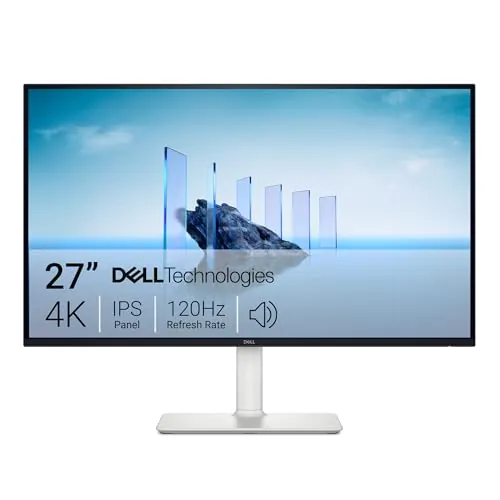
Dell S2725QS vs ASUS ProArt PA279CRV: Pick the Right Laptop Connection
Both are 27-inch 4K monitors, but their port layouts answer different desk needs. Dell S2725QS lists two HDMI 2.1 inputs and DisplayPort 1.4, with supported signals up to 120 Hz. ASUS PA279CRV supports 60 Hz and adds USB-C DisplayPort video with up to 96 W power delivery, a USB hub and DisplayPort daisy-chain output. Check your computer's ports and charging needs before buying; a retailer listing title that calls the S2725QS USB-C is not supported by Dell's exact-model port list.
Read comparison