
Products compared
ASUS
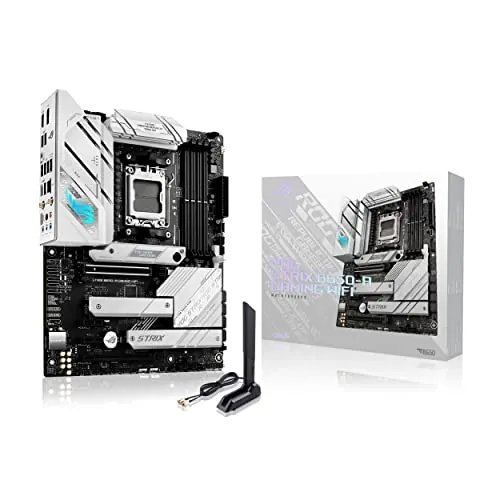
ASUS ROG STRIX B650-A GAMING WIFI
ASUS's U.S. specifications identify this exact board as the ROG STRIX B650-A GAMING WIFI. It uses AM5 and DDR5; the listed primary CPU-connected x16 slot is PCIe 4.0 with Ryzen 9000/7000 and PCIe 4.0 x8/x4 with Ryzen 8000.
Model ROG STRIX B650-A GAMING WIFI
Amazon ASIN B0BHMW8R6S
ASUS
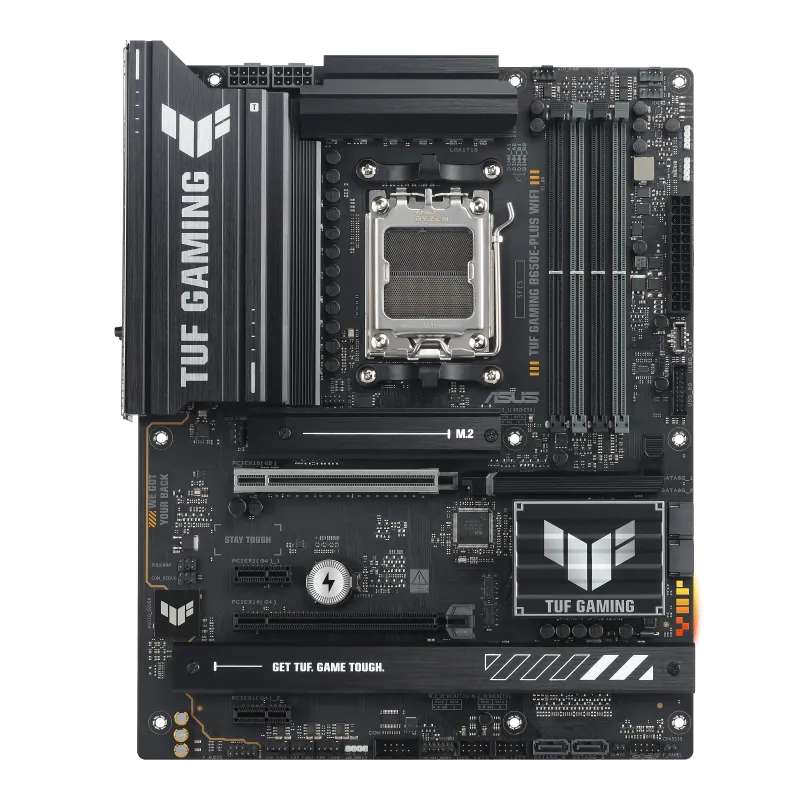
ASUS TUF GAMING B650E-PLUS WIFI
ASUS's U.S. specifications identify this exact board as the TUF GAMING B650E-PLUS WIFI, without a WIFI2 suffix. It uses AM5 and DDR5; the listed primary CPU-connected x16 slot is PCIe 5.0 with Ryzen 9000/7000 and PCIe 4.0 x8/x4 with Ryzen 8000.
Model TUF GAMING B650E-PLUS WIFI
Amazon ASIN B0F7VZS6FG
Differences that matter
What matters most to you?
Choose a priority to see what it changes.
Sources for CPU and DDR5 platform
Sources for Primary CPU-connected x16 slot by processor family
Sources for Lower chipset x16 slot and M.2_3 lane sharing
Sources for Rear USB ports for devices that stay plugged in
Sources for Rear analog audio and codec specifications
Set the CPU and expansion-slot plan first
Both boards use AM5, list Ryzen 9000, 8000 and 7000 desktop processor families, and provide four DDR5 DIMM slots with dual-channel memory. ASUS says supported memory data rates and module counts depend on the CPU and memory configuration, and points buyers to each model's CPU and memory support lists. Confirm your exact CPU, BIOS and DIMM kit there before treating the platform family as a fit.
For the main graphics slot, CPU generation changes the comparison: ASUS lists PCIe 5.0 x16 on TUF with Ryzen 9000/7000, versus PCIe 4.0 x16 on ROG. With Ryzen 8000, both list PCIe 4.0 x16 with x8/x4 modes. These are board-interface specifications, not measured performance or a graphics-card compatibility guarantee.
The lower chipset x16 physical slot is a separate planning constraint. ROG's exact-model manual says the lower PCIEX16_2 x4 slot shares bandwidth with M.2_3 and M.2_3 is disabled while that lower slot operates. TUF's exact-name spec page also documents shared bandwidth and says its lower PCIEX16(G4) slot is disabled when M.2_3 runs. Decide which device matters more, then verify the board-specific setup in its manual.
Count rear connectors and check your audio route
Write down every device that will stay connected at the back of the PC and classify it by connector and needed speed. ROG lists nine rear ports: one 20Gbps Type-C, four 10Gbps ports (three Type-A and one Type-C), and four USB 2.0 Type-A. TUF lists ten: one 20Gbps Type-C, three 10Gbps Type-A, and six USB 2.0 Type-A. That gives ROG the extra fast Type-C connection and TUF two more basic Type-A connections; front headers are counted separately.
For audio, ASUS lists five rear audio jacks on each board. ROG lists an ALC4080 codec, Savitech amplifier and up to 32-bit/384 kHz playback support; TUF lists a Realtek ALC1220P codec and up to 32-bit/192 kHz, with a note that this rate is not supported for 7.1-channel surround. Match the documented connection and format to your equipment. The published specs do not establish how either board sounds, and no listening comparison was performed.
Product details
ASUS ROG STRIX B650-A GAMING WIFI
- Platform
- AM5; supports Ryzen 9000, 8000 and 7000 desktop processor families; four DDR5 DIMM slots, dual-channel memory. ASUS directs buyers to its CPU/memory support lists for exact processor and memory configurations. Source
- Primary slot by CPU family
- PCIe 4.0 x16 with Ryzen 9000/7000; PCIe 4.0 x16 with x8/x4 mode for Ryzen 8000. Source
- Rear audio
- Five rear audio jacks; ROG SupremeFX ALC4080 codec, Savitech SV3H712 amplifier and manufacturer-listed playback support up to 32-bit/384 kHz. Source
ASUS TUF GAMING B650E-PLUS WIFI
- Platform
- AM5; supports Ryzen 9000, 8000 and 7000 desktop processor families; four DDR5 DIMM slots, dual-channel memory. ASUS directs buyers to its CPU/memory support lists for exact processor and memory configurations. Source
- Primary slot by CPU family
- PCIe 5.0 x16 with Ryzen 9000/7000; PCIe 4.0 x16 with x8/x4 mode for Ryzen 8000. Source
- Rear audio
- Five rear audio jacks; Realtek ALC1220P codec and ASUS-listed internal amplifier, with playback support up to 32-bit/192 kHz subject to the stated 7.1-channel limitation. Source
Before you buy
Community discussions
A wired desktop buyer chooses a TUF B650E-PLUS
ASUS TUF GAMING B650E-PLUS WIFI
In a motherboard shopping discussion, one builder says they chose a TUF B650E-PLUS and cared more about its expansion slots than the faster Wi-Fi option they were considering.
What to check
Write down which expansion cards, drives and rear ports you need. Compare those with the exact board specifications for your CPU and setup.
Common questions
Does the TUF's PCIe 5.0 primary slot apply to every Ryzen CPU listed?
No. ASUS lists the TUF's primary slot as PCIe 5.0 x16 for Ryzen 9000 and 7000, but PCIe 4.0 x16 with x8/x4 mode for Ryzen 8000. The ROG primary slot is listed as PCIe 4.0 for all three families, with x8/x4 mode on Ryzen 8000. Check the exact CPU and ASUS compatibility list.ROG STRIX B650-A GAMING WIFI — Tech SpecsTUF GAMING B650E-PLUS WIFI — Tech Specs
Can I use the lower PCIe slot and M.2_3 at the same time?
Do not assume so. ASUS documents bandwidth sharing for both boards. The ROG manual says M.2_3 is disabled while the lower PCIEX16_2 slot is operating; the TUF spec page says its lower PCIEX16(G4) slot is disabled when M.2_3 runs. Review the exact board manual and your planned installation.ROG STRIX B650-A GAMING WIFI User ManualTUF GAMING B650E-PLUS WIFI — Tech Specs
Which board has more rear USB ports?
TUF lists 10 rear USB ports, including six USB 2.0 Type-A; ROG lists nine, including four USB 2.0 Type-A. ROG instead lists an extra 10Gbps rear Type-C port. Choose according to the connectors and port generations your devices require.ROG STRIX B650-A GAMING WIFI — Tech SpecsTUF GAMING B650E-PLUS WIFI — Tech Specs
Does the different audio codec mean one board sounds better?
The spec pages do not establish a listening-quality winner. They list five rear audio jacks on both boards, different codec models, and different manufacturer playback-format limits. Match the listed analog or digital connection to your equipment; no listening comparison was performed.ROG STRIX B650-A GAMING WIFI — Tech SpecsTUF GAMING B650E-PLUS WIFI — Tech Specs
Sources and scope
Check the exact CPU and BIOS on ASUS’s support list. Map the graphics card, SSDs and expansion cards to the board’s slot rules. ASUS has a distinct TUF B650E-PLUS WIFI2 model.
Related comparisons
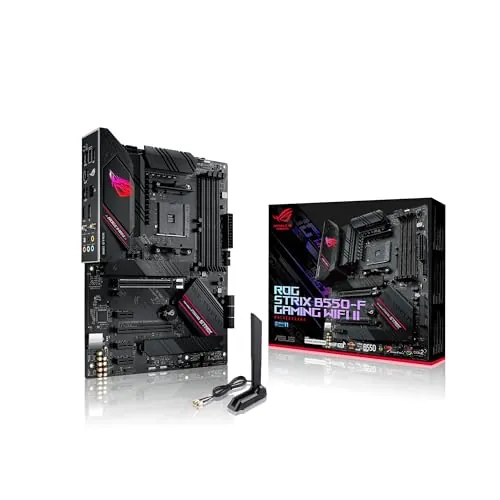
ASUS ROG Strix B650-A vs B550-F WiFi II: CPU, RAM, and Slot Fit
The ROG Strix B650-A Gaming WiFi is an AM5, DDR5 board for listed Ryzen 9000, 8000, and 7000 desktop processor families. The ROG Strix B550-F Gaming WiFi II is AM4 with DDR4 for listed Ryzen 5000/3000 and 5000/4000 G-series families. Their storage layouts also differ: three M.2 plus four SATA on B650-A, versus two M.2 plus six SATA on B550-F WiFi II, with model-specific shared-slot rules. Check the exact CPU/BIOS, RAM kit, drives, and PCIe cards before ordering.
Read comparison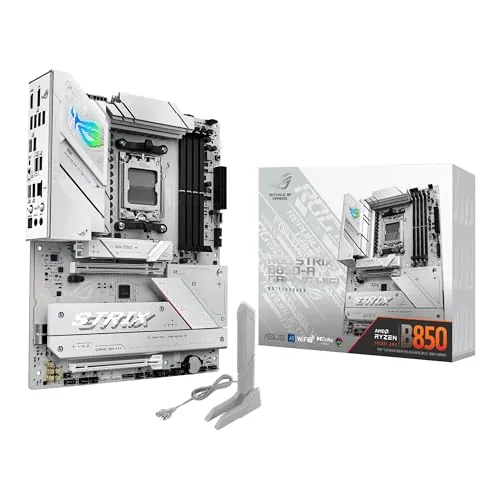
ASUS ROG Strix B650-A vs B850-A: Map Your CPU, Drives and Rear I/O
Both are AM5 ATX boards listed for Ryzen 7000, 8000 and 9000 desktop processors, but their practical layouts differ. The B650-A lists 3 M.2 and 4 SATA ports; the B850-A lists 4 M.2 and 2 SATA ports. CPU family changes the primary M.2 and graphics-slot modes, while both boards document shared bandwidth between M.2_3 and a chipset x16 slot. The B650-A manual and its repeated spec footnote disagree about which connection is disabled, so verify that condition before finalizing the card map. Compare the exact CPU, drive and card plan, memory kit, USB plug types and audio connections before choosing.
Read comparison