
Products compared
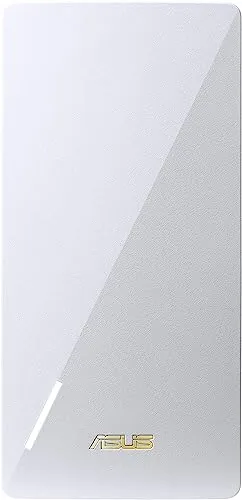
ASUS
ASUS RP-AX58 AX3000 Dual-Band WiFi 6 Range Extender
Exact U.S. listing identity; current listing data offer is unavailable. Do not render a purchase link until its availability is rechecked.
Model RP-AX58
Amazon ASIN B0BTTZ7CTL
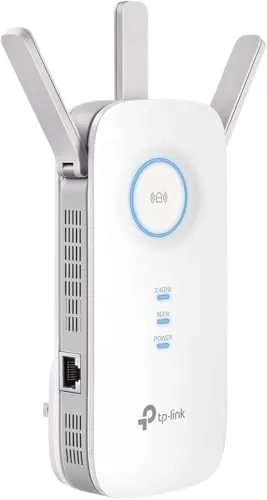
TP-Link
TP-Link RE550 AC1900 Wi-Fi Range Extender
Exact U.S. listing identity. The listing does not confirm the hardware revision; verify the unit label and current firmware before relying on EasyMesh.
Model RE550
Amazon ASIN B08TLT65WM
Differences that matter
Sources for Published wireless generation
Sources for Mesh ecosystem and revision check
Sources for Ethernet port and wired topology
Start with the router, not the advertised class
ASUS identifies the RP-AX58 as Wi-Fi 6 (802.11ax), dual-band at 2.4 and 5 GHz. TP-Link identifies the RE550 as dual-band 802.11ac, commonly called Wi-Fi 5. Those labels tell you which published standard each model supports; they do not establish actual speed, stability, or coverage in a home.
A useful first check is the exact router model and the client devices you expect to connect. If Wi-Fi 6 is a required feature for that setup, the RP-AX58 is the model in this pair that lists it. If not, the standard difference may not decide the purchase; compare the setup mode and port role you need.
Mesh is a compatibility check, not a brand-neutral promise
ASUS supports the RP-AX58 as an AiMesh node when it is paired with a compatible ASUS router and current firmware; setup is managed in the ASUS Router app. ASUS says the range extender can be an AiMesh node, not an AiMesh router.
TP-Link advertises EasyMesh compatibility for RE550, but its U.S. FAQ’s supported list identifies RE550 V1 and advises checking hardware version and firmware. This exact retail offer has no verified hardware revision. TP-Link also distinguishes EasyMesh from its Deco system, so do not assume the word “mesh” makes different systems interchangeable.
Choose the wired role you will actually use
Both makers list a Gigabit Ethernet port, but the setup determines what the cable does. ASUS lists access-point and media-bridge modes; its AiMesh instructions also document wired Ethernet backhaul for RP-AX58 when used as an AiMesh node. Check the RP-AX58 manual for the precise port role in the mode you plan to use.
TP-Link says the RE550 port can connect a wired client in extender mode or accept the Ethernet feed in access-point mode. If Ethernet is available where you need Wi-Fi, compare that access-point setup with the mesh options your router supports.
Pre-buy checks
1. Write down the router’s model and hardware revision, then use its maker support page to confirm which mesh standard and extender revisions it supports.
2. Decide whether you need ordinary wireless extension, an Ethernet-fed access point, an ASUS AiMesh node, or a wired client connected through an extender. Match that role to the model’s documented modes.
3. For RE550 EasyMesh, inspect the exact unit’s hardware label and firmware support; the product title alone does not establish its revision.
4. Check the hardware label and current firmware before buying when a specific router feature decides the choice.
Product details
ASUS RP-AX58 AX3000 Dual-Band WiFi 6 Range Extender
- Wireless standard
- ASUS lists Wi-Fi 6 (802.11ax) dual-band operation on 2.4 GHz and 5 GHz. Source
- Operating modes and wired port
- ASUS lists range-extender, access-point and media-bridge modes and one Gigabit LAN port. Its AiMesh instructions also document an Ethernet-backhaul path when used as an AiMesh node. Source
TP-Link RE550 AC1900 Wi-Fi Range Extender
- Wireless standard
- TP-Link lists dual-band 802.11ac (Wi-Fi 5), with 2.4 GHz and 5 GHz bands. Source
- Ethernet and operating modes
- TP-Link lists range-extender and access-point modes plus one Gigabit Ethernet port; in extender mode it describes using the port as a wireless adapter for a wired device. Source
Before you buy
Community discussions
An RP-AX58 owner planned around Ethernet at the extender location
ASUS RP-AX58 AX3000 Dual-Band WiFi 6 Range Extender
An owner of an ASUS RP-AX58 used an Ethernet backbone, then moved the extender to a location without Ethernet and switched to a Wi-Fi backbone. The post names an ASUS RT-AX86U Pro router.
What to check
Check whether Ethernet is available where you plan to place the extender; this RP-AX58 owner changed the backhaul setup after moving it to a location without a cable.
A RE550 buyer checks wired setup with EasyMesh
TP-Link RE550 AC1900 Wi-Fi Range Extender
Before buying the TP-Link RE550, a shopper with an Archer AX53 asked whether they could use the extender with a wired backhaul in their EasyMesh setup.
What to check
If an Ethernet-fed mesh setup is central to your choice, confirm the RE550's mode and hardware revision against your router before ordering.
A household noticed a separate office Wi-Fi after switching an RE550 to access-point mode
TP-Link RE550 AC1900 Wi-Fi Range Extender
A household using three RE550 units with an Archer AX72 says its wired office unit showed a separate Wi-Fi network after they changed it to access-point mode, so they had to switch between the office and home Wi-Fi.
What to check
If you plan to use the RE550 as a wired office access point, check whether the network arrangement it creates suits how you use Wi-Fi around the home.
Common questions
Does Wi-Fi 6 mean the RP-AX58 will be faster or cover more of my home?
No such result follows from the standard label alone. ASUS lists Wi-Fi 6 and nominal radio rates, but this comparison has no controlled test of speed, coverage, walls, client mix, or placement.RP-AX58 Tech Specs — ASUS USA
Will the RE550 join an EasyMesh network?
Only after confirming the unit’s hardware revision and firmware. TP-Link’s U.S. EasyMesh support list names RE550 V1 and warns that feature availability can depend on hardware and firmware; the exact revision in this offer is not verified.General Questions about EasyMesh — TP-Link U.S. SupportRE550 AC1900 Wi-Fi Range Extender — TP-Link U.S.
Can I use the RE550 with a router from another brand?
TP-Link advertises the RE550’s ordinary range-extender mode for Wi-Fi routers generally. That does not mean every router-specific mesh system is interchangeable; verify EasyMesh support at both ends if unified mesh behavior is required.RE550 AC1900 Wi-Fi Range Extender — TP-Link U.S.General Questions about EasyMesh — TP-Link U.S. Support
Sources and scope
This is a source-based feature and setup comparison, not a speed, coverage, roaming, or reliability test. The exact hardware revision of the RE550 offer is not established, so EasyMesh support for that unit remains unconfirmed. The ASUS RP-AX58 retailer offer is marked unavailable and should not display a purchase link. Current prices and offer terms are not evaluated.
Related comparisons
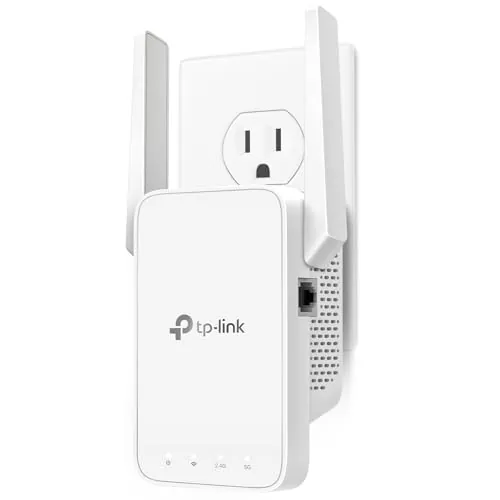
TP-Link RE315 vs RE550: Ethernet Link and Wi-Fi Class Fit
The RE315 lists one 10/100 Mbps Ethernet port and maximum physical rates of 300 Mbps at 2.4 GHz and 867 Mbps at 5 GHz. The RE550 lists Gigabit Ethernet and 600/1,300 Mbps maximum physical rates. Both list Range Extender and Access Point modes. Check the router, cable and client path before paying for the higher interface or class, and do not treat the maker’s ceilings as measured speed or range.
Read comparison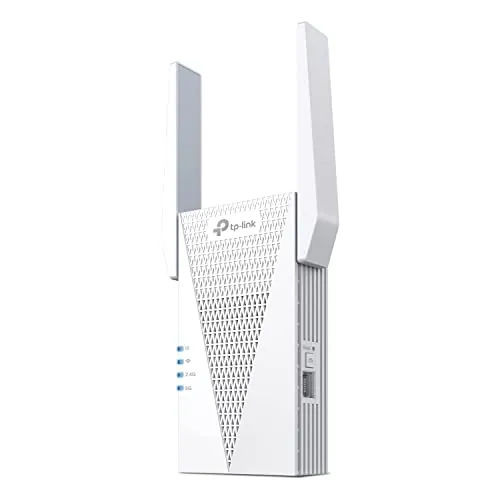
TP-Link RE550 vs RE715X: Wi-Fi Standard, Mesh Checks and Wired Setup
TP-Link's U.S. page lists 802.11ac on 5 GHz and 802.11b/g/n on 2.4 GHz for RE550; the U.S. V2.6 datasheet lists 802.11ax on both bands for RE715X. Both have one Gigabit Ethernet port and an access-point mode. EasyMesh support depends on hardware revision and firmware, and TP-Link's backhaul guide names RE715X V2. Check the unit label and router support before buying for mesh backhaul.
Read comparison