
Products compared
TP-Link
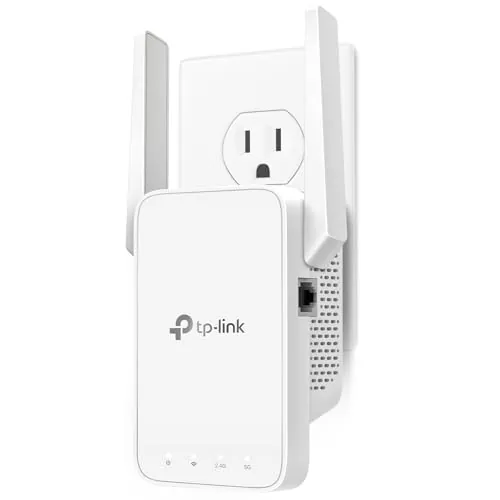
TP-Link RE315 AC1200 Mesh Wi-Fi Range Extender
The selected listing is the U.S. TP-Link RE315. Its exact retail hardware revision is not established by the source record; check the hardware-version label on the unit and use the matching U.S. support page for revision-specific information.
Model RE315
Amazon ASIN B08RHD97QY
TP-Link
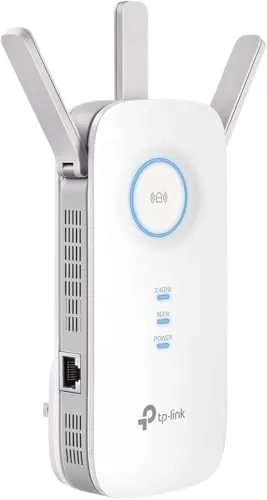
TP-Link RE550 AC1900 Wi-Fi Range Extender
The selected listing is the U.S. TP-Link RE550. Its exact retail hardware revision is not established by the source record; check the hardware-version label on the unit and use the matching U.S. support page for revision-specific information.
Model RE550
Amazon ASIN B08TLT65WM
Differences that matter
What matters most to you?
Choose a priority to see what it changes.
Sources for Ethernet link for a wired device or wired AP
Sources for Published per-band rate ceilings
Sources for Extender versus Access Point mode
Sources for Listed body dimensions
Begin with the Ethernet link you need
The clearest practical split is the port: TP-Link lists one 10/100 Mbps Ethernet interface on RE315 and one Gigabit Ethernet interface on RE550. If a desktop, TV or other wired device must attach through the extender, check the link rate supported by that device and by the router or switch. The RE550 is the specification match when that link needs Gigabit; if 10/100 is sufficient, the RE315 meets the listed interface requirement. Neither port establishes end-to-end internet speed by itself.
The same port distinction matters in Access Point mode. Both U.S. product pages list AP mode, so the deciding check is the wired uplink and any wired device, not the mode name. TP-Link's pages state that actual network speed can also be limited by the Ethernet port, cable and other network or environmental factors.
Match the rate labels to the devices you own
TP-Link lists 300 Mbps at 2.4 GHz and 867 Mbps at 5 GHz for RE315; for RE550 it lists 600 Mbps and 1,300 Mbps. The pages identify these as maximum physical rates under IEEE 802.11. They do not measure a particular home, device, internet plan or room, and TP-Link says actual throughput and coverage vary with placement, building materials, interference, network traffic and client limits.
Before choosing on AC1200 versus AC1900, check which bands and rates your router and intended clients support. If they cannot use the higher listed ceilings, those numbers alone do not make the RE550 a better fit for your setup. If the specs leave you unsure about a real room result, keep comparing rather than treating the larger class label as a coverage guarantee.
Check hardware revision before relying on mesh or firmware behavior
TP-Link's U.S. support pages show several hardware versions for both RE315 and RE550 and instruct buyers to match firmware to the unit's hardware version and purchase region. The retail listings do not show which revision a particular unit contains. Check the label on the unit and consult the matching U.S. support page before relying on revision-specific software or mesh behavior.
Both product pages label their models EasyMesh-Compatible, while TP-Link cautions that EasyMesh connections can fail because of firmware conflicts between vendors and that the function is still under development on some models. Treat the label as a reason to verify your router's exact model and firmware against current support information, not as a promise of a seamless network.
Product details
TP-Link RE315 AC1200 Mesh Wi-Fi Range Extender
Before you buy
Community discussions
A homeowner chose plug-in extenders to avoid a long cable run
TP-Link RE550 AC1900 Wi-Fi Range Extender
A homeowner tried an RE550 first because they wanted to avoid a long Ethernet run, and later bought an RE315.
What to check
Pick an outlet you can actually use. If running Ethernet is an option, compare it with a wireless extender setup before you choose.
A shopper asks how the RE550 Ethernet port can be used
TP-Link RE550 AC1900 Wi-Fi Range Extender
A shopper asks whether the RE550's Ethernet port can connect a wired printer or serve as the extender's Ethernet feed.
What to check
If you need a wired client or an Ethernet-fed access point, confirm the port role for the RE550 mode you plan to use.
An RE315 owner planned a wired access point at the far side of the house
TP-Link RE315 AC1200 Mesh Wi-Fi Range Extender
An RE315 owner says they ran Ethernet to the far side of the house and selected access-point mode, then asked how that setup related to the existing home network.
What to check
If Ethernet is already available at the room you want to cover, compare an Ethernet-fed access point with a wireless extender setup and check the network arrangement you need.
Common questions
Does AC1900 mean the RE550 sends 1,900 Mbps to one device?
No. TP-Link lists separate maximum physical rates of 600 Mbps at 2.4 GHz and 1,300 Mbps at 5 GHz. Its page says actual wireless throughput and coverage are not guaranteed and vary with conditions and client limitations. Those figures are not a measured one-device internet speed.RE550 AC1900 Wi-Fi Range Extender - U.S. product page
Can both models be used as an Access Point?
Yes. TP-Link lists Range Extender and Access Point working modes for both. For a wired AP uplink or a connected wired endpoint, compare the RE315's 10/100 interface with the RE550's Gigabit port and check the speed supported by the rest of the wired path.RE315 AC1200 Mesh Wi-Fi Range Extender - U.S. product pageRE550 AC1900 Wi-Fi Range Extender - U.S. product page
Will the RE550 extend Wi-Fi farther or make a weak room faster?
The higher published rates do not answer that. TP-Link says actual throughput and coverage vary with building materials, obstacles, interference, network conditions, product location and client capability. This guide has no controlled coverage or throughput measurements.RE315 AC1200 Mesh Wi-Fi Range Extender - U.S. product pageRE550 AC1900 Wi-Fi Range Extender - U.S. product page
Can I assume the retail unit has the firmware or EasyMesh features shown for one TP-Link hardware revision?
No. TP-Link lists multiple U.S. hardware revisions for each model and says to verify the unit's hardware version and use support information for the purchase region. Check the physical label and matching current documentation before relying on revision-specific software or compatibility.Download for RE315 - U.S. support and hardware-version selectorDownload for RE550 - U.S. support and hardware-version selector
Sources and scope
TP-Link's U.S. pages support the named RE315 and RE550 models, but retail listings do not identify which hardware revision you will receive. TP-Link labels its wireless-rate figures as IEEE 802.11 physical-rate maxima and says actual throughput and coverage vary. This is a specification-fit guide, not a range, speed or reliability test.
Related comparisons
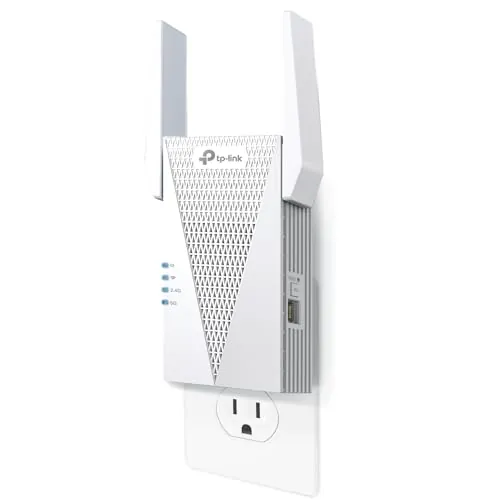
TP-Link RE315 vs RE615X: Wi-Fi Standard, Ethernet Port and Mesh Fit
The RE315 lists Wi-Fi 5-era 802.11ac/n and one 10/100 Ethernet port; the RE615X lists Wi-Fi 6 (802.11ax) and one Gigabit port. Both support range-extender and wired-access-point modes, but a mesh setup depends on your router, exact hardware revision and firmware. The specifications identify feature fit, not real-home speed or coverage.
Read comparison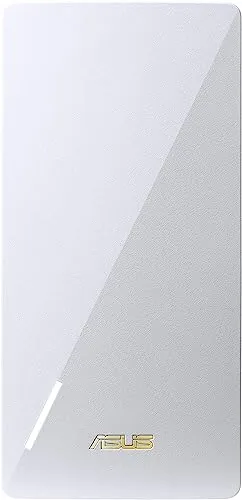
ASUS RP-AX58 vs TP-Link RE550: Match the Extender to Your Router
Choose the ASUS RP-AX58 if you need Wi-Fi 6 or want to add an AiMesh node to a compatible ASUS router. The TP-Link RE550 uses Wi-Fi 5 and supports extender and access point modes. If EasyMesh matters, match the RE550’s hardware revision and firmware to TP-Link’s U.S. support list before ordering.
Read comparison