
Products compared
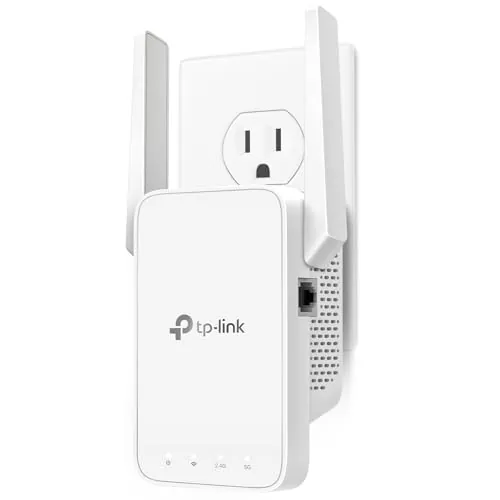
TP-Link
TP-Link RE315 AC1200 Mesh Wi-Fi Range Extender
White U.S. RE315 extender; the seller listing does not specify the hardware revision.
Model RE315
Amazon ASIN B08RHD97QY
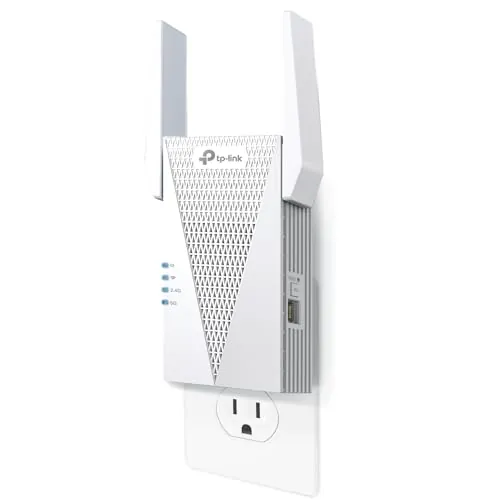
TP-Link
TP-Link RE615X AX1800 Wi-Fi 6 Range Extender
White U.S. RE615X extender; the seller listing does not specify the hardware revision.
Model RE615X
Amazon ASIN B0CLQ4954G
Differences that matter
What matters most to you?
Choose a priority to see what it changes.
Sources for Wireless standard for your clients
Sources for Wired-device port
Sources for Wireless extender or wired access point
Sources for Mesh and roaming with your existing router
Sources for Hardware-revision and outlet check
Start with the wired device and Wi-Fi clients
The RE315 lists 802.11ac on 5 GHz, 802.11n on 2.4 GHz and one 10/100 Mbps RJ45 port. The RE615X lists 802.11ax (Wi-Fi 6) on both bands and one Gigabit port. If a device you plan to wire needs a Gigabit interface, the RE315 port does not meet that interface requirement. If your clients and router do not require Wi-Fi 6 and a 10/100 wired link is sufficient, the RE315 may fit—but the RE615X also meets those narrower requirements, so this evidence does not establish a better value.
Decide whether the Ethernet cable is a client link or the AP uplink
TP-Link lists Range Extender and Access Point modes on both models. As a wireless extender, the unit connects back to your existing Wi-Fi router. For AP mode, TP-Link describes plugging Ethernet from the wired network into the extender so it provides Wi-Fi access from that wired connection. Both units have a single Ethernet jack. If you use it for the wired AP uplink, plan how any wired TV, console or computer will connect; do not assume the extender leaves another wired port available.
Check the exact mesh family and hardware revision before checkout
Both TP-Link product pages call the extender EasyMesh-compatible, but that is not enough to promise a unified mesh with every router. TP-Link's general EasyMesh FAQ says some EasyMesh and OneMesh combinations can form a system; its newer mesh-family FAQ, updated April 28, 2026, says Deco, OneMesh, EasyMesh and Omada remain separate and do not combine into one unified mesh. Treat a mixed-system setup as unresolved until TP-Link confirms your exact host model, extender hardware revision and firmware. A conventional extender or AP workflow is a separate choice from unified mesh roaming.
Match firmware and the plug-in body to the unit you receive
The RE315 support page lists U.S. V1, V1.6 and V1.8 choices; the RE615X page lists V1, V1.6, V2 and V2.6. TP-Link warns that firmware must match the hardware version and purchase region. The product ID and Amazon ASIN in this comparison do not identify which hardware revision a seller will ship, so check the device label or package and use TP-Link's matching U.S. support entry. For placement, the product pages list RE315 at 3.5 × 1.4 × 4.9 inches and RE615X at 107 × 40 × 160 mm. Measure around the outlet and neighboring plugs; these body dimensions are not a clearance diagram.
Product details
TP-Link RE315 AC1200 Mesh Wi-Fi Range Extender
Before you buy
Community discussions
Check roaming expectations with your exact router
TP-Link RE615X AX1800 Wi-Fi 6 Range Extender
An RE615X owner paired it with an Archer AXE75 using OneMesh and asked how to keep a phone connected to the main router nearby.
What to check
If roaming matters to you, check what controls your exact router and extender firmware offer for devices that stay connected to the extender.
Common questions
Is the RE615X guaranteed to be faster than the RE315 in my home?
No. RE615X lists Wi-Fi 6 standards and a Gigabit Ethernet port, while RE315 lists 802.11ac/n and a 10/100 port. Those are feature and interface specifications, not a controlled comparison of wireless throughput or coverage. Router, client, placement and environment affect actual results.RE315 | AC1200 Mesh Wi-Fi Range ExtenderRE615X | AX1800 Wi-Fi Range Extender
Can I use either model as an Access Point?
TP-Link lists Access Point mode for both and describes connecting Ethernet from a wired network. Each model has one Ethernet jack; confirm your cable route and whether you need another jack for a separate wired client.RE315 | AC1200 Mesh Wi-Fi Range ExtenderRE615X | AX1800 Wi-Fi Range Extender
Will one of these create a single mesh with my Deco or OneMesh router?
Do not assume that from the brand or the phrase EasyMesh-compatible. TP-Link's model pages identify the extenders as EasyMesh-compatible, but its mesh FAQs conflict about mixing OneMesh and EasyMesh; the newer FAQ says Deco, OneMesh and EasyMesh remain separate systems. Check TP-Link's support information for your exact router, extender revision and firmware before relying on one unified network.RE315 | AC1200 Mesh Wi-Fi Range ExtenderRE615X | AX1800 Wi-Fi Range ExtenderGeneral questions about EasyMeshCan Deco Mesh, OneMesh, EasyMesh, and Omada Mesh Work Together?
How do I know which firmware or mesh features apply to the unit I buy?
Check the hardware version and purchase region printed on the extender or its package, then select that revision on TP-Link's U.S. support page. The support pages list multiple versions for both models and instruct users to match firmware to the hardware version and region.Download for RE315 V1.80Download for RE615X V1
Sources and scope
This guide uses TP-Link's U.S. product and support documentation. It does not test throughput, coverage, roaming or latency. TP-Link lists multiple hardware revisions for both models, and firmware features depend on revision and region. Its product pages describe both as EasyMesh-compatible, while two TP-Link mesh FAQs give conflicting guidance for mixing EasyMesh and OneMesh; verify the exact host, extender revision and firmware before relying on one unified mesh. The listings identify the RE315 and RE615X model families but do not show which hardware revision a seller will ship.
Related comparisons
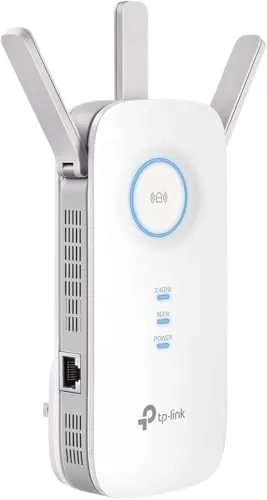
TP-Link RE315 vs RE550: Ethernet Link and Wi-Fi Class Fit
The RE315 lists one 10/100 Mbps Ethernet port and maximum physical rates of 300 Mbps at 2.4 GHz and 867 Mbps at 5 GHz. The RE550 lists Gigabit Ethernet and 600/1,300 Mbps maximum physical rates. Both list Range Extender and Access Point modes. Check the router, cable and client path before paying for the higher interface or class, and do not treat the maker’s ceilings as measured speed or range.
Read comparison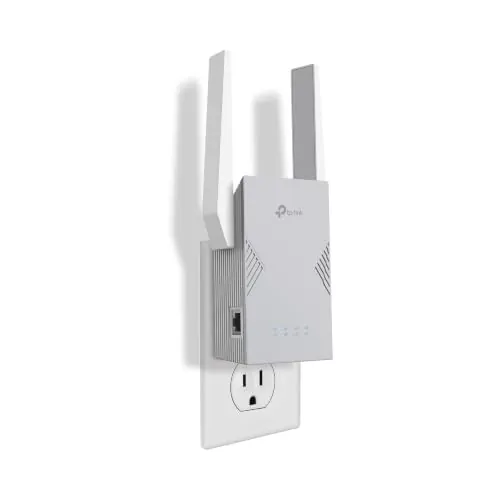
TP-Link RE223BE vs RE615X: Wi-Fi generation, Ethernet and router fit
The TP-Link RE223BE is a dual-band Wi-Fi 7 extender listing MLO; the RE615X is a dual-band Wi-Fi 6 extender. TP-Link lists 2.4 and 5 GHz for both. Each has one Gigabit Ethernet port and range-extender/access-point modes, so a wired access point is a shared option. Verify your router, client features, EasyMesh support and exact hardware revision before buying.
Read comparison