
Products compared
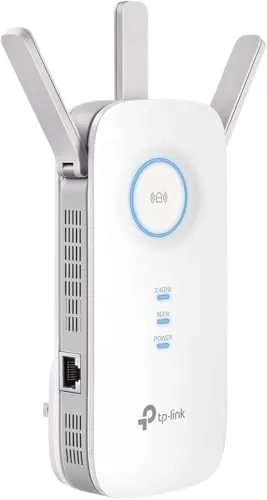
TP-Link
TP-Link RE550 AC1900 Wi-Fi Range Extender
The U.S. RE550 product information lists 802.11ac on 5 GHz, 802.11b/g/n on 2.4 GHz, Range Extender and Access Point modes, and one Gigabit Ethernet port. The retail unit's hardware revision is unspecified; check its label if a revision-specific mesh feature matters.
Model RE550
Amazon ASIN B08TLT65WM
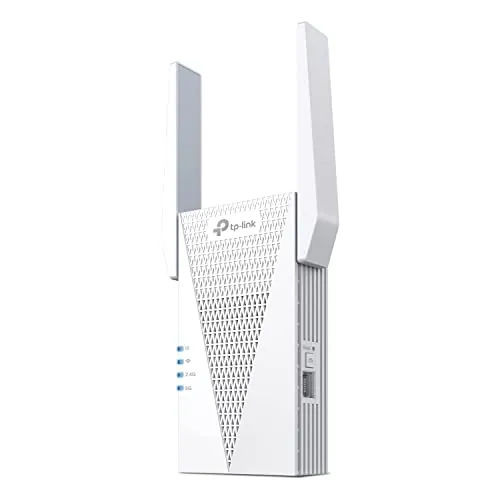
TP-Link
TP-Link RE715X AX3000 Wi-Fi 6 Range Extender
The U.S. RE715X V2.6 datasheet lists Wi-Fi 6/802.11ax, one Gigabit Ethernet port and Access Point mode. The retail listing does not identify the supplied revision; check the unit label before relying on V2.6-specific information.
Model RE715X
Amazon ASIN B0B8BVY12V
Differences that matter
Wi-Fi 6 / 802.11ax is a required extender standard
TP-Link RE715X AX3000 Wi-Fi 6 Range Extender · TP-Link's U.S. RE715X V2.6 datasheet lists 802.11ax on both bands; the RE550 page lists 802.11ac/802.11b/g/n. Check the exact RE715X revision, and treat this as protocol fit rather than a speed prediction.
View RE715X on Amazon (paid link)Sources for Wireless standard documented for the cited U.S. hardware page
Sources for Ethernet port and access-point option
Sources for EasyMesh and Ethernet-backhaul revision scope
Sources for Setup and mode decision
Start with the standard your router and devices need
TP-Link's U.S. RE550 page lists 802.11ac on 5 GHz and 802.11b/g/n on 2.4 GHz. The U.S. RE715X V2.6 datasheet lists 802.11ax on both bands alongside earlier standards. That makes the RE715X the documented Wi-Fi 6 option for this pair, but the listing does not tell you which hardware revision will arrive. Treat AX/AC labels as supported standards, not a prediction of the signal, throughput or coverage you will get at home.
If Wi-Fi 6 on the extender is a requirement, check that the RE715X unit is a U.S.-supported hardware version and that its firmware is appropriate for your router. If you do not need 802.11ax and the RE550's documented standards suit your network, the RE550 may meet the feature requirement; its revision still matters if you plan to use EasyMesh.
Decide between a wireless extender and a wired access point
Both model documents list one Gigabit Ethernet port. It can serve a wired client near the extender; both products also document an Access Point mode for adding Wi-Fi to an Ethernet-fed location. An AP fed by a network cable is a different layout from placing a wireless extender between the router and a room. TP-Link's RE715X guide shows the AP connected by Ethernet to a wired router, and the RE550 U.S. page describes its AP mode.
TP-Link's EasyMesh FAQ says its range extenders do not support EasyMesh in AP mode. So choose the room's backhaul plan before comparing model names: cable available and AP desired, or wireless extender with a compatible mesh/router setup. The one Gigabit port is shared ground, not a reason to pick one over the other.
Verify the exact revision before making mesh the deciding feature
TP-Link maintains separate U.S. support branches for RE550 revisions V1, V1.40 and V1.60 and for RE715X revisions V1, V1.60, V1.80, V2.26 and V2.60. Its EasyMesh materials include both model lines, but the FAQ lists RE550 V1 and says firmware can affect support. The Ethernet-backhaul guide specifically names RE715X V2 and says both the main router and satellite need to support that mode. None of this identifies the revision in the selected retail listings.
Before buying for a single-name mesh or wired Ethernet backhaul, confirm the extender's hardware label, the router's exact model/revision, and current regional firmware notes. Do not treat EasyMesh, OneMesh and Deco Mesh as interchangeable labels: TP-Link describes them as distinct systems with compatibility rules. If the seller cannot confirm a needed revision, compare a different product whose exact revision is documented or ask TP-Link support.
Product details
TP-Link RE550 AC1900 Wi-Fi Range Extender
- Wireless standards
- IEEE 802.11a/n/ac on 5 GHz and 802.11b/g/n on 2.4 GHz, as listed on TP-Link's U.S. page. Source
- Ethernet and modes
- One Gigabit Ethernet port; Range Extender and Access Point modes. Source
- Hardware-version check
- U.S. support lists V1, V1.40 and V1.60 branches; confirm the exact unit revision and region before relying on revision-specific features. Source
TP-Link RE715X AX3000 Wi-Fi 6 Range Extender
- Wireless standards
- The U.S. V2.6 datasheet lists IEEE 802.11a/n/ac/ax on 5 GHz and 802.11b/g/n/ax on 2.4 GHz. Source
- Ethernet and modes
- The U.S. V2.6 datasheet lists one Gigabit Ethernet port and Access Point mode. Source
- Hardware-version check
- U.S. support offers V1, V1.60, V1.80, V2.26 and V2.60 branches; the listing does not state which is supplied. Source
Before you buy
Community discussions
A shopper asks how the RE550 Ethernet port can be used
TP-Link RE550 AC1900 Wi-Fi Range Extender
A shopper asks whether the RE550's Ethernet port can connect a wired printer or serve as the extender's Ethernet feed.
What to check
Decide whether you need an Ethernet port for a wired device such as a printer, or an Ethernet cable to feed the extender. Check the port’s role in the mode you plan to use.
RE715X access point mode needs an Ethernet path
TP-Link RE715X AX3000 Wi-Fi 6 Range Extender
A shopper considering the RE715X asked about its Access Point mode because their office did not have a wall Ethernet outlet. The post links the exact RE715X listing.
What to check
If your router stays in another room, check whether you can run an Ethernet cable to the extender location or need a wireless setup.
Common questions
Does this RE715X listing confirm the hardware version needed for Ethernet backhaul?
No. The retail listing identifies RE715X but does not give a hardware revision. TP-Link's U.S. Ethernet-backhaul guide names RE715X V2, while its support page has several revision branches. Confirm the unit label and router support before buying for that setup.How to build an Ethernet Backhaul using TP-Link EasyMesh Range ExtendersDownload for RE715X | TP-Link U.S. Support
Can a TP-Link range extender run EasyMesh while in Access Point mode?
TP-Link's EasyMesh FAQ says its range extenders do not support EasyMesh in AP mode. Use AP mode when a wired network connection is the chosen uplink; confirm mesh support separately for a wireless extender setup.General questions about EasyMeshHow to build an Ethernet Backhaul using TP-Link EasyMesh Range Extenders
Will the RE715X necessarily give faster or broader Wi-Fi than the RE550?
No. The listed wireless standards differ, but they do not predict speed or coverage in your home. Results depend on the router, client devices and surroundings; these model documents are not a matched home test.RE715X (US) V2.6 DatasheetRE550 | AC1900 Wi-Fi Range Extender
Sources and scope
This compares setup features, not Wi-Fi speed, coverage, roaming or latency. U.S. retail listings identify RE550 and RE715X but do not show the hardware revisions included. EasyMesh guidance varies by model, revision and firmware; TP-Link's Ethernet-backhaul guide names RE715X V2. Confirm the unit label and router support before relying on a revision-specific feature.
- RE550 | AC1900 Wi-Fi Range Extender
- Download for RE550 | TP-Link U.S. Support
- RE715X (US) V2.6 Datasheet
- Download for RE715X | TP-Link U.S. Support
- General questions about EasyMesh
- TP-Link EasyMesh Devices
- How to build an Ethernet Backhaul using TP-Link EasyMesh Range Extenders
- RE715X User Guide Rev 2.0
Related comparisons
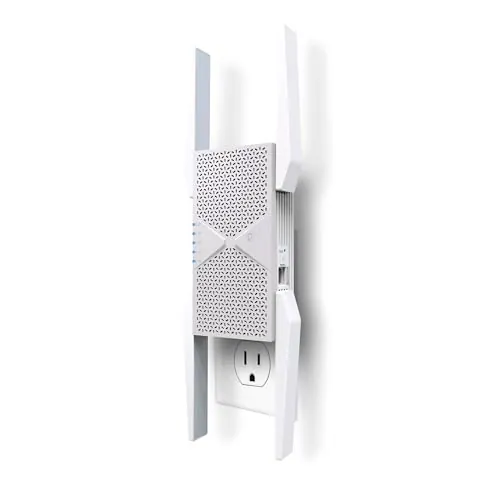
TP-Link RE653BE vs RE715X: Wi-Fi 7, Bands, and Ethernet
The RE653BE adds a 6 GHz Wi-Fi 7 radio and a 2.5GbE port; the RE715X covers 2.4/5 GHz Wi-Fi 6 and Gigabit Ethernet. Choose by a feature your router, client, or wired path can actually use. A model name or advertised rate cannot tell you which extender will cover a particular room better.
Read comparison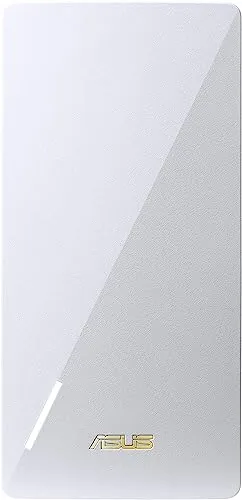
ASUS RP-AX58 vs TP-Link RE550: Match the Extender to Your Router
Choose the ASUS RP-AX58 if you need Wi-Fi 6 or want to add an AiMesh node to a compatible ASUS router. The TP-Link RE550 uses Wi-Fi 5 and supports extender and access point modes. If EasyMesh matters, match the RE550’s hardware revision and firmware to TP-Link’s U.S. support list before ordering.
Read comparison