
Products compared
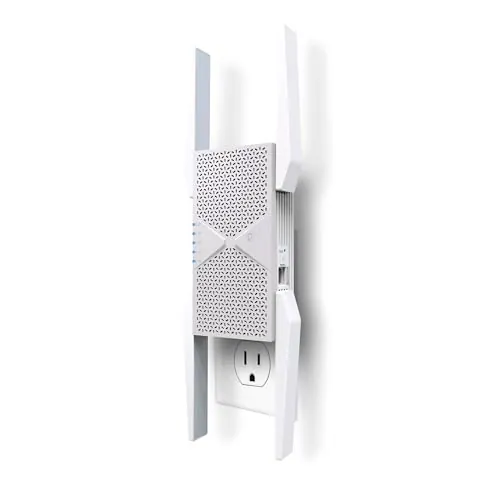
TP-Link
TP-Link RE653BE BE10000 Tri-Band Wi-Fi 7 Range Extender
U.S. RE653BE listing; the selected listing does not identify the unit's hardware revision.
Model RE653BE
Amazon ASIN B0DXTMXKBL
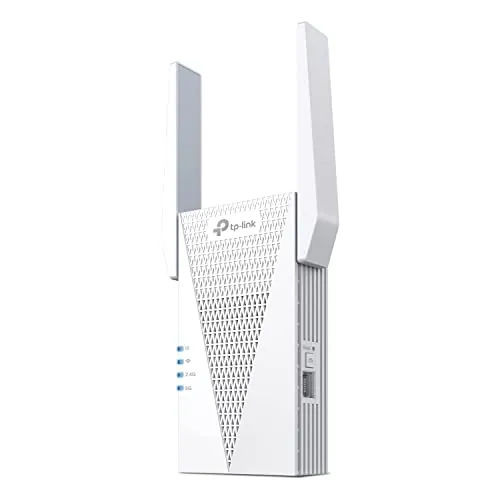
TP-Link
TP-Link RE715X AX3000 Dual-Band Wi-Fi 6 Range Extender
U.S. RE715X listing; the selected listing does not identify the unit's hardware revision.
Model RE715X
Amazon ASIN B0B8BVY12V
Differences that matter
A Wi-Fi 7/6 GHz client use or a multi-gigabit wired path is an actual requirement
TP-Link RE653BE BE10000 Tri-Band Wi-Fi 7 Range Extender · RE653BE lists 6 GHz Wi-Fi 7/MLO and one 2.5GbE LAN port; the router, client, and other links still need matching support.
View RE653BE on Amazon (paid link)Sources for Wired endpoint or Ethernet-fed access point
Sources for Hardware version and firmware match
Sources for What the published specifications do not decide
Start with the router and client, not the Wi-Fi label
The RE653BE's practical distinction is its additional 6 GHz Wi-Fi 7 radio and listed MLO support. That is worth prioritizing when your existing router and intended client can use those features. TP-Link says 6 GHz needs Wi-Fi 6E or Wi-Fi 7 client hardware; MLO likewise needs matching support at both ends. A device limited to older bands can still connect to a Wi-Fi 7 network on supported bands, but it does not get the new features merely because the extender has them.
If your actual devices use 2.4 and 5 GHz Wi-Fi 6, the RE715X's published band set may be sufficient for the requirement you described. Neither model's band list tells you whether it will fix a particular dead spot: place, walls, router signal at the extender, client hardware, and network conditions matter, and no comparable in-home coverage test was reviewed here.
Check the wired link end to end
RE653BE lists one 2.5 Gbps LAN port; RE715X lists one Gigabit Ethernet port. That difference matters for a wired device only if that device and the other relevant path components also support multi-gigabit Ethernet. It is not a direct promise of faster internet or wireless coverage.
Both product pages list Range Extender and Access Point modes. If there is Ethernet at the intended placement, check the exact model's AP mode and the wiring arrangement you want. Do not assume that an Ethernet port rating alone proves a specific EasyMesh Ethernet-backhaul topology; check the router, extender revision, firmware, and supported topology together.
Treat EasyMesh as a pair-and-version check
The product pages call both models EasyMesh-compatible, and TP-Link's compatibility information names these extender models. That is a starting point, not proof for your exact router pairing. TP-Link says the model list can change and recommends checking support for the correct hardware version; its EasyMesh notes also warn that firmware differences can cause cross-vendor connection failures and that unified management is not guaranteed across vendors.
Before buying for mesh, record your router's exact model, hardware version, and firmware. Then confirm that the router and chosen extender revisions are supported together in the current list and product support notes. If the specific combination is not documented, treat the pairing as unconfirmed rather than buying based on the EasyMesh logo alone.
Before you order: a three-minute compatibility worksheet
1. Write down the router/AP model, its hardware version, and firmware. Check the current compatibility list for that exact router version and for the extender model you are considering.
2. Name the client that needs the added signal. Check its official specs for Wi-Fi 6E/7 and 6 GHz if you are considering RE653BE's 6 GHz use; check Wi-Fi 7 support on both ends before counting on MLO.
3. For a wired endpoint, note whether it is Gigabit or multi-gigabit and check the full path, including router/switch ports and cable. If you have Ethernet to the extender location, compare AP-mode setup with your intended network design separately.
4. When the unit arrives, read its hardware version from the product label and use the support page for that version and U.S. region. The assigned Amazon model listings do not identify which revision will ship.
Product details
TP-Link RE653BE BE10000 Tri-Band Wi-Fi 7 Range Extender
Its three listed bands and 2.5GbE port are useful only when the source router, destination client, wired endpoint, and remaining links support the capability being considered. The selected listing does not show which hardware revision will ship.
TP-Link RE715X AX3000 Dual-Band Wi-Fi 6 Range Extender
A dual-band Wi-Fi 6 setup with a Gigabit wired interface can be the simpler feature match when that is all the current router and endpoint need. Verify the router's model, revision, and firmware before treating the EasyMesh label as a confirmed pairing.
Before you buy
Community discussions
RE715X access point mode needs an Ethernet path
TP-Link RE715X AX3000 Dual-Band Wi-Fi 6 Range Extender
A shopper considering the RE715X asked about its Access Point mode because their office did not have a wall Ethernet outlet. The post links the exact RE715X listing.
What to check
If you plan to use Access Point mode, check whether Ethernet can reach the intended extender location; the shopper's office had no wall Ethernet outlet.
Common questions
Do both models support EasyMesh?
Both U.S. product pages describe the corresponding extender as EasyMesh-compatible, but that label does not verify every router, version, or firmware pair. Check the current model/version list and the router's own support notes before buying for a unified mesh setup.RE653BE U.S. product page and specificationsRE715X U.S. product page and specificationsTP-Link EasyMesh Devices: current compatibility listGeneral questions about EasyMesh
Can an older Wi-Fi device use the RE653BE?
TP-Link says older clients can still connect over supported 2.4 or 5 GHz bands, but a 6 GHz client needs Wi-Fi 6E or Wi-Fi 7 capability and MLO requires compatible Wi-Fi 7 support on both sides of that connection.RE653BE U.S. product page and specificationsTP-Link Wi-Fi 7 Router and Deco FAQsWi-Fi 7 MLO: What Is Multi-link Operation and How Does it Work?
Does the RE653BE's 2.5GbE port guarantee faster internet?
No. It is a faster-rated LAN interface than the RE715X's Gigabit port, but the attached device, upstream equipment, cabling, network service, and other links also constrain a path. The port specification is not an end-to-end speed test.RE653BE U.S. product page and specificationsRE715X U.S. product page and specifications
Which firmware or guide applies to the unit I buy?
The assigned listings do not state the shipped hardware revision. Check the version on the device label, then choose the U.S. support page and firmware for that exact version and purchase region.RE653BE U.S. support and downloadsRE715X U.S. support and downloadsHow to Find the Hardware Version on Your TP-Link Device
Sources and scope
The U.S. product pages identify the RE653BE and RE715X model families but do not identify the hardware revision in a particular unit. TP-Link notes that revision and regional availability can vary. Confirm the unit label and current U.S. support page before relying on revision-specific firmware or setup instructions. Manufacturer specifications do not establish comparative room coverage, throughput, latency, or reliability in a specific home. A supported mesh model list does not confirm that an unverified router and extender version pair will work together.
- RE653BE U.S. product page and specifications
- RE715X U.S. product page and specifications
- RE653BE U.S. support and downloads
- RE715X U.S. support and downloads
- How to Find the Hardware Version on Your TP-Link Device
- TP-Link EasyMesh Devices: current compatibility list
- General questions about EasyMesh
- TP-Link Wi-Fi 7 Router and Deco FAQs
- Wi-Fi 7 MLO: What Is Multi-link Operation and How Does it Work?
Related comparisons
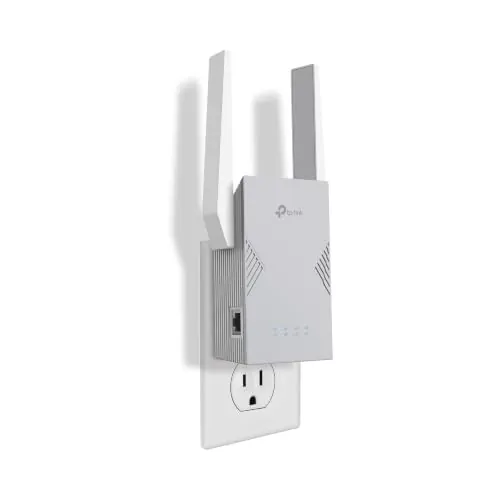
TP-Link RE653BE vs RE223BE: Bands, Ethernet and Placement
The U.S. TP-Link RE653BE is a tri-band extender with 2.4, 5 and 6 GHz radios plus one 2.5 Gbps LAN port. The RE223BE is dual-band (2.4 and 5 GHz) with one Gigabit Ethernet port. Both list Range Extender and Access Point modes and EasyMesh compatibility. Match the bands to your router and devices, check whether a wired endpoint actually needs a 2.5 Gbps link, and decide whether you can connect the extender to the router by Ethernet for access point mode. For a wireless extender, placement still depends on receiving the router signal where you install it; TP-Link suggests an in-range placement aid for RE653BE and placement between the router and target area for RE223BE.
Read comparison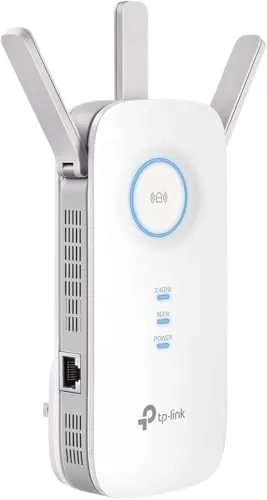
TP-Link RE550 vs RE715X: Wi-Fi Standard, Mesh Checks and Wired Setup
TP-Link's U.S. page lists 802.11ac on 5 GHz and 802.11b/g/n on 2.4 GHz for RE550; the U.S. V2.6 datasheet lists 802.11ax on both bands for RE715X. Both have one Gigabit Ethernet port and an access-point mode. EasyMesh support depends on hardware revision and firmware, and TP-Link's backhaul guide names RE715X V2. Check the unit label and router support before buying for mesh backhaul.
Read comparison