
Products compared
ASUS
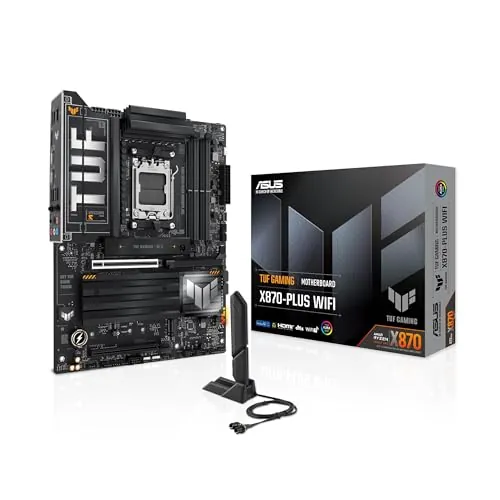
ASUS TUF Gaming X870-PLUS WiFi
US listing identity; AM5 ATX motherboard with X870 chipset, Wi-Fi 7 and two rear USB4 Type-C ports.
Model TUF GAMING X870-PLUS WIFI
Amazon ASIN B0DGB8Q19Y
ASUS
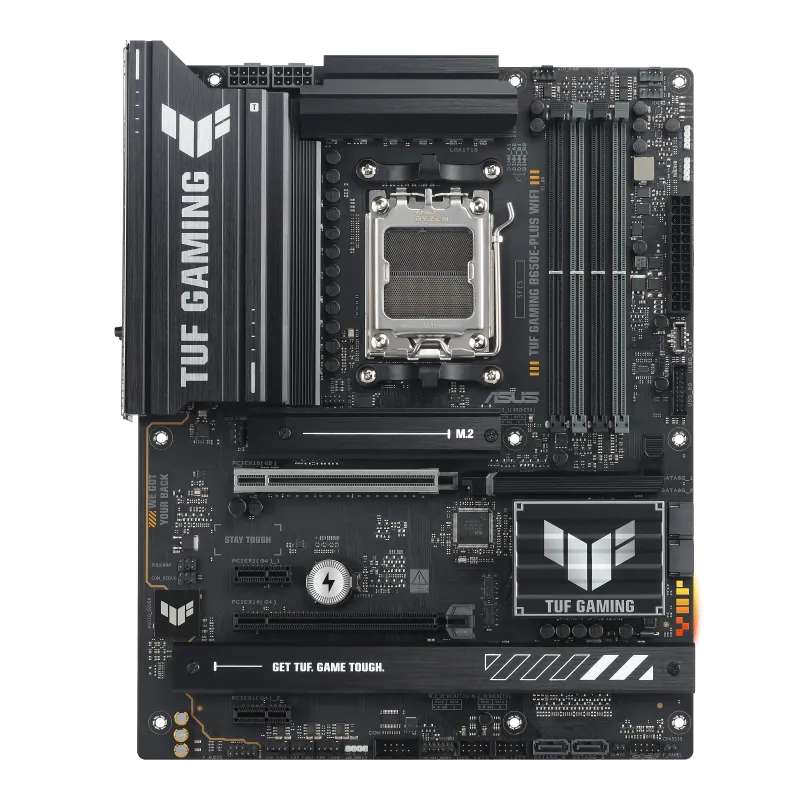
ASUS TUF Gaming B650E-PLUS WiFi
US listing identity; AM5 ATX motherboard. ASUS uses B650E in the board name and lists AMD B650 as chipset on its exact-model documentation.
Model TUF GAMING B650E-PLUS WIFI
Amazon ASIN B0F7VZS6FG
Differences that matter
What matters most to you?
Choose a priority to see what it changes.
Sources for Rear high-speed USB-C and USB4 header
Sources for Wireless generation and operating conditions
Sources for M.2 positions and SATA count
Sources for M.2 use can change expansion-slot availability
Start with the rear ports your devices need
ASUS lists two rear USB4 40Gbps Type-C ports on the X870-PLUS. The B650E-PLUS has one rear USB 20Gbps Type-C port and an internal Thunderbolt/USB4 header. That header is a board connector, not another rear port, so count the ports you need on the case I/O separately from any internal-header plan.
For Wi-Fi, ASUS specifies Wi-Fi 7 on X870-PLUS and Wi-Fi 6E on B650E-PLUS. The feature conditions differ: ASUS says full Wi-Fi 7 functions require Windows 11 24H2 or later, while its B650E-PLUS page says 6GHz support requires Windows 11 or later. Both sources note country-specific 6GHz rules. Match those conditions to the OS, local availability and client devices; no wireless range or transfer result is claimed.
Map drives and expansion cards against the exact CPU row
The X870-PLUS lists four M.2 positions and two SATA ports; the B650E-PLUS lists three M.2 positions and four SATA ports. These totals serve different storage mixes. On the X870-PLUS, M.2_2 does not work with Ryzen 8000. With Ryzen 9000 or 7000, M.2_2 is PCIe 5.0 x4 and causes the primary PCIe 5.0 x16 slot to run at x8. Its chipset M.2_4 position shares with and disables the secondary chipset PCIe 4.0 x16 slot.
On the B650E-PLUS, M.2_2 is listed as PCIe 4.0 x4 with Ryzen 9000/7000, and x4 or x2 depending on Ryzen 8000 CPU. Its M.2_3 position disables the chipset PCIe 4.0 x16 slot when used. Before choosing, list each drive and add-in card, then check the exact CPU row in the ASUS manual. A slot count alone does not show which connectors remain available together.
Keep exact board naming separate from the feature decision
ASUS names product B TUF GAMING B650E-PLUS WIFI, while the exact-model tech-spec page and user manual list AMD B650 in the chipset field. This comparison preserves both labels rather than resolving the naming difference by inference. Use the exact board's rear I/O list and CPU-dependent storage table when checking a build.
Use ASUS’s current manuals and specification pages to confirm the two exact board configurations before ordering. Check the full model names and suffixes against the listing you intend to buy.
Product details
ASUS TUF Gaming X870-PLUS WiFi
ASUS TUF Gaming B650E-PLUS WiFi
- Rear USB-C
- One USB 20Gbps Type-C port; ASUS also lists an internal Thunderbolt/USB4 header, which is not a rear port. Source
- Storage layout
- Three M.2 slots and four SATA 6Gb/s ports; M.2_2 mode varies with CPU and M.2_3 disables the chipset PCIe 4.0 x16 slot when used. Source
- Wireless
- Wi-Fi 6E; ASUS says 6GHz availability varies by country and is supported only on Windows 11 or later. Source
Before you buy
Community discussions
Making room for several drives and an expansion card
ASUS TUF Gaming X870-PLUS WiFi
A TUF X870-PLUS WiFi owner has three M.2 drives and a graphics card and is deciding whether an adapter card would make room for more storage.
What to check
Draw up a slot plan for the graphics card, current drives, and any future adapter. Check which populated slots share resources for your processor.
Choosing which connectivity you would actually use
ASUS TUF Gaming B650E-PLUS WiFi
In a parts-list discussion, a buyer who uses wired networking describes choosing the TUF B650E-PLUS and putting more of the budget toward other parts.
What to check
Start with the network connection and rear ports your desk requires. Compare the exact board’s connections against that list and your drive plan.
Common questions
Does the B650E-PLUS WiFi have rear USB4 ports?
ASUS lists one rear USB 20Gbps Type-C port and a separate internal Thunderbolt/USB4 header. The header is not a second rear port; confirm the exact board documentation for any add-in connection plan.TUF GAMING B650E-PLUS WIFI - Tech Specs
Can I use the X870-PLUS M.2_2 slot with a Ryzen 8000 desktop CPU?
ASUS lists M.2_2 as unsupported with Ryzen 8000 on this board. With Ryzen 9000/7000, M.2_2 is listed for PCIe 5.0 x4 and shares bandwidth with the primary PCIe 5.0 x16 slot, which then runs at x8. Check the exact CPU support list and slot table before choosing your drive layout.TUF GAMING X870-PLUS WIFI User ManualTUF GAMING X870-PLUS WIFI - Tech Specs
Why does ASUS call one board B650E-PLUS but list a B650 chipset?
The exact-model page and manual name the product TUF GAMING B650E-PLUS WIFI and separately identify its chipset as AMD B650. This guide keeps both manufacturer labels and compares only the features ASUS documents for this board.TUF GAMING B650E-PLUS WIFI - Tech SpecsTUF GAMING B650E-PLUS WIFI User Manual
Will the Wi-Fi 7 or Wi-Fi 6E label guarantee 6GHz support in my setup?
No single board label settles the whole setup. ASUS lists operating-system and country conditions for 6GHz, and the wireless client must also support the feature you plan to use. These specifications are not a range or speed test.TUF GAMING X870-PLUS WIFI - Tech SpecsTUF GAMING B650E-PLUS WIFI - Tech Specs
Sources and scope
This guide compares the manufacturers’ published specifications, not a physical build or benchmark. ASUS’s exact B650E-PLUS WiFi name differs from the B650 chipset label on its manual and spec page; the comparison preserves that difference and uses the board features ASUS lists. M.2 and PCIe sharing can depend on CPU series, so confirm the exact processor and expansion-card plan against current ASUS support information before ordering.
Related comparisons
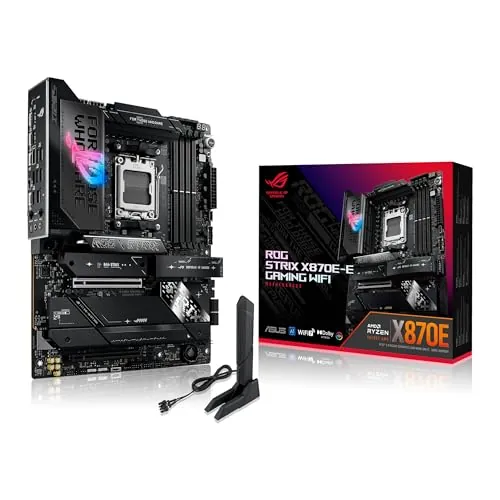
ASUS TUF Gaming X870-PLUS WiFi vs ROG Strix X870E-E Gaming WiFi: Plan Drives and Slots First
Both are AM5 ATX Wi-Fi 7 boards for Ryzen 9000, 8000 and 7000 series, but their slot maps are CPU-dependent. TUF lists four M.2 positions and two SATA ports; ROG lists five M.2 and four SATA. Before deciding, map your exact CPU, drives, GPU/add-in cards and rear devices against the manual: using some M.2 slots changes or disables PCIe slots, and Ryzen 8000 does not support several CPU-attached M.2 positions.
Read comparison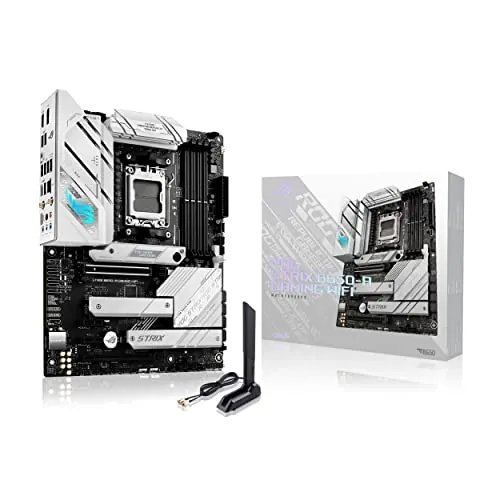
ASUS ROG Strix B650-A vs TUF B650E-Plus WiFi: PCIe, Ports, and Audio
Both ASUS boards use AM5, support Ryzen 9000/8000/7000 desktop processors, and provide four DDR5 DIMM slots. With Ryzen 9000 or 7000, the TUF B650E-Plus WiFi lists PCIe 5.0 for its primary x16 slot; the ROG Strix B650-A lists PCIe 4.0. Both list PCIe 4.0 x8/x4 primary-slot modes with Ryzen 8000. The ROG has one more rear 10Gbps USB port, including an extra Type-C, while TUF has two more rear USB 2.0 Type-A ports. Check the lower-slot/M.2_3 sharing rules and your audio connection before choosing.
Read comparison