
Products compared
ASUS
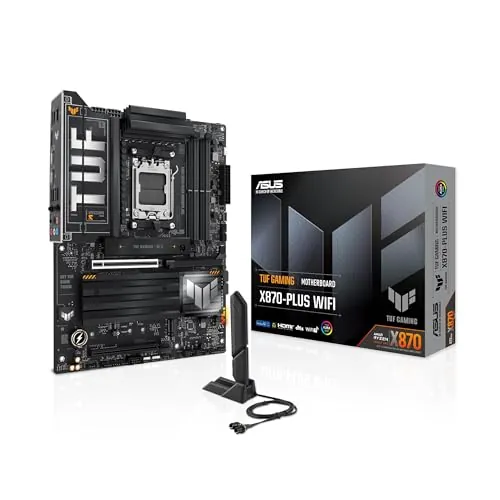
ASUS TUF Gaming X870-PLUS WiFi
AM5 ATX X870 board with four M.2 positions, two SATA ports, ten rear USB ports and 2.5Gb Ethernet. Its CPU-family storage map includes lane sharing between M.2_2 and the primary PCIe slot.
Model TUF GAMING X870-PLUS WIFI
Amazon ASIN B0DGB8Q19Y
ASUS
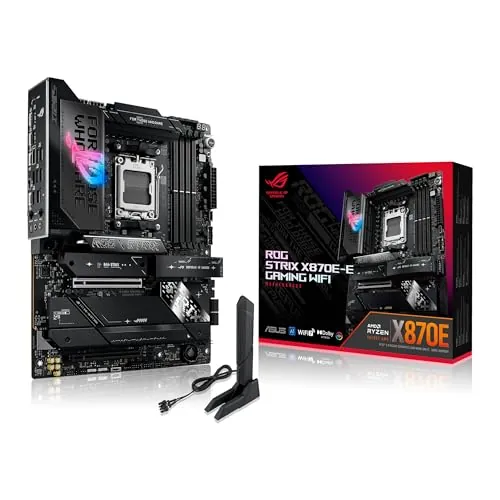
ASUS ROG Strix X870E-E Gaming WiFi
AM5 ATX X870E board with five M.2 positions, four SATA ports, thirteen rear USB ports and 5Gb Ethernet. Ryzen-family and shared-lane conditions still determine which storage layout fits.
Model ROG STRIX X870E-E GAMING WIFI
Amazon ASIN B0DDZNZF76
Differences that matter
I need a fifth M.2 or third/fourth SATA connection, or a specific ROG rear USB/5GbE port
ASUS ROG Strix X870E-E Gaming WiFi · Those connectors are listed on the ROG; check Ryzen-family availability, lane sharing and matching devices/network gear.
View ROG STRIX X870E-E GAMING WIFI on Amazon (paid link)Sources for Rear USB layout and wired network
Sources for Exact CPU support and BIOS check
Map the CPU and drives before comparing counts
The TUF gives you four M.2 positions and two SATA ports; the ROG lists five M.2 and four SATA. That headline count needs a CPU qualifier. For Ryzen 9000/7000, both boards list more CPU-attached PCIe 5.0 M.2 positions than with Ryzen 8000. With Ryzen 8000, TUF M.2_2 is unsupported and ROG M.2_2/_3 are unsupported, so some of the ROG's apparent storage advantage is unavailable.
Start with the exact CPU SKU, then mark every planned drive against the named slots in the relevant manual. Confirm the processor on ASUS's exact CPU support page and the BIOS/revision shipped with the board; the family-level specification does not tell you a universal minimum BIOS.
Account for shared PCIe slots in the same layout
On TUF, the manufacturer says M.2_2 shares bandwidth with PCIEX16(G5), which runs at x8 when that M.2 slot is in use; M.2_4 disables PCIEX16(G4). A build using those slots should be planned from the actual card and SSD list rather than the board's connector total.
For ROG, the US specification page says enabling M.2_2 or M.2_3 individually runs PCIEX16(G5) at x8. Manual E25504 confirms x8 when both positions are populated but leaves the one-drive case unstated. This is a difference in how much detail the two official documents provide, not proof of opposite behavior. If a single SSD in one of those slots affects your decision, check ASUS's current guidance for the exact board revision before ordering.
Choose rear connectivity by the actual devices
TUF lists ten rear USB ports, including USB4 Type-C, plus 2.5Gb Ethernet. ROG lists thirteen rear USB ports, including two USB4 Type-C and a rear USB 20Gbps Type-C port with up to 30W PD, plus 5Gb Ethernet. Write down the ports used by external drives, displays, adapters and other devices that will remain connected; compare those requirements to the back-panel list.
The ROG network port is useful only when the rest of the wired path can use it. Check the router or switch, cables, endpoint and service together. The port labels describe supported interfaces, not measured file-copy or internet speeds.
A five-minute pre-buy build check
1. Record the exact CPU SKU and verify it on the matching ASUS CPU support page. 2. List every NVMe and SATA drive and assign each one to a named supported slot. 3. Mark the GPU and add-in cards, including TUF's M.2_2/G5 and M.2_4/G4 rules and the ROG M.2_2/_3 documentation note. 4. Count rear USB connections and identify whether you need USB4, rear 20Gbps Type-C/30W PD or only a different number of ordinary USB ports. 5. Check whether your network path has a 5GbE endpoint before treating the ROG port as useful.
If the plan fits the TUF's four M.2/two SATA connectors and its slot sharing, its smaller connector set may be enough. If the build needs the ROG's extra M.2/SATA capacity or a distinct rear port, verify that the selected CPU supports the slots you intend to use. Recheck the manual for the revision you will receive.
Product details
ASUS TUF Gaming X870-PLUS WiFi
- Storage connectors
- Four M.2 positions and two SATA 6Gb/s ports; available M.2 positions and modes depend on Ryzen family. Source
- Primary-slot sharing
- The ASUS specification says PCIEX16(G5) runs at x8 when M.2_2 runs; M.2_4 disables PCIEX16(G4). Source
- Wired network and rear USB
- One 2.5Gb Ethernet port and ten rear USB ports: two USB4 Type-C, three USB 10Gbps Type-A, four USB 5Gbps Type-A and one USB 2.0 Type-A. Source
ASUS ROG Strix X870E-E Gaming WiFi
- Storage connectors
- Five M.2 positions and four SATA 6Gb/s ports; available CPU-attached M.2 positions depend on Ryzen family. Source
- Primary-slot sharing
- The US specification says PCIEX16(G5) runs at x8 when either M.2_2 or M.2_3 is enabled; manual E25504 states x8 when both positions are occupied but does not describe the single-drive case. Source
- Wired network and rear USB
- One 5Gb Ethernet port and thirteen rear USB ports, including two USB4 Type-C ports and one rear USB 20Gbps Type-C port with up to 30W PD. Source
Before you buy
Community discussions
Planning a second NVMe drive before filling a slot
ASUS TUF Gaming X870-PLUS WiFi
A TUF X870-PLUS WiFi owner already has one Gen5 NVMe drive and asks which slot to use for a second.
What to check
List the drives you want to run at the same time and check the exact board’s slot and lane-sharing table for your CPU.
Common questions
Can both boards use Ryzen 8000 and all of their M.2 slots?
ASUS lists Ryzen 8000 support for both boards, but not every M.2 position is available with that family. TUF says M.2_2 is unsupported; ROG says M.2_2 and M.2_3 are not supported. Check the exact CPU and board revision in ASUS support before finalizing the layout.TUF GAMING X870-PLUS WIFI — Tech SpecsTUF GAMING X870-PLUS WIFI User's Manual, E25811, Revised Edition V2ROG STRIX X870E-E GAMING WIFI — Tech SpecsROG STRIX X870E-E GAMING WIFI User's Manual, E25504, Revised Edition V2
Does the ROG's fifth M.2 slot slow the graphics card?
The fifth connector is M.2_5 and is listed under the chipset; the GPU-sharing statements concern M.2_2 and M.2_3. For those two positions, the ROG US specification says either one individually makes PCIEX16(G5) run at x8, while manual E25504 only states the both-populated case. Check the current manual and board revision for your planned placement; no real-world performance result is implied by the link-width specification.ROG STRIX X870E-E GAMING WIFI — Tech SpecsROG STRIX X870E-E GAMING WIFI User's Manual, E25504, Revised Edition V2
Is the ROG's 5Gb Ethernet automatically faster in my setup?
It is a 5Gb-rated motherboard Ethernet port versus 2.5Gb on the TUF. The connected router or switch, cabling, other endpoints and service also have to support the intended link. ASUS's port rating is not a measured transfer result.TUF GAMING X870-PLUS WIFI — Tech SpecsROG STRIX X870E-E GAMING WIFI — Tech Specs
Sources and scope
This is a connector and build-planning comparison based on ASUS US specifications and the exact model manuals, not a benchmark or overclocking test. The ROG US specification page says using either M.2_2 or M.2_3 individually runs PCIEX16(G5) at x8; manual E25504 explicitly documents x8 when both are occupied but does not state the single-drive case. Confirm the applicable slot map for your exact CPU and board revision before purchase if GPU link width is a deciding constraint. Exact CPU SKU and BIOS support also need a model-specific check.
Related comparisons
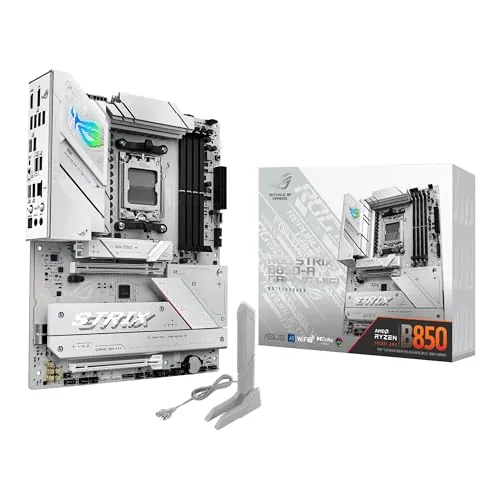
ASUS ROG Strix X870E-E vs B850-A: USB4, M.2 Lanes and DDR5 Build Fit
The US ASUS ROG Strix X870E-E Gaming WiFi documents two rear USB4 40Gbps Type-C ports and five M.2 sockets; the ROG Strix B850-A Gaming WiFi lists four M.2 sockets and a different M.2_3/secondary-slot conflict, with no USB4 port in its rear-I/O list. Both are AM5 DDR5 boards with four DIMM slots and up to 256GB listed, while supported memory speed and module count depend on the CPU and configuration. Before choosing, map your exact Ryzen generation, every M.2 drive, graphics card, add-in card and RAM kit to the ASUS board specifications. This is a feature-fit guide, not a benchmark ranking.
Read comparison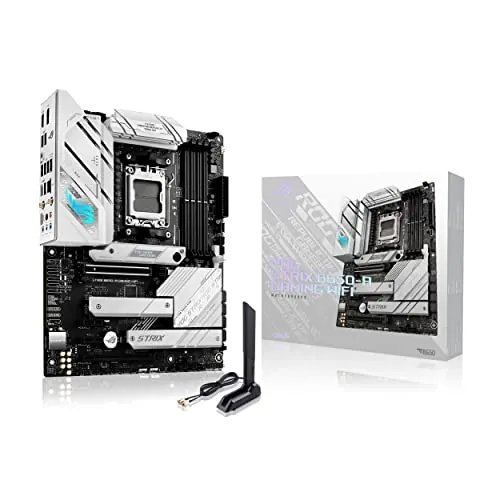
ROG Strix B650-A vs X870E-E: M.2 Lanes, USB4, and RAM Limits
Both are AM5 ROG Strix boards for Ryzen 7000, 8000, and 9000 series, but their lane maps are not interchangeable. B650-A offers three M.2 sockets and a chipset M.2_3 that shares bandwidth with its secondary chipset x4 slot; X870E-E offers five sockets, but Ryzen 8000 disables M.2_2/_3 and Ryzen 7000/9000 drops the primary graphics slot to x8 when either is populated. Choose after mapping your exact CPU, drives, add-in cards, and case USB headers.
Read comparison