
Products compared
ASUS
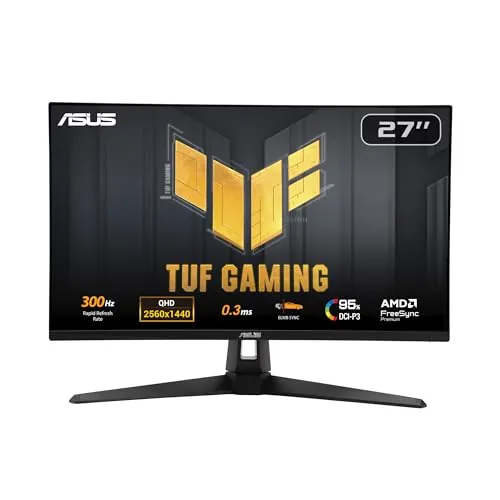
ASUS TUF Gaming VG27AQM5A 27-inch QHD Monitor
Exact ASUS U.S. model: 2560 × 1440 display with a published maximum refresh rate of 300Hz; two HDMI 2.1 inputs, one DisplayPort 1.4 HBR3 input and a USB-C service port for monitor firmware updates. Stand has tilt and swivel but no height adjustment.
Model VG27AQM5A
Amazon ASIN B0F233D6W1
ASUS
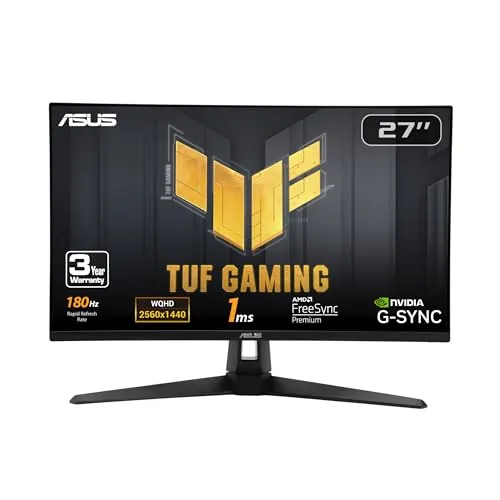
ASUS TUF Gaming VG27AQ3A 27-inch QHD Monitor
Exact ASUS U.S. model: 2560 × 1440 with QHD modes listed up to 144Hz over HDMI and 180Hz over DisplayPort; two HDMI 2.0 inputs and one DisplayPort 1.4 HBR2 input. Stand has tilt and swivel but no height adjustment.
Model VG27AQ3A
Amazon ASIN B0BZR9TMBJ
Differences that matter
I need a documented QHD mode above 180Hz and my source can use it
ASUS TUF Gaming VG27AQM5A 27-inch QHD Monitor · ASUS lists VG27AQM5A QHD modes through 300Hz on both video inputs; verify the exact source and connection path.
View VG27AQM5A on Amazon (paid link)Sources for Supported QHD refresh by input
Sources for Video inputs and PC-only service connection
Sources for Stand movement and mounting
Sources for DisplayPort cable in the exact carton
Start with the QHD mode your source can actually send
ASUS's VG27AQM5A timing table lists 2560 × 1440 modes through 300Hz on HDMI and DisplayPort. The exact VG27AQ3A manual lists 2560 × 1440 up to 144Hz over HDMI and 180Hz over DisplayPort. Those are monitor-supported signal modes, not estimates of game frame rate or a promise that every computer can output them.
Before paying for a higher ceiling, note your computer, GPU or console model, the output you plan to use and your target resolution/refresh. Check the source documentation and settings for that exact path. If your target is QHD above 180Hz, only VG27AQM5A has that listed range here. If QHD at 144Hz over HDMI or up to 180Hz over DisplayPort is enough and the input fits your source, VG27AQ3A may cover the stated requirement.
Match each device to a real input
VG27AQM5A lists two HDMI 2.1 inputs and DisplayPort 1.4 HBR3. VG27AQ3A lists two HDMI 2.0 inputs and DisplayPort 1.4 HBR2. Compare those labels with the outputs on the devices you will connect, then verify the cable and source settings for the target mode. An interface label alone does not prove what a specific host, adapter or cable can deliver.
One easy-to-miss detail: VG27AQM5A's USB-C Type-C port is a service connection. Its manual describes connecting USB-C to a PC for firmware updates, not using it as a video input. Plan display connections through HDMI or DisplayPort as documented.
Measure the stand and resolve the cable package
The two ASUS US spec pages list the same physical dimensions with stand, tilt and swivel ranges, VESA 100 × 100 mm mounting and no height adjustment. If you need the display higher, check a compatible arm or separate riser and its hardware; neither stock stand adds height travel. Measure desk depth and monitor clearance at your own station.
Cable contents are not a safe assumption for VG27AQ3A: its U.S. specification page lists a DisplayPort cable, but its user guide labels DisplayPort and HDMI cables optional. ASUS says accessories vary by region. For VG27AQM5A, both the U.S. spec page and manual list a DisplayPort cable, also subject to regional accessory variation. Check the exact seller's U.S. carton before relying on any included cable.
Product details
ASUS TUF Gaming VG27AQM5A 27-inch QHD Monitor
- Maximum listed refresh rate
- 300Hz at 2560 × 1440 over HDMI and DisplayPort in the supported-timing table Source
- Video inputs
- 2 × HDMI 2.1; 1 × DisplayPort 1.4 (HBR3) Source
- USB-C port
- USB 3.2 Gen 1 Type-C service port for monitor firmware updates; do not treat it as a video input Source
- Stand and mount
- Tilt +20° to −5°, swivel +20° to −20°, no height adjustment; VESA 100 × 100 mm Source
Before you buy
Community discussions
Checking which display mode the computer sees
ASUS TUF Gaming VG27AQ3A 27-inch QHD Monitor
A VG27AQ3A owner said their computer showed a 60 Hz mode and did not offer the refresh rate they expected.
What to check
Check the two specifications for the same port before choosing by refresh rate. Confirm your graphics device offers the intended mode.
Common questions
Can VG27AQ3A run QHD at 180Hz over HDMI?
ASUS's exact VG27AQ3A timing table lists QHD at up to 144Hz over HDMI and up to 180Hz over DisplayPort. The source device and cable still need to support the selected mode.ASUS TUF Gaming Monitor VG27AQ3A Series User Guide
Does VG27AQM5A's USB-C port carry the display signal?
ASUS lists its Type-C connection as a service port. The manual describes connecting USB-C to a PC for monitor firmware updates; it is not documented here as a video input.TUF Gaming VG27AQM5A - Tech SpecsASUS TUF Gaming Monitor VG27AQM5A Series User Guide
Does either stand adjust for height?
No. ASUS lists tilt and swivel but no height adjustment for both, with a 100 × 100 mm VESA pattern. If height adjustment is required, verify a compatible arm or separate stand and its mounting hardware.TUF Gaming VG27AQM5A - Tech SpecsTUF Gaming VG27AQ3A - Tech Specs
Will a DisplayPort cable be in the VG27AQ3A box?
ASUS's US specification page lists a DisplayPort cable, while the exact VG27AQ3A user guide lists DisplayPort and HDMI cables as optional. ASUS notes that accessories vary by region, so confirm the exact US seller carton before relying on a cable being included.TUF Gaming VG27AQ3A - Tech SpecsASUS TUF Gaming Monitor VG27AQ3A Series User Guide
Sources and scope
This is a documentation-based comparison of exact ASUS monitor models and their listed display modes, ports and setup. A monitor's supported mode is not a promise of game frame rate, image quality, input lag or response performance. Your source device, GPU, cable, selected input, driver and settings must support the intended resolution and refresh mode. ASUS says accessories vary by region; the VG27AQ3A US specification page lists a DisplayPort cable, while its user guide calls it optional. Confirm the actual seller carton and included cable before relying on it.
Related comparisons

ASUS ROG Strix XG27ACS vs TUF VG27AQ3A: USB-C, 180Hz and Desk Setup
Both exact ASUS models are 27-inch 2560×1440 Fast IPS monitors with a listed maximum refresh rate of 180Hz. The connector path matters: ASUS lists HDMI up to 144Hz on both; ROG XG27ACS also lists DisplayPort and USB-C DisplayPort Alt Mode up to 180Hz, while TUF VG27AQ3A lists DisplayPort up to 180Hz. ROG adds USB-C with 7.5W power delivery and a stand that raises up to 120 mm and rotates to portrait. TUF has two HDMI inputs, built-in 2W × 2 speakers, tilt and swivel, but no stand height adjustment or pivot. Before buying, match the monitor input to your computer's output and decide whether you need to raise the screen or connect multiple HDMI sources.
Read comparisonASUS TUF Gaming VG27AQM5A vs ROG Strix XG27ACS
Both are 27-inch QHD (2560 × 1440) ASUS Fast IPS monitors, but their connections lead to different setups. The TUF VG27AQM5A lists QHD up to 300 Hz over HDMI and DisplayPort, while its USB-C connector is a firmware service port. The ROG XG27ACS supports video over USB-C DisplayPort Alt Mode with 7.5 W power delivery, and lists QHD up to 180 Hz over USB-C/DisplayPort or 144 Hz over HDMI. Its stand adds 0–120 mm height adjustment; the TUF stand does not. Match the input to your actual PC or console before choosing.
Read comparison