
Products compared
ASUS
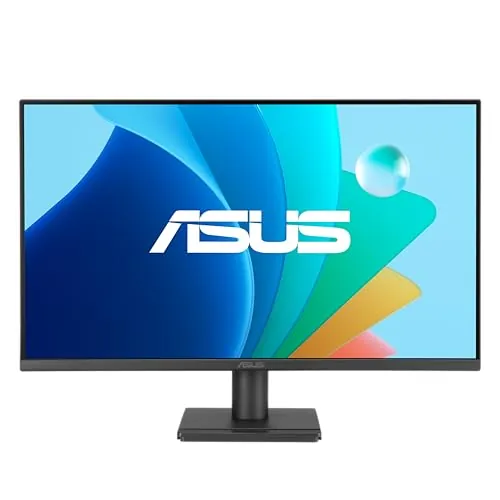
ASUS VA249QG 23.8-inch Full HD Monitor
Black U.S. VA249QG listing; distinguish it from VA279QG and VA279HG, which appear in the same manual.
Model VA249QG
Amazon ASIN B0DM6R51KT

ASUS
ASUS ProArt PA278QV 27-inch QHD Monitor
Black U.S. PA278QV; this is the original PA278QV, not the separately named PA278QV Gen2 / PA278QGV.
Model PA278QV
Amazon ASIN B088BC5HMM
Differences that matter
What matters most to you?
Choose a priority to see what it changes.
Sources for Panel size and native resolution
Sources for Supplied stand adjustments
Sources for Desk width and stand depth
Sources for Connections and attached peripherals
Choose by the resolution and input timing your computer can send
VA249QG is a 23.8-inch 1920×1080 monitor. In its exact VA249QG timing table, ASUS lists 1920×1080 at 100Hz and 120Hz for HDMI/DisplayPort; the VGA row for the same resolution is 60Hz. This matters if you are keeping a legacy VGA connection: the monitor’s “120Hz max” does not apply to every port.
PA278QV is 27-inch 2560×1440 and ASUS lists a 75Hz maximum. Its U.S. specification reports a 46–75Hz digital vertical range across digital inputs, and the manual has QHD timing rows near 60Hz and 75Hz. ASUS does not map those upper timings to each HDMI, DisplayPort, Mini DisplayPort and DVI-D input individually, so treat 75Hz as the monitor-level ceiling, not a guarantee for every host-port-cable combination. If you need more than 75Hz at native QHD, neither exact model meets that requirement.
Use stand movement as a separate desk requirement
VA249QG’s supplied stand tilts from −5° to +23°, with no height, swivel or pivot adjustment listed. PA278QV’s stand lists 0–150mm height movement, ±90° pivot, ±90° swivel and −5° to +35° tilt. Choose the ProArt if one of those movements is a must-have from the supplied base; choose the VA model if tilt-only placement works. These specifications describe movement and do not establish that one display is more comfortable or healthier.
For a physical layout check, ASUS lists the VA249QG at 541.1×406.5×188.2mm with stand and PA278QV at about 615×532×226mm at its highest setting (and 615×382×226mm at its lowest). Leave room for the stand base and the screen’s movement envelope, especially if pivoting to portrait. If using an arm instead, verify its VESA fit and load separately; changing the mount cannot change panel resolution or input timing.
Match ports and plan the peripheral cable
VA249QG gives you HDMI, DisplayPort and VGA, with no USB ports in ASUS’s manual. PA278QV adds Mini DisplayPort and DVI-D alongside HDMI/DisplayPort, plus four USB-A downstream ports. Its guide explains that a USB-B upstream cable to the computer enables those hub ports, so include the upstream link if you want to attach a keyboard, mouse or storage device through the monitor.
Before ordering, make a short path list: computer/dock output → adapter (if any) → monitor input → required resolution/refresh → USB upstream cable (only if using the PA hub). Check the source device’s documented output modes, then confirm which exact PA port will be used; the monitor’s top-line maximum is not proof that every dock or adapter will pass that mode.
Product details
ASUS VA249QG 23.8-inch Full HD Monitor
- Panel size and native resolution
- 23.8 in; 1920×1080 Source
- Highest listed 1080p timing by input
- 100Hz and 120Hz listed for HDMI and DisplayPort; VGA is listed only at 60Hz for 1920×1080 Source
- Video inputs
- HDMI 1.4, DisplayPort 1.2 and VGA (D-sub) Source
- Supplied stand movement
- Tilt −5° to +23°; no height adjustment, pivot or swivel listed Source
ASUS ProArt PA278QV 27-inch QHD Monitor
- Panel size and native resolution
- 27 in; 2560×1440 Source
- Maximum refresh and port-specific scope
- 75Hz maximum; ASUS lists a 46–75Hz vertical range for digital signal overall, without a separate maximum for each connector Source
- Digital inputs and USB hub
- DisplayPort 1.2, Mini DisplayPort, HDMI 1.4 and dual-link DVI-D; four USB-A downstream ports require a USB-B upstream connection to the host Source
- Supplied stand movement
- 0–150mm height adjustment, ±90° pivot, ±90° swivel and −5° to +35° tilt Source
Before you buy
Community discussions
A PA278QV owner is considering a larger replacement
ASUS ProArt PA278QV 27-inch QHD Monitor
The owner runs two 27-inch PA278QV monitors side by side and says they would ideally move to a 32-inch display. This is one person's preferred desk size, not evidence about the VA249QG or PA278QV performance.
What to check
For a 23.8-inch versus 27-inch choice, compare the panel and stand footprint with the desk space and viewing layout you have. If you are considering a larger screen, confirm that one of these two sizes actually fits your plan before treating either as a match.
Common questions
Does the VA249QG support 120Hz through VGA?
Not at 1920×1080 in ASUS’s supported-mode table. It lists 1080p at 100Hz and 120Hz on HDMI/DisplayPort, while VGA is listed for 1080p at 60Hz. The source device and cable also need to support the selected digital mode.ASUS VA249QG / VA279QG / VA279HG User Guide (English; VA249QG selected) — ASUS
Does PA278QV guarantee QHD at 75Hz on every input?
ASUS lists a 75Hz maximum and 46–75Hz digital vertical range, and its guide lists 2560×1440 timings up to about 74.9Hz. Neither source breaks that ceiling down by each HDMI, DisplayPort, Mini DisplayPort and DVI-D input. Check the exact host, output, cable and input path rather than assuming every combination reaches the top mode.ASUS ProArt Display PA278QV U.S. technical specificationsASUS PA278QV / PA278QEV User Guide (English; PA278QV model) — ASUS
Which included stand supports portrait orientation?
PA278QV: ASUS lists ±90° pivot and 0–150mm height adjustment. VA249QG: ASUS’s manual lists no pivot or height adjustment, with tilt from −5° to +23°. These describe stand mechanics only, not a health or comfort result.ASUS ProArt Display PA278QV U.S. technical specificationsASUS VA249QG / VA279QG / VA279HG User Guide (English; VA249QG selected) — ASUS
Does the PA278QV USB hub work just by plugging devices into USB-A?
ASUS’s guide says the USB-B upstream connection enables the monitor’s USB ports. Plan that host cable as well as the display cable, and confirm what is included in the exact seller package.ASUS PA278QV / PA278QEV User Guide (English; PA278QV model) — ASUS
Sources and scope
This is a documentation-based input, resolution and desk-fit guide, not a test of color accuracy, motion clarity, latency, gaming performance, viewing comfort, ergonomics or reliability. VA249QG’s supported-mode table explicitly marks 100/120Hz Full HD for HDMI/DisplayPort and 60Hz for VGA. ASUS’s PA278QV U.S. spec provides an aggregate 46–75Hz digital frequency range, while its older exact-model manual lists supported QHD timings without naming the port for each; no connector-by-connector 75Hz guarantee is claimed. The host GPU, dock, adapter, cable, driver and display settings can constrain usable mode. Confirm exact product name because PA278QV and PA278QV Gen2/PA278QGV are distinct model names; check current seller contents for the selected offer.
Related comparisons

ASUS ProArt PA279CRV vs PA278QV: 4K USB-C or QHD Legacy Inputs?
Both are 27-inch ASUS ProArt IPS monitors, but they solve different desk problems. PA279CRV is 3840×2160 (4K) and its USB-C input supports DisplayPort Alt Mode and up to 96 W Power Delivery; with a compatible laptop it can carry video and USB data through one cable while connecting the monitor's hub. PA278QV is 2560×1440 (QHD), lists HDMI, DisplayPort, Mini DisplayPort and dual-link DVI-D, and has a four-port USB-A hub that needs a separate USB-B upstream connection. Before buying, check the laptop's USB-C video support and power needs, or check which legacy video port your desktop uses. ASUS lists different color-space coverage on the two models; these manufacturer specifications do not predict a user's calibrated result.
Read comparison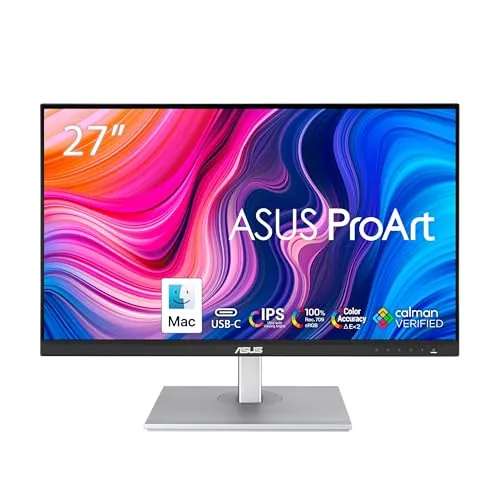
ASUS ProArt PA278CV vs PA278QV: USB-C or Legacy Monitor Ports?
The PA278CV and PA278QV are both 27-inch QHD ProArt monitors with ASUS-listed 75Hz refresh, 100% sRGB/Rec.709 coverage and adjustable stands. The practical difference is the connection path: PA278CV combines USB-C video (when the host supports DisplayPort Alt Mode), USB data and up to 65W power, plus a DisplayPort output. PA278QV has DVI-D and Mini DisplayPort inputs but no digital output. Check your laptop port, charger requirement and multi-monitor plan before choosing.
Read comparison