
Products compared
ASUS
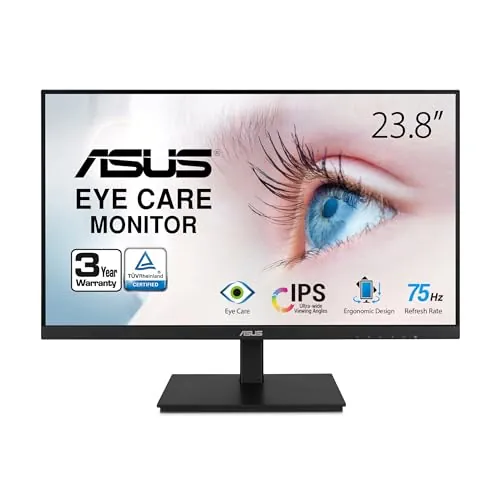
ASUS VA24DQSB 23.8-inch Full HD Monitor
23.8-inch native 1920×1080 display with HDMI 1.4, DisplayPort 1.2 and VGA video inputs. The published U.S. specs list a two-port USB 2.0 Type-A hub and a stand with up to 130 mm height adjustment, swivel and portrait pivot. Check the exact seller bundle for cables.
Model VA24DQSB
Amazon ASIN B09F9WVYTY

ASUS
ASUS ProArt PA278QV 27-inch QHD Monitor
27-inch native 2560×1440 display with HDMI, DisplayPort, Mini DisplayPort and dual-link DVI video inputs. ASUS lists four USB Type-A hub ports and a height-adjustable, swivel and pivot stand. Published with-stand dimensions are about 61.5 cm wide × 53.2 cm high × 22.6 cm deep; exact seller cable bundle should be checked.
Model PA278QV
Amazon ASIN B088BC5HMM
Differences that matter
What matters most to you?
Choose a priority to see what it changes.
Sources for Native resolution and screen size
Sources for Direct video outputs from your computer
Start with the computer output
Read the connector printed beside the computer or dock output before choosing a monitor. The VA24DQSB gives you HDMI, DisplayPort and VGA. The PA278QV gives you HDMI, DisplayPort, Mini DisplayPort and dual-link DVI. HDMI and DisplayPort are shared, so for those connections the differentiator is the panel’s native resolution and the space it occupies. A matching port does not prove a particular signal mode; verify the exact source, cable and required timing.
Then decide how much native screen area you need
VA24DQSB is a 23.8-inch 1920×1080 display. PA278QV is a 27-inch 2560×1440 display. If the applications or source workflow require QHD, choose around that requirement. If Full HD meets the need, the direct VGA input and smaller listed footprint may decide the match. These specifications describe pixel dimensions and panel size; they are not a side-by-side image-quality test.
Do a quick stand and hub setup check
Before ordering, measure the desk width and depth available with a monitor stand in place. ASUS lists VA24DQSB at about 54.0 cm wide by 21.1 cm deep and PA278QV at about 61.5 cm by 22.6 cm; their maximum height adjustment is 130 mm and 150 mm. If you plan to use a monitor’s USB hub, add the upstream Type-B-to-Type-A route to the computer. The manuals explain that this connection enables the downstream ports.
What this comparison does not establish
The manufacturer material supports native resolution, input inventory, USB ports and stand specifications. It does not provide a controlled comparison of color, image quality, latency or comfort. Cable and accessory lists vary by region, and the exact Amazon offer was not inspected. If native QHD and direct VGA are both mandatory, neither monitor meets both listed requirements; confirm your source alternatives before buying.
Product details
ASUS VA24DQSB 23.8-inch Full HD Monitor
- Native screen format
- 23.8 inches; 1920×1080 resolution. Source
- Video inputs
- One HDMI 1.4, one DisplayPort 1.2 and one VGA input. Source
- Stand and desk envelope
- Up to 130 mm height adjustment; tilt, swivel and portrait pivot. ASUS lists approximately 54.0 cm wide × 45.0 cm high × 21.1 cm deep with stand. Source
- USB hub connection
- Two USB 2.0 Type-A downstream ports; the VA24DQSB manual says to connect a USB Type-B upstream cable to the monitor and Type-A to the computer to enable them. Source
ASUS ProArt PA278QV 27-inch QHD Monitor
- Native screen format
- 27 inches; 2560×1440 resolution. Source
- Video inputs
- One DisplayPort 1.2, one Mini DisplayPort, one HDMI 1.4 and one dual-link DVI input; no VGA input appears in ASUS’s published full input inventory. Source
- Stand and desk envelope
- Up to 150 mm height adjustment; tilt, swivel and portrait pivot. ASUS lists approximately 61.5 cm wide × 53.2 cm high × 22.6 cm deep with stand. Source
- USB hub connection
- Four USB 3.2 Gen 1 Type-A downstream ports. The PA278QV manual says to connect the USB Type-B upstream cable to the monitor and Type-A to the computer to enable the hub. Source
Before you buy
Community discussions
Switching between HDMI and DisplayPort at a desk
ASUS ProArt PA278QV 27-inch QHD Monitor
A PA278QV owner using HDMI and DisplayPort for different devices asked whether the monitor’s shortcut buttons could switch directly between the inputs.
What to check
Choose the ports your hosts require and try the input-switching steps before deciding. Consider how often you swap computers.
Common questions
Which monitor has VGA?
ASUS lists VGA on VA24DQSB. The published ProArt PA278QV input inventory lists HDMI, DisplayPort, Mini DisplayPort and dual-link DVI, with no VGA input. If your source only has VGA, confirm that Full HD is enough before choosing VA24DQSB.ASUS U.S. VA24DQSB technical specificationsASUS U.S. ProArt PA278QV technical specifications
Can I get QHD and direct VGA with either of these?
Not based on the listed native resolution and physical inputs: VA24DQSB has VGA but is specified at 1920×1080, while PA278QV is specified at 2560×1440 and does not list VGA. Recheck the computer’s output options before buying; an adapter path is not verified here.ASUS U.S. VA24DQSB technical specificationsASUS U.S. ProArt PA278QV technical specifications
How much desk space should I reserve?
ASUS lists VA24DQSB with stand at approximately 54.0 cm wide and 21.1 cm deep; PA278QV is approximately 61.5 cm wide and 22.6 cm deep. Their stand height-adjustment ranges are 130 mm and 150 mm respectively. Measure your own usable surface and cable clearance.ASUS U.S. VA24DQSB technical specificationsASUS U.S. ProArt PA278QV technical specifications
Will the monitor USB ports work as soon as I connect video?
The manuals describe a separate USB upstream connection from the monitor’s Type-B port to the computer’s Type-A port to enable the downstream hub ports. Plan that cable in addition to the video connection, and check whether the exact seller package includes it.ASUS VA24D series user guide (VA24DQSB-specific entries)ASUS PA278QV/PA278QEV series user guide (PA278QV-specific port and setup sections)ASUS ProArt PA278QV datasheet
Sources and scope
This guide applies to listing data product 22916 / ASIN B09F9WVYTY, ASUS VA24DQSB, followed by product 5485 / ASIN B088BC5HMM, ASUS ProArt PA278QV. ASUS U.S. specifications, the VA24D series user guide, and PA278QV datasheet/manual support the model-specific claims. The VA24D manual covers multiple VA24D variants; only VA24DQSB-specific port, stand and USB labels are used. The PA278QV manual cover also names PA278QEV; claims here use the PA278QV-specific port diagram and connection directions. Cable and accessory lists may vary by region, and current Amazon offer contents were not inspected. No hands-on or controlled comparison establishes image quality, color accuracy, latency, comfort, reliability, or performance. Confirm your computer’s output, cable and required timing before purchase.
Related comparisons

ASUS ProArt PA279CRV vs PA278QV: 4K USB-C or QHD Legacy Inputs?
Both are 27-inch ASUS ProArt IPS monitors, but they solve different desk problems. PA279CRV is 3840×2160 (4K) and its USB-C input supports DisplayPort Alt Mode and up to 96 W Power Delivery; with a compatible laptop it can carry video and USB data through one cable while connecting the monitor's hub. PA278QV is 2560×1440 (QHD), lists HDMI, DisplayPort, Mini DisplayPort and dual-link DVI-D, and has a four-port USB-A hub that needs a separate USB-B upstream connection. Before buying, check the laptop's USB-C video support and power needs, or check which legacy video port your desktop uses. ASUS lists different color-space coverage on the two models; these manufacturer specifications do not predict a user's calibrated result.
Read comparison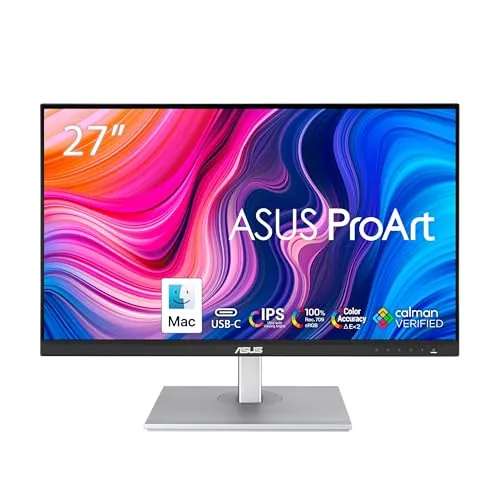
ASUS ProArt PA278CV vs PA278QV: USB-C or Legacy Monitor Ports?
The PA278CV and PA278QV are both 27-inch QHD ProArt monitors with ASUS-listed 75Hz refresh, 100% sRGB/Rec.709 coverage and adjustable stands. The practical difference is the connection path: PA278CV combines USB-C video (when the host supports DisplayPort Alt Mode), USB data and up to 65W power, plus a DisplayPort output. PA278QV has DVI-D and Mini DisplayPort inputs but no digital output. Check your laptop port, charger requirement and multi-monitor plan before choosing.
Read comparison