
Products compared
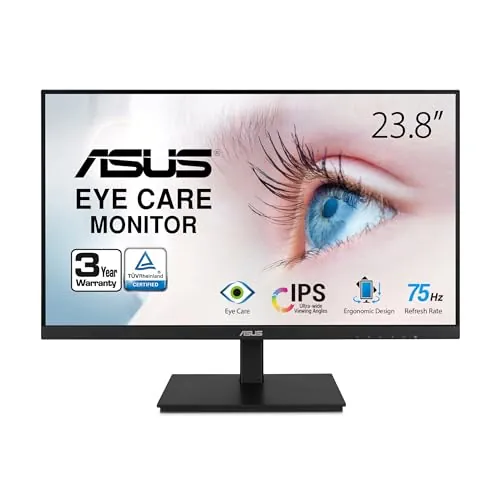
ASUS
ASUS VA24DQSB 23.8-inch Full HD Monitor
Black U.S. retailer offer. ASUS lists a height-adjustable stand and USB hub; the hub's downstream ports need a USB upstream connection to the computer. Verify the exact model and package before ordering.
Model VA24DQSB
Amazon ASIN B09F9WVYTY
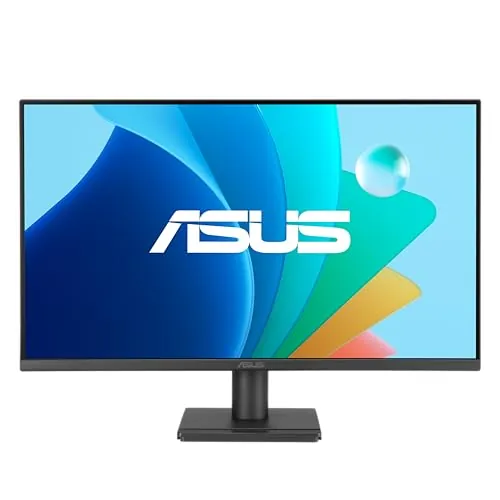
ASUS
ASUS VA249QG 23.8-inch Full HD Monitor
Black U.S. retailer offer. ASUS's manual documents Full HD 100/120 Hz modes over HDMI and DisplayPort and a tilt-only included stand. The source device and its connection path must also support the selected timing.
Model VA249QG
Amazon ASIN B0DM6R51KT
Differences that matter
What matters most to you?
Choose a priority to see what it changes.
Sources for Positioning with the supplied stand
Sources for 1080p timing depends on the chosen input
Sources for USB devices on the monitor
Sources for External mounting option
Start with the position you need on the desk
VA24DQSB is the adjustable-stand option: ASUS lists 0–130 mm of height adjustment, ±90° pivot, ±180° swivel and +35° to −5° tilt. The VA249QG manual lists tilt from −5° to +23° and no height adjustment, pivot or swivel. If you regularly move a screen between seated positions or turn it for portrait reading, VA24DQSB's listed stand range is the practical distinction; if fixed-height landscape placement and tilt are enough, VA249QG may suit the desk.
Both manuals identify a 100 × 100 mm VESA path, and both describe the mount kit as separate. If an arm is already part of your setup, compare the arm's actual pattern, weight support and movement with the monitor; a mount pattern alone does not guarantee the fit you want.
Check the resolution and refresh mode your host can send
Both products are documented as 23.8-inch 1920 × 1080 displays. ASUS lists VA24DQSB up to 75 Hz. The VA249QG manual lists 1920 × 1080 at 100 and 120 Hz for HDMI and DisplayPort; its table lists Full HD VGA at 60 Hz. That makes VA249QG the fit when a supported digital 100/120 Hz input mode is a requirement, not a universal motion or gaming winner.
Check the computer's graphics output, dock or adapter, cable, monitor input and operating-system display mode together. VA249QG's higher listed mode depends on the connection path reaching the monitor; having the same connector name does not establish the same timing on each input.
Decide whether a monitor USB hub matters
VA24DQSB has two USB 2.0 downstream ports, but ASUS says to connect the monitor's USB upstream port to the host to enable them. Plan that as its own cable in addition to the video connection if you want to plug a keyboard, mouse or flash drive into the monitor.
The VA249QG manual's back-view diagram identifies its video, headphone and power connections and does not document a USB hub. If your desk setup depends on monitor-side USB, VA24DQSB has a documented downstream path; VA249QG does not have one documented in its manual. Neither is described here as a general-purpose dock.
A quick pre-purchase setup check
Write down three things before ordering: whether you need stand height or portrait pivot; which input and timing your host can actually output; and whether monitor USB ports are part of your cable plan. If the VA249QG timing is the deciding point, use HDMI or DisplayPort and verify the host path. If VA24DQSB's USB hub is decisive, include its USB upstream cable connection.
Confirm the exact model and included accessories on the seller's listing. ASUS marks VA249QG video cables optional in its manual, so do not assume a video cable comes in the box. The documents support a setup and feature-fit answer, not a ranking of image quality, response, comfort or gaming performance.
Product details
ASUS VA24DQSB 23.8-inch Full HD Monitor
- Display format and maximum refresh rate
- 23.8-inch, 1920 × 1080 Full HD; ASUS lists a maximum 75 Hz refresh rate. Source
- Included stand movement
- ASUS lists 0–130 mm height adjustment, ±90° pivot, ±180° swivel and +35° to −5° tilt. Source
- USB hub connection
- Two USB 2.0 downstream ports; connect the monitor's USB upstream port to the host to enable them. Source
ASUS VA249QG 23.8-inch Full HD Monitor
- Display format and documented input timing
- 23.8-inch, 1920 × 1080 Full HD; the manual lists 100 and 120 Hz at 1920 × 1080 for HDMI/DisplayPort. Its Full HD VGA row is 60 Hz. Source
- Included stand movement
- Tilt from −5° to +23°; the VA249QG specification table says pivot, swivel and height adjustment are not available. Source
- Inputs and mount pattern
- VA249QG back-view diagram identifies DisplayPort, HDMI and VGA; its manual identifies a 100 × 100 mm VESA mount kit sold separately. Source
Before you buy
Community discussions
Fitting an adjustable monitor on a small work desk
ASUS VA24DQSB 23.8-inch Full HD Monitor
A shopper with little desk space shortlisted the ASUS VA24DQSB and another ASUS display in the 24-inch class for everyday work.
What to check
Check stand layout and height at your seat before comparing model suffixes. Make sure the monitor and its base fit the desk you already have.
Common questions
Can VA249QG run 120 Hz through VGA?
ASUS's VA249QG manual lists 1920 × 1080 at 100 and 120 Hz for HDMI/DisplayPort, while its Full HD VGA row is 60 Hz. The source device and complete connection path must also support the selected timing.ASUS VA249QG/VA279QG/VA279HG Series LCD Monitor User Guide
Does VA24DQSB's USB hub work when I only connect HDMI?
The VA24DQSB manual says its USB downstream ports are enabled by connecting the monitor's USB upstream cable to the computer. The USB hub connection is separate from the display input cable.ASUS VA24D Series LCD Monitor User Guide
Can VA249QG's included stand raise or pivot the screen?
The VA249QG table specifies tilt from −5° to +23° and lists no height adjustment, pivot or swivel. VA24DQSB's stand offers height adjustment and pivot according to its U.S. technical specifications. A separate arm would need to be verified for the exact setup.ASUS VA24DQSB U.S. Technical SpecificationsASUS VA249QG/VA279QG/VA279HG Series LCD Monitor User Guide
Do these monitors show a picture-quality winner?
No. The cited sources support documented mode, port and stand comparisons only. They do not provide a matched test of color accuracy, motion clarity, latency or real-world image quality.ASUS VA24DQSB U.S. Technical SpecificationsASUS VA249QG/VA279QG/VA279HG Series LCD Monitor User Guide
Sources and scope
This is a manufacturer-feature and setup comparison, not a picture-quality, motion-clarity, latency, gaming-frame-rate, color, comfort or eye-health test. The source computer, graphics output, any dock or adapter, cable, input port and display settings determine the timing that can actually be selected. VA24DQSB's ASUS U.S. tech-spec page names the exact model; its series manual explicitly includes VA24DQSB/VA24DQSBY for USB and stand procedures. VA249QG's manual includes model-specific diagrams and rows alongside VA279QG and VA279HG; only the VA249QG entries are applied here. Confirm the model on the seller's offer and check any included signal cable, since ASUS marks VA249QG video cables optional in the manual.
Related comparisons
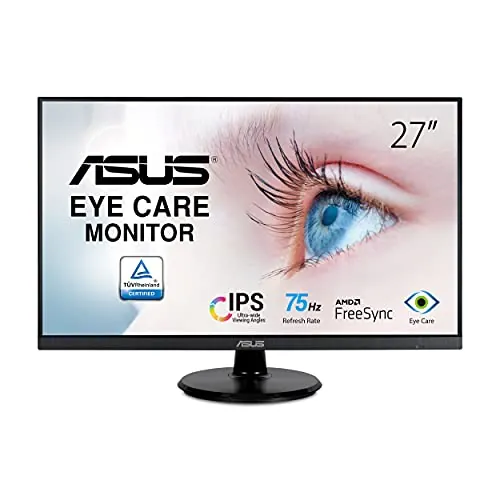
ASUS VA24DQ vs VA24DQSB: Stand Movement, USB Hub and Display Modes
These two 23.8-inch Full HD ASUS monitors share a 1920 × 1080 panel class, HDMI, DisplayPort, VGA and up-to-75Hz manufacturer ratings. The practical difference is the stand and peripheral routing: VA24DQ only tilts and has no USB 2.0 ports, while VA24DQSB adds height, swivel, portrait pivot and a two-port USB hub that needs a separate upstream cable to the computer. The manuals disagree on VA24DQ's maximum upward tilt (+20° versus +23°), so this guide does not use that angle to decide between them.
Read comparison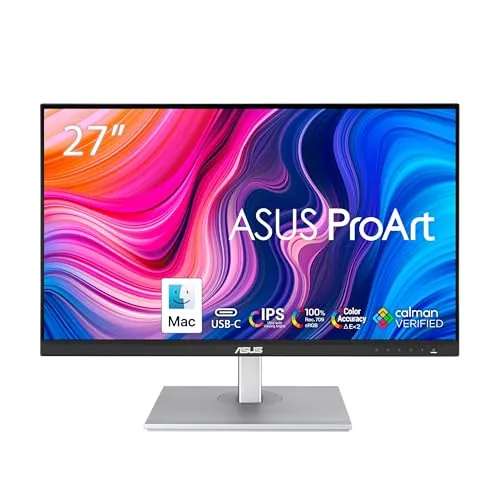
ASUS ProArt PA278CV vs VA24DQSB: Match Screen Size, Desk Space, and Cables
These ASUS monitors differ in native screen format and connection layout. PA278CV is 27 inches at 2560×1440, with USB-C that can carry DisplayPort video and hub data while providing up to 65 W to a compatible host. VA24DQSB is 23.8 inches at 1920×1080, with HDMI, DisplayPort, VGA, and a two-port USB hub connected separately through USB Type-B upstream. ASUS lists an estimated 61.5 cm width for PA278CV and 54 cm for VA24DQSB. Measure the desk, check your preferred scaling, and confirm your computer's ports and power needs before choosing.
Read comparison