
Products compared
ASUS
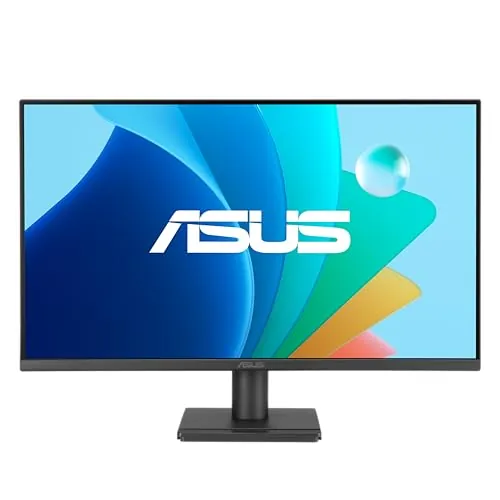
ASUS VA279QG 27-inch monitor
ASUS lists DisplayPort 1.2, HDMI 1.4, VGA, an earphone jack, and built-in 2 W × 2 speakers for the VA279QG.
Model VA279QG
Amazon ASIN B0DM6S4FMH
ASUS
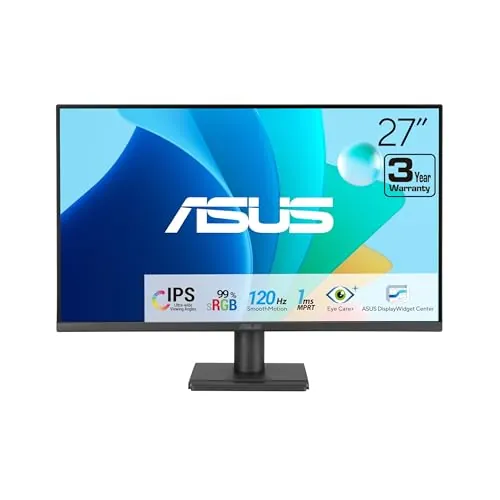
ASUS VA279HG 27-inch monitor
ASUS lists HDMI 1.4, VGA, and an earphone jack for the VA279HG; it has no built-in speakers.
Model VA279HG
Amazon ASIN B0DM6SNBGM
Differences that matter
What matters most to you?
Choose a priority to see what it changes.
Sources for Video inputs and source match
Sources for Signal-frequency ranges by input
Sources for Monitor audio path
Sources for Stand footprint and mounting
Start with the ports your source actually has
The ASUS VA279QG and VA279HG are both listed as 27-inch, 1920 × 1080 monitors. The key desk-setup distinction is input choice: VA279QG adds DisplayPort 1.2 to HDMI 1.4 and VGA; VA279HG lists HDMI 1.4 and VGA. ASUS publishes digital vertical signal-frequency ranges of 48–120 Hz over the VA279QG’s HDMI and DisplayPort inputs, and 48–120 Hz over VA279HG’s HDMI input; analog is listed as 50–75 Hz for both. These are manufacturer signal ranges, not a promise that a particular source and cable will output a chosen mode.
If you connect more than one device, use the input list to check whether each has a matching cable path. The series manual shows the separate rear-panel port layouts and lets you select the signal in the monitor’s input menu; it does not claim that every input can display simultaneously.
Decide whether monitor speakers are part of the setup
VA279QG lists built-in 2 W × 2 speakers. VA279HG lists no built-in speaker, although its specification page still lists an earphone jack. ASUS’s series manual states that the earphone jack is available when an HDMI or DisplayPort cable is connected. With VA279HG, plan to use separate speakers or headphones if you need sound; with either model, confirm that your source sends audio over the required digital connection.
This is a connection and configuration distinction, not a sound-quality comparison. The published specs do not include a listening test.
Check desk depth, tilt, and mounting before buying
The ASUS US spec pages publish the same with-stand dimensions for both models: 61.34 × 44.71 × 19.42 cm. Both list tilt from +23° to −5°, no height adjustment, and a 100 × 100 mm VESA pattern. That makes the published stand envelope a shared fit check, not a reason to choose one input configuration over the other. Measure the desk depth where the stand will sit; for an arm or wall bracket, check its own compatibility and clearance. ASUS lists the VESA kit separately and says included accessories vary by region.
Product details
ASUS VA279QG 27-inch monitor
- Video and audio connections
- ASUS lists one DisplayPort 1.2, one HDMI 1.4, one VGA input, an earphone jack, and built-in 2 W × 2 speakers. Source
- Listed signal range and mounting
- ASUS lists 48–120 Hz vertical signal frequency over HDMI and DisplayPort, 50–75 Hz analog, a +23° to −5° tilt range, no height adjustment, and 100 × 100 mm VESA mounting. Source
ASUS VA279HG 27-inch monitor
- Video and audio connections
- ASUS lists one HDMI 1.4, one VGA input, an earphone jack, and no built-in speakers. Source
- Listed signal range and mounting
- ASUS lists 48–120 Hz vertical signal frequency over HDMI, 50–75 Hz analog, a +23° to −5° tilt range, no height adjustment, and 100 × 100 mm VESA mounting. Source
Before you buy
Common questions
Does the VA279HG have DisplayPort?
No. Its ASUS US specification page lists HDMI 1.4 and VGA. VA279QG adds one DisplayPort 1.2 input.VA279QG Tech SpecsVA279HG Tech Specs
Do both monitors have built-in speakers?
No. ASUS lists 2 W × 2 speakers on VA279QG and “Speaker: No” on VA279HG. Both list an earphone jack.VA279QG Tech SpecsVA279HG Tech Specs
Can I use the earphone jack from a VGA connection?
The ASUS series manual states that the earphone jack is available when an HDMI or DisplayPort cable is connected. Check your source and cable path if audio through the monitor matters.VA249QG / VA279QG / VA279HG Series LCD Monitor User Guide
Will either monitor fit my existing arm or desk?
ASUS lists the same 100 × 100 mm VESA pattern and same with-stand dimensions for both. Confirm your arm’s supported load, clearance, and the desk space available; the specifications do not assess a particular setup.VA279QG Tech SpecsVA279HG Tech Specs
Sources and scope
This comparison is limited to ASUS-published US specifications and the VA249QG/VA279QG/VA279HG series manual. It covers port presence, manufacturer-listed signal-frequency ranges, listed speaker configuration, and physical stand/mount figures. It does not establish simultaneous active-input behavior, picture or speaker quality, actual refresh delivered by a particular source/cable, or ergonomic benefit. ASUS says accessories vary by region; verify exact included cables for the retailer offer.
Related comparisons
ASUS VA279HG vs VA249QG: Choose by Screen Size, Stand and Inputs
Both monitors list 1920 × 1080 resolution and HDMI/VGA inputs. Choose the ASUS VA279HG if the larger 27-inch screen is the priority and HDMI or VGA fits your computer. Choose the VA249QG if you need DisplayPort, want its listed stereo speakers, or need the smaller footprint. Both stands tilt but do not adjust height, swivel or pivot, so check desk and eye-line fit before ordering.
Read comparison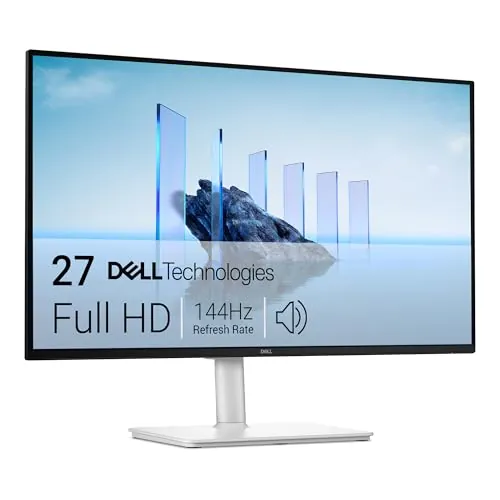
Dell S2725HSM vs ASUS VA279HG: Inputs, Refresh Limits and Stand Fit
Both exact US models are 27-inch 1920 × 1080 monitors. Dell S2725HSM lists two HDMI 1.4 inputs and an included stand with height, swivel, pivot and tilt adjustment. ASUS VA279HG lists HDMI plus VGA, a headphone jack and a tilt-only stand; both pages list 100 × 100 mm VESA mounting. Before buying, inventory each host’s output and supported refresh modes, then measure desk space or check the arm’s VESA pattern. ASUS’s US product and tech-spec pages conflict about built-in speakers, so audio remains unconfirmed.
Read comparison