
Products compared
Dell
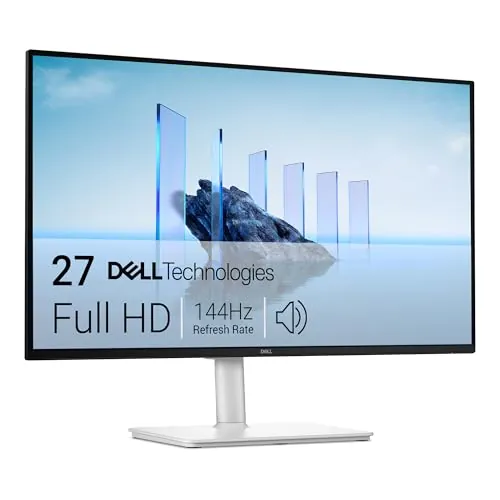
Dell 27 Plus Monitor
Dell identifies the S2725HSM as a 27-inch Full HD model with two HDMI 1.4 inputs. Its included stand lists height adjustment, tilt, swivel and pivot; Dell’s HDMI specification states support up to 1920 × 1080 at 144 Hz. The host still needs to output the selected mode.
Model S2725HSM
Amazon ASIN B0G4MVZMT6
ASUS
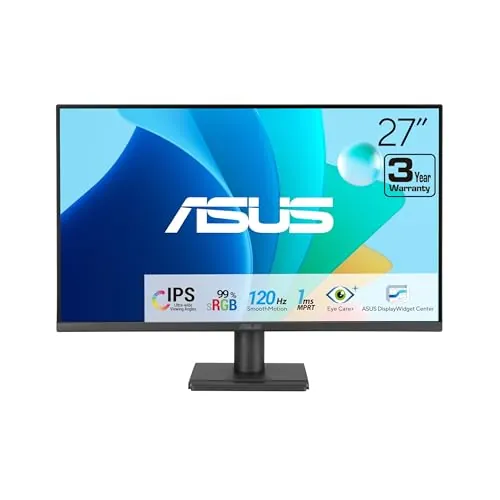
ASUS VA279HG Eye Care Monitor
ASUS lists a 27-inch 1920 × 1080 display with one HDMI 1.4 input, one VGA input and an earphone jack. Its included stand tilts but has no height adjustment; the same US tech-spec page lists HDMI vertical frequency of 48–120 Hz and analog frequency of 50–75 Hz. Built-in speaker status is unclear because ASUS’s US pages conflict.
Model VA279HG
Amazon ASIN B0DM6SNBGM
Differences that matter
What matters most to you?
Choose a priority to see what it changes.
Sources for Video inputs for your host devices
Sources for Resolution and input-specific refresh limits
Sources for Positioning with the included stand
Sources for Stand footprint and VESA option
Sources for Built-in audio status
Start with the computers and cables you already own
The Dell S2725HSM lists two HDMI 1.4 inputs. The ASUS VA279HG lists one HDMI 1.4 input, one VGA input and an earphone jack. Put your desktop, laptop, dock and legacy device in a short table with their actual video outputs; choose the display input that matches each source. Neither manufacturer page establishes compatibility for every adapter or how switching between attached sources behaves.
For a desktop with two HDMI sources, Dell’s second HDMI input is the documented fit. For one HDMI device plus a source with VGA output, ASUS’s HDMI/VGA mix is the listed match. Confirm connector availability at both ends before checkout rather than assuming a cable or converter is included.
Treat the listed refresh rate as a ceiling to check against the host
Both models are listed at 1920 × 1080. Dell’s page gives its HDMI 1.4 ports support up to 1920 × 1080 at 144 Hz. ASUS identifies a 120 Hz product rate and gives its digital HDMI vertical frequency as 48–120 Hz; its analog VGA range is 50–75 Hz. These are monitor specifications, not a promise that a particular PC, console, graphics output or cable will reach the maximum.
Before buying for a particular mode, check the source device’s supported resolution and refresh rate on that exact port, and verify the cable path. The ASUS HDMI and VGA ranges differ, so do not carry the 120 Hz claim over to a VGA connection. No motion, gaming or image-quality test is part of this comparison.
Map stand movement to your desk position
Dell documents up to 4.33 inches of height adjustment, tilt from −5° to 21°, swivel ±30° and pivot ±90° on the included stand. ASUS documents tilt from −5° to +23° but no height adjustment. If the display needs to move up, turn toward another seat or rotate to portrait without a separate mount, those Dell stand movements are a concrete difference. If you only need tilt, ASUS lists that adjustment too.
A useful pre-buy exercise is to mark the panel’s desired center height and orientation from your seated position, then compare that target with the stand’s range. This checks the adjustment you need without claiming a fit or ergonomic result for every user.
Measure footprint and verify any separate arm
Dell lists the S2725HSM with its stand at 24.00 inches wide and 7.95 inches deep; the height can vary from 15.32 inches compressed to 19.65 inches extended. ASUS lists VA279HG overall dimensions with stand at 24.15 × 17.60 × 7.65 inches. Measure the desk’s usable depth and any shelf or overhead clearance against the applicable assembled dimensions before ordering.
Both manufacturers list 100 × 100 mm VESA mounting. That identifies the mounting pattern but does not confirm a particular arm fits, supports the monitor or clears nearby walls and desks. Check the exact mount’s specifications separately.
Keep the ASUS speaker discrepancy out of the buying assumption
Dell’s exact S2725HSM page lists two speakers with 3 W output per speaker. ASUS’s VA279HG US tech specs state “Speaker: No,” but the US product page includes an image caption claiming built-in speakers. The sources disagree, so this guide does not classify VA279HG as either having or lacking them.
If built-in sound is a deciding feature, ask ASUS to confirm the exact VA279HG unit or plan on separate audio. The ASUS spec page separately lists an earphone jack; that connector does not resolve the built-in-speaker conflict. No listening or audio-quality comparison was performed.
Product details
Dell 27 Plus Monitor
ASUS VA279HG Eye Care Monitor
- Native resolution and stated refresh limits
- 1920 × 1080; ASUS lists a 120 Hz product rate, HDMI vertical frequency 48–120 Hz and analog vertical frequency 50–75 Hz. Source
- Inputs and audio jack
- 1 HDMI 1.4, 1 VGA and 1 earphone jack. Source
- Stand and mounting
- Tilt from −5° to +23°; no height adjustment; 100 × 100 mm VESA mounting. Source
Before you buy
Community discussions
A 27-inch monitor choice for work-from-home coding
Dell 27 Plus Monitor
A buyer in India compares a listing identified as Dell S2725HSM with a 27-inch Samsung smart monitor for software-engineering work from home; the post does not report a final choice.
What to check
For your own workspace, list the input options and stand adjustments you need, then verify them on the exact regional listings; this post does not establish that the regional packages are identical.
Common questions
Do both monitors have the same native resolution?
Yes. Dell and ASUS list 1920 × 1080 for these 27-inch models. That identifies the stated resolution, not a picture-quality comparison.Dell S 27 Monitor - S2725HSM, Dell USAVA279HG Tech Specs, ASUS USA
Which has the HDMI and VGA combination?
ASUS VA279HG lists one HDMI 1.4 and one VGA input. Dell S2725HSM lists two HDMI 1.4 inputs. Confirm your host’s actual output and any adapter requirements before ordering.Dell S 27 Monitor - S2725HSM, Dell USAVA279HG Tech Specs, ASUS USA
Will my computer run the ASUS at 120 Hz or Dell at 144 Hz?
The monitor pages state their input limits, but the source does not establish what your particular computer, graphics output, settings and cable will deliver. ASUS lists 48–120 Hz vertical frequency for HDMI and 50–75 Hz for VGA; Dell lists HDMI up to 1920 × 1080 at 144 Hz. Check your host’s supported output modes.Dell S 27 Monitor - S2725HSM, Dell USAVA279HG Tech Specs, ASUS USA
Which included stand can raise the screen or rotate to portrait?
Dell lists up to 4.33 inches of height adjustment and ±90° pivot, as well as tilt and swivel. ASUS lists tilt only and no height adjustment. Both pages list a 100 × 100 mm VESA pattern if you plan to check a separate mount.Dell S 27 Monitor - S2725HSM, Dell USAVA279HG Tech Specs, ASUS USA
Does the ASUS VA279HG include built-in speakers?
The answer is unresolved in ASUS’s current US materials: its tech-spec page says “Speaker: No,” while its product-page image caption says built-in speakers. Confirm with ASUS for the exact unit; do not assume either statement is correct without clarification.VA279HG Tech Specs, ASUS USAVA279HG product page, ASUS USA
Sources and scope
This is a specification and desk-fit guide, not a display, gaming, motion, color, ergonomic or audio test. The Dell page lists up to 1920 × 1080 at 144 Hz on its HDMI inputs. ASUS lists a 120 Hz product rate, HDMI vertical frequency of 48–120 Hz and analog frequency of 50–75 Hz; the host, output configuration and cable must support the chosen mode. ASUS's US tech-spec page says Speaker: No while its US product-page image caption says built-in speakers, so that feature is unresolved. Check the exact retail suffix and current offer before purchase.
Related comparisons
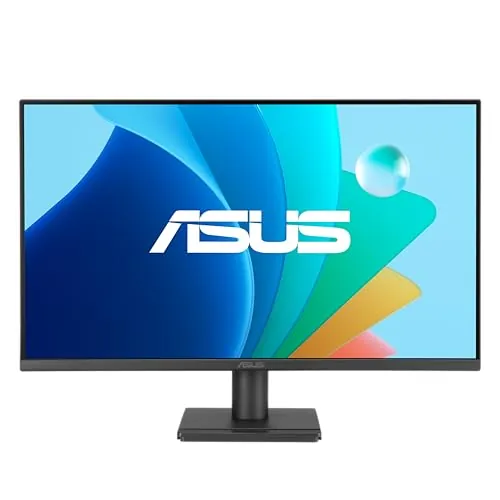
ASUS VA279HG vs VA249QG: Choose by Screen Size, Stand and Inputs
Both monitors list 1920 × 1080 resolution and HDMI/VGA inputs. Choose the ASUS VA279HG if the larger 27-inch screen is the priority and HDMI or VGA fits your computer. Choose the VA249QG if you need DisplayPort, want its listed stereo speakers, or need the smaller footprint. Both stands tilt but do not adjust height, swivel or pivot, so check desk and eye-line fit before ordering.
Read comparison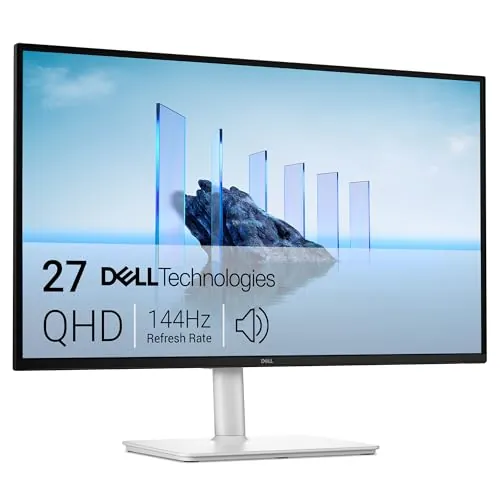
Dell S2725HSM vs S2725DSM: FHD, QHD and the Inputs on Your Desk
Both are 27-inch Dell monitors with height, pivot, swivel and tilt adjustment. The S2725HSM is 1920 × 1080 at up to 144 Hz over its two HDMI inputs. The S2725DSM is 2560 × 1440 at up to 144 Hz and adds DisplayPort 1.4, but has one HDMI input. Choose by the resolution your apps and source can use and the ports you need to keep connected; the monitor's listed maximum does not guarantee your computer, dock or cable can produce that mode.
Read comparison