
Products compared
Dell
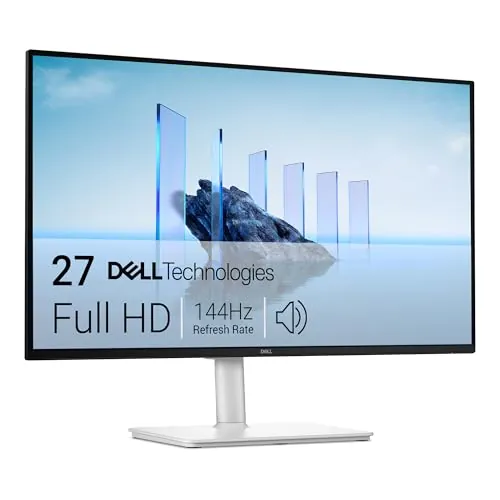
Dell 27 Plus Monitor S2725HSM, Ash White
U.S. 27-inch FHD configuration; Dell manufacturer part M80H5, Ash White.
Model S2725HSM
Amazon ASIN B0G4MVZMT6
Dell
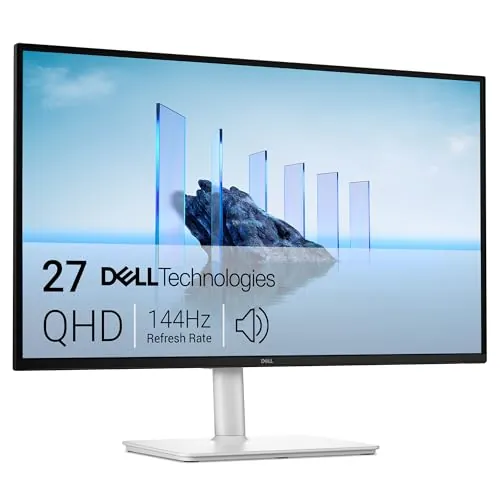
Dell 27 Plus QHD Monitor S2725DSM, Ash White
U.S. 27-inch QHD configuration; Dell manufacturer part GTT45, Ash White.
Model S2725DSM
Amazon ASIN B0GD1LMWH3
Differences that matter
Sources for Native pixel grid at the same listed 27-inch size
Sources for Direct display inputs and monitor-listed maximum mode
Sources for Cable in the listed package contents
Sources for Stand adjustment and desk depth
Start with resolution and your everyday app layout
Dell lists both screens at 27 inches, but the S2725HSM is FHD at 1920 × 1080 (82 PPI) and the S2725DSM is QHD at 2560 × 1440 (109 PPI). That gives the DSM a denser native pixel grid on paper; it does not decide how large text looks or how much usable space your apps show, because operating-system scaling and app behavior matter. If you rely on a particular spreadsheet, IDE or split-window layout, check it at your intended scaling before choosing.
For a source that can drive the DSM at its native resolution, QHD provides the larger listed pixel grid. If FHD already fits your work layout, the HSM's resolution may be the simpler match. This is a setup choice, not a measured image-quality verdict.
Count the sources you want to leave plugged in
The S2725HSM lists two HDMI 1.4 inputs and no DisplayPort. The S2725DSM lists one HDMI input plus one DisplayPort 1.4 input. If two HDMI-only sources need to stay attached, the HSM has the direct-input count for that arrangement. If one of your sources uses DisplayPort, the DSM accepts that connection directly.
Dell lists 144 Hz maximum preset modes for both displays: 1920 × 1080 for HSM and 2560 × 1440 for DSM. Those are monitor-side limits. Confirm that your computer or dock, output port, selected cable and display settings support the precise resolution and refresh mode you plan to use.
Check the cable and stand space before checkout
Dell lists one 1.8 m HDMI 1.4 cable and a power cable in each package. The DSM's package list names an HDMI cable, not a DisplayPort cable. If you plan to use DP, make sure you have an appropriate cable for your source and intended mode.
Both pages list an included height-, pivot-, swivel- and tilt-adjustable stand, with approximately 7.95 inches of stand depth and about 24 inches of width. Check the room you have for the footprint, cable routing and any nearby wall or riser; the listed monitor footprint is not a measurement of your whole desktop arrangement.
Product details
Dell 27 Plus Monitor S2725HSM, Ash White
Dell 27 Plus QHD Monitor S2725DSM, Ash White
- Native resolution and listed pixel density
- 2560 × 1440; 109 PPI at 27 inches Source
- Video input layout
- One HDMI input and one DisplayPort 1.4 input; Dell lists up to 2560 × 1440 at 144 Hz Source
- Desk and stand footprint
- With stand: 24.07 in wide × 7.95 in deep; stand adjusts for height, pivot, swivel and tilt Source
Before you buy
Community discussions
Buyer considers S2725HSM as a third work display
Dell 27 Plus Monitor S2725HSM, Ash White
A prospective buyer with two S2719DGF monitors asked whether the S2725HSM would suit a third screen used mainly for text, GIS pages and communication apps. They wanted the screens to line up and did not report owning or testing the S2725HSM.
What to check
For a third screen, compare the S2725HSM’s FHD resolution and physical dimensions with the two displays already on your desk and the apps you plan to keep there; this post is a buying question, not a match or image-quality result.
Common questions
Which one is QHD?
The S2725DSM is Dell's 2560 × 1440 QHD model, listed at 109 PPI for its 27-inch screen. The S2725HSM is 1920 × 1080 FHD, listed at 82 PPI for 27 inches.Dell 27 Plus Monitor S2725HSM U.S. product page and technical specificationsDell 27 Plus QHD Monitor S2725DSM U.S. product page and technical specifications
Can the S2725HSM connect by DisplayPort?
Dell lists two HDMI 1.4 inputs and no DisplayPort input for the S2725HSM. The S2725DSM lists one HDMI input and one DisplayPort 1.4 input. If you need a direct DP connection, verify the DSM and your source's exact output support.Dell 27 Plus Monitor S2725HSM U.S. product page and technical specificationsDell 27 Plus QHD Monitor S2725DSM U.S. product page and technical specifications
Will either monitor automatically run at 144 Hz?
Dell lists each monitor's maximum preset mode as 144 Hz, at a different resolution: 1920 × 1080 for S2725HSM and 2560 × 1440 for S2725DSM. The connected computer, graphics output, selected port, settings and cable must support the desired combination; check those limits before buying.Dell 27 Plus Monitor S2725HSM U.S. product page and technical specificationsDell 27 Plus QHD Monitor S2725DSM U.S. product page and technical specifications
Sources and scope
This guide uses Dell's listed specifications and is not a visual or performance test. Refresh rates are monitor-side maximum listed modes; actual output depends on the source device, selected port, supported graphics mode and cable. Text size and usable workspace depend on operating-system scaling and app behavior. No visual quality, gaming, eye-comfort or performance winner is claimed.
Related comparisons
Dell S2725QS vs S2725DSM: 4K 120Hz or QHD 144Hz?
Both are 27-inch Dell monitors with an adjustable stand and integrated speakers, but their documented modes and connections differ. The S2725QS lists 3840 × 2160 at up to 120Hz, two HDMI inputs plus DisplayPort, 2 × 5W speakers and 130mm of height travel. The S2725DSM lists 2560 × 1440 at up to 144Hz, one HDMI input plus DisplayPort, 2 × 3W speakers and 110mm of height travel. Choose after checking the output modes your computer or console supports, the number of sources you want connected, and your desk setup. These are manufacturer specifications, not a comparison of image quality or gaming performance.
Read comparison
ASUS PA278QV vs Dell S2725DSM: QHD Refresh, USB Hub and Desk Fit
Both are 27-inch QHD monitors with adjustable stands, but the desk connections differ. ASUS PA278QV tops out at 75Hz and has four USB-A peripheral ports that require a separate USB-B upstream path to the host. Dell S2725DSM (GTT45, Ash White) lists QHD 144Hz support over HDMI, DisplayPort 1.4, and no USB or USB-C. Confirm your computer, adapter and cable can supply your intended display mode, then decide whether peripherals need to plug into the monitor itself.
Read comparison