
Products compared
ASUS
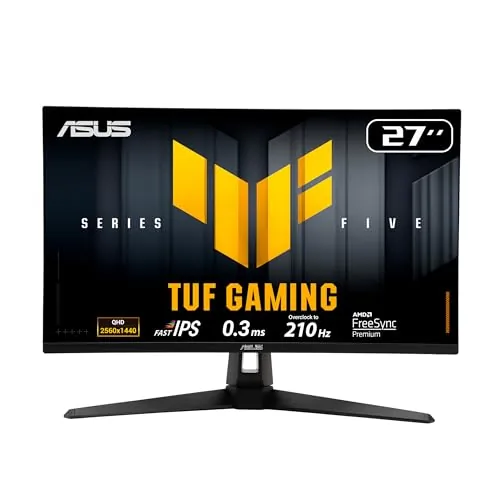
ASUS TUF Gaming VG27AQL5A
27-inch QHD TUF Gaming monitor; 210Hz is listed as an overclocked maximum, with an adjustable stand.
Model VG27AQL5A
Amazon ASIN B0F237NSVQ
ASUS
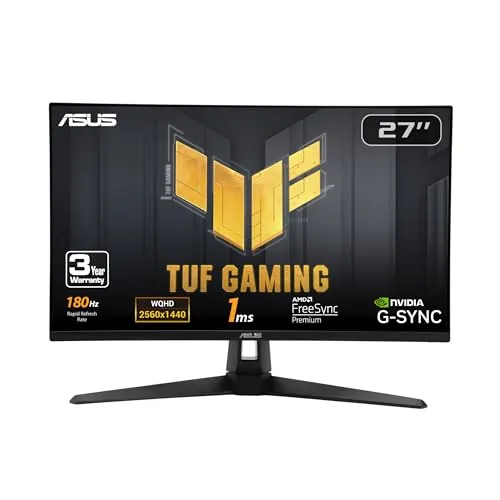
ASUS TUF Gaming VG27AQ3A
27-inch QHD TUF Gaming monitor; listed up to 180Hz over DisplayPort with a tilt-and-swivel stand and no height adjustment.
Model VG27AQ3A
Amazon ASIN B0BZR9TMBJ
Differences that matter
What matters most to you?
Choose a priority to see what it changes.
Sources for Refresh ceiling by input
Sources for Included stand movement
Sources for Desk footprint and screen envelope
Sources for Video connections and the extra USB-C label
Start with the port your PC or console will use
Both monitors are 27-inch 2560 × 1440 displays with one DisplayPort 1.4 input and two HDMI 2.0 inputs. ASUS lists the VG27AQL5A's DisplayPort signal range through 210Hz and calls the top mode overclocked; the VG27AQ3A's DisplayPort range runs through 180Hz. On HDMI, ASUS lists both up to 144Hz. That makes your connection the first filter: the AQL5A's headline does not add HDMI headroom.
Before choosing, check the output on the exact PC or console and the refresh modes available at your intended resolution. A monitor specification establishes its supported input range, not what your graphics hardware, cable, driver or game will deliver. If your setup uses HDMI or cannot exceed 180Hz over DisplayPort, the AQL5A's higher listed ceiling may not change your use.
Match the stand to your seated position and screen orientation
The VG27AQL5A stand lists 0–130mm of height movement and ±90° pivot, alongside tilt and swivel. ASUS lists tilt and swivel for the VG27AQ3A but no height adjustment; its user guide also lists no pivot. If you need to raise the display or use portrait orientation without adding another stand, the AQL5A has the documented movements. If the AQ3A's fixed-height position works, those adjustments may not be worth prioritizing.
Both models list a 100 × 100mm VESA mount pattern. A separate arm may solve the AQ3A height requirement, but check the arm's weight range and the desk or wall attachment. The AQL5A specification also identifies its USB-C Type-C connector as a Service Port, so its standard listed video choices remain DisplayPort and HDMI.
Do a two-minute desk and cable fit check
Measure at least 61.5cm of desk width and about 21.5cm of stand depth for either model, then account separately for cables and any nearby wall or shelf. ASUS publishes the AQL5A at 61.50 × 53.40 × 21.50cm and the AQ3A at 61.50 × 45.50 × 21.40cm with their stands. These are overall product dimensions, not instructions for operating clearance; the AQL5A's stand height can also be adjusted within its listed range.
Finally, sketch where the screen's top edge should sit and whether portrait rotation matters. If you need that position from the included stand, the AQL5A documents height and pivot adjustment; if the AQ3A's fixed height works, you can decide based on the port and refresh needs instead. Confirm the exact listing and connection before checking out.
Product details
ASUS TUF Gaming VG27AQL5A
The AQL5A's main practical differences are its higher listed DisplayPort ceiling and a stand that can raise and pivot the screen. The 210Hz figure is not its HDMI limit, and the service-labeled USB-C port should not be counted as a regular video or laptop-docking input.
- Resolution and size
- 27-inch, 2560 × 1440 Source
- Listed input signal limits
- DisplayPort: up to 210Hz; HDMI: up to 144Hz. ASUS product copy describes 210Hz as overclocked. Source
- Inputs
- 1 × DisplayPort 1.4 and 2 × HDMI 2.0; the listed USB-C connector is identified as a Service Port. Source
- Stand and mount
- Height adjustment 0–130mm, pivot ±90°, tilt and swivel; VESA 100 × 100mm. Source
- Published dimensions with stand
- 61.50 × 53.40 × 21.50cm (W × H × D). Source
ASUS TUF Gaming VG27AQ3A
The AQ3A is the simpler fit when its 180Hz DisplayPort ceiling is enough and the included stand's fixed height works at your desk. Its specification lists the same core video-input types and the same 144Hz HDMI signal ceiling as the AQL5A.
- Resolution and size
- 27-inch, 2560 × 1440 Source
- Listed input signal limits
- DisplayPort: up to 180Hz; HDMI: up to 144Hz. Source
- Inputs
- 1 × DisplayPort 1.4 and 2 × HDMI 2.0. Source
- Stand and mount
- Tilt and swivel; no height adjustment listed. VESA 100 × 100mm; the user guide also lists no pivot. Source
- Published dimensions with stand
- 61.50 × 45.50 × 21.40cm (W × H × D). Source
Before you buy
Community discussions
Checking which display mode the computer sees
ASUS TUF Gaming VG27AQ3A
A VG27AQ3A owner said their computer showed a 60 Hz mode and did not offer the refresh rate they expected.
What to check
Check which input and cable support the mode you want. Verify the resolution and refresh rate in your operating system after setup.
Common questions
Can the VG27AQL5A use 210Hz over HDMI?
ASUS lists its HDMI signal range up to 144Hz and its DisplayPort range up to 210Hz. ASUS describes 210Hz as overclocked, so that headline does not apply to the listed HDMI limit.TUF Gaming VG27AQL5A — Tech Specs (ASUS USA)TUF Gaming VG27AQL5A — ASUS USA product page
Which one can raise the screen using its included stand?
ASUS lists 0–130mm of height adjustment for VG27AQL5A. Its VG27AQ3A specification lists no height adjustment; consider whether that fixed position works or whether you want a separate VESA mount.TUF Gaming VG27AQL5A — Tech Specs (ASUS USA)TUF Gaming VG27AQ3A — Tech Specs (ASUS USA)
Does the VG27AQL5A's USB-C port carry video?
ASUS labels the port USB 3.2 Gen 1 Type-C (Service Port) in its specification. The cited specification does not document it as a video input or laptop dock, so do not buy it for that use without confirmation from ASUS for the exact model.TUF Gaming VG27AQL5A — Tech Specs (ASUS USA)
Do the monitors need different desk widths?
ASUS publishes 61.50cm width for both with their stands. Their listed depths are 21.50cm for VG27AQL5A and 21.40cm for VG27AQ3A. Leave room for your cables and confirm the actual setup; those figures do not specify wall clearance.TUF Gaming VG27AQL5A — Tech Specs (ASUS USA)TUF Gaming VG27AQ3A — Tech Specs (ASUS USA)
Sources and scope
This guide compares ASUS U.S. specifications and documentation. Neither monitor was hands-on tested. Signal limits are manufacturer-listed capabilities, not a promise that a particular PC, console, game, cable, driver or setting will output a given mode. Confirm the exact source device and connection. Desk dimensions are published product dimensions, not operating-clearance guidance.
Related comparisons

ASUS ROG Strix XG27ACS vs TUF VG27AQ3A: USB-C, 180Hz and Desk Setup
Both exact ASUS models are 27-inch 2560×1440 Fast IPS monitors with a listed maximum refresh rate of 180Hz. The connector path matters: ASUS lists HDMI up to 144Hz on both; ROG XG27ACS also lists DisplayPort and USB-C DisplayPort Alt Mode up to 180Hz, while TUF VG27AQ3A lists DisplayPort up to 180Hz. ROG adds USB-C with 7.5W power delivery and a stand that raises up to 120 mm and rotates to portrait. TUF has two HDMI inputs, built-in 2W × 2 speakers, tilt and swivel, but no stand height adjustment or pivot. Before buying, match the monitor input to your computer's output and decide whether you need to raise the screen or connect multiple HDMI sources.
Read comparison
ASUS TUF Gaming VG27AQM5A vs VG27AQL5A: Refresh Rate or Stand Adjustments?
These two 27-inch QHD TUF Gaming monitors differ in a practical way: the VG27AQM5A manual lists 2560×1440 at 300Hz over both HDMI and DisplayPort, while ASUS lists the VG27AQL5A's maximum as 210Hz (OC), with HDMI signal timing up to 144Hz and DisplayPort up to 210Hz. The VG27AQL5A also has a 0–130 mm height range and ±90° pivot; the VG27AQM5A is listed without height adjustment or pivot. Before buying, match your graphics card or console, selected input, cable and target resolution to the exact supported timing. Both support a 100×100 mm VESA mount.
Read comparison