
Products compared
ASUS
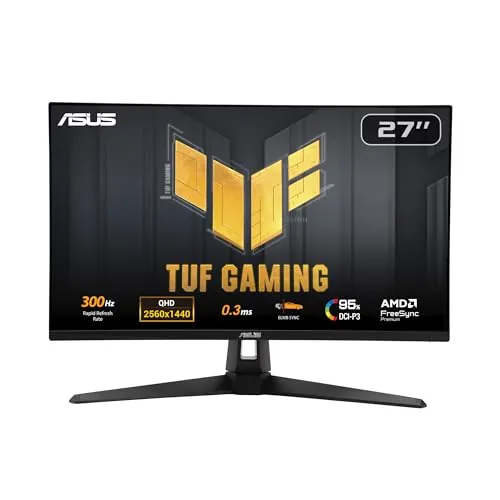
ASUS TUF Gaming VG27AQM5A
27-inch QHD gaming monitor. ASUS lists up to 300Hz and documents QHD 300Hz timings for both HDMI and DisplayPort in the exact-model manual. Its listed stand supports tilt and swivel but not height adjustment; pivot is also listed as unavailable. It supports a 100×100 mm VESA mount.
Model VG27AQM5A
Amazon ASIN B0F233D6W1
ASUS
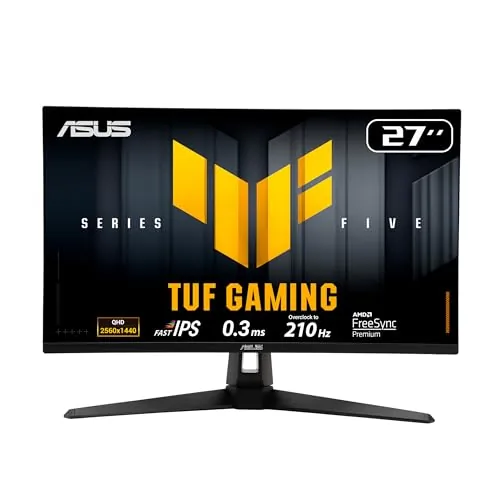
ASUS TUF Gaming VG27AQL5A
27-inch QHD gaming monitor. ASUS labels its maximum 210Hz mode as overclocked. The U.S. specifications list HDMI signal timing up to 144Hz and DisplayPort up to 210Hz, plus 0–130 mm height adjustment and ±90° pivot on the stand. It supports a 100×100 mm VESA mount.
Model VG27AQL5A
Amazon ASIN B0F237NSVQ
Differences that matter
What matters most to you?
Choose a priority to see what it changes.
Sources for Mounting and desk plan
Start with the port and signal your setup can actually use
At QHD, ASUS's exact VG27AQM5A manual lists 2560×1440 at 300Hz in the supported-timing table for both HDMI and DisplayPort. The U.S. technical page lists HDMI 2.1 (FRL) and DisplayPort 1.4 HBR3. Those are maker-supported monitor modes, not a promise that every connected PC, console, adapter or cable will offer them.
The VG27AQL5A has a different input ceiling in ASUS's U.S. specifications: HDMI vertical timing is listed through 144Hz and DisplayPort through 210Hz. ASUS marks its 210Hz maximum as OC. If your intended connection is HDMI, use the HDMI timing figure when deciding whether it fits; do not plan around the DisplayPort maximum. Check the mode table for your exact graphics card or console and the cable path before buying.
The included stand can change your desk setup
ASUS lists the VG27AQM5A stand with tilt and swivel, but no height adjustment; its manual also states that the stand does not pivot. The VG27AQL5A technical page lists a 0–130 mm height range and ±90° pivot, in addition to tilt and swivel. If you regularly raise the screen to align with your seated eye line or rotate it for portrait use, that is a concrete reason to favor the AQL5A on documented setup flexibility.
Both models list a 100×100 mm VESA pattern. If you want a monitor arm instead of either included stand, verify that the arm supports the monitor and that the selected mounting hardware and desk clearance match the current manual. This comparison does not assume any untested arm will fit.
A quick pre-buy check for your exact desk and device
Before choosing, write down: (1) your device and graphics output, (2) QHD refresh rate you want, (3) whether you will connect through HDMI or DisplayPort, and (4) whether you need height adjustment or portrait pivot from the included stand. Match those answers to the exact input timing and stand specifications above. If the source does not list your required QHD mode on the port you will use, compare another display whose published timing matches it.
Pick the VG27AQM5A for its documented QHD 300Hz timing when your source path can supply it and you do not need height or pivot from the stand. Pick the VG27AQL5A when its OC-marked DisplayPort ceiling is sufficient and height/pivot adjustment makes the desk setup easier. This is a fit recommendation based on specifications, not an image-quality or gaming-performance verdict.
Product details
ASUS TUF Gaming VG27AQM5A
- Panel format and listed maximum refresh
- 27-inch, 2560×1440; ASUS lists up to 300Hz Source
- QHD high-refresh timing
- The exact-model manual lists 2560×1440 at 300Hz in the HDMI and DisplayPort supported-timing table Source
- Stand and VESA
- Tilt and swivel listed; height adjustment and pivot not listed as supported; 100×100 mm VESA mount Source
ASUS TUF Gaming VG27AQL5A
- Panel format and listed maximum refresh
- 27-inch, 2560×1440; ASUS labels the 210Hz maximum as 210Hz (OC) Source
- Input signal frequency ranges
- ASUS U.S. specifications list HDMI vertical frequency up to 144Hz and DisplayPort up to 210Hz Source
- Stand and VESA
- Height adjustment 0–130 mm and pivot ±90° listed; 100×100 mm VESA mount Source
Before you buy
Community discussions
Trying a second screen at an angle
ASUS TUF Gaming VG27AQM5A
An owner set up a VG27AQM5A beside a VG27AQL5A and reported noticing a darker appearance when looking at the angled screen from their seat.
What to check
Set both displays at the angles you would use. Check brightness and text from where you sit, and make sure the stand or arm can hold that position.
VG27AQL5A owner shares a personal color setup
ASUS TUF Gaming VG27AQL5A
A VG27AQL5A owner described personal color and contrast adjustments after disliking the appearance of the sRGB preset on their unit. They did not provide a validated calibration, and the post does not establish that the same settings suit other panels or work.
What to check
If color appearance matters to your choice, assess the exact display in your intended lighting and workflow; do not treat another owner’s personal profile as a calibrated setting for your unit.
Common questions
Does the VG27AQM5A support 300Hz at QHD over both video inputs?
Its exact-model manual's supported-timing table lists 2560×1440 at 300Hz for HDMI and DisplayPort. Whether you can select that mode also depends on the source output, configuration and cable; check the specifications for your particular device.ASUS VG27AQM5A English user guide (exact model)
Is the VG27AQL5A's 210Hz mode available over HDMI?
ASUS labels the 210Hz maximum as overclocked. Its U.S. technical specifications list HDMI vertical timing up to 144Hz and DisplayPort up to 210Hz, so do not assume HDMI reaches 210Hz. Confirm the timing for your exact source and selected input.ASUS TUF Gaming VG27AQL5A official product page (210Hz OC label)ASUS TUF Gaming VG27AQL5A official U.S. technical specifications
Which one can I raise or rotate using the included stand?
ASUS lists 0–130 mm height adjustment and ±90° pivot for the VG27AQL5A. For the VG27AQM5A, the U.S. specification lists no height adjustment and the exact manual says the stand does not pivot.ASUS TUF Gaming VG27AQL5A official U.S. technical specificationsASUS TUF Gaming VG27AQM5A official U.S. technical specificationsASUS VG27AQM5A English user guide (exact model)
Do both monitors use the same VESA mount size?
ASUS lists 100×100 mm VESA mounting for both models. Check current model instructions and the separate arm's load, hardware and clearance requirements before purchasing a mount.ASUS TUF Gaming VG27AQM5A official U.S. technical specificationsASUS TUF Gaming VG27AQL5A official U.S. technical specifications
Does this comparison show which monitor has lower latency or better image quality?
No. The sources used here document supported signal timings, connectors and stand functions. They are not controlled tests of latency, motion, color, panel uniformity or gaming outcomes, so the choice is limited to documented setup fit.ASUS TUF Gaming VG27AQM5A official U.S. technical specificationsASUS TUF Gaming VG27AQL5A official U.S. technical specifications
Sources and scope
This is a specification and setup-fit comparison using ASUS U.S. product pages, the VG27AQM5A exact-model manual and ASUS's exact VG27AQL5A page. The 210Hz VG27AQL5A maximum is identified by ASUS as an overclocked mode. The sources describe manufacturer-supported signal timing and stand functions; they do not establish measured motion clarity, latency, panel uniformity, color accuracy, image quality, reliability or which monitor performs better in games. Actual available modes depend on the source device, output configuration, cable and selected input. Check the current manual and maker specifications for your exact region and connected hardware.
Related comparisons

ASUS TUF Gaming VG27AQM5A vs ROG Strix XG27ACS
Both are 27-inch QHD (2560 × 1440) ASUS Fast IPS monitors, but their connections lead to different setups. The TUF VG27AQM5A lists QHD up to 300 Hz over HDMI and DisplayPort, while its USB-C connector is a firmware service port. The ROG XG27ACS supports video over USB-C DisplayPort Alt Mode with 7.5 W power delivery, and lists QHD up to 180 Hz over USB-C/DisplayPort or 144 Hz over HDMI. Its stand adds 0–120 mm height adjustment; the TUF stand does not. Match the input to your actual PC or console before choosing.
Read comparison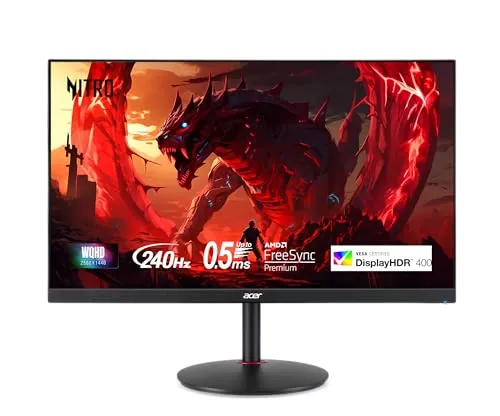
ASUS VG27AQM5A vs Acer XV272U W2bmiiprx: 300Hz or an Adjustable Stand?
Both are 27-inch 1440p monitors, but their listed refresh ceilings depend on the input: ASUS VG27AQM5A supports up to 300Hz at 1440p over HDMI and DisplayPort, while Acer's exact U.S. XV272U W2bmiiprx (UM.HX2AA.201) lists 240Hz over DisplayPort and 144Hz over HDMI. Acer adds height and pivot adjustment. Before choosing, match your graphics output, cable, operating-system refresh setting and monitor OSD; listed modes alone do not prove better motion or image quality.
Read comparison