
Products compared
ASUS
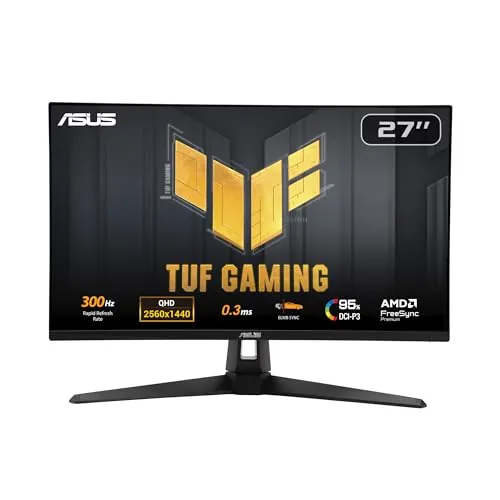
ASUS TUF Gaming VG27AQM5A
U.S. 27-inch 2560×1440 model. Exact selected variant is VG27AQM5A; do not shorten the suffix to VG27AQM5.
Model VG27AQM5A
Amazon ASIN B0F233D6W1
Acer
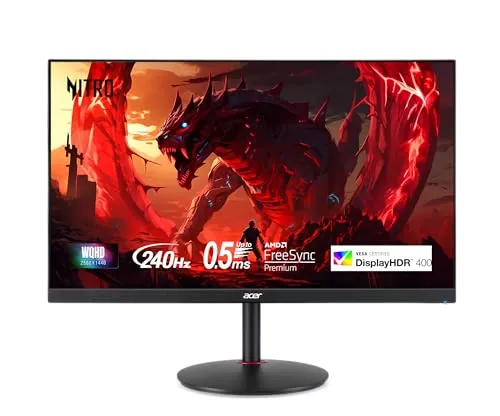
Acer Nitro XV272U W2bmiiprx
Exact U.S. model suffix and part number from Acer's U.S. technical page. Keep separate from other XV272U W2 regional variants and the XV272U X2.
Model XV272U W2bmiiprx (UM.HX2AA.201)
Amazon ASIN B0C1T35BCF
Differences that matter
What matters most to you?
Choose a priority to see what it changes.
Sources for 1440p refresh limit by input
Sources for VRR and OSD conditions
Sources for Stand adjustment and desk setup
Sources for Cables listed in the U.S. package
Sources for Exact model identifier
Match the monitor to your graphics output before comparing the headline Hz
Both are 27-inch 2560×1440 monitors. On the ASUS VG27AQM5A, the manual's supported-timing table lists up to 300Hz over HDMI and DisplayPort. Acer's U.S. page for the exact XV272U W2bmiiprx / part UM.HX2AA.201 lists up to 240Hz over DisplayPort and 144Hz over HDMI. For a PC using HDMI, the ASUS listing gives the higher supported ceiling; over DisplayPort, it also lists a 60Hz higher ceiling. This is a specification difference only, not a measured motion or image-quality result.
Your computer is part of the chain. Before buying, verify that its GPU or console can output the chosen 1440p timing through the port you will use, and check the cable, driver, operating-system refresh selector and game settings. ASUS lists a DisplayPort cable in the manual's accessories; Acer's U.S. page lists both DisplayPort and HDMI cables. Neither listing proves the maximum mode for every host/cable setup.
Read the ASUS OSD conditions if VRR and blur reduction both matter
The VG27AQM5A manual documents Variable Refresh Rate from 48Hz to 300Hz on both HDMI and DisplayPort and says it can be activated with an Adaptive-Sync graphics source. It also describes an OSD interaction: when VRR is on, standard ELMB is disabled, while ELMB Sync can be enabled. With VRR off, standard ELMB is available only above 100Hz. ELMB and ELMB Sync also disable HDR setting, aspect control and blue-light filter.
Acer lists AMD FreeSync Premium for UM.HX2AA.201 but does not publish a numeric VRR range on its U.S. technical page. If you need a particular VRR window or want to know which Acer OSD controls can be used together, confirm the exact model manual or on-screen menu rather than borrowing the ASUS conditions.
Pick the stand by your seated position and desk layout
Acer's exact U.S. model lists height adjustment up to 4.72 inches, tilt, swivel and display pivot. Its stand is the clear documented fit when you need the screen raised or turned portrait without adding a separate arm. The ASUS manual lists tilt and swivel but says there is no height adjustment or pivot; it does list 100×100mm VESA mounting if you plan to use a compatible arm.
Before ordering, compare the monitor's footprint with your desk and decide whether a fixed-height screen works. A higher refresh ceiling will not solve a stand-positioning problem; an adjustable stand will not create a refresh mode your host cannot send.
Check the complete variant name and part number
This comparison is for ASUS VG27AQM5A, not the similarly named VG27AQM5, and for the Acer U.S. model XV272U W2bmiiprx, part UM.HX2AA.201. Keep Acer's full suffix and part code with the product listing: other W2 region variants and the XV272U X2 are not established by these sources.
The products share the 27-inch 1440p class, but their input limits, ASUS OSD conditions and stand adjustability differ. Recheck those fields on the final exact listing and source manual before choosing based on a particular port or mounting plan.
Product details
ASUS TUF Gaming VG27AQM5A
- 1440p refresh timing
- Supported timings include up to 300Hz over both HDMI and DisplayPort Source
- OSD / VRR
- Variable Refresh Rate is listed for 48–300Hz on HDMI and DisplayPort; ELMB and VRR have conditions described in the user guide Source
- Stand
- Tilt and swivel; no height adjustment or pivot; VESA 100×100mm Source
- Listed in-box signal cable
- DisplayPort cable; ASUS notes accessories may vary by region Source
Acer Nitro XV272U W2bmiiprx
- 1440p refresh limit by input
- Up to 240Hz over DisplayPort; up to 144Hz over HDMI Source
- Variable refresh disclosure
- AMD FreeSync Premium listed; Acer's U.S. spec page gives no numeric VRR range Source
- Included stand adjustment
- Height up to 4.72 inches, tilt, swivel and display pivot Source
- Listed in-box signal cables
- DisplayPort and HDMI cables Source
Before you buy
Community discussions
Trying a second screen at an angle
ASUS TUF Gaming VG27AQM5A
An owner set up a VG27AQM5A beside a VG27AQL5A and reported noticing a darker appearance when looking at the angled screen from their seat.
What to check
If one display will sit off-center, try looking at it from your actual seat. Compare stand adjustment and how much desk space you need.
Common questions
Can the ASUS reach 300Hz over HDMI at 1440p?
ASUS's exact VG27AQM5A supported-timing table lists 2560×1440 at 300Hz for HDMI as well as DisplayPort. Your source, cable and software must also support that output.ASUS TUF Gaming VG27AQM5A Series User Guide
What are Acer's refresh ceilings for the exact U.S. model?
Acer's U.S. page for XV272U W2bmiiprx, part UM.HX2AA.201, lists 2560×1440 up to 240Hz over DisplayPort and up to 144Hz over HDMI.Acer Nitro XV272U W2bmiiprx U.S. Technical Specifications, part UM.HX2AA.201
Can I use VRR and ELMB on the ASUS at the same time?
ASUS says standard ELMB is disabled when VRR is on, but ELMB Sync is available with VRR. With VRR off, standard ELMB can be enabled only above 100Hz. The manual also says ELMB or ELMB Sync disables HDR setting, aspect control and the blue-light filter.ASUS TUF Gaming VG27AQM5A Series User Guide
Which included stand allows portrait orientation?
Acer lists display pivot and height adjustment up to 4.72 inches for the exact U.S. part. ASUS lists tilt and swivel but no pivot or height adjustment; it lists VESA 100×100mm mounting.Acer Nitro XV272U W2bmiiprx U.S. Technical Specifications, part UM.HX2AA.201ASUS TUF Gaming VG27AQM5A Series User Guide
Are the supplied cables guaranteed to reach the maximum refresh rate?
The source pages list cable types in the box, not verified performance for every host and cable combination. Confirm the source output and supported timing for your exact connection.ASUS TUF Gaming VG27AQM5A U.S. Tech SpecsAcer Nitro XV272U W2bmiiprx U.S. Technical Specifications, part UM.HX2AA.201
Sources and scope
This guide compares manufacturer-listed modes, controls, ports and physical setup for the exact ASUS VG27AQM5A and Acer XV272U W2bmiiprx, part UM.HX2AA.201. It is not a measured test. A monitor's listed maximum is only useful if the graphics source, cable, selected resolution, operating system and game support that timing. Acer's U.S. specification page lists FreeSync Premium but does not state a numeric VRR range; do not infer one. No matched evidence here establishes motion clarity, input lag, color quality, HDR quality or reliability.
Related comparisons

ASUS TUF Gaming VG27AQM5A vs ROG Strix XG27ACS
Both are 27-inch QHD (2560 × 1440) ASUS Fast IPS monitors, but their connections lead to different setups. The TUF VG27AQM5A lists QHD up to 300 Hz over HDMI and DisplayPort, while its USB-C connector is a firmware service port. The ROG XG27ACS supports video over USB-C DisplayPort Alt Mode with 7.5 W power delivery, and lists QHD up to 180 Hz over USB-C/DisplayPort or 144 Hz over HDMI. Its stand adds 0–120 mm height adjustment; the TUF stand does not. Match the input to your actual PC or console before choosing.
Read comparison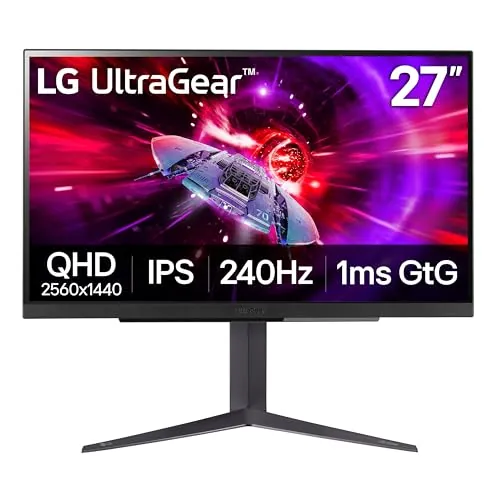
LG 27GR83Q-B vs Acer XV272U W2: Refresh Rate by Input and Stand Fit
The LG 27GR83Q-B.AUS and Acer Nitro XV272U W2bmiiprx are 27-inch QHD monitors. LG lists 240Hz with HDMI 2.1 and DisplayPort 1.4, and says a compatible graphics card and cable are required. Acer's exact U.S. part UM.HX2AA.201 lists QHD up to 144Hz over HDMI 2.0 and up to 240Hz over DisplayPort 1.4. If your computer will use DisplayPort, both makers list QHD 240Hz; if it must use HDMI at that target, LG's published connection mode is the differentiator. Acer's U.S. page explicitly lists swivel; LG's U.S. page lists tilt, height and pivot, while exact numerical LG stand details come from a Korean-region model page.
Read comparison