
Products compared
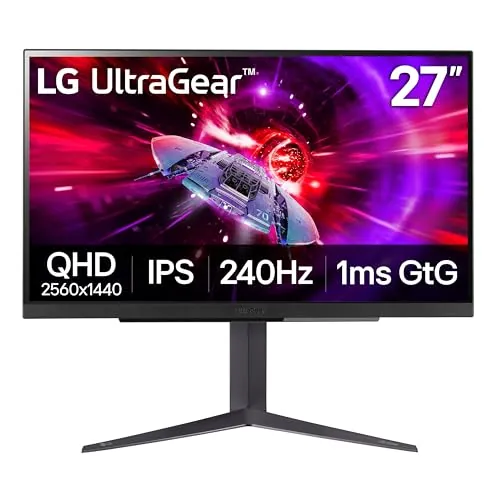
LG
LG UltraGear 27GR83Q-B.AUS 27-inch QHD Gaming Monitor
LG U.S. identifies model 27GR83Q-B. Its page lists QHD 240Hz, two HDMI 2.1 inputs, DisplayPort 1.4, USB upstream/downstream and a tilt/height/pivot stand. The listing data SKU is 27GR83Q-B.AUS.
Model 27GR83Q-B.AUS
Amazon ASIN B0C63HDHPR
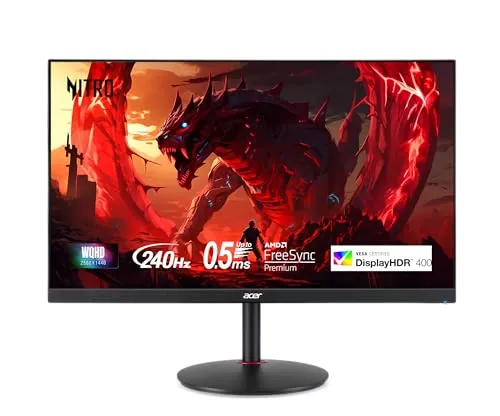
Acer
Acer Nitro XV272U W2bmiiprx 27-inch QHD Gaming Monitor — UM.HX2AA.201
Acer U.S. identifies the exact XV272U W2bmiiprx suffix and part UM.HX2AA.201. Its specs list QHD at up to 144Hz over HDMI and 240Hz over DisplayPort, plus a stand with swivel, tilt, height and pivot adjustment.
Model XV272U W2bmiiprx / UM.HX2AA.201
Amazon ASIN B0C1T35BCF
Differences that matter
What matters most to you?
Choose a priority to see what it changes.
Sources for Maximum listed QHD mode by input
Sources for Ports for the rest of your desk setup
Sources for Stand movement and desk positioning
The quick answer depends on your output port
If you need QHD 240Hz through HDMI, LG lists HDMI 2.1 and a QHD 240Hz mode; its footnote says the source graphics card and cable must support the mode. Acer's exact U.S. W2 part lists 144Hz over HDMI 2.0. If your source is DisplayPort 1.4, both makers list QHD 240Hz, so the HDMI difference may not decide the buy.
Before choosing, write down the GPU or console output, the cable, the monitor input you will use and the resolution/refresh target. A monitor's published maximum does not mean every connected device can send that mode.
Check the complete Acer W2 variant before comparing modes
Acer's U.S. technical page names XV272U W2bmiiprx, Model XV272U W2 and part UM.HX2AA.201. The page lists two HDMI 2.0 inputs, one DisplayPort 1.4, QHD 144Hz maximum over HDMI and QHD 240Hz over DisplayPort. Confirm the full suffix and part on the offer; do not transfer these values to another Nitro XV272U model.
LG's U.S. product page names 27GR83Q-B and lists two HDMI 2.1 inputs, DisplayPort, USB upstream/downstream and headphone output. LG's 240Hz footnote makes the compatible GPU and cable part of the setup check.
Fit the stand movement to your desk
Acer's exact U.S. part lists tilt from −5° to 25°, height adjustment up to 4.72 inches, swivel and pivot. Its swivel field is explicitly listed as −360° to 360°; this records Acer's specification without interpreting how the mechanism moves.
LG's U.S. page lists tilt, height and pivot adjustment. The Korean LG page for the 27GR83Q base model publishes −5° to +15° tilt, 0–110mm height and clockwise 90° pivot and marks swivel as unavailable. That detailed numeric specification is regional, not an assurance about every U.S. retail package. If you need swivel specifically, Acer has the explicit U.S. spec; confirm LG's exact offer before relying on any unlisted movement.
A pre-buy connection and stand check
Use this checklist with your current setup: 1) identify the GPU or console port you will connect; 2) confirm the intended QHD mode for that exact input; 3) confirm the cable and device output can supply it; 4) decide whether swivel, pivot or height range is important at your desk; 5) match the full model suffix and Acer part number on the offer.
This guide compares documented ports and adjustment options only. It does not measure color, HDR, response time, blur, latency, comfort or gaming performance.
Product details
LG UltraGear 27GR83Q-B.AUS 27-inch QHD Gaming Monitor
- Display mode and required source
- 27-inch QHD (2560 × 1440), listed up to 240Hz; LG says a graphics card supporting DisplayPort 1.4 or HDMI 2.1 is required for up to 240Hz. Source
- Ports and stand controls
- Two HDMI 2.1 inputs, DisplayPort, USB upstream, two USB downstream and 4-pole headphone out; U.S. page lists tilt, height and pivot stand adjustment. Source
Acer Nitro XV272U W2bmiiprx 27-inch QHD Gaming Monitor — UM.HX2AA.201
- Display mode by input
- Maximum resolution 2560 × 1440; Acer lists 2560 × 1440 at up to 144Hz over HDMI and 240Hz over DisplayPort. Source
- Ports and stand adjustment
- Two HDMI 2.0 inputs and one DisplayPort 1.4; tilt −5° to 25°, height up to 4.72 inches, swivel angle listed −360° to 360°, and pivot. Source
Before you buy
Community discussions
Checking whether the LG stand reaches your preferred desk height
LG UltraGear 27GR83Q-B.AUS 27-inch QHD Gaming Monitor
A shopper who bought the LG 27GR83Q-B found that its stand did not go as low as they wanted.
What to check
Measure your seated eye level and compare it with the lowest screen position of each included stand.
Confirm that a 27-inch screen fits before comparing modes
Acer Nitro XV272U W2bmiiprx 27-inch QHD Gaming Monitor — UM.HX2AA.201
An Acer Nitro XV272U W2bmiiprx owner decided to move to a smaller monitor after using that screen.
What to check
Mark out the screen width on your desk and check viewing distance before choosing a 27-inch monitor.
Common questions
Which monitor lists QHD 240Hz over HDMI?
LG's U.S. page lists QHD 240Hz and HDMI 2.1, with a footnote requiring a compatible graphics card and cable for the maximum refresh. Acer's exact U.S. part UM.HX2AA.201 lists up to QHD 144Hz over HDMI and up to QHD 240Hz over DisplayPort.27GR83Q-B UltraGear QHD 240Hz Monitor — LG USANitro XV272U W2bmiiprx / UM.HX2AA.201 — Acer U.S. Technical Specifications
Can both monitors reach QHD 240Hz over DisplayPort?
Both makers list QHD 240Hz over DisplayPort 1.4 for these models. Your GPU, cable, selected mode and settings must also support the target; the product pages do not guarantee it for every computer.27GR83Q-B UltraGear QHD 240Hz Monitor — LG USANitro XV272U W2bmiiprx / UM.HX2AA.201 — Acer U.S. Technical Specifications
Does the Acer XV272U W2 have swivel adjustment?
Acer's U.S. specification for XV272U W2bmiiprx, part UM.HX2AA.201, lists a swivel angle of −360° to 360°, plus tilt, height and pivot. Verify the part number on the offer because similar XV272U variants may differ.Nitro XV272U W2bmiiprx / UM.HX2AA.201 — Acer U.S. Technical Specifications
Does the LG 27GR83Q-B swivel?
LG's U.S. product page lists tilt, height and pivot but does not state a swivel range. LG Korea's exact 27GR83Q base-model page lists swivel as unavailable, but it is regional documentation rather than a U.S. offer specification. If swivel is essential, confirm the exact LG package or use the Acer's explicit U.S. listing as your documented option.27GR83Q-B UltraGear QHD 240Hz Monitor — LG USA27GR83Q UltraGear Monitor Specifications — LG Korea
Sources and scope
This is a comparison of manufacturer-listed input modes and stand specifications, not a display test. Maximum refresh is conditional on the source device, GPU, cable, selected input, resolution and settings; the published mode is not a guarantee of image quality, motion clarity, input lag, HDR performance or gaming results. Acer's U.S. page is for exact part UM.HX2AA.201 and lists the XV272U W2bmiiprx suffix. The detailed LG stand measurements are on LG Korea's page for the 27GR83Q base model, not the U.S. offer page; treat them as regional model information and confirm the exact stand if a specific movement is essential. LG's U.S. page confirms tilt, height and pivot but does not state a swivel range.
Related comparisons

ASUS ROG Strix XG27ACS vs LG 27GR83Q-B.AUS: Refresh Rate, USB-C, and Stand Fit
Both are 27-inch QHD gaming displays, but the useful refresh ceiling depends on your cable path. ASUS XG27ACS carries video over USB-C DisplayPort Alt Mode and supports 180Hz through USB-C/DisplayPort, with HDMI listed to 144Hz. LG 27GR83Q-B.AUS offers two HDMI 2.1 inputs and DisplayPort, with up to 240Hz when the graphics card supports the required interface. Check the exact host output, cable and stand movement your desk needs before buying.
Read comparison
ASUS VG27AQM5A vs Acer XV272U W2bmiiprx: 300Hz or an Adjustable Stand?
Both are 27-inch 1440p monitors, but their listed refresh ceilings depend on the input: ASUS VG27AQM5A supports up to 300Hz at 1440p over HDMI and DisplayPort, while Acer's exact U.S. XV272U W2bmiiprx (UM.HX2AA.201) lists 240Hz over DisplayPort and 144Hz over HDMI. Acer adds height and pivot adjustment. Before choosing, match your graphics output, cable, operating-system refresh setting and monitor OSD; listed modes alone do not prove better motion or image quality.
Read comparison