
Products compared
ASUS
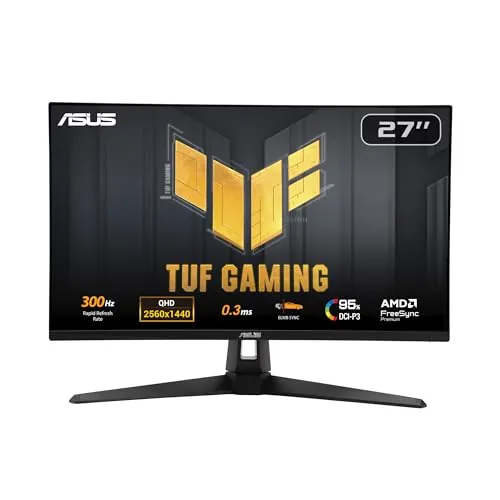
ASUS TUF Gaming VG27AQM5A 27-inch QHD Gaming Monitor
U.S. black single-monitor model; native 2560×1440 resolution and a listed 300Hz maximum.
Model VG27AQM5A
Amazon ASIN B0F233D6W1
ASUS
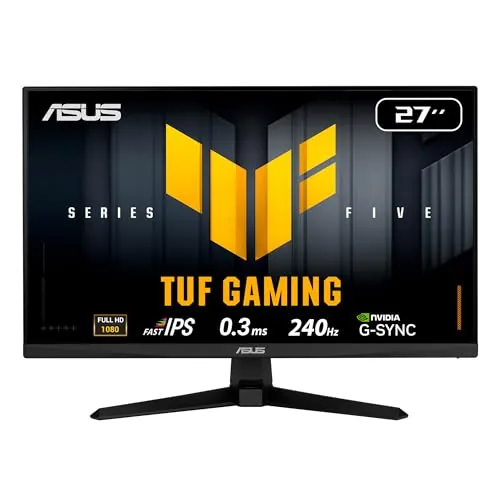
ASUS TUF VG279QM5A 27-inch Full HD Gaming Monitor
U.S. black single-monitor model; native 1920×1080 resolution and a listed 240Hz maximum.
Model VG279QM5A
Amazon ASIN B0F2348Q9Z
Differences that matter
Sources for Native pixel grid
Sources for Refresh mode by input and host
Sources for Stand adjustment
Sources for Desk envelope with stand
Start with the resolution your setup is built around
Both are 27-inch ASUS TUF monitors, but they are not the same pixel grid: VG27AQM5A is 2560×1440 QHD, while VG279QM5A is 1920×1080 Full HD. Choose the resolution you intend to use in games and on your desktop before comparing the refresh labels. The listed resolution does not establish an image-quality winner.
The VG27AQM5A is the fit when you want its QHD native resolution and your computer can supply the mode you plan to use. The VG279QM5A is the fit when you want native Full HD and 240Hz is enough for your target. This is a spec-based decision, not a measured motion or gameplay comparison.
Check the input mode before paying for a refresh ceiling
A useful distinction is the evidence behind the refresh number. The VG27AQM5A's exact manual separates HDMI and DisplayPort timings and lists 2560×1440 at 300Hz in each column. Its U.S. specifications list HDMI 2.1 FRL and DP 1.4 HBR3. The VG279QM5A's U.S. tech specs list HDMI 2.0, DP 1.4 HBR2 and a 240Hz maximum, with a 48–240Hz vertical signal range for both inputs; that page does not show a full per-resolution timing table.
Before buying either model for a particular PC or console, check the source device's exact output capability, the chosen input and the game mode you will use. The monitor-side timing table cannot promise that your device, cable path or game will provide the same mode or frame rate. For VG279QM5A, confirm its exact manual timing list rather than inferring every resolution/refresh combination from the 240Hz headline.
Plan desk space and stand movement from exact-model details
ASUS lists the VG27AQM5A at about 61.50 × 45.50 × 21.40 cm with its stand and the VG279QM5A at about 61.50 × 45.30 × 19.30 cm. These are overall product dimensions, not a drawing of each stand base or operating clearance. Measure your usable desk depth and leave room for the cable connector; do not treat the 2.1 cm depth difference as a universal placement guarantee.
There is a documentation conflict to resolve if the included stand matters: the VG279QM5A U.S. technical-spec page lists tilt, no height adjustment and VESA 100×100mm, but its U.S. product page advertises height adjustment, swivel and pivot. The specific technical table is more precise for a fit check, but ASUS's conflicting descriptions mean a buyer who needs those movements should confirm the exact shipped version with the seller or ASUS. VG27AQM5A's U.S. tech specs list tilt and swivel but no height adjustment.
Product details
ASUS TUF Gaming VG27AQM5A 27-inch QHD Gaming Monitor
The source for this exact model provides a per-input supported-timing table, which is useful if 2560×1440 at 300Hz is a requirement. That confirms a monitor-side mode, not that a particular PC, cable, game or console can output it.
- Native resolution and listed maximum refresh
- 2560×1440; up to 300Hz. ASUS's manual lists 2560×1440 at 300Hz in both HDMI and DisplayPort timing columns. Source
- Video inputs
- 1× DisplayPort 1.4 (HBR3) and 2× HDMI 2.1 (FRL). Source
- Stand and VESA
- Listed tilt +20° to −5°, swivel +20° to −20°, no height adjustment; 100×100mm VESA mount. Source
- Approximate overall size with stand
- 61.50 × 45.50 × 21.40 cm (W × H × D); ASUS notes dimensions may vary by region. Source
ASUS TUF VG279QM5A 27-inch Full HD Gaming Monitor
ASUS's exact-model U.S. technical page supports the Full HD/240Hz and input specifications. It does not expose a complete timing table in the cited page, so check the exact manual and the host output for the resolution-and-refresh combination you plan to use.
- Native resolution and listed maximum refresh
- 1920×1080; maximum listed refresh rate 240Hz. Source
- Video inputs and signal range
- 1× DisplayPort 1.4 (HBR2) and 2× HDMI 2.0; ASUS lists a vertical signal-frequency range of 48–240Hz for both input types. This range is not a complete resolution-by-refresh timing table. Source
- Stand and VESA (technical-specification page)
- Tilt +23° to −5°; height adjustment is listed as No; 100×100mm VESA mount. The ASUS U.S. product page conflicts with this on stand movement, so verify the exact shipped unit before purchase. Source
- Approximate overall size with stand
- 61.50 × 45.30 × 19.30 cm (W × H × D); ASUS notes dimensions may vary by region. Source
Before you buy
Community discussions
Checking a one-character difference in model names
ASUS TUF VG279QM5A 27-inch Full HD Gaming Monitor
A monitor owner in the Philippines reported expecting a VG27AQM5A replacement and discovering that the received unit was labeled VG279QM5A.
What to check
Match the full model code in the listing, order and box. Check the native resolution for that exact unit before deciding.
Buying one display for a PS5 and a PC
ASUS TUF Gaming VG27AQM5A 27-inch QHD Gaming Monitor
An Australian shopper was replacing a QHD monitor used with both a PS5 and a PC and put the VG27AQM5A on their shortlist.
What to check
Check what each device can output over the connection you will use, then compare the ports and supported display modes for the exact U.S. models.
Common questions
Can the VG27AQM5A run 2560×1440 at 300Hz over HDMI as well as DisplayPort?
ASUS's VG27AQM5A manual lists 2560×1440 at 300Hz in both its HDMI and DP supported-timing columns. That is the monitor's supported timing; your GPU, cable path and game must separately support and output the mode.ASUS VG27AQM5A User Guide (English)
Does the VG279QM5A's ASUS page confirm that its stand adjusts for height?
The U.S. technical-spec page says height adjustment is not included, while the U.S. product page describes height adjustment, swivel and pivot. Because those manufacturer pages conflict, verify the exact unit or ask ASUS instead of relying on the broader product-page stand statement.TUF Gaming VG279QM5A Tech Specs — U.S.TUF Gaming VG279QM5A product page — U.S.
Which one is easier to fit on a shallow desk?
ASUS lists overall depth with stand at 21.40 cm for the VG27AQM5A and 19.30 cm for the VG279QM5A. Those figures are approximate overall dimensions, not base-only measurements or required clearance; measure the desk and cable space you have.TUF Gaming VG27AQM5A Tech SpecsTUF Gaming VG279QM5A Tech Specs — U.S.
Sources and scope
This is a specification-based setup comparison, not an image-quality, motion, input-lag or game-performance test. ASUS's VG279QM5A U.S. product page makes stand-adjustment claims that conflict with its exact-model U.S. technical-specification page; verify the shipped stand with the exact listing or ASUS before relying on height, swivel or pivot movement.
Related comparisons

ASUS TUF Gaming VG27AQM5A vs ROG Strix XG27ACS
Both are 27-inch QHD (2560 × 1440) ASUS Fast IPS monitors, but their connections lead to different setups. The TUF VG27AQM5A lists QHD up to 300 Hz over HDMI and DisplayPort, while its USB-C connector is a firmware service port. The ROG XG27ACS supports video over USB-C DisplayPort Alt Mode with 7.5 W power delivery, and lists QHD up to 180 Hz over USB-C/DisplayPort or 144 Hz over HDMI. Its stand adds 0–120 mm height adjustment; the TUF stand does not. Match the input to your actual PC or console before choosing.
Read comparison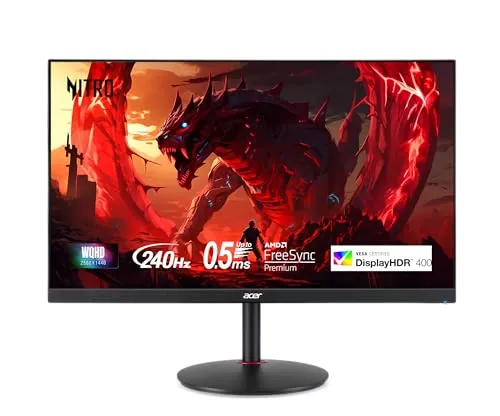
ASUS VG27AQM5A vs Acer XV272U W2bmiiprx: 300Hz or an Adjustable Stand?
Both are 27-inch 1440p monitors, but their listed refresh ceilings depend on the input: ASUS VG27AQM5A supports up to 300Hz at 1440p over HDMI and DisplayPort, while Acer's exact U.S. XV272U W2bmiiprx (UM.HX2AA.201) lists 240Hz over DisplayPort and 144Hz over HDMI. Acer adds height and pivot adjustment. Before choosing, match your graphics output, cable, operating-system refresh setting and monitor OSD; listed modes alone do not prove better motion or image quality.
Read comparison