
Products compared
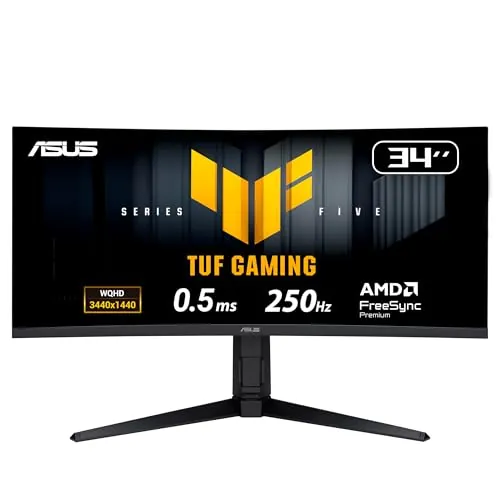
ASUS
ASUS TUF Gaming VG34WQML5A
34-inch curved WQHD monitor; ASUS US lists 250Hz as an overclocked maximum.
Model VG34WQML5A
Amazon ASIN B0F237K67L
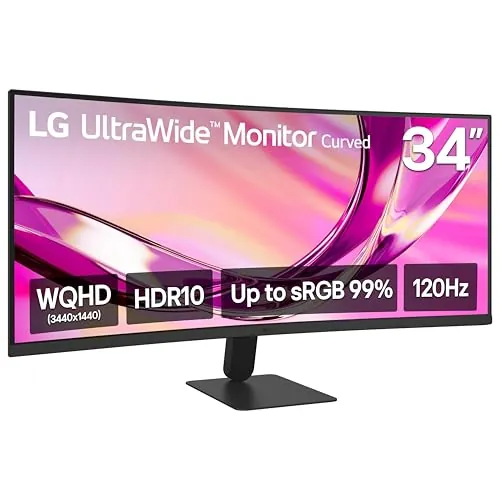
LG
LG 34U60ZB-B.AUSQ
34-inch curved WQHD monitor with an official US listing for 120Hz and LG Switch screen-layout software.
Model 34U60ZB-B.AUSQ
Amazon ASIN B0GXCG7ZTF
Differences that matter
What matters most to you?
Choose a priority to see what it changes.
Sources for Screen format and native workspace
Sources for Listed refresh ceiling and host mode
Sources for Video connections and attached devices
Sources for Stand and desk clearance
Start with the mode your computer can actually send
Both monitors are 34-inch 3440 × 1440 ultrawides. ASUS marks its 250Hz claim as overclocked. LG’s family manual lists 3440 × 1440 up to 100Hz with HDMI 2.0 or up to 120Hz with DisplayPort 1.4 settings. Check what your computer or dock can output over the chosen connection.
If your work or games genuinely need a listed ceiling above 120Hz, the ASUS specification is the relevant distinction. If 120Hz meets your needs, LG's listed ceiling may be enough and its LG Switch application adds a screen-layout option. Neither figure is evidence of a head-to-head motion or image-quality result.
Count the connections you will use
ASUS documents two DisplayPort 1.4 inputs, two HDMI 2.1 FRL inputs and three USB-A hub ports. LG's US overview confirms HDMI and DisplayPort and promotes LG Switch, but it does not publish exact port counts in the overview. That is a documentation gap, not a reason to assume LG lacks an additional feature.
Before choosing, count your PC, console and other video sources and decide whether you need peripherals connected at the monitor. For LG, check the linked manual for exact .AUSQ port counts and port-specific timings. For either monitor, check the source-device output and cable requirements for your intended mode.
Measure the curve and the stand, not just the diagonal
ASUS lists a 1500R curve and LG lists 1800R; the smaller radius is the tighter nominal curve. This describes geometry only. Which feels natural depends on where you sit and how you arrange the screen, so the figures do not identify a comfort winner.
ASUS lists 807.8 mm wide and 250.0 mm deep with its stand, and up to 130 mm of stand height travel. LG’s family manual lists 808.5 mm wide and 240.0 mm deep with its stand. Check your shelf height, adjustment needs and cable exits when every centimeter counts.
USB-C laptop charging is a separate check
LG’s official US overview lists DisplayPort and HDMI but does not confirm USB-C video input or Power Delivery. ASUS’s detailed port specification lists DisplayPort, HDMI and USB-A hub ports; a USB-A hub does not provide USB-C video and charging. If a single-cable laptop setup is essential, look for explicit confirmation of both USB-C display input and charging wattage in the exact model documentation before buying.
Product details
ASUS TUF Gaming VG34WQML5A
- Panel format
- 34-inch, 21:9, 3440 × 1440, 1500R Source
- Maximum refresh listed
- 250Hz; ASUS US labels this as overclocked (OC) Source
- Inputs and hub
- 2 × DisplayPort 1.4, 2 × HDMI 2.1 FRL, 3 × USB 3.2 Gen 1 Type-A hub ports Source
- Stand and footprint
- Height adjustment 0–130mm, tilt +20° to −5°, swivel ±10°; listed with stand at 80.78 × 54.06 × 25.00cm (W × H × D) Source
LG 34U60ZB-B.AUSQ
- Panel format
- 34-inch, 21:9, 3440 × 1440, 1800R Source
- Maximum refresh listed
- 3440 × 1440 at up to 120Hz over DisplayPort or 100Hz over HDMI in the 34U60ZB family manual. Source
- Connections and workflow
- US overview confirms DisplayPort and HDMI and advertises LG Switch screen-layout customization; it does not state port counts Source
- Exact-variant documentation
- Family manual lists 808.5 × 457.7 × 240.0 mm with stand (W × H × D). Confirm adjustment and cable clearance at your chosen position. Source
Before you buy
Community discussions
Making room for an ultrawide on a sim rig
ASUS TUF Gaming VG34WQML5A
A VG34WQML5A owner used the 34-inch ASUS display for their first sim-racing rig.
What to check
Measure the monitor span and depth at your intended seat. Check the stand footprint or mounting pattern and space for cables.
Setting up a first ultrawide for work and games
ASUS TUF Gaming VG34WQML5A
A first-time ultrawide owner described using one desk for multitasking and games. They identified their monitor as the VG34WQML5A in a follow-up.
What to check
Plan which windows you want side by side, where the monitor will sit and how its cables will reach your computer.
Common questions
Does the ASUS's 250Hz listing mean it will run every game at 250 frames per second?
No. ASUS labels the monitor's 250Hz maximum as overclocked. The actual mode must also be supported by the source device, connection and software. The listed monitor ceiling is not a measured game frame rate or motion-quality result.TUF Gaming VG34WQML5A – ASUS USATUF Gaming VG34WQML5A – Tech Specs
Does the LG 34U60ZB-B.AUSQ have USB-C or a USB hub?
The reviewed LG US overview names DisplayPort and HDMI but does not settle USB-C video, charging or hub support. That omission is not proof the port is absent. Check the owner's manual for the exact .AUSQ suffix before buying if USB-C or hub use is essential.34 Inch UltraWide WQHD Monitor – 34U60ZB-B, LG USA34U60ZB-B.AUSQ Support, Manuals & Software – LG USA
Which model takes less space on a desk?
ASUS lists 807.8 mm wide and 250 mm deep with stand. The 34U60ZB family manual lists 808.5 mm wide and 240.0 mm deep. Allow extra depth for cables and check the complete stand position against the space available.TUF Gaming VG34WQML5A – Tech Specs34U60ZB-B.AUSQ Support, Manuals & Software – LG USALG 34U60ZB series owner’s manual, pp. 19–21 (archived copy)
Sources and scope
The comparison uses published modes and dimensions. ASUS marks 250Hz as an overclocked mode. LG’s family manual covers the 34U60ZB and 34U601B; check the current manual for the US .AUSQ suffix if port counts or exact stand travel decide the purchase.
Related comparisons
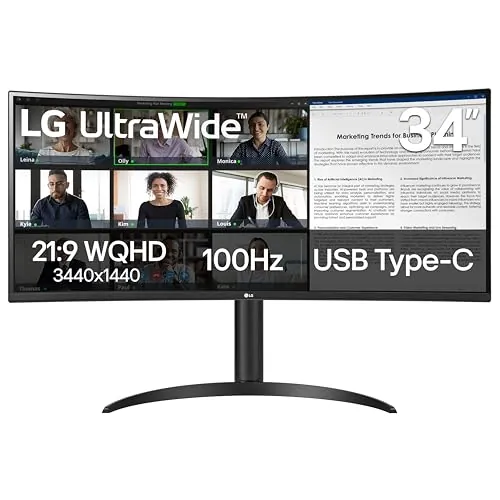
LG 34WR55QK-B vs 34U60ZB-B: USB-C Setup or 120Hz
LG lists a 100 Hz maximum, USB-C with up to 65 W power delivery and picture-by-picture for the 34WR55QK-B. The 34U60ZB-B has a 120 Hz maximum and documented DisplayPort and HDMI connections. Both are curved 34-inch ultrawides. Choose by the laptop or two-source workflow you need, and confirm your input can reach your desired refresh rate.
Read comparison

ASUS ProArt PA279CRV vs PA278QV: 4K USB-C or QHD Legacy Inputs?
Both are 27-inch ASUS ProArt IPS monitors, but they solve different desk problems. PA279CRV is 3840×2160 (4K) and its USB-C input supports DisplayPort Alt Mode and up to 96 W Power Delivery; with a compatible laptop it can carry video and USB data through one cable while connecting the monitor's hub. PA278QV is 2560×1440 (QHD), lists HDMI, DisplayPort, Mini DisplayPort and dual-link DVI-D, and has a four-port USB-A hub that needs a separate USB-B upstream connection. Before buying, check the laptop's USB-C video support and power needs, or check which legacy video port your desktop uses. ASUS lists different color-space coverage on the two models; these manufacturer specifications do not predict a user's calibrated result.
Read comparison