
Products compared
ASUS
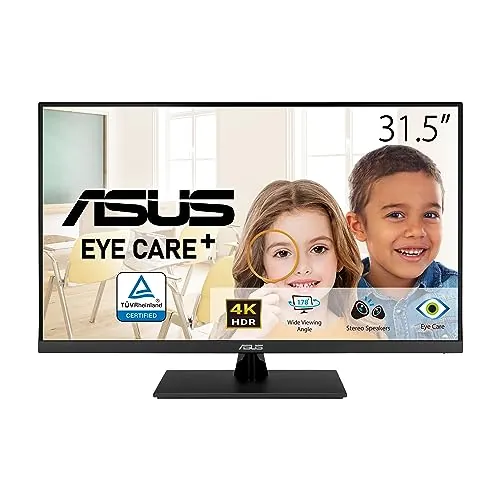
ASUS VP327Q Eye Care Monitor
ASUS USA’s technical page lists the VP327Q as a 31.5-inch 4K monitor. Confirm that the selected regional listing identifies model VP327Q before checkout; ASUS labels its dimensions as estimates that may vary by region.
Model VP327Q
Amazon ASIN B0C7G6F8BY

ASUS
ASUS VY27UQ Eye Care Monitor
ASUS USA’s technical page lists the VY27UQ as a 27-inch 4K monitor. Confirm that the selected regional listing identifies model VY27UQ before checkout; ASUS labels its dimensions as estimates that may vary by region.
Model VY27UQ
Amazon ASIN B0CV1V12R7
Differences that matter
What matters most to you?
Choose a priority to see what it changes.
Sources for Screen size and calculated pixel density
Sources for Estimated assembled monitor width
Sources for Stand adjustment and mounting
Sources for Video inputs and listed refresh ceiling
Choose the physical screen scale before comparing labels
Both monitors have the same listed 3840 × 2160 raster, but it is spread over different diagonals. Using ASUS’s listed size and raster, the VP327Q calculates to about 140 pixels per inch, while the VY27UQ calculates to about 163 pixels per inch. The calculation is √(3840² + 2160²) divided by diagonal inches. That describes pixel density, not measured image quality. At identical OS scaling, interface elements can occupy different physical sizes; adjust the host’s display scaling if needed.
For desk planning, compare the manufacturer’s complete dimensions with the stand attached: about 28.13 inches wide for the VP327Q versus 24.13 inches for the VY27UQ. ASUS says dimensions vary by region and labels them estimates. Measure the desk opening and cable space, and check the actual stand base separately rather than treating the monitor’s full width as its base footprint.
Check stand adjustment and how the monitor will sit
Neither technical table lists height adjustment on its included stand. ASUS lists VP327Q tilt from +8° to −5° and VY27UQ tilt from +23° to −5°; both list 100 × 100 mm VESA mounting. If a fixed-height display is not suitable for your setup, budget and measure for a separate riser or mounting support. Confirm the exact regional box and support dimensions before relying on the stated mounting pattern.
The complete assembled depth estimates are close—7.94 inches for VP327Q and 7.95 inches for VY27UQ—but they are not the stand base’s exact shape. Leave room for the base, cable bend and other equipment, then confirm with the physical unit or a regional drawing.
Match the inputs to your actual computer or console
The VP327Q technical table lists one DisplayPort 1.2 and two HDMI 2.0 inputs. VY27UQ lists one DisplayPort 1.4 and two HDMI 2.1 ports marked TMDS. Both tables list 60Hz maximum refresh. The VY27UQ HDMI label therefore is not enough to infer HDMI FRL or 4K/120Hz. Check the source output, monitor input, cable and target display mode together.
A practical check is to write down the exact host model and the output you will use, then match it to the chosen monitor’s exact input table and cable path. This comparison does not guarantee a mode on any particular PC, console, adapter or cable combination. ASUS lists an HDMI cable among accessories on both technical pages, but also says accessories vary by region, so verify the local offer’s box contents.
Resolve the product-page label conflicts only if they affect your choice
ASUS’s VP327Q technical table calls the panel VA, while an image alt label on the product page says IPS. VY27UQ’s technical table and product text say 60Hz, while one image alt label says 100Hz. This guide relies on technical tables for the documented port and refresh fields and does not infer that the conflict makes either monitor better or worse.
If you are choosing specifically for panel type or a refresh rate above the listed 60Hz, ask ASUS or the seller to verify the exact regional unit and the applicable specification sheet before ordering. There is no measured picture-quality or gaming comparison here.
Product details
ASUS VP327Q Eye Care Monitor
- Display raster and size
- ASUS lists 31.5 inches, 16:9, 3840 × 2160, and a 60Hz maximum refresh rate. Source
- Inputs
- The technical table lists one DisplayPort 1.2 and two HDMI 2.0 inputs. Source
- Stand and mount
- The included stand tilts +8° to −5° and has no height adjustment; VESA mounting is listed as 100 × 100 mm. Source
- Estimated complete dimensions
- ASUS estimates 28.13 × 19.13 × 7.94 inches (W × H × D) with stand attached and warns dimensions vary by region. Source
ASUS VY27UQ Eye Care Monitor
- Display raster and size
- ASUS lists 27 inches, 16:9, 3840 × 2160, and a 60Hz maximum refresh rate. Source
- Inputs
- The technical table lists one DisplayPort 1.4 and two HDMI 2.1 ports marked TMDS. Source
- Stand and mount
- The included stand tilts +23° to −5° and has no height adjustment; VESA mounting is listed as 100 × 100 mm. Source
- Estimated complete dimensions
- ASUS estimates 24.13 × 17.17 × 7.95 inches (W × H × D) with stand attached and warns dimensions vary by region. Source
Before you buy
Community discussions
Connecting a VP327Q to an iMac
ASUS VP327Q Eye Care Monitor
A VP327Q owner described hooking it up to an iMac with a USB-C-to-HDMI cable while asking about their setup.
What to check
Map the video output on your computer to the input on the exact monitor. Check which cable or adapter supports the display mode you need.
Checking the display cable for a MacBook Air
ASUS VY27UQ Eye Care Monitor
A first-time monitor buyer wanted a single cable between their MacBook Air and monitor. A commenter suggested the ASUS VY27UQ.
What to check
Check which port on the monitor carries video from your laptop. If you also want the monitor to charge the laptop, check for that feature separately.
Choosing a 27-inch screen for laptop work
ASUS VY27UQ Eye Care Monitor
A MacBook Pro user in Serbia put the VY27UQ on their shortlist for coding, calls and content work.
What to check
Measure the desk and viewing distance. Decide how much physical screen area you want and check the inputs for the exact model you can buy.
Common questions
Do both ASUS monitors have the same resolution?
Yes. Both ASUS USA technical tables list 3840 × 2160, 16:9 and a maximum refresh rate of 60Hz. The VP327Q is listed at 31.5 inches and the VY27UQ at 27 inches.ASUS USA VP327Q technical specificationsASUS USA VY27UQ technical specifications
Does VY27UQ HDMI 2.1 mean I can use 4K at 120Hz?
Do not infer that. ASUS labels VY27UQ’s HDMI 2.1 ports TMDS and lists a 60Hz maximum refresh rate in its technical table. Confirm the exact monitor, source device and cable requirements for the mode you want.ASUS USA VY27UQ technical specifications
Which monitor is narrower with its stand attached?
ASUS estimates 24.13 inches overall width for VY27UQ and 28.13 inches for VP327Q, with dimensions varying by region. Measure the local unit and available desk span; those overall widths are not stand-base dimensions.ASUS USA VP327Q technical specificationsASUS USA VY27UQ technical specifications
Which one has the VA panel?
ASUS’s VP327Q technical table says VA, but its product page includes an image label that says IPS. VY27UQ is listed as IPS in its technical table and main product description. If panel type determines your choice, confirm the exact regional unit with ASUS or the seller before buying; this comparison does not claim a viewing-quality advantage.ASUS USA VP327Q technical specificationsASUS USA VP327Q product pageASUS USA VY27UQ technical specifications
Sources and scope
ASUS labels full monitor dimensions as estimated and region-varying. The table’s assembled width is not a stand-base measurement. On ASUS’s VP327Q pages the technical table lists VA while a product-page image alt label says IPS; on VY27UQ the technical table and text list a 60Hz maximum while one image alt label says 100Hz. This guide follows the exact-model technical tables for size, ports and refresh ceiling and leaves panel type as unresolved if it is purchase-critical. Pixels-per-inch figures are calculated from the listed diagonal and 3840 × 2160 raster; they do not predict perceived sharpness, image quality, eye comfort, or gaming performance. No hands-on display or host-compatibility tests are claimed.
Related comparisons


ASUS ProArt PA279CRV vs PA278QV: 4K USB-C or QHD Legacy Inputs?
Both are 27-inch ASUS ProArt IPS monitors, but they solve different desk problems. PA279CRV is 3840×2160 (4K) and its USB-C input supports DisplayPort Alt Mode and up to 96 W Power Delivery; with a compatible laptop it can carry video and USB data through one cable while connecting the monitor's hub. PA278QV is 2560×1440 (QHD), lists HDMI, DisplayPort, Mini DisplayPort and dual-link DVI-D, and has a four-port USB-A hub that needs a separate USB-B upstream connection. Before buying, check the laptop's USB-C video support and power needs, or check which legacy video port your desktop uses. ASUS lists different color-space coverage on the two models; these manufacturer specifications do not predict a user's calibrated result.
Read comparison
ASUS ROG Strix XG27ACS vs TUF VG27AQ3A: USB-C, 180Hz and Desk Setup
Both exact ASUS models are 27-inch 2560×1440 Fast IPS monitors with a listed maximum refresh rate of 180Hz. The connector path matters: ASUS lists HDMI up to 144Hz on both; ROG XG27ACS also lists DisplayPort and USB-C DisplayPort Alt Mode up to 180Hz, while TUF VG27AQ3A lists DisplayPort up to 180Hz. ROG adds USB-C with 7.5W power delivery and a stand that raises up to 120 mm and rotates to portrait. TUF has two HDMI inputs, built-in 2W × 2 speakers, tilt and swivel, but no stand height adjustment or pivot. Before buying, match the monitor input to your computer's output and decide whether you need to raise the screen or connect multiple HDMI sources.
Read comparison