
Products compared
BenQ
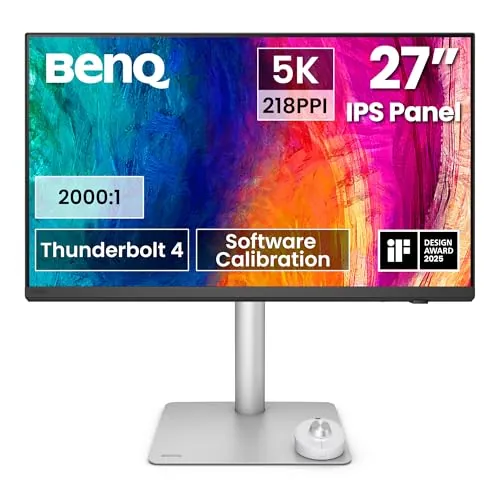
BenQ PD2730S 27-inch 5K Monitor
Exact U.S. PD2730S model. BenQ lists a 5120 × 2880 maximum at 60Hz and a Thunderbolt 4 upstream connection with DisplayPort Alt Mode, data and up to 90W power delivery.
Model PD2730S
Amazon ASIN B0DY8CQZC1
Dell
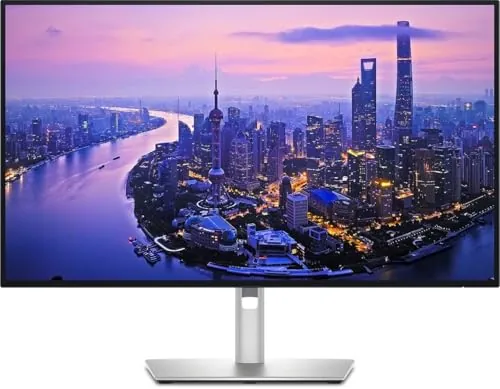
Dell UltraSharp U2725QE 27-inch 4K Thunderbolt Hub Monitor
Exact U.S. U2725QE model. Dell lists 3840 × 2160 at up to 120Hz, a Thunderbolt 4 upstream port with up to 140W EPR, a downstream Thunderbolt port, KVM and 2.5GbE Ethernet.
Model U2725QE
Amazon ASIN B0F18Q2GPN
Differences that matter
What matters most to you?
Choose a priority to see what it changes.
Sources for Published panel mode
Sources for Laptop connection and power
Sources for Hub and wired desk needs
Sources for Daisy-chain host check
Start with the display mode your host can support
At 27 inches, the PD2730S is specified for a maximum 5120 × 2880 at 60Hz. Dell lists the U2725QE at 3840 × 2160 and up to 120Hz. Those are different buying priorities: more physical pixels at the BenQ’s listed mode, or Dell’s published higher-refresh 4K mode. They do not prove a difference in perceived sharpness or motion. Check your exact computer and OS for the mode you want; scaling affects usable workspace.
Dell’s Mac compatibility table lists 4K at 120Hz for U2725QE, while a generic setup step on the same support page says to select 60Hz. Treat that as a reason to check your exact Mac configuration, not as evidence that all Macs can drive 120Hz.
Match the one-cable setup to your laptop
Both makers list a Thunderbolt 4 upstream connection carrying display and data functions. BenQ rates the PD2730S upstream power delivery at up to 90W. Dell lists up to 140W EPR for U2725QE. Check the laptop’s charging specification and whether it supports that EPR level; these ratings alone do not predict actual charging. Also verify whether the computer’s USB-C port supports display output or Thunderbolt rather than assuming the connector shape tells you.
BenQ lists HDMI 2.1 and DisplayPort 1.4 alongside its Thunderbolt ports. Dell lists HDMI 2.1, DisplayPort 1.4 input and output, USB-C upstream, Thunderbolt downstream and USB ports. The Dell U.S. page also lists a 2.5GbE RJ45 connection. Pick the layout that matches the cables, wired network and peripherals you actually use, without treating a port’s advertised link capability as a measured transfer result.
Plan KVM and any second display before ordering
Both exact-model pages list KVM. Map the computers and keyboard/mouse you intend to switch, then verify which upstream connection and peripheral ports that setup requires. BenQ lists Thunderbolt daisy chaining and describes dual 5K with compatible systems, while warning that Apple Silicon M1/M2 Macs do not support multiple monitors natively. Dell lists a Thunderbolt 4 downstream daisy-chain port. Neither downstream port guarantees a particular computer can drive a chosen number of displays at a chosen mode; check the host’s own display limit first.
Check cables and power demand as a final fit test
Dell’s U.S. page lists a 1m passive Thunderbolt 4 cable, a 1.8m DisplayPort cable and a 1m USB-A-to-USB-C upstream cable. BenQ lists DP 1.4, HDMI 2.1 and a 1m Thunderbolt 4 cable, while noting signal cables may vary by region. If your installation depends on a specific cable or cable length, check the exact offer’s package. Finally compare the laptop’s requested charging wattage and protocol with 90W on BenQ or up to 140W EPR on Dell; no charging test is part of this comparison.
Product details
BenQ PD2730S 27-inch 5K Monitor
- Maximum display mode
- 5120 × 2880 at 60Hz; 27-inch panel Source
- Host and charging connection
- One Thunderbolt 4 upstream port with DisplayPort Alt Mode, data and up to 90W power delivery; one Thunderbolt 4 downstream port with up to 15W power delivery. Source
- Other desk connections
- HDMI 2.1, DisplayPort 1.4, USB-C data-only upstream and downstream USB ports; KVM switch listed. Source
Dell UltraSharp U2725QE 27-inch 4K Thunderbolt Hub Monitor
- Maximum display mode
- 3840 × 2160 at up to 120Hz; 27-inch panel Source
- Host and charging connection
- Thunderbolt 4 upstream with DisplayPort 1.4/DSC and up to 140W EPR; Thunderbolt 4 downstream supports daisy chain and up to 15W. Source
- Hub connections
- KVM and USB hub, DisplayPort output, HDMI 2.1, USB-C upstream, USB downstream and 2.5GbE RJ45 are listed for U2725QE. Source
Before you buy
Community discussions
Switching a desk between Mac and Windows
BenQ PD2730S 27-inch 5K Monitor
A PD2730S owner described sharing two monitors between a MacBook Pro and a Windows desktop using the monitor controls.
What to check
List the video and USB connections for each computer and the peripherals you want to share. Compare the exact switching steps for each monitor.
Deciding whether to keep a separate hub
BenQ PD2730S 27-inch 5K Monitor
A photographer with a MacBook Pro, a Thunderbolt hub and two displays considered putting the PD2730S at the center of that setup.
What to check
Map the monitors and devices plugged into your current hub. Check which connections you can move to the display and which still need the hub.
Common questions
Will the Dell U2725QE run at 4K and 120Hz with every Mac?
Dell’s U2725QE specification and Mac compatibility table list 3840 × 2160 at 120Hz, but Dell’s same Mac guide also gives a generic setup instruction to select 60Hz. Verify the supported mode for your exact Mac, OS and cable; the cited pages do not justify a universal 120Hz promise.Dell UltraSharp U2725QE product page (U.S.)Using a Dell UltraSharp USB-C Monitor with a Mac
Does the higher wattage mean the Dell will charge any laptop faster?
No universal charging result is established. Dell lists up to 140W EPR for U2725QE; the laptop must support the applicable EPR power profile, and its requirements and cable also matter. BenQ lists up to 90W for PD2730S.Dell UltraSharp U2725QE product page (U.S.)BenQ PD2730S specifications (U.S.)
Can either monitor guarantee a two-display daisy chain on my computer?
No. Both makers list a downstream Thunderbolt connection, but the host’s ports, chip, OS and supported display count determine what a particular setup can drive. BenQ specifically notes that Apple Silicon M1/M2 Macs do not support its described multi-monitor setup natively.BenQ PD2730S product page (U.S.)BenQ PD2730S specifications (U.S.)Dell UltraSharp U2725QE product page (U.S.)
Sources and scope
This is a manufacturer-specification comparison, not a display, color, comfort, charging, network-throughput or multi-monitor test. The published maximum display mode depends on the exact computer, operating system, graphics output and cable. Dell’s Mac support page lists 3840 × 2160 at 120Hz for U2725QE in its model table but gives a generic setup instruction to choose 60Hz; treat the listed 120Hz as a model mode to verify on your particular Mac, not a universal host guarantee. BenQ’s daisy-chain marketing likewise describes supported Thunderbolt hosts and specifically notes a limitation for Apple Silicon M1/M2 Macs.
Related comparisons

Dell U2725QE vs ASUS ProArt PA279CRV: Refresh, Color and Laptop Setup
The Dell UltraSharp U2725QE and ASUS ProArt PA279CRV both specify a 27-inch, 3840 × 2160 display. Their practical split is the Dell’s 120 Hz maximum and Thunderbolt 4 hub, versus ASUS’s ProArt color presets and stated 99% Adobe RGB coverage. Check your computer’s supported input mode and charging need first; manufacturer color figures are not a head-to-head image test.
Read comparison
Dell S2725QS vs U2725QE: Build Two Screens Around the Host You Have
The S2725QS lists HDMI and DisplayPort inputs but no monitor-side USB hub or display output, so a two-screen pair needs two compatible video feeds from the computer or an external dock. The U2725QE adds a Thunderbolt 4 upstream link, USB hub, up-to-140 W EPR charging, DisplayPort output and Thunderbolt downstream. That can simplify the desk, but a U2725QE-to-S2725QS chain still depends on the exact laptop, OS, cable, GPU and chosen resolution/refresh mode.
Read comparison