
Products compared
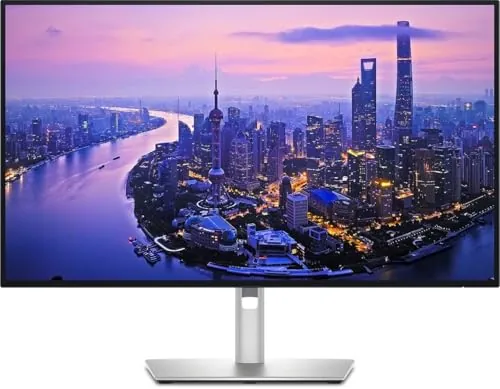
Dell
Dell UltraSharp U2725QE
U.S. 27-inch 4K monitor, Dell part 210-BQTL; exact listing data ASIN B0F18Q2GPN.
Model U2725QE
Amazon ASIN B0F18Q2GPN

ASUS
ASUS ProArt Display PA279CRV
U.S. 27-inch ProArt monitor; exact listing data ASIN B0BQPSX5CR.
Model PA279CRV
Amazon ASIN B0BQPSX5CR
Differences that matter
What matters most to you?
Choose a priority to see what it changes.
Sources for Screen size, resolution and refresh ceiling
Sources for Laptop video, charging and desk hub
Sources for Manufacturer-published color-space information
Start with the laptop and desk you already have
These monitors share the same listed diagonal and pixel resolution, so the useful first question is what your computer can send and how much power it needs. Dell’s HDMI 2.1 input is specified for up to 4K at 120 Hz FRL; its Thunderbolt 4 upstream path carries DisplayPort 1.4 with DSC and lists up to 140 W EPR. The ASUS USB-C input is specified for DisplayPort Alt Mode and 96 W power delivery. Check the exact host port, cable and mode before treating any maximum as available on your desk.
Then count your peripherals. Dell calls out a KVM upstream, 2.5GbE Ethernet, a Thunderbolt downstream/daisy-chain port and USB downstream ports. ASUS lists a USB hub, two DisplayPort 1.4 inputs with daisy-chain support and two HDMI 2.0 inputs. The distinction is useful if you plan to connect wired network or switch USB devices at the display; confirm the host and operating system support the required setup.
Choose by the color specification your workflow needs
ASUS lists Adobe RGB as a ProArt preset and specifies 99% Adobe RGB coverage; Dell’s page lists 99% DCI-P3 and Display P3. ASUS describes its unit as factory pre-calibrated to Delta E below 2, while Dell lists average Delta E below 1.5. These manufacturer statements use their own stated bases. They are helpful for checking whether a monitor advertises the color space and calibration feature you require, but they are not a matched accuracy test or a guarantee for a particular unit, application or managed workflow.
A short pre-buy checklist
For a laptop desk, note the exact port, output mode, cable and charging wattage required; select Dell when its higher refresh/hub features solve a confirmed setup need, or ASUS when its stated Adobe RGB option and 96 W USB-C ceiling fit the workflow. For a color-managed desk, also check whether your software, source files and final output use Adobe RGB, P3 or another target. Both list 100 × 100 mm VESA compatibility and height-adjustable stands, so measure your arm clearance and cable route separately if mounting or rearranging the desk.
Product details
Dell UltraSharp U2725QE
- Panel and refresh
- 27-inch, 3840 × 2160; 120 Hz standard refresh-rate listing Source
- Laptop connection and power
- Thunderbolt 4 upstream with DisplayPort 1.4/DSC and up to 140 W EPR; Dell lists 2/4-lane switching Source
- Desk connections
- Dell lists downstream Thunderbolt with daisy-chain support, KVM upstream, 2.5GbE, USB-A and USB-C downstream ports Source
- Published color specifications
- 99% DCI-P3 and 99% Display P3; Dell lists average Delta E below 1.5 Source
ASUS ProArt Display PA279CRV
- Panel and refresh
- 27-inch, 3840 × 2160; maximum refresh rate 60 Hz Source
- Color modes and published coverage
- ProArt presets include Adobe RGB, DCI-P3 and sRGB; ASUS lists 99% Adobe RGB and 99% DCI-P3 Source
- Calibration statement
- ASUS describes the display as Calman Verified and factory pre-calibrated to Delta E below 2 Source
- Laptop connection and hub
- USB-C DisplayPort Alt Mode with 96 W power delivery; ASUS lists two DisplayPort 1.4 inputs, two HDMI 2.0 inputs, a USB hub and DisplayPort daisy-chain support Source
Before you buy
Community discussions
Sharing the desk between a Windows workstation and a laptop
ASUS ProArt Display PA279CRV
An ASUS PA279CRV owner considering a second display described long workdays in design and photo apps on Windows, plus occasional use with a MacBook Air. They wanted to move their current monitor to the side of the desk.
What to check
If the next monitor will be a primary display, decide which ports are needed to switch from office work to photo work and from a Windows tower to a Mac.
Using a 27-inch 4K monitor for CAD and editorial work
ASUS ProArt Display PA279CRV
A shopper considering the ASUS PA279CRV and Dell S2725QS worked mostly in sRGB, with a desktop PC using DisplayPort. They put long-session viewing and panel uniformity ahead of USB-C charging and hub features.
What to check
Open a representative editorial layout and a photo in the color space you actually use. Decide whether a faster desk connection or a named Adobe RGB mode matters more.
Common questions
Are both monitors 27-inch 4K displays?
Yes. The Dell U2725QE and ASUS PA279CRV are each listed as 27-inch with 3840 × 2160 resolution. Their published maximum refresh rates differ: Dell lists 120 Hz and ASUS lists 60 Hz.Dell UltraSharp 27 4K Thunderbolt Hub Monitor - U2725QE | Dell USAProArt Display PA279CRV - Tech Specs | ASUS USA
Will the Dell provide 120 Hz and charge any laptop at 140 W?
Not necessarily. Dell lists HDMI support up to 3840 × 2160 at 120 Hz FRL and a Thunderbolt 4 upstream connection with up to 140 W EPR. The computer’s port, cable, display mode and power requirements must support the intended setup; check the exact laptop documentation.Dell UltraSharp 27 4K Thunderbolt Hub Monitor - U2725QE | Dell USA
Does the ASUS have Adobe RGB coverage, and does that make it more accurate than the Dell?
ASUS lists 99% Adobe RGB coverage and a ProArt Adobe RGB preset, and describes factory pre-calibration to Delta E below 2. Dell publishes its own gamut and Delta E specifications. These are not measurements from a matched comparison, so they do not establish which monitor is more accurate in your workspace.ProArt Display PA279CRV - Tech Specs | ASUS USAProArt Display PA279CRV | Monitors | ASUS USADell UltraSharp 27 4K Thunderbolt Hub Monitor - U2725QE | Dell USA
Sources and scope
This is a feature-fit guide based on exact-model manufacturer specifications, not a hands-on or controlled image-quality test. A listed refresh ceiling, color gamut or calibration figure does not establish real-world performance or a direct accuracy winner. Video mode, USB-C power and hub features depend on the connected computer, cable, operating system and devices.
Related comparisons
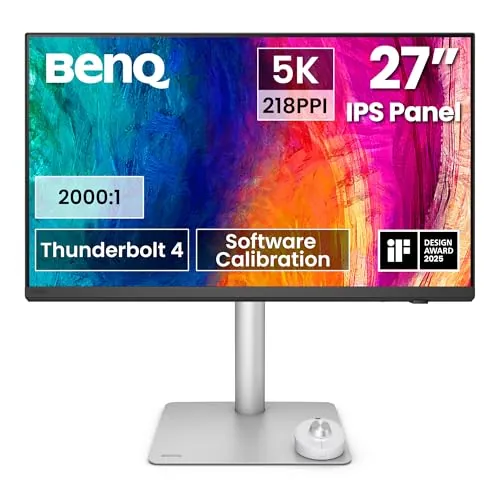
BenQ PD2730S vs Dell U2725QE: 5K, 120Hz and Desk Connections
Both are 27-inch Thunderbolt hub monitors, but the BenQ PD2730S lists 5120 × 2880 at 60Hz while Dell’s U2725QE lists 3840 × 2160 at up to 120Hz. BenQ specifies up to 90W power delivery; Dell specifies up to 140W EPR and 2.5GbE. The useful choice depends on your host’s display outputs, operating system, charging needs and whether you will use a Thunderbolt daisy chain.
Read comparison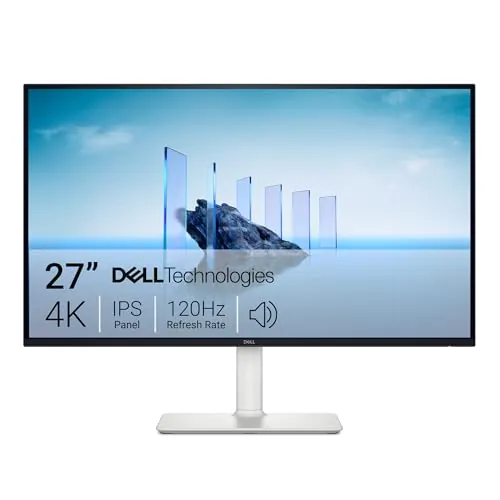
Dell S2725QS vs U2725QE: Build Two Screens Around the Host You Have
The S2725QS lists HDMI and DisplayPort inputs but no monitor-side USB hub or display output, so a two-screen pair needs two compatible video feeds from the computer or an external dock. The U2725QE adds a Thunderbolt 4 upstream link, USB hub, up-to-140 W EPR charging, DisplayPort output and Thunderbolt downstream. That can simplify the desk, but a U2725QE-to-S2725QS chain still depends on the exact laptop, OS, cable, GPU and chosen resolution/refresh mode.
Read comparison