
Products compared
Dell
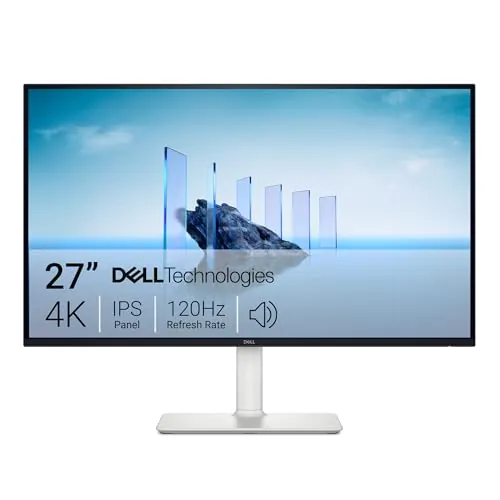
Dell S 27 4K Monitor S2725QS
Exact assigned Dell S2725QS listing (manufacturer part T4CNF). Dell lists two HDMI 2.1 inputs and one DisplayPort 1.4 input. Its port list does not show monitor USB hub or downstream video output.
Model S2725QS
Amazon ASIN B0F1GF1KFC
Dell
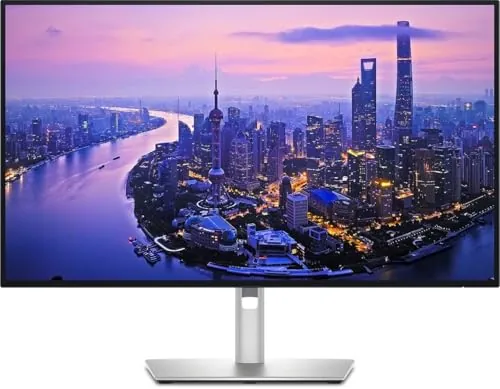
Dell UltraSharp 27 4K Thunderbolt Hub Monitor U2725QE
Exact assigned U2725QE listing. Its Thunderbolt 4 upstream port carries supported video/data and up to 140 W EPR; separate DisplayPort-out and Thunderbolt-downstream ports offer possible second-display routes. Host support still determines whether the intended two-screen mode works.
Model U2725QE
Amazon ASIN B0F18Q2GPN
Differences that matter
What matters most to you?
Choose a priority to see what it changes.
Sources for Video ports on the monitor
Sources for Laptop link, hub and power
Sources for Potential route to a second screen
Sources for Relevant included cables
Choose the display architecture before choosing the screen
The S2725QS is the simpler endpoint: Dell lists two HDMI inputs and one DisplayPort input, with no monitor USB hub or downstream video port in its exact port list. For two matching S2725QS monitors, plan on two independent video feeds from the laptop or an external dock. If your dock already covers charging and peripherals, this keeps the monitor choice separate from those jobs.
The U2725QE is a hub monitor. Its Thunderbolt 4 upstream link can carry supported video and USB data and is rated up to 140 W EPR; Dell also lists a USB hub, DisplayPort output and Thunderbolt downstream. That is useful when you want to connect desk peripherals at the monitor, but it does not prove the laptop can drive the whole desk through one cable.
Map the second-display route and host limits
For a compatible Windows setup, Dell’s port matrix shows one possible route: computer Thunderbolt to U2725QE Thunderbolt upstream, followed by U2725QE DisplayPort out to S2725QS DisplayPort in. Verify whether your host and monitor support DisplayPort MST and the extended mode you want.
Dell documents macOS extended daisy chaining over Thunderbolt. The S2725QS has HDMI and DisplayPort inputs, so plan a separate compatible feed if you want that screen extended from a Mac. Check the exact Mac’s supported display count and modes before choosing the cable or dock layout.
Check charging and the box contents
Dell lists up to 140 W EPR for the U2725QE Thunderbolt 4 upstream port. Compare that monitor-side rating with the laptop maker’s charging requirement and supported protocol; “up to” is not a promise that every laptop accepts that power. If you keep an existing dock, compare its own power and two-display support instead.
Dell lists one HDMI cable with each S2725QS. The U2725QE listing includes a passive Thunderbolt 4 cable, DisplayPort cable and USB-A-to-USB-C upstream cable. Before checkout, count the video and host cables needed for your chosen layout, and confirm each cable standard and length reaches your desk.
Use the exact manuals for the final port check
Dell maintains a U.S. support page with a User’s Guide for each exact model. Match the model printed on your offer and monitor, then use that guide and the host maker’s display matrix to confirm the actual port names and setup options before choosing a cable route.
Product details
Dell S 27 4K Monitor S2725QS
Dell UltraSharp 27 4K Thunderbolt Hub Monitor U2725QE
- Dell-listed single-screen mode
- 27-inch 3840 × 2160 up to 120 Hz; simultaneous multi-display modes depend on host and connection. Source
- Host and downstream ports
- Thunderbolt 4 upstream (DP 1.4 with DSC, up to 140 W EPR, 2/4 lane switching), DisplayPort 1.4 out, Thunderbolt 4 downstream (15 W); plus USB hub connections. Source
- Included relevant cables
- Dell lists a 1.8 m DisplayPort cable, 1.0 m USB-A-to-USB-C upstream cable and 1.0 m passive Thunderbolt 4 cable. Source
Before you buy
Community discussions
Using a 27-inch 4K monitor for CAD and editorial work
Dell S 27 4K Monitor S2725QS
A shopper considering the ASUS PA279CRV and Dell S2725QS worked mostly in sRGB, with a desktop PC using DisplayPort. They put long-session viewing and panel uniformity ahead of USB-C charging and hub features.
What to check
If the desktop already supplies the display outputs you need, map both cables before buying a hub monitor. If you will add a laptop, check its separate two-screen path.
Common questions
Can the U2725QE connect to an S2725QS as a second extended screen?
Dell lists a DisplayPort output and Thunderbolt downstream on the U2725QE, and its general connection matrix documents a Thunderbolt host → U2725QE Thunderbolt upstream → U2725QE DisplayPort output → S2725QS DisplayPort input path. This is not a universal compatibility promise: check the exact host, operating system, graphics support, cable and simultaneous mode first.Dell UltraSharp 27 4K Thunderbolt Hub Monitor – U2725QE, U.S. specificationsHow to Daisy Chain Monitors for a Multi-Display SetupDell S 27 4K Monitor – S2725QS, U.S. specifications
Does the U2725QE deliver 140 W to every laptop?
Dell lists up to 140 W EPR on its Thunderbolt 4 upstream connection. That is a monitor-side maximum, not a guarantee for every host; confirm that the laptop supports the required USB-C/Thunderbolt power-delivery mode and that the supplied cable/host pairing is appropriate.Dell UltraSharp 27 4K Thunderbolt Hub Monitor – U2725QE, U.S. specificationsSupport for Dell UltraSharp 27 4K Thunderbolt Hub Monitor U2725QE – Manuals & Documents
Does a single S2725QS replace an external dock?
The exact S2725QS port list contains HDMI and DisplayPort video inputs but no USB hub, USB upstream or downstream video output. If you want one cable for laptop video, USB peripherals and charging, the U2725QE has the documented hub path; verify your laptop and second-display route before replacing a dock.Dell S 27 4K Monitor – S2725QS, U.S. specificationsDell UltraSharp 27 4K Thunderbolt Hub Monitor – U2725QE, U.S. specifications
Does “4K at 120 Hz” mean both screens will run that way?
No. Dell’s 4K/120 figures describe each monitor’s supported single-display input modes. Dell’s connection guidance says the number and modes of chained displays depend on host output, OS, GPU, bandwidth, cables, resolution and refresh rate.Dell S 27 4K Monitor – S2725QS, U.S. specificationsDell UltraSharp 27 4K Thunderbolt Hub Monitor – U2725QE, U.S. specificationsHow to Daisy Chain Monitors for a Multi-Display SetupUsing a Dell UltraSharp USB-C Monitor with a Mac
Sources and scope
This is a source-based connection-planning guide for the assigned U.S. Dell S2725QS (T4CNF) and U2725QE. Dell’s listed single-monitor modes do not prove a particular computer can drive two extended displays at 4K/120 Hz, or that every laptop can accept 140 W EPR. No mixed-screen host, dock, cable or adapter was tested. Verify the exact host’s supported display count, protocol, resolution/refresh combination, charging requirement and OS behavior before buying.
- Dell S 27 4K Monitor – S2725QS, U.S. specifications
- Dell UltraSharp 27 4K Thunderbolt Hub Monitor – U2725QE, U.S. specifications
- Support for Dell UltraSharp 27 4K Thunderbolt Hub Monitor U2725QE – Manuals & Documents
- How to Daisy Chain Monitors for a Multi-Display Setup
- Using a Dell UltraSharp USB-C Monitor with a Mac
- Support for Dell S 27 4K Monitor S2725QS – Manuals & Documents
Related comparisons
BenQ PD2730S vs Dell U2725QE: 5K, 120Hz and Desk Connections
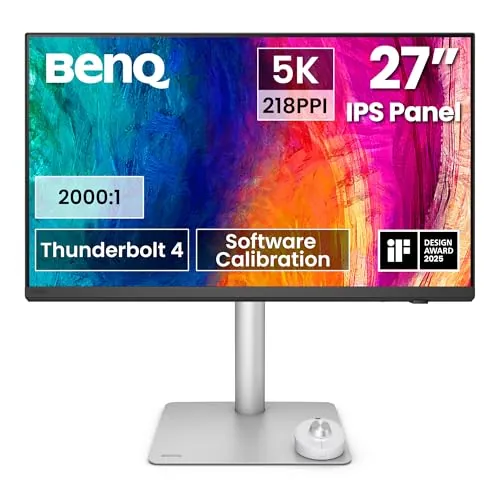
Both are 27-inch Thunderbolt hub monitors, but the BenQ PD2730S lists 5120 × 2880 at 60Hz while Dell’s U2725QE lists 3840 × 2160 at up to 120Hz. BenQ specifies up to 90W power delivery; Dell specifies up to 140W EPR and 2.5GbE. The useful choice depends on your host’s display outputs, operating system, charging needs and whether you will use a Thunderbolt daisy chain.
Read comparison
Dell U2725QE vs ASUS ProArt PA279CRV: Refresh, Color and Laptop Setup
The Dell UltraSharp U2725QE and ASUS ProArt PA279CRV both specify a 27-inch, 3840 × 2160 display. Their practical split is the Dell’s 120 Hz maximum and Thunderbolt 4 hub, versus ASUS’s ProArt color presets and stated 99% Adobe RGB coverage. Check your computer’s supported input mode and charging need first; manufacturer color figures are not a head-to-head image test.
Read comparison