
Products compared
Canon
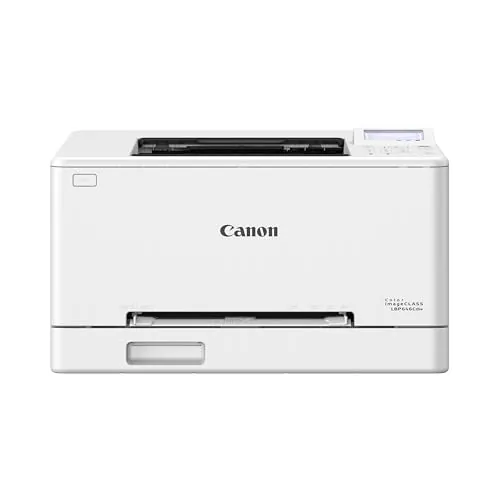
Canon Color imageCLASS LBP646Cdw Wireless Duplex Laser Printer
Exact U.S. print-only color laser model (Canon SKU 6929C008); 250-sheet standard cassette, one-sheet manual feed and automatic duplex output.
Model LBP646Cdw
Amazon ASIN B0FMBVCX6S
Canon
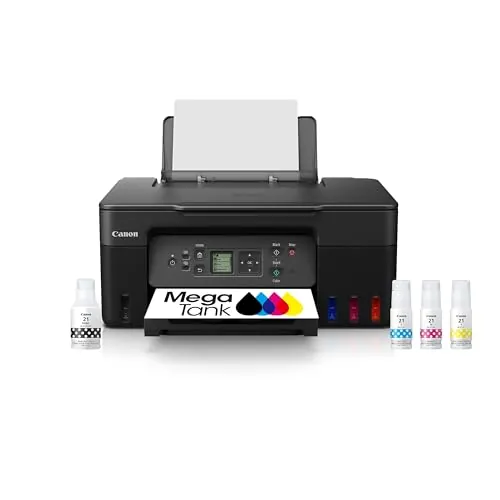
Canon MegaTank PIXMA G3270 Wireless All-in-One Printer
Exact U.S. black G3270 all-in-one with print, flatbed scan and copy; paper feeds from a rear tray and printing is single-sided.
Model G3270
Amazon ASIN B0BSMSYM9N
Differences that matter
What matters most to you?
Choose a priority to see what it changes.
Sources for On-device scan and copy
Sources for Long and custom output versus scan size
Sources for Network and host connection
First decide whether the station must capture paper originals
Canon lists the Color imageCLASS LBP646Cdw as a print-only printer. If receipts, forms or letters must be scanned or copied at the same station, that model needs a separate capture device; PIXMA G3270 includes flatbed scan and copy functions.
The G3270 flatbed accepts originals up to 8.5 × 11.7 inches. Treat this as a separate limit from the printer's paper-output range: a long custom page that can be printed does not mean an equally long original can be scanned.
Match the paper path to the way you replenish stock
LBP646Cdw uses a 250-sheet standard cassette and a one-sheet manual-feed slot, with Canon listing sizes from 3 × 5 to 8.5 × 14 inches. That gives a straightforward choice for batches from its main cassette or a special sheet fed individually.
G3270 feeds from the rear tray. Canon's series manual lists about 100 plain sheets, but Legal plain paper is limited to 10; the manual notes some paper and environmental conditions can also require half capacity or less. If Legal is a regular stock, use that smaller figure for the replenishment plan.
Check page length, duplex and network before ordering
G3270 supports custom pages up to 8.50 inches wide by 47.24 inches long in Canon's manual, while page-size and media support can vary by operating system. For page heights above 26.61 inches, Canon sets the media type to Plain Paper. Confirm the actual paper type and driver settings rather than treating the maximum dimension as universal.
For two-sided documents, LBP646Cdw is listed as automatic-duplex capable; Canon specifies G3270 as single-sided. Connectivity can also settle a small-office setup: LBP646Cdw's listed ports include USB and wired Ethernet as well as Wi-Fi/Wi-Fi Direct, while G3270 lists USB, dual-band Wi-Fi and Wireless Direct. If a particular OS or network is essential, check Canon's current compatibility page for that exact setup.
Product details
Canon Color imageCLASS LBP646Cdw Wireless Duplex Laser Printer
Canon MegaTank PIXMA G3270 Wireless All-in-One Printer
- Scan and copy
- Flatbed scan and copy; maximum document/original size 8.5 × 11.7 inches Source
- Paper source and feed limit
- Rear tray; approximately 100 plain sheets, but only 10 sheets for Legal plain paper; some paper/conditions require a smaller load Source
- Custom media and duplex mode
- Custom paper ranges from 2.17 × 3.50 to 8.50 × 47.24 inches with OS/media qualifications; print mode is single-sided Source
- Connections
- Hi-Speed USB, 2.4/5 GHz Wi-Fi and Wireless Direct are listed by Canon Source
Before you buy
Community discussions
A Mac user’s G3270 duplex workflow
Canon MegaTank PIXMA G3270 Wireless All-in-One Printer
A G3270 owner using a Mac reported that automatic duplex and manual odd/even-page options were unavailable in their print workflow after trying the driver and settings.
What to check
If two-sided printing matters, test a multi-page job from your own Mac, app and driver before choosing the printer for that workflow.
Testing art paper through the G3270 rear tray
Canon MegaTank PIXMA G3270 Wireless All-in-One Printer
A G3270 owner said their Epson matte presentation paper looked duller and more yellow than expected; in that Mac setup, glossy stock did not feed from the rear tray during their test.
What to check
For art or photo jobs, test the exact paper, media setting and computer workflow you plan to use, including whether the stock feeds as expected.
Common questions
Can the LBP646Cdw scan or copy?
No. Canon lists Print as its only function. Choose the G3270 if you need scanning or copying built into the same printer.Canon Color imageCLASS LBP646Cdw product page and technical specificationsCanon Support for MegaTank PIXMA G3270
Can the G3270 scan a long custom-size original because it can print long custom pages?
No. Canon documents custom G3270 output up to 47.24 inches subject to OS and media settings, but its flatbed original limit is 8.5 × 11.7 inches.Canon G3070 series: Supported Media TypesCanon Support for MegaTank PIXMA G3270
How much Legal paper can the G3270 rear tray hold?
Canon's paper-load table gives 10 sheets for Legal plain paper. The approximately 100-sheet figure is for ordinary plain paper and may be lower with certain media or environmental conditions.Canon G3070 series: Paper Load Limit
Which model supports automatic two-sided printing?
The LBP646Cdw is listed as automatic duplex-output capable. Canon's G3270 technical specification says single-sided (simplex) printing.ENERGY STAR certified equipment record for Canon Color imageCLASS LBP646CdwCanon Support for MegaTank PIXMA G3270
Sources and scope
This is a specification-based fit guide for the exact U.S. Canon Color imageCLASS LBP646Cdw (6929C008) and PIXMA MegaTank G3270. No print-speed, image-quality, jam-rate, reliability, ink/toner cost or measured workflow comparison was performed. G3270's long custom-page support depends on operating system, media and driver settings; its scanner's maximum original size remains 8.5 × 11.7 inches. Canon's LBP specification and certification support automatic duplex output; the G3270 Canon support spec explicitly lists single-sided printing.
- Canon Color imageCLASS LBP646Cdw product page and technical specifications
- ENERGY STAR certified equipment record for Canon Color imageCLASS LBP646Cdw
- Canon Support for MegaTank PIXMA G3270
- Canon G3070 series online manual model list
- Canon G3070 series: Supported Media Types
- Canon G3070 series: Paper Load Limit
Related comparisons
Canon PIXMA TS3720 vs G3270: Cartridge Changes, Tank Refills and Document Handling
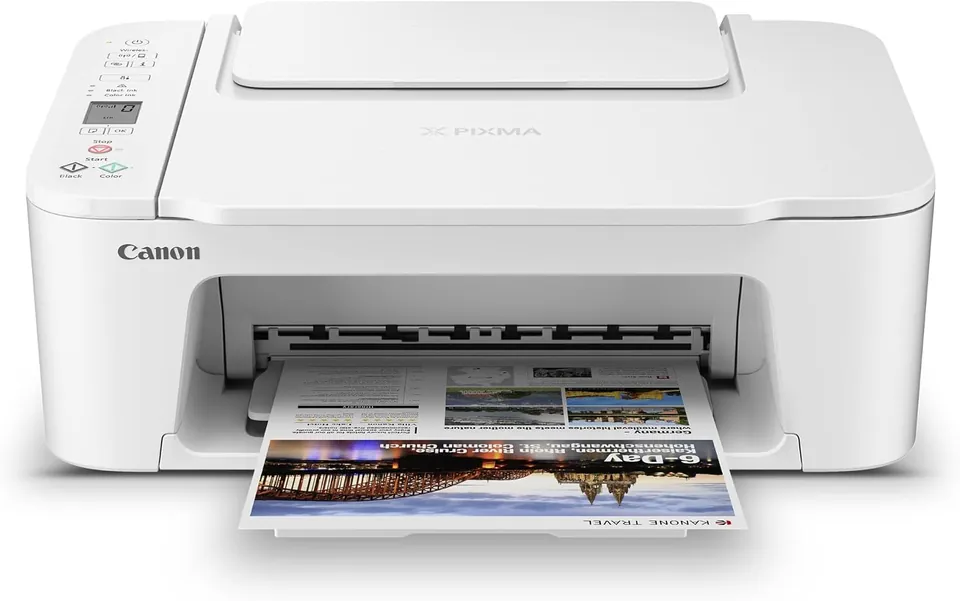
The white Canon PIXMA TS3720 (6671C022) uses replaceable PG-275 black and CL-276 color cartridges; the black PIXMA G3270 (5805C002) uses GI-21 bottles and integrated tanks. Both print one side at a time and scan one original at a time on a flatbed, so neither is a fit for automatic duplex or feeder-based handling of a stack of stapled pages. Compare refill habits, rear-tray capacity and the way you process paperwork before choosing.
Read comparison
Canon PIXMA TS6520 vs MegaTank G3270: Ink, Duplex, Media, and Scanning
The white PIXMA TS6520 uses black and color FINE cartridges; the black MegaTank G3270 has four integrated ink tanks filled from GI-21 bottles. Canon lists duplex printing for the TS6520 and its Windows driver supports automatic or manual duplex. The G3270 product spec lists simplex printing, while its linked G3070-series Windows manual documents a manual reload-and-confirm two-sided workflow. Compare the refill task, paper handling, and flatbed scanner specs without assuming lower ink cost or better scan output.
Read comparison