
Products compared
Canon
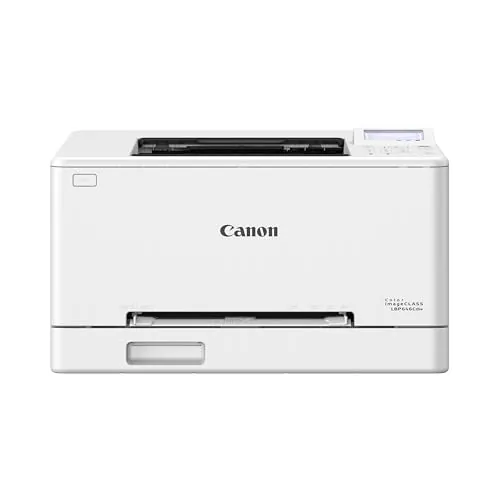
Canon Color imageCLASS LBP646Cdw Wireless Laser Printer
Canon US describes the exact model as print-only and documents wired Ethernet, automatic two-sided printing, and Canon Genuine Toner 075 / 075 H. The exact Canon sales item code is 6929C008.
Model LBP646Cdw
Amazon ASIN B0FMBVCX6S

Canon
Canon PIXMA TS6520 Wireless Multi-Function Home Printer
Canon’s US TS6520 spec sheet lists Print, Scan and Copy, a flatbed scanner, USB and dual-band Wi-Fi, and the PG-295 BK / CL-286 starter ink set. ADF capacity is listed as N/A.
Model TS6520
Amazon ASIN B0FMBTJLX6
Differences that matter
What matters most to you?
Choose a priority to see what it changes.
Sources for Functions and document intake
Sources for Paper loading, media and two-sided output
Sources for Connection choices and on-device display
First decide whether you need scan and copy at the printer
Canon lists the imageCLASS LBP646Cdw’s function as Print. If the printer only needs to turn files into pages, this model covers that documented role; it does not include a listed scanner or copier function. Canon’s TS6520 sheet lists Print, Scan and Copy and describes a flatbed scanner, so it is the option to consider when you place individual documents on a glass surface for scans or copies.
The TS6520 spec sheet lists ADF capacity as N/A. Do not assume it can automatically pull through a stack of originals. If that is your normal workflow, neither product description supplies a feeder solution: the LBP646Cdw is print-only, while the TS6520’s documented scan path is flatbed. Look for a model with a specified feeder if batch scanning is essential.
Match paper loading, sizes and output to what you print
For regular paper loading, Canon lists a 250-sheet cassette and a one-sheet manual feed slot on the LBP646Cdw. Its listed size range runs from 3 x 5 inches to 8.5 x 14 inches. The TS6520 sheet lists a 100-sheet cassette and media formats including 4 x 6, 5 x 7, square photo sizes and Letter, with borderless printing listed up to 8.5 x 11 inches. Those details make the job-specific check concrete: legal-size pages and a manual one-sheet path point to the LBP646Cdw’s documented paper handling; the TS6520 lists more explicit photo-paper formats.
Both models list two-sided printing, so duplex alone is not a deciding difference. Canon does not provide the same output-capacity fields in the reviewed TS6520 spec sheet; this guide does not infer a tray-capacity comparison from missing data. Confirm the supported media type and feed instructions for the exact paper you plan to use.
Check network, display and supply routines
Canon explicitly lists USB, Wi-Fi, Wi-Fi Direct and Ethernet for the LBP646Cdw, along with a 5-line black-and-white LCD. The TS6520 sheet lists Hi-Speed USB, dual-band 2.4 / 5 GHz Wi-Fi and a 1.42-inch monochrome OLED. It does not establish whether Ethernet is present or absent. If a cable to a wired office network is a must, do not treat the omission as a negative product fact; verify that exact configuration with Canon before buying.
The LBP646Cdw uses the Canon Genuine Toner 075 / 075 H CMYK family and its exact-model brochure lists starter toner in the box. The TS6520 uses a two-cartridge hybrid ink system—PG-295 pigment black and CL-286 dye color—and its spec sheet lists the starter set. Check the exact retail box and replacement families, but do not infer lifetime cost from the different supply types.
Pre-buy checklist
Before selecting one, write down (1) whether you need to scan or copy at the device, and whether originals arrive one at a time or as a stack; (2) your common paper sizes and special media; (3) whether you require Ethernet or can use USB / Wi-Fi; and (4) which toner or cartridge family you are willing to keep on hand. Then compare the exact ASIN’s box contents with Canon’s model-level kit details. If the task requires batch scanning, wired networking on TS6520, or media outside the documented range, verify another model rather than filling the gap with an assumption.
Product details
Canon Color imageCLASS LBP646Cdw Wireless Laser Printer
Canon PIXMA TS6520 Wireless Multi-Function Home Printer
- Functions and scanner
- Print, Scan and Copy; flatbed scanner; ADF capacity N/A Source
- Paper input and two-sided printing
- 100-sheet cassette; two-sided (duplex) printing; listed borderless media from 4 x 6 in. to 8.5 x 11 in. Source
- Network and supplies
- Hi-Speed USB and dual-band Wi-Fi; two-cartridge hybrid ink system using PG-295 pigment black and CL-286 dye color Source
Before you buy
Community discussions
A TS6520 owner reports that 110 lb cardstock would not feed for invitation printing
Canon PIXMA TS6520 Wireless Multi-Function Home Printer
One TS6520 owner says regular paper had worked, but the printer would not pick up 8.5 × 11 inch, 110 lb cardstock for invitations despite the owner's changed settings. They also reported a brown-to-green color change from a prior test; the post does not establish a cause or resolution for either observation, so the feed and color reports should be treated separately.
What to check
If invitations or other heavy media are central to your choice, check Canon's instructions for the exact stock and feed path, then test a representative sheet before planning a print run. This is one unsuccessful test and does not prove that all 110 lb stock is unsupported or will work.
Common questions
Can the LBP646Cdw scan or copy documents?
Canon lists its function as Print. It is the print-only option in this comparison, so a buyer who needs scanning or copying should plan for a separate device or consider the TS6520’s flatbed functions.Canon Color imageCLASS LBP646Cdw Wireless, Duplex Laser PrinterCanon PIXMA TS6520 Wireless Multi-function Printer spec sheet, Version 1.0
Can the TS6520 automatically scan a stack of pages?
The Canon sheet identifies a flatbed scanner and lists ADF capacity as N/A. It does not document an automatic document feeder for feeding a stack; check the full model instructions for the scan workflow you need.Canon PIXMA TS6520 Wireless Multi-function Printer spec sheet, Version 1.0
Does the TS6520 have Ethernet?
The reviewed TS6520 sheet lists Hi-Speed USB and dual-band Wi-Fi but does not establish Ethernet either way. Canon explicitly lists Ethernet for the LBP646Cdw. If wired networking is essential, verify the exact TS6520 configuration with Canon before choosing it.Canon Color imageCLASS LBP646Cdw Wireless, Duplex Laser PrinterCanon PIXMA TS6520 Wireless Multi-function Printer spec sheet, Version 1.0
Do both models print on both sides of the page?
Yes. Canon lists automatic two-sided printing for the LBP646Cdw and two-sided (duplex) printing for the TS6520. That shared feature does not resolve their different scan/copy functions or paper paths.Canon imageCLASS LBP646Cdw / LBP647Cdw brochureCanon PIXMA TS6520 Wireless Multi-function Printer spec sheet, Version 1.0
Sources and scope
This guide uses Canon US documentation for these exact models. The LBP646Cdw is listed as print-only; the TS6520 has a flatbed scanner and its spec sheet lists ADF capacity as N/A. The TS6520 Ethernet status is unknown from the reviewed documentation, not proven absent. No hands-on or comparable print tests, quality, speed, reliability, page-yield or cost-per-page advantage is claimed. The exact LBP646Cdw ASIN-to-model association is bound by the assigned the product listing result and live product listing data; Canon’s sources verify the model and sales item code but do not directly cross-reference that ASIN.
Related comparisons

Canon PIXMA TR7120 vs TS6520: ADF, Ink, Duplex & Space Compared
The Canon PIXMA TR7120 adds a 35-sheet letter / 5-sheet legal automatic document feeder (ADF); the TS6520 scans from its flatbed only. Both use PG-295 black and CL-286 color ink, list a 100-sheet plain-paper cassette, and print automatically on both sides. Compare the feeder's real workflow value with the height and access your space allows.
Read comparison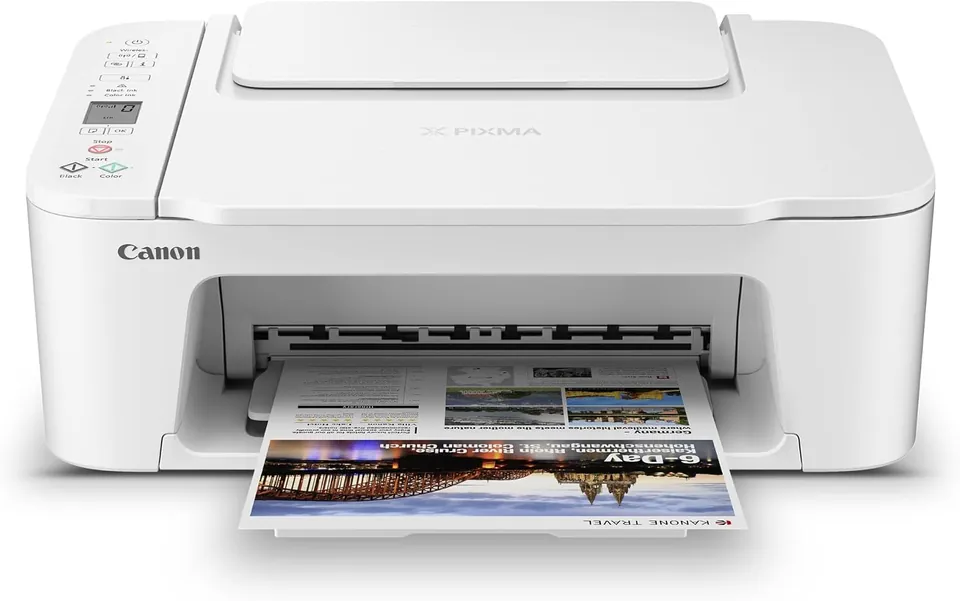
Canon PIXMA TS3720 vs TS6520: Duplex, Ink and Paper Loading
For the exact white U.S. models TS3720 (6671C022) and TS6520 (7179C002), choose around how you print: the TS6520 adds automatic duplex, borderless output through Letter, and a 100-sheet cassette. The TS3720 lists simplex capability, with manual duplex instructions in Canon's Windows driver; it loads up to 60 plain sheets at the rear. Their ink families differ, and Canon's published yield data is not directly comparable, so this guide does not name a lower-cost printer.
Read comparison