
Products compared
Canon
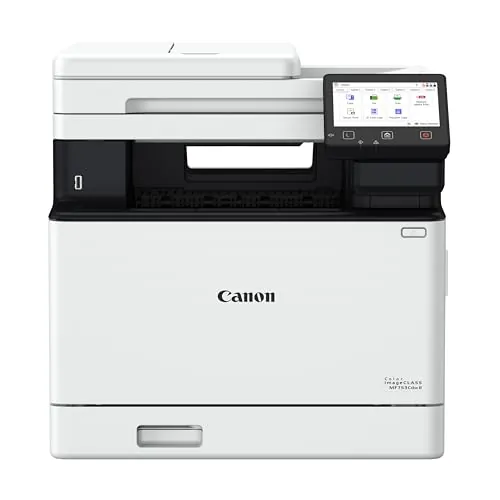
Canon Color imageCLASS MF753Cdw II All-in-One Color Laser Printer — White
The assigned U.S. white MF753Cdw II. Canon's brochure identifies item code 7185C011 and documents one-pass two-sided scanning through a 50-sheet ADF, Toner 069 supplies, and cassette plus multipurpose paper feeding.
Model 7185C011
Amazon ASIN B0FP3LJ74G
Canon
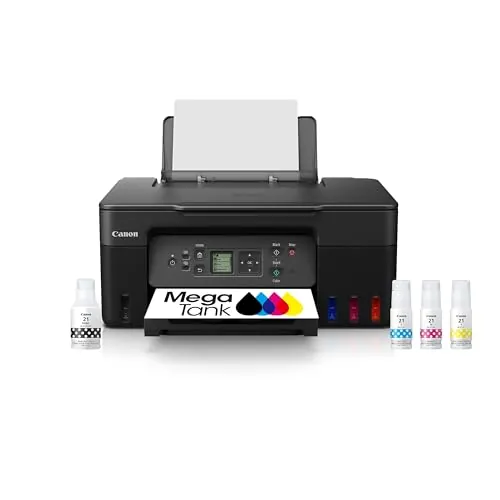
Canon MegaTank PIXMA G3270 Wireless All-in-One Printer — Black
The assigned black U.S. G3270. Canon lists a flatbed simplex scanner, GI-21 black and color ink bottles for its integrated tanks, and one rear paper tray; the model is included in Canon's G3070-series online manual.
Model 5805C002
Amazon ASIN B0BSMSYM9N
Differences that matter
What matters most to you?
Choose a priority to see what it changes.
Sources for Replacing print supplies
Sources for Paper source and media routine
Sources for Automatic duplex printing
Scanning: hands-off two-sided batches or platen-by-platen
MF753Cdw II's 50-sheet single-pass duplex ADF can scan both sides of an eligible stack in one pass. Canon lists 20 lb bond capacity, supported sizes including Letter and Legal, and ADF paper weights from 13 to 28 lb bond. That is a concrete workflow choice for recurring paperwork; measure and check unusual originals against the feeder limits.
G3270's support page identifies a simplex flatbed. Canon's multi-page PDF instructions have you scan one original on the platen, place the next original there, and repeat to append pages. It still supports multi-page files, but the operator handles each original. Use this method for occasional pages or photos when that handling is acceptable.
Supplies: replacement toner versus refill bottles
Canon identifies Toner 069 for the MF753Cdw II and lists toner in its box contents. Canon specifies the G3270's integrated tank system with GI-21 pigment-black and dye-based color bottles. These require different replenishment actions and exact reorder codes.
Compare the ongoing handling you prefer, not a savings claim: package yields depend on Canon's stated test conditions and actual jobs. This guide does not calculate cost per page, total cost or refill frequency.
Paper handling: separate feeds or one rear tray
MF753Cdw II lists a standard 250-sheet cassette and 50-sheet multipurpose tray; Canon also lists an optional 550-sheet cassette. The brochure includes cassettes and multipurpose-tray paper types, sizes and weights, including envelopes, labels and custom media. The second feed can be useful when a job routinely switches from plain paper to another stock.
G3270 uses one rear tray, listed for 100 sheets of plain paper or 20 sheets of 4 × 6 photo paper. Canon lists supported photo papers, cardstock, greeting cards, envelopes and specialty stock, with size and weight limits. Check the exact paper size and loading instructions for your stock instead of assuming all tray media can be mixed.
Do not confuse duplex printing with duplex-capable paper
Canon lists standard automatic double-sided printing for MF753Cdw II. G3270's print capability is listed as simplex, even though its media list includes double-sided matte paper. Those statements answer different questions: one describes how pages are printed; the other says a paper type is supported.
If a two-sided document packet is a routine requirement, select MF753Cdw II based on its documented print and scan paths. If single-sided output and G3270's refill bottles or specialty paper workflow fit, its simplex limitation may be acceptable.
Product details
Canon Color imageCLASS MF753Cdw II All-in-One Color Laser Printer — White
- Document scanning
- 50-sheet single-pass duplex ADF; Canon specifies 20 lb bond capacity, supported size and weight boundaries, and one-pass two-sided scanning. Source
- Print duplexing
- Automatic double-sided printing is standard. Source
- Supply family
- Canon Genuine Toner 069 (CMY and black); the brochure lists toner in the MF753Cdw II box. Source
- Paper feeding
- Standard 250-sheet cassette and 50-sheet multipurpose tray; an optional 550-sheet cassette is listed separately. Source
Canon MegaTank PIXMA G3270 Wireless All-in-One Printer — Black
- Document scanning
- Single-sided flatbed scanning, with an 8.5 × 11.7 in maximum document size; a multi-page PDF procedure requires loading each next original on the platen. Source
- Supply family
- Integrated tanks filled from GI-21 bottles: pigment black and dye-based cyan, magenta and yellow. Source
- Paper feeding and output
- Rear tray capacity is listed as 100 sheets of plain paper or 20 sheets of 4 × 6 in photo paper. Canon specifies simplex printing; its separate double-sided matte-paper support entry is a media compatibility note, not an automatic-duplex claim. Source
- Media examples
- Canon lists photo papers, double-sided matte paper, magnetic and restickable photo paper, iron-on transfers, cardstock, greeting cards and envelopes among supported media; check size and weight limits for the selected stock. Source
Before you buy
Community discussions
Checking two-sided output from your Mac
Canon MegaTank PIXMA G3270 Wireless All-in-One Printer — Black
A MegaTank G3270 user on macOS described manually turning pages after they could not find the two-sided print option they expected.
What to check
Open the print dialog on the computer you use. Check the available two-sided options separately from how each machine handles two-sided originals.
Common questions
Does G3270 multi-page PDF scanning mean it has an automatic document feeder?
No. Canon specifies G3270 as a single-sided flatbed scanner. Its multi-page PDF procedure asks you to place the next original on the platen and scan again before completing the file.Canon Support for MegaTank PIXMA G3270Canon G3070-series online manual: model applicabilityCanon G3070 series: Sending Scanned Data as E-Mail from Computer
Can both printers scan both sides of an original automatically?
Canon documents a 50-sheet, single-pass duplex ADF for MF753Cdw II, within stated original size and weight limits. G3270's scanner specification is simplex flatbed; for multi-page PDFs the manual shows manual platen placement for each next original.Canon imageCLASS MF753Cdw II and MF751Cdw II brochureCanon Support for MegaTank PIXMA G3270Canon G3070-series online manual: model applicabilityCanon G3070 series: Sending Scanned Data as E-Mail from Computer
Are Toner 069 and GI-21 two versions of the same refill?
No. The MF753Cdw II uses Toner 069 toner supplies. G3270 has integrated ink tanks filled from GI-21 bottles: pigment black and dye-based cyan, magenta and yellow. Verify the model and supply code before reordering.Canon imageCLASS MF753Cdw II and MF751Cdw II brochureCanon Support for MegaTank PIXMA G3270
Does G3270 print automatically on both sides because it supports double-sided matte paper?
Canon's G3270 technical specification lists printing capability as single-sided (simplex). The separate double-sided matte-paper entry is among compatible media; it does not establish automatic duplex printing. MF753Cdw II lists automatic duplex printing as standard.Canon Support for MegaTank PIXMA G3270Canon imageCLASS MF753Cdw II and MF751Cdw II brochure
Sources and scope
This is a buyer workflow comparison from Canon US specifications and manuals, not a test of print or scan quality, speed, reliability, ink or toner cost, or page yield. The MF753Cdw II ADF figures apply to eligible originals within Canon's stated size and paper-weight limits. The G3270 is included in Canon's G3070-series manual; check the exact 5805C002 listing and current instructions before purchase. No live price or operating-cost estimate is included.
- Canon imageCLASS MF753Cdw II and MF751Cdw II brochure
- Canon Support for MegaTank PIXMA G3270
- Canon G3070-series online manual: model applicability
- Canon G3070 series: Sending Scanned Data as E-Mail from Computer
- Canon Color imageCLASS MF753Cdw II product page — SKU 7185C011
- Canon MegaTank PIXMA G3270 product page — SKU 5805C002
Related comparisons
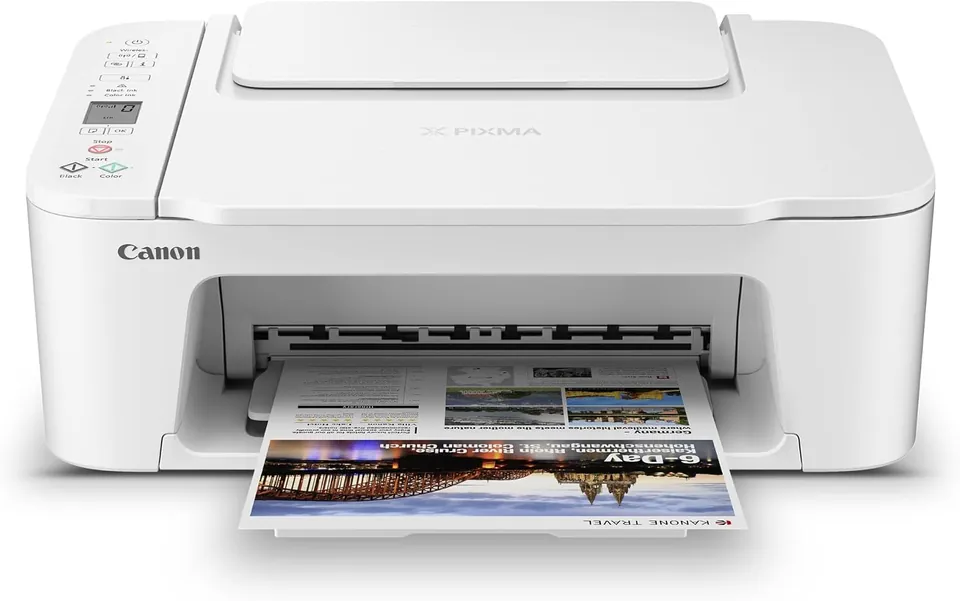
Canon PIXMA TS3720 vs G3270: Cartridge Changes, Tank Refills and Document Handling
The white Canon PIXMA TS3720 (6671C022) uses replaceable PG-275 black and CL-276 color cartridges; the black PIXMA G3270 (5805C002) uses GI-21 bottles and integrated tanks. Both print one side at a time and scan one original at a time on a flatbed, so neither is a fit for automatic duplex or feeder-based handling of a stack of stapled pages. Compare refill habits, rear-tray capacity and the way you process paperwork before choosing.
Read comparison
Canon PIXMA TS6520 vs MegaTank G3270: Ink, Duplex, Media, and Scanning
The white PIXMA TS6520 uses black and color FINE cartridges; the black MegaTank G3270 has four integrated ink tanks filled from GI-21 bottles. Canon lists duplex printing for the TS6520 and its Windows driver supports automatic or manual duplex. The G3270 product spec lists simplex printing, while its linked G3070-series Windows manual documents a manual reload-and-confirm two-sided workflow. Compare the refill task, paper handling, and flatbed scanner specs without assuming lower ink cost or better scan output.
Read comparison