
Products compared
Canon
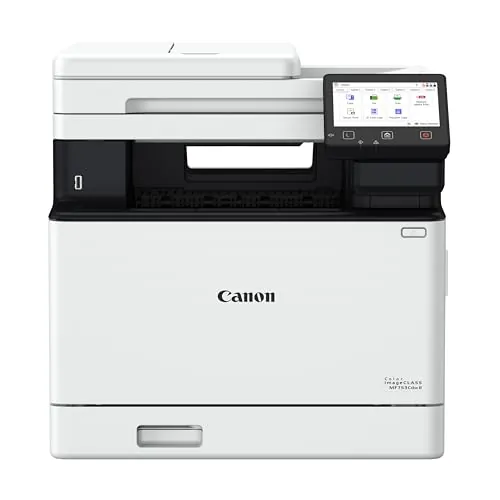
Canon Color imageCLASS MF753Cdw II
U.S. white model; Canon SKU 7185C011; color laser multifunction printer.
Model MF753Cdw II
Amazon ASIN B0FP3LJ74G

Canon
Canon PIXMA TS6520
U.S. white model; Canon SKU 7179C002; color inkjet multifunction printer.
Model PIXMA TS6520
Amazon ASIN B0FMBTJLX6
Differences that matter
What matters most to you?
Choose a priority to see what it changes.
Sources for Scanning two-sided originals
Sources for Duplex printing versus duplex scanning
Sources for Print-paper inputs
Sources for Consumable family
Sources for Listed body size and paper-loaded width
Separate duplex printing from duplex scanning
A two-sided print feature answers how the printer outputs a sheet. A duplex ADF answers whether a stack of double-sided originals can be fed and scanned on both sides in one pass. These are different jobs.
Canon documents two-sided printing for both products. The MF753Cdw II’s 50-sheet ADF is separately specified for one-pass, two-sided scanning. The TS6520’s scanner is a flatbed and its ADF capacity is N/A, so choose it only if placing originals on the glass matches your routine.
Compare paper paths and keep ADF capacity in its lane
The MF753Cdw II gives print paper a 250-sheet standard cassette and a 50-sheet multipurpose tray. Its 50-sheet ADF is a document intake path for originals; it is not a third paper tray for printing.
The TS6520 lists a 100-sheet plain-paper cassette. If your routine switches media often or relies on fewer refill interruptions, compare these listed tray arrangements with the kinds and sizes of paper you actually plan to load. This is a configuration comparison, not a claim about print speed.
Check supplies before you compare ongoing ownership
These are different supply systems: Canon lists Toner 069 / 069 H for the MF753Cdw II and PG-295 black plus CL-286 color cartridges for the TS6520. Match the replacement product number to the exact printer before ordering.
This comparison does not model yield or cost per page. The listed families help you identify what you would need to research separately rather than implying that one is cheaper to run.
Measure the printer in the state you will use it
Canon lists the MF753Cdw II at 16.8 × 18.2 × 17 inches and 48.5 pounds. For the TS6520, Canon gives closed dimensions and a different width when paper is installed: 14.8 × 14 × 6.7 inches closed and 14.8 × 21 × 6.7 inches with paper installed.
Use the relevant paper-loaded dimensions to screen your counter, then measure room to open and reach the feed and output paths. Neither product page provides a complete operating-clearance plan, so these numbers cannot guarantee a cabinet or shelf fit.
Product details
Canon Color imageCLASS MF753Cdw II
The MF753Cdw II is the choice to examine when your routine includes multi-page, two-sided originals for the ADF or a listed fax function. Its 250-sheet cassette and 50-sheet multipurpose tray are print-paper capacity; its separate 50-sheet ADF holds originals to scan.
- Listed functions
- Print, scan, copy, and fax Source
- Original scanning
- 50-sheet ADF; two-sided originals scan in one pass Source
- Paper input
- 250-sheet standard cassette plus 50-sheet multipurpose tray; ADF is separate original-handling capacity Source
- Supply family
- Canon Toner 069 / 069 H, CMYK Source
- Listed unit dimensions and weight
- 16.8 in W × 18.2 in D × 17 in H; 48.5 lb Source
Canon PIXMA TS6520
The TS6520 is the smaller listed body for a home routine where the flatbed covers scanning needs. Canon lists automatic two-sided printing, but that does not add an ADF: its product specifications identify a flatbed scanner and list ADF capacity as N/A.
- Listed functions
- Print, scan, and copy Source
- Original scanning
- Flatbed scanner; ADF capacity listed as N/A Source
- Two-sided printing
- Listed as 2-sided (duplex) printing; this is print output, not ADF scanning Source
- Paper input and supply family
- 100-sheet plain-paper cassette; PG-295 black and CL-286 color ink cartridges Source
- Listed dimensions and weight
- Closed: 14.8 in L × 14 in W × 6.7 in H; paper installed: 14.8 in L × 21 in W × 6.7 in H; 11.6 lb Source
Before you buy
Community discussions
Testing invitation cardstock in the PIXMA TS6520
Canon PIXMA TS6520
A TS6520 owner printed on plain paper but could not feed the 110 lb cardstock they bought for invitations. The post describes that paper and one printer.
What to check
If one reason for buying is specialty media, check the supported size, media type and feed path for your stock on each printer.
Common questions
Does the TS6520 print on both sides automatically?
Canon lists 2-sided (duplex) printing for the TS6520. This refers to print output; the same specification lists a flatbed scanner and ADF capacity as N/A.Canon Support for PIXMA TS6520
Can the TS6520 automatically scan a stack of two-sided originals?
Canon lists its scanner as flatbed and gives its ADF capacity as N/A. The MF753Cdw II is the model in this pair with a listed 50-sheet ADF that scans both sides in one pass.Canon Support for PIXMA TS6520Shop Canon Color imageCLASS MF753Cdw II
Are the 50-sheet ADF and 50-sheet multipurpose tray the same capacity?
No. The ADF holds originals to scan; the multipurpose tray is for printer paper. Canon lists the MF753Cdw II with a 250-sheet standard cassette, a separate 50-sheet multipurpose tray, and a separate 50-sheet ADF.Shop Canon Color imageCLASS MF753Cdw II
Which supplies should I check before buying?
Canon lists Toner 069 / 069 H for the MF753Cdw II and PG-295 black plus CL-286 color ink for the TS6520. Verify the exact cartridge or toner listing for the selected model; the family names alone do not establish price or page yield.Shop Canon Color imageCLASS MF753Cdw IICanon Support for PIXMA TS6520
Sources and scope
This guide uses Canon’s U.S. model pages and manuals for listed features and dimensions. It is not a print-quality, speed, reliability, or ink/toner-cost test. Dimensions are body measurements, not a complete operating-clearance plan.
Related comparisons

Canon PIXMA TR7120 vs TS6520: ADF, Ink, Duplex & Space Compared
The Canon PIXMA TR7120 adds a 35-sheet letter / 5-sheet legal automatic document feeder (ADF); the TS6520 scans from its flatbed only. Both use PG-295 black and CL-286 color ink, list a 100-sheet plain-paper cassette, and print automatically on both sides. Compare the feeder's real workflow value with the height and access your space allows.
Read comparison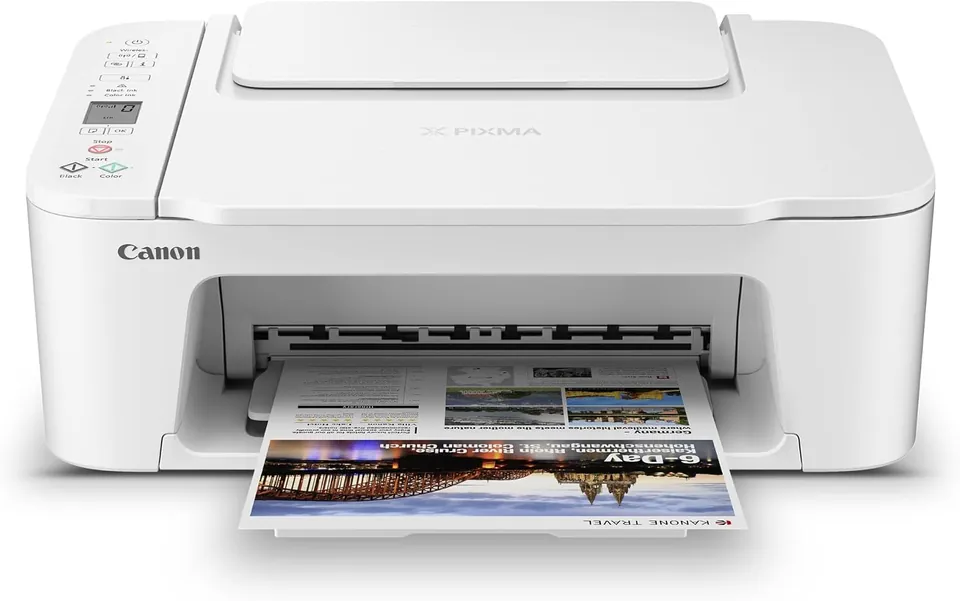
Canon PIXMA TS3720 vs TS6520: Duplex, Ink and Paper Loading
For the exact white U.S. models TS3720 (6671C022) and TS6520 (7179C002), choose around how you print: the TS6520 adds automatic duplex, borderless output through Letter, and a 100-sheet cassette. The TS3720 lists simplex capability, with manual duplex instructions in Canon's Windows driver; it loads up to 60 plain sheets at the rear. Their ink families differ, and Canon's published yield data is not directly comparable, so this guide does not name a lower-cost printer.
Read comparison