
Products compared
Canon
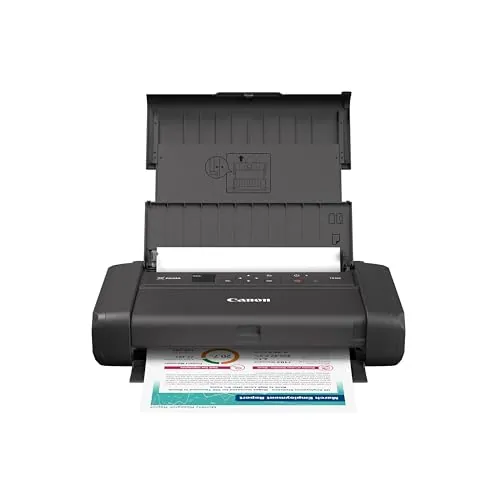
Canon PIXMA TR160
Black portable wireless printer; print-only configuration.
Model 7069C002
Amazon ASIN B0F1Z1VLV6

Canon
Canon PIXMA TS6520
White wireless home all-in-one printer with print, scan, and copy functions.
Model 7179C002
Amazon ASIN B0FMBTJLX6
Differences that matter
Sources for Where the work happens
Sources for Scanning and copying originals
Sources for Two-sided print handling
Start with the paperwork you actually do
The TR160 is the carry-with-you option when the main task is printing away from your usual desk. It is a print-only printer, so scanning or copying originals calls for another device or a separate capture step. Its battery is optional and sold separately, so verify the exact package if you need operation away from an outlet.
The TS6520 is the desk-workflow option: Canon lists print, scan, and copy, and its materials describe scanning through a flatbed. It can handle originals at the printer, but the referenced materials do not list an automatic document feeder for scanning a stack.
Check whether duplex means fewer interruptions for you
For the TR160's Canon Windows driver, manual duplex means the printer finishes one side, asks you to reload the paper correctly, and waits for you to press OK before printing the reverse. That is a concrete handling step to consider if you produce two-sided handouts often.
Canon documents an automatic duplex option for the TS6500-series Windows driver: it prints both sides without asking you to turn the sheet. The cited automatic procedure applies to Letter and A4 only. Confirm the driver, app, paper type, and size you actually use; these instructions do not establish identical controls on every device or platform.
A quick pre-check before choosing
Write down where the printer will sit, whether it needs to travel, whether you need to digitize paper originals at the printer, and how often you print Letter or A4 pages on both sides. Those four answers usually separate these two workflows.
Then check the exact offer's model code and package contents. For TR160 off-outlet use, confirm the separately sold battery is included or budgeted separately. For TS6520, make sure its flatbed suits the originals you scan and that your intended duplex job matches Canon's documented driver and paper-size limits.
Product details
Canon PIXMA TR160
Canon PIXMA TS6520
Before you buy
Community discussions
A traveler checks whether a TR160 purchase includes a battery
Canon PIXMA TR160
A poster expected a portable printer to include a battery and later identified the PIXMA TR160 and its optional LK-72 in a follow-up.
What to check
If printing away from an outlet is the reason to pick a travel model, check for the battery in the specific TR160 offer before ordering.
A traveler needs to print on the same paper they use at home
Canon PIXMA TR160
A shopper looking for a compact travel printer wanted ordinary paper and a wireless connection. One reply named the Canon TR160 as an option.
What to check
Check whether the travel printer takes the same plain paper sizes you use at your desk and which kind of connection you can use away from home.
Common questions
Does the TS6520 automatically scan a stack of pages?
The cited Canon materials describe a flatbed scan workflow and do not list an automatic document feeder for this model. Plan to place originals on the glass, or consider a printer whose exact specification lists an ADF if stack feeding is essential.PIXMA TS6520 Wireless Multi-Function Home PrinterTS6500 series Online Manual: applicable models and tasks
What is the practical difference in two-sided printing?
In Canon's Windows instructions, the TR160 prints one side, prompts you to reload the paper, and then prints the reverse side after you press OK. The TS6500-series driver manual documents an automatic mode that does not require turning the sheet; that mode is limited to Letter and A4 in the cited procedure.TR160 series: Duplex PrintingTS6500 series: Duplex Printing
Can the TR160 print when there is no outlet nearby?
Canon's published TR160 product-page evidence says its battery is optional and sold separately. Check the exact package contents and power requirements before planning an off-outlet setup.PIXMA TR160 Portable Wireless Printer
Sources and scope
This is a feature and workflow comparison, not a print-quality, speed, ink-cost, reliability, or hands-on ranking. Duplex steps and supported paper sizes are documented for Canon's Windows printer driver; confirm behavior for your operating system, application, paper, and exact bundle.
Related comparisons

Canon PIXMA TR7120 vs TS6520: ADF, Ink, Duplex & Space Compared
The Canon PIXMA TR7120 adds a 35-sheet letter / 5-sheet legal automatic document feeder (ADF); the TS6520 scans from its flatbed only. Both use PG-295 black and CL-286 color ink, list a 100-sheet plain-paper cassette, and print automatically on both sides. Compare the feeder's real workflow value with the height and access your space allows.
Read comparison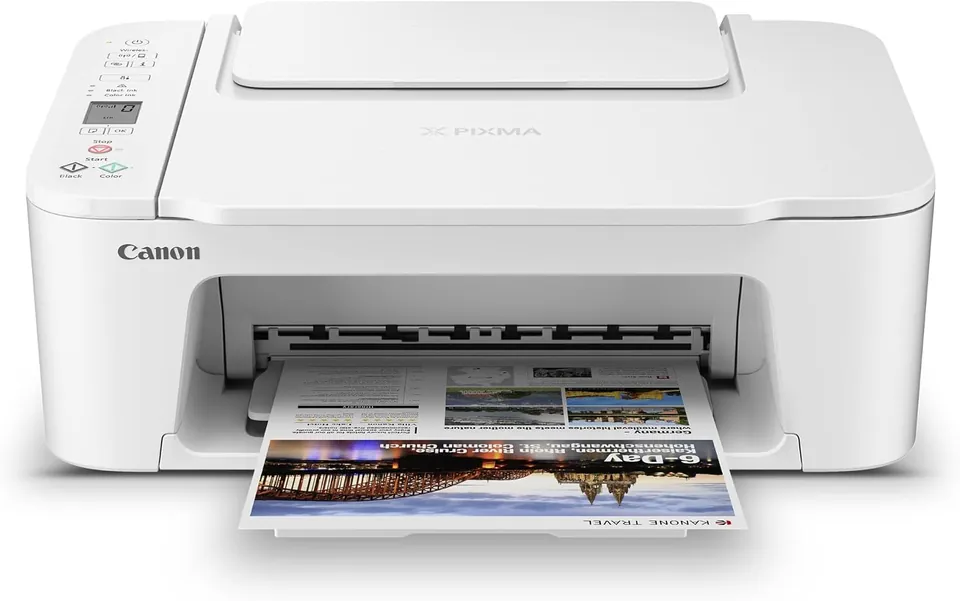
Canon PIXMA TS3720 vs TS6520: Duplex, Ink and Paper Loading
For the exact white U.S. models TS3720 (6671C022) and TS6520 (7179C002), choose around how you print: the TS6520 adds automatic duplex, borderless output through Letter, and a 100-sheet cassette. The TS3720 lists simplex capability, with manual duplex instructions in Canon's Windows driver; it loads up to 60 plain sheets at the rear. Their ink families differ, and Canon's published yield data is not directly comparable, so this guide does not name a lower-cost printer.
Read comparison