
Products compared

Canon
Canon PIXMA TR8620a Wireless Home Office All-in-One Printer
Canon U.S.A. identifies the TR8620a as a print/copy/scan/fax model. It has a flatbed plus a listed ADF for short stacks, two separately loaded paper paths, and five individual ink tanks. The Canon page lists manual two-sided scanning, which is different from its automatic two-sided printing feature.
Model 4451C032
Amazon ASIN B09TRZLPXP
HP
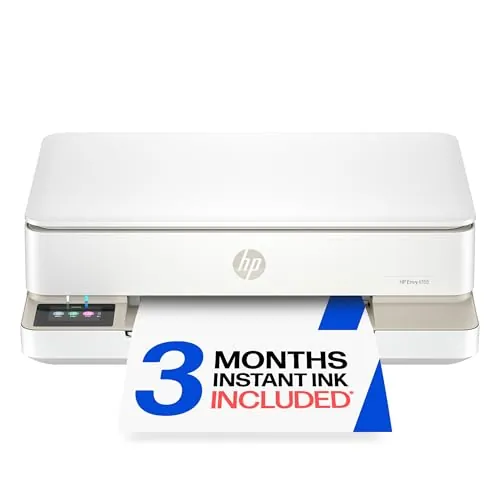
HP Envy 6155 All-in-One Printer
The selected ASIN's listing data identifies the HP Envy 6155 as C2WR7A#B1H; HP's U.S. product page lists that full product number. HP describes print, copy, scan and mobile fax functions, a flatbed scanner, one input tray and HP 68 black and tri-color cartridges. The technical specifications reviewed identify the flatbed scanner but do not state an ADF capacity.
Model C2WR7A#B1H
Amazon ASIN B0GMKRR64P
Differences that matter
What matters most to you?
Choose a priority to see what it changes.
Sources for Paper input and output
Sources for Ink replacement system
Start with the paper stack you need to handle
The Canon's clearest distinction is the feeder: Canon lists capacity for 20 Letter sheets or 5 Legal sheets, and a maximum ADF original size of 8.5 × 14 inches. HP's exact Envy 6155 specification identifies a flatbed; the technical details reviewed do not state an ADF capacity. If you copy or scan loose-page stacks, the Canon gives you a defined feeder route; for occasional single sheets, the HP glass workflow may be enough.
Do not read 'duplex' as automatic two-sided scanning. Both products list automatic two-sided printing. Canon separately says manual two-sided scanning; HP specifies a flatbed and does not state an ADF capacity in the technical details reviewed. If the job is to capture both sides of many originals in one pass, check for that exact capability in the model manual before buying.
Check whether you need one tray or two paper feeds
TR8620a lists a 100-sheet front cassette and a 100-sheet rear tray, so it can hold plain paper in front while using the rear feed for another supported stock. Canon lists rear-tray capacities by media—for example, up to 20 sheets of 4 × 6 photo paper or 10 sheets of 5 × 7 photo paper—so verify the capacity for your actual stock.
HP lists a single standard input tray with capacity up to 100 sheets and a 25-sheet output capacity. If you usually print from one ordinary paper stack, that input count is shared territory. If switching between media is frequent, compare the separate-feed setup and the relevant media limits instead of treating the capacity totals as directly equivalent.
Match the supply codes to your household
Canon's U.S. specifications identify five individual tanks: PGI-280 pigment black and CLI-281 dye-based black, cyan, magenta and yellow. HP identifies two cartridges for its Envy 6155—one black and one tri-color—and names HP 68 replacements. These are distinct systems, so check whether you already stock one family and verify exact codes against the offer before ordering.
No yield or cost-per-page comparison is made here. The maker pages do not establish a common print mix, test basis or current supply price, and cartridge count alone cannot settle long-term cost.
A short before-checkout list
First, write down the paper tasks you actually have: whether originals are one page or a stack, whether any are Legal size, whether you need two stocks loaded, and whether you need to scan one or both sides. Then match those jobs to the Canon's stated ADF/front-and-rear feed or HP's flatbed/single-tray spec.
Next, verify the ink code and full product number on the actual offer. The listing data's selected HP ASIN maps to C2WR7A#B1H; HP's U.S. page also names that full product number. If you need automatic two-sided feeder scanning, neither of these exact configurations is documented here as meeting it. Finally, measure the shelf and leave access for the selected paper input and output path.
Product details
Canon PIXMA TR8620a Wireless Home Office All-in-One Printer
- ADF capacity
- 20 sheets of Letter plain paper or 5 sheets of Legal plain paper; Canon lists ADF documents up to 8.5 × 14 in. Source
- Paper input
- 100 sheets of plain paper in the front cassette and 100 in the rear tray; Canon describes them as simultaneous front/rear paper feeds. Source
- Ink family
- PGI-280 pigment black plus CLI-281 dye-based inks in BK, C, M and Y individual tanks. Source
- Two-sided work
- Automatic two-sided printing is listed; the scanner feature list says manual two-sided scan. Source
HP Envy 6155 All-in-One Printer
- Scanner
- Flatbed scanner, maximum scan size 8.5 × 11.7 in; the specifications reviewed do not state an ADF capacity. Source
- Paper input
- One standard input tray, maximum 100 sheets; HP also lists a 25-sheet output capacity. Source
- Ink family
- Two cartridges: one black and one tri-color; HP names the replacement family as HP 68. Source
- Two-sided work
- Automatic two-sided printing is listed. The scanner is a flatbed; the reviewed technical specs do not state an ADF capacity. Source
Before you buy
Community discussions
Occasional photo prints and batches of originals
Canon PIXMA TR8620a Wireless Home Office All-in-One Printer
A small-office shopper in Europe considered the TR8620a for occasional printing, photos and monthly scans. They wanted a document feeder even though their overall print volume was low.
What to check
Estimate how often you scan stacks and switch between photo and plain paper. Those are separate reasons to value a feeder or a second paper input.
A TR8620a owner compares photo prints on plain paper
Canon PIXMA TR8620a Wireless Home Office All-in-One Printer
A TR8620a owner posted photos printed on standard Letter paper before and after changing groups of ink tanks.
What to check
Check which supplies each printer uses and try your usual photo stock before judging the two paper workflows.
Common questions
Can the HP Envy 6155 feed a stack of pages?
HP's U.S. specifications for the assigned Envy 6155 identify a flatbed scanner but do not state an ADF capacity in the technical details reviewed. If stack feed matters, confirm that capability for the exact product before buying.HP Envy 6155 All-in-One Printer — HP U.S. product page and specifications
Does the Canon TR8620a automatically scan both sides through its ADF?
Canon lists a 20-sheet Letter / 5-sheet Legal ADF and separately describes two-sided scanning as manual. Automatic two-sided printing is also listed, but that is a different workflow.Canon Support for PIXMA TR8620a — U.S. technical specifications
Which printer can keep two kinds of paper loaded?
Canon lists both a 100-sheet front cassette and a 100-sheet rear tray. HP lists one input tray with a 100-sheet capacity. Check each manufacturer's supported media types and sizes for the stock you intend to use.Canon Support for PIXMA TR8620a — U.S. technical specificationsHP Envy 6155 All-in-One Printer — HP U.S. product page and specifications
What ink codes should I check before ordering?
Canon lists PGI-280 pigment black and CLI-281 dye-based tanks. HP lists HP 68 black and tri-color cartridges for the Envy 6155. Confirm the exact model and cartridge code on the final offer; this comparison does not estimate yields or cost per page.Canon Support for PIXMA TR8620a — U.S. technical specificationsHP Envy 6155 All-in-One Printer — HP U.S. product page and specifications
Sources and scope
This is a source-backed workflow comparison, not hands-on testing. No print or scan quality, speed, reliability, yield or running-cost result is established. Canon documents manual two-sided scanning; its ADF does not establish automatic duplex scanning. HP's exact Envy 6155 specification identifies a flatbed; the technical details reviewed do not state an ADF capacity. Check the manufacturer pages and the final offer's product number before ordering; the HP product page labels the configuration C2WR7A#B1H.
Related comparisons

Canon PIXMA TR7120 vs TR8620a: Ink, Paper Feeds and Scanning
Both printers can automatically print on both sides and use an ADF, but neither automatically scans both sides of an original through that feeder. TR7120 holds up to 35 Letter sheets in its ADF; TR8620a holds 20 and adds fax, five individual ink tanks, a 100-sheet rear feed and Ethernet. Match the exact cartridge family and the paper or scan task you do most.
Read comparison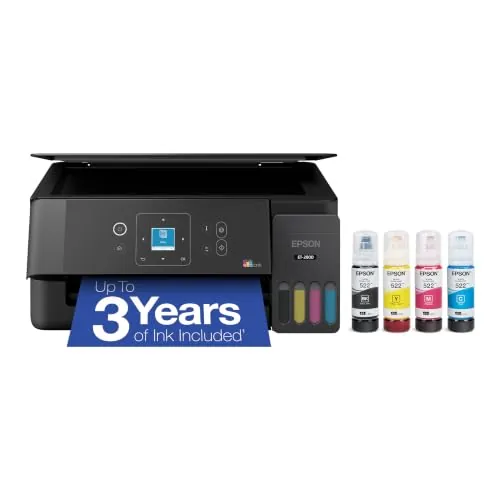
Epson EcoTank ET-2900 vs Canon PIXMA TR8620a: Refill Routine or ADF Workflow?
The black U.S. Epson EcoTank ET-2900 (C11CL63201) uses refillable ink tanks and scans from its flatbed; Epson's shared guide says this model group does not include an ADF or Ethernet. The Canon PIXMA TR8620a (4451C032) uses five individual ink tanks, adds an ADF for supported paper stacks, and lists USB, Wi-Fi, and Ethernet. Pick the workflow that matches your home office; neither maker's documentation establishes lower total ink cost or faster real-world work.
Read comparison