
Products compared
Corsair
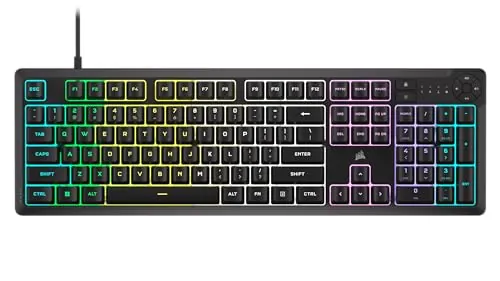
Corsair K55 CORE RGB (Black, US)
Full-size wired North American keyboard with rubber-dome membrane keys, ten-zone RGB, dedicated media controls and a dedicated Win Lock button.
Model CH-9226C65-NA
Amazon ASIN B0CP6BR96G
Corsair
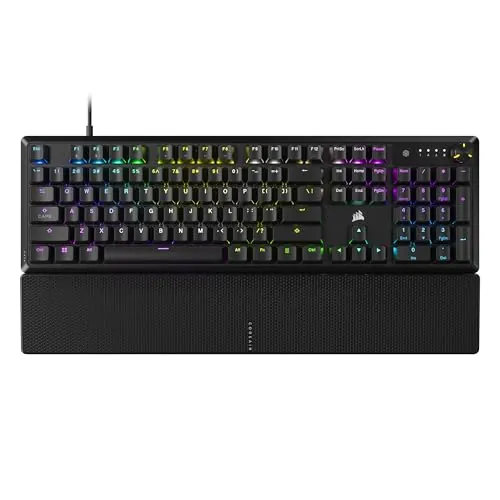
Corsair K70 CORE RGB with Palm Rest (Black, NA)
Full-size wired North American keyboard using Corsair MLX Red linear mechanical switches, with a multifunction rotary dial and the detachable magnetic palm rest included in this exact package.
Model CH-910981E-NA
Amazon ASIN B0CH3MRGK7
Differences that matter
What matters most to you?
Choose a priority to see what it changes.
Sources for Key mechanism and layout
Sources for Media and dial controls
Sources for Software and onboard setup
Sources for Included desk accessories and connection
Start with the keys and your daily controls
Both are full-size North American wired keyboards, so this choice is mainly about how the keys and media controls work. K55 CORE uses rubber-dome membrane keys and puts playback, volume and mute on dedicated buttons. The K70 CORE in this comparison uses Corsair MLX Red linear mechanical switches and has a multifunction dial with a play/pause button.
A preference for one switch type is personal. Corsair’s specifications establish what each keyboard contains; they do not establish which will feel faster, quieter or more comfortable to you.
Treat the K70 dial as a setup choice
K70’s manual gives the dial multiple modes. Volume is the default; lighting and vertical scroll are available, while horizontal scroll and zoom are disabled by default. Its media button starts as play/pause and can be customized through iCUE.
If you move between computers, set up the dial and profile behavior you want, then test it in the apps you use. Hardware mode uses saved settings when iCUE is not running, while software mode is controlled by iCUE. K55 also supports saved hardware settings; its macros are recorded in iCUE.
Check the exact K70 bundle and your connection
The K70 model in this comparison is CH-910981E-NA, whose Corsair package list includes a detachable magnetic palm rest. The K55 CH-9226C65-NA package lists the keyboard and documents, not a palm rest. If the rest matters, compare the printed model code and leave room for the accessory.
Both connect by cable to USB Type-A. Corsair lists USB 2.0 Type-A for the K55; the K70 quick-start guide specifies a USB 3.0 or better Type-A port. Confirm the port available on your target computer before ordering.
Product details
Corsair K55 CORE RGB (Black, US)
Corsair K70 CORE RGB with Palm Rest (Black, NA)
Before you buy
Community discussions
A K70 Core buyer asks about app-specific volume control
Corsair K70 CORE RGB with Palm Rest (Black, NA)
A new K70 Core RGB buyer wanted its dial to control one app, such as Apple Music.
What to check
If you need per-app volume, confirm that the keyboard or its software can control your app before choosing the K70 dial or the K55 media buttons.
Common questions
Does the K70 CORE need iCUE running for the dial to work?
Corsair says the K70 can use hardware mode with saved onboard profiles and settings when iCUE is not running. The manual lists volume, lighting, vertical scroll, horizontal scroll and zoom modes; horizontal scroll and zoom are off by default. Configure and check the saved behavior you need.K70 CORE manual and quick start guide
Does this K70 CORE listing include a palm rest?
The CH-910981E-NA product page lists the magnetic palm rest in the package contents. Check the seller’s exact model code because K70 CORE packages and editions vary.K70 CORE RGB Mechanical Gaming Keyboard with Palm Rest — Black, CH-910981E-NA
Sources and scope
This is a feature and setup comparison based on Corsair documentation, not a typing, noise, comfort, gaming or durability test. Verify the exact SKU before purchase: K70 CORE packages vary, and the listing here is CH-910981E-NA with a magnetic palm rest.
Related comparisons
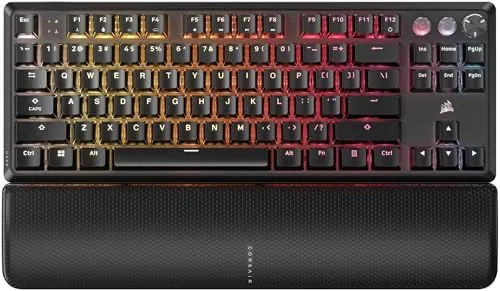
Corsair K70 PRO TKL vs K70 CORE: Adjustable Keys or a Full-Size Numpad?
Both are wired, North American-layout Corsair keyboards with a rotary dial and FlashTap support. The decision turns on layout and switch controls: K70 CORE keeps a full-size number pad and uses pre-lubed MLX Red linear mechanical switches; K70 PRO TKL removes the numpad and adds adjustable actuation and Rapid Trigger on its supported MGX magnetic keys. Neither spec sheet proves a faster, quieter or more comfortable typing experience.
Read comparison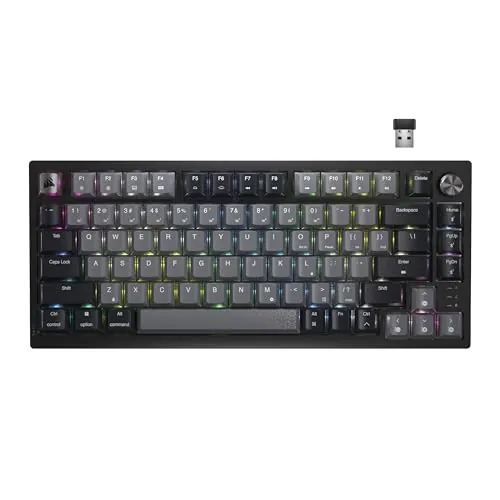
Corsair K65 Plus Wireless vs K70 CORE: Layout, Switches and Connection Modes
The black/gray Corsair K65 Plus Wireless (CH-91D401L-NA) keeps arrow and utility keys in a 75% layout and switches among 2.4GHz, Bluetooth and wired USB modes. The black Corsair K70 CORE with palm rest (CH-910981E-NA) is full-size with a 104-key matrix and wired USB Type-A. Both use Corsair MLX Red linear switches, but the K65 page explicitly describes its switches as hot-swappable and calls them MLX Red, while K70's page calls its switches MLX Red v2. Both support iCUE; choose by layout and host workflow rather than an untested typing-feel claim.
Read comparison