
Products compared
Corsair
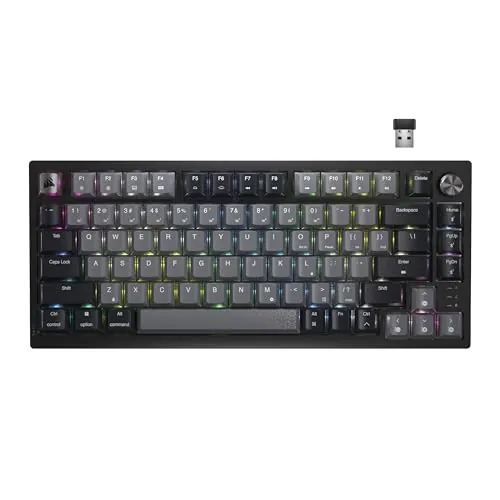
Corsair K65 Plus Wireless 75% Mechanical Keyboard
North American black/gray configuration with stock MLX Red linear switches.
Model K65 Plus Wireless CH-91D401L-NA (Original, MLX Red)
Amazon ASIN B0CQ31VFT4
Logitech
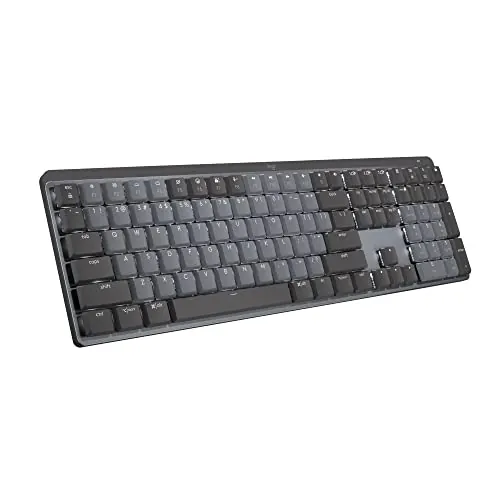
Logitech MX Mechanical Full-Size Wireless Keyboard
Full-size Graphite configuration with tactile switches; distinct from the MX Mechanical Mini and other switch choices.
Model MX Mechanical 920-010547 (Tactile, Graphite)
Amazon ASIN B09LK1P1RD
Differences that matter
What matters most to you?
Choose a priority to see what it changes.
Sources for Keyboard input over a cable
Sources for Desk layout and number pad
Sources for Device switching and controls
Start with the input connection you actually need
The K65 Plus has three distinct positions: 2.4GHz, Off, and Bluetooth. Corsair's guide identifies Off as wired mode; in either wireless position, plugging in the cable leaves the keyboard wireless while it charges. The included cable connects USB-C at the keyboard to USB-A at the host, so check your computer's port before ordering.
MX Mechanical uses Bluetooth or the included wireless receiver for keyboard input. Its USB-C cable charges the keyboard only, and Logitech says you can continue typing while it charges. If an organization requires a physical data connection, this exact Logitech configuration does not meet that requirement.
Match the stock switch and key layout
This K65 SKU is the Original CH-91D401L-NA with MLX Red linear switches. Logitech's 920-010547 is the Graphite tactile configuration; its other switch types use different part numbers. These product categories help screen for the press feedback you want, but they do not establish which keyboard feels better to you.
For desk layout, Corsair describes K65 Plus as a compact 75% board that retains arrow and utility keys. Logitech describes this MX Mechanical as full-size with a number pad. If your routine uses dedicated number entry, the layout is a meaningful reason to choose the Logitech; if desk area is constrained, the K65's compact layout is the better starting point.
Compare switching and customization before you buy
Both keyboards support more than one connection or paired device, but the controls are different. K65 Plus has dedicated 2.4GHz, wired and Bluetooth modes, stores Bluetooth pairings, and exposes dial, lighting and switch customization through Corsair's documented controls and iCUE. Logitech's Easy-Switch changes among up to three paired devices; Logi Options+ supports documented function-key and backlight customization.
If you move between computers, check whether each host can use your preferred Bluetooth or receiver path and whether your desk policy allows wireless input. If you plan to change switches or want the physical dial, Corsair documents those K65 features. No claim is made that either keyboard is faster, quieter, more comfortable or more durable in use.
Product details
Corsair K65 Plus Wireless 75% Mechanical Keyboard
Logitech MX Mechanical Full-Size Wireless Keyboard
- Stock switch
- Tactile Quiet; Logitech lists separate Tactile, Clicky, and Linear configurations Source
- Layout and device switching
- Full-size with integrated number pad; Easy-Switch can change among up to three paired devices Source
- Cable role
- USB-C cable charges the keyboard; keyboard input remains wireless Source
Before you buy
Community discussions
Trying the dial on the intended connection
Corsair K65 Plus Wireless 75% Mechanical Keyboard
One K65 Plus Wireless owner said the volume dial did not work through the wireless receiver even though they had selected volume control in their setup.
What to check
Try the media controls over the connection you will use at your desk. Check which actions depend on the companion application.
Common questions
Can the MX Mechanical type through its USB-C cable?
No. Logitech says the USB-C cable is for charging only. The keyboard can remain in use while charging, but input uses Bluetooth or the wireless receiver.Getting Started - MX Mechanical
Is this the tactile version of the K65 Plus?
No. This comparison covers Corsair part CH-91D401L-NA, the Original configuration with MLX Red linear switches. Corsair presents Tactile as a separate K65 Plus edition.K65 PLUS WIRELESS 75% RGB Mechanical Gaming Keyboard
Which exact Logitech model includes the number pad?
The assigned 920-010547 is the full-size MX Mechanical with a number pad. MX Mechanical Mini has a different part number and is outside this comparison.MX Mechanical Wireless KeyboardLogitech US and Canada Product List: MX Mechanical Part Numbers
Sources and scope
This guide covers Corsair K65 Plus Wireless CH-91D401L-NA (Original, MLX Red linear) and Logitech MX Mechanical full-size 920-010547 (Graphite, tactile). Other K65 switch editions, MX Mechanical switch options, the MX Mechanical Mini and modified keyboards are outside scope. No hands-on typing, noise, comfort, latency or durability tests are represented.
Related comparisons

Logitech MX Keys S vs MX Mechanical: Scissor or Tactile Quiet?
The Graphite MX Keys S uses scissor keys; the assigned full-size MX Mechanical is the Tactile Quiet low-profile mechanical version. Logitech lists 1.8 mm total travel for MX Keys S and 3.2 mm for MX Mechanical. Both support lighting, Bluetooth LE or a Logi Bolt receiver, and switching among up to three devices. Choose by a typing style you already know you want; these specifications do not establish typing speed, comfort or sound superiority.
Read comparison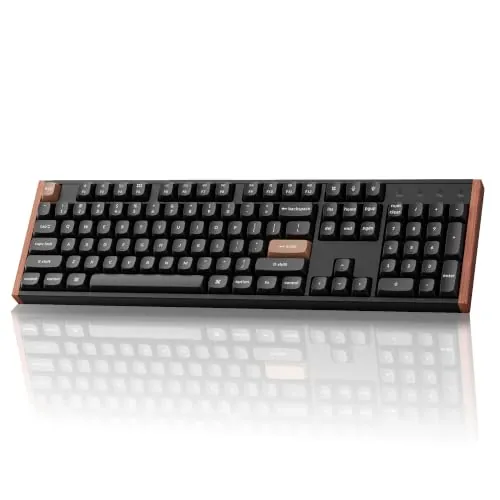
Keychron K10 HE vs CORSAIR K65 Plus Wireless: Full-Size or 75%?
The Keychron K10 HE is a full-size magnetic keyboard with tri-mode connection and browser-based Launcher; the CORSAIR K65 Plus is a 75% mechanical keyboard with MLX Red switches and tri-mode connection. Keychron's actuation range depends on switch version, and its selector does not identify the version included with K10H-F1. Check that exact configuration before choosing by travel range.
Read comparison