
Products compared
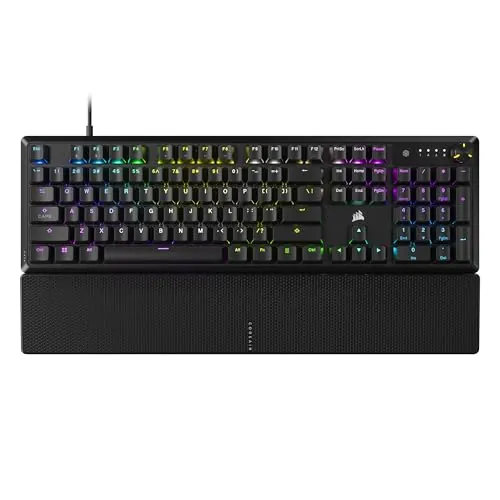
CORSAIR
CORSAIR K70 CORE RGB Mechanical Gaming Keyboard with Palm Rest — Black
US/NA layout; full-size 104-key configuration with included magnetic palm rest.
Model CH-910981E-NA
Amazon ASIN B0CH3MRGK7
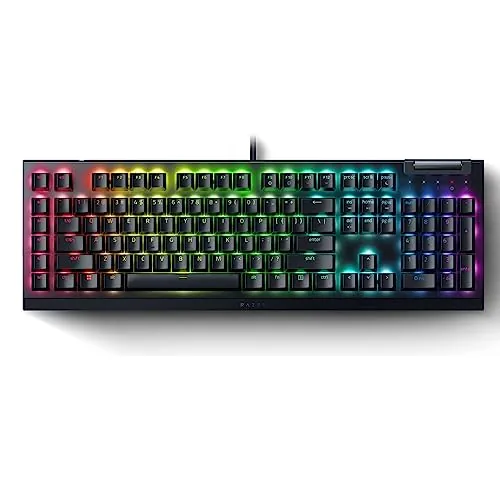
Razer
Razer BlackWidow V4 X — Yellow Switch — US — Black
Exact US layout and Yellow switch option; six dedicated macro keys plus a multi-function roller and media keys.
Model RZ03-04701900-R3U1
Amazon ASIN B0C8QYB8W6
Differences that matter
What matters most to you?
Choose a priority to see what it changes.
Sources for Key assignment workflow
Start with how you plan to use the controls
The K70 CORE’s dial is the broad, single-control option: Corsair lists volume, zoom, scrolling, and more. The BlackWidow V4 X Yellow instead places six dedicated macro keys beside a roller and secondary media keys. If you already know which actions you want at hand, choose the layout that places those actions where you will use them; neither arrangement has been tested here for productivity or game performance.
Both selected switch options are described as linear by their manufacturers. That narrows the choice only if linear versus tactile/clicky is your main concern; it does not tell you which board sounds or feels better. If you want a tactile, clicky switch, check a different exact switch configuration rather than assuming the Yellow listing is the green version.
Pre-buy checks: software, layout, and desk room
For Corsair, the exact page specifies a wired USB Type-A connection and PC or Mac with a USB 3.0 or 3.1 Type-A port; it also lists Windows 10 or macOS 10.15 or later and an internet connection to download iCUE. Razer’s V4 X guide explains Synapse setup and says internet is required for Synapse installation, updates, and cloud features, while noting a Razer ID is optional. The checked Razer guide text does not give the same OS/connector matrix, so verify current compatibility if your host is unusual or your customization workflow depends on it.
Check the layout labels on both listings: Corsair identifies the CH-910981E-NA layout as NA and lists 104 keys, while Razer’s SKU page selects US layout. Corsair includes a magnetic palm rest; Razer’s V4 X guide gives a body footprint of about 18.3 × 6 inches. Leave room for your own wrist-rest placement and verify desk dimensions against the exact listing rather than inferring fit from product photos.
Product details
CORSAIR K70 CORE RGB Mechanical Gaming Keyboard with Palm Rest — Black
- Switch option
- Pre-lubricated CORSAIR MLX Red v2 linear mechanical switches Source
- Controls and customization
- Multi-function media dial; iCUE supports per-key lighting, macros, and key remapping Source
- Host requirement
- Wired USB Type-A; PC or Mac with USB 3.0/3.1 Type-A; Windows 10 or macOS 10.15+; internet for iCUE download Source
Razer BlackWidow V4 X — Yellow Switch — US — Black
- Selected switch
- Razer Yellow Mechanical Switch; Razer’s switch guide classifies Yellow as linear Source
- Physical controls
- Six dedicated macro keys, a multi-function roller, and secondary media keys Source
- Customization and storage
- Razer Synapse key assignment and lighting controls; on-the-fly macro recording; up to five onboard profiles in the V4 X guide Source
Before you buy
Community discussions
Checking the volume dial during regular use
CORSAIR K70 CORE RGB Mechanical Gaming Keyboard with Palm Rest — Black
A K70 CORE RGB owner said the keyboard sometimes disappeared from iCUE at the same time its lighting froze and its volume dial stopped working.
What to check
Try the dial and media keys with your intended computer and software. Check which controls are available when you switch between hosts or apps.
Common questions
Are the two selected switches the same type?
The Corsair page calls MLX Red v2 linear. The exact Razer SKU page selects Yellow, and Razer’s mechanical-switch guide classifies its Yellow switch as linear. That does not mean the switches have identical sound or feel; these documents are not shared-condition tests.K70 CORE RGB Mechanical Gaming Keyboard with Palm Rest — Black, SKU CH-910981E-NARazer BlackWidow V4 X — Yellow Switch — US — Black, SKU RZ03-04701900-R3U1Razer Mechanical Switches Gen-3
Which one has dedicated macro keys?
Razer lists six dedicated macro keys for the BlackWidow V4 X. Corsair documents macros and key remapping through iCUE, but this is a software workflow rather than the same listed six-key macro cluster.Razer BlackWidow V4 X — Yellow Switch — US — Black, SKU RZ03-04701900-R3U1K70 CORE RGB Mechanical Gaming Keyboard with Palm Rest — Black, SKU CH-910981E-NA
Can I record a macro without assigning it in software first?
Razer’s V4 X guide documents on-the-fly recording: start recording, type the sequence, stop it, then bind the recording to a macro key. Corsair’s exact product page documents macro programming and remapping through iCUE; this guide does not claim the same recording flow for Corsair.Razer BlackWidow V4 X Master GuideK70 CORE RGB Mechanical Gaming Keyboard with Palm Rest — Black, SKU CH-910981E-NA
Which exact US layout and included rest should I check?
The Corsair CH-910981E-NA page lists NA layout and includes a magnetic palm rest. Razer’s exact RZ03-04701900-R3U1 page selects US layout; check its current package listing if an included wrist rest is important.K70 CORE RGB Mechanical Gaming Keyboard with Palm Rest — Black, SKU CH-910981E-NARazer BlackWidow V4 X — Yellow Switch — US — Black, SKU RZ03-04701900-R3U1
Do their official pages show which is quieter or faster?
No shared-condition test is cited here. The manufacturers’ switch categories and marketing descriptions do not establish which one is quieter, faster, or better to type on.K70 CORE RGB Mechanical Gaming Keyboard with Palm Rest — Black, SKU CH-910981E-NARazer Mechanical Switches Gen-3
Sources and scope
This guide compares documented switch categories, controls, layout, host requirements and package contents. It does not test sound, typing feel, latency, comfort, durability, or gaming performance. CORSAIR and Razer describe their switches with different language; neither description is a shared-condition comparison. The Razer manual gives setup and software details but the available text does not specify the connector or operating-system matrix for this exact US SKU, so verify those requirements if they are decisive.
Related comparisons
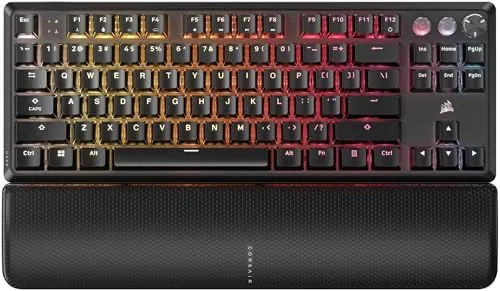
Corsair K70 PRO TKL vs K70 CORE: Adjustable Keys or a Full-Size Numpad?
Both are wired, North American-layout Corsair keyboards with a rotary dial and FlashTap support. The decision turns on layout and switch controls: K70 CORE keeps a full-size number pad and uses pre-lubed MLX Red linear mechanical switches; K70 PRO TKL removes the numpad and adds adjustable actuation and Rapid Trigger on its supported MGX magnetic keys. Neither spec sheet proves a faster, quieter or more comfortable typing experience.
Read comparison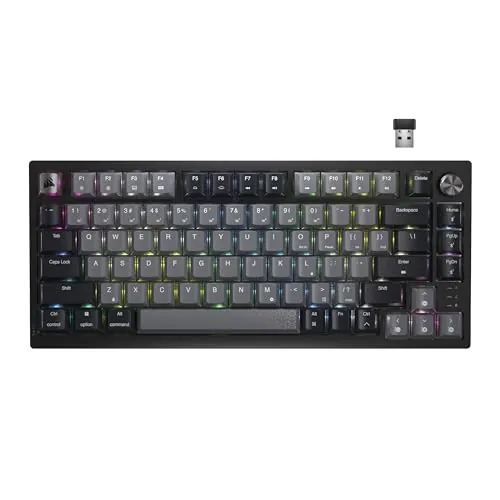
Corsair K65 Plus Wireless vs K70 CORE: Layout, Switches and Connection Modes
The black/gray Corsair K65 Plus Wireless (CH-91D401L-NA) keeps arrow and utility keys in a 75% layout and switches among 2.4GHz, Bluetooth and wired USB modes. The black Corsair K70 CORE with palm rest (CH-910981E-NA) is full-size with a 104-key matrix and wired USB Type-A. Both use Corsair MLX Red linear switches, but the K65 page explicitly describes its switches as hot-swappable and calls them MLX Red, while K70's page calls its switches MLX Red v2. Both support iCUE; choose by layout and host workflow rather than an untested typing-feel claim.
Read comparison