
Products compared
Dell
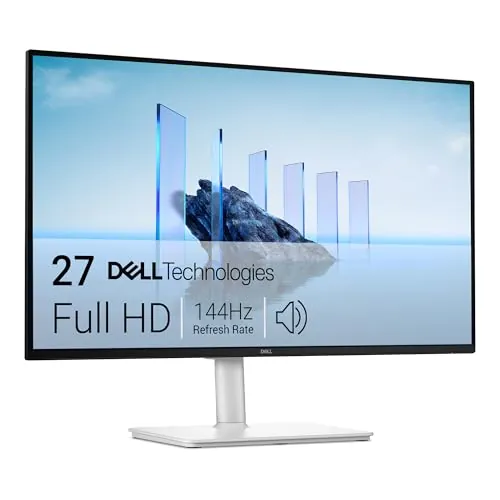
Dell 27 Plus Monitor S2725HSM, Ash White
The exact retailer offer is S2725HSM, Ash White, part M80H5. Dell lists a 27-inch 1920 × 1080 IPS display at up to 144Hz, two HDMI 1.4 inputs, and two built-in 3W speakers. Its stand is listed at 10.08 inches wide and 7.95 inches deep.
Model S2725HSM
Amazon ASIN B0G4MVZMT6

ASUS
ASUS ROG Strix XG27ACS 27-inch Monitor
The exact retailer offer is the black XG27ACS. ASUS lists 2560 × 1440 and a maximum 180Hz, with DisplayPort 1.4, HDMI 2.0, and USB-C DisplayPort Alt Mode. ASUS specifies 7.5W USB-C Power Delivery and lists an earphone jack; the specification does not establish whether integrated speakers are present.
Model XG27ACS
Amazon ASIN B0CV24GQ9W
Differences that matter
Sources for Native pixel grid at the listed 27-inch size
Sources for Refresh ceiling depends on which ASUS input you use
Sources for Port and audio setup
Sources for USB-C power and laptop charging
Sources for Desk footprint and stand measurement
Start with the setup you actually have
These two 27-inch monitors answer different setup questions. The Dell is a Full HD display with confirmed speakers and two HDMI inputs. The ASUS raises the listed resolution to QHD and adds DisplayPort and USB-C video inputs. Neither specification alone tells you how your own computer will look or perform.
Before deciding, identify your computer's video outputs and the cable you plan to use. The ASUS's 180Hz maximum is specified on DisplayPort and USB-C; on HDMI, ASUS lists up to 144Hz. Dell lists its S2725HSM maximum at 144Hz. Check the host's mode support and settings as well as the monitor's headline specification.
What the pixel-count difference means—and does not mean
Both are listed at 27 inches, but their native grids differ: Dell is 1920 × 1080 and ASUS is 2560 × 1440. Multiplying those dimensions gives roughly 2.07 million versus 3.69 million pixels, so ASUS has about 78% more pixels by calculation. That can be a useful way to describe the resolution choice; it is not a controlled comparison of sharpness, color, motion, or gaming results.
If your intended apps or source are set up for Full HD, the Dell specification may be enough for your needs. If you specifically want a QHD grid, make sure the host and connection support the mode you plan to use.
Inputs, speakers, and the USB-C power limit
Dell lists two HDMI 1.4 inputs and marks USB and USB-C as not present. Its product page confirms two integrated 3W speakers. ASUS lists DisplayPort 1.4, HDMI 2.0, USB-C with DisplayPort Alt Mode, and an earphone jack. The exact ASUS specification does not establish whether built-in speakers are included, so leave that point unresolved if it matters to your purchase.
The ASUS USB-C connection's power delivery is specified at 7.5W. Treat it as a possible display input for a compatible host, not as a laptop charging solution. Verify USB-C DisplayPort support on the laptop and plan to use its regular charger if needed.
Measure the stand area, not only the screen diagonal
Dell publishes a 10.08-inch stand width and 7.95-inch stand depth. ASUS lists its overall dimensions with the stand as 24.20 inches wide, 20.19 inches high, and 8.61 inches deep; it also gives a 100 × 100 mm VESA mounting pattern. The overall ASUS depth and Dell's stand depth are different measurements, so do not compare them as if they described identical footprints.
Measure your clear desktop and the route for power/video cables. If you plan to use an arm or wall mount, verify the exact mounting hardware and available space separately. Dimensions provide a planning reference, not a guarantee that a particular desk, arm, or cable layout will fit.
Product details
Dell 27 Plus Monitor S2725HSM, Ash White
ASUS ROG Strix XG27ACS 27-inch Monitor
- Native resolution and refresh
- 2560 × 1440; maximum 180Hz over DisplayPort or USB-C, 144Hz over HDMI Source
- Inputs and USB-C power
- DisplayPort 1.4, HDMI 2.0, USB-C DisplayPort Alt Mode; USB-C PD 7.5W Source
- Overall size with stand
- 24.20 × 20.19 × 8.61 in (W × H × D), manufacturer estimates that may vary by region Source
Before you buy
Community discussions
Checking the matte surface with a bright document
ASUS ROG Strix XG27ACS 27-inch Monitor
An XG27ACS owner noticed a grain-like sheen most clearly on light backgrounds such as web pages and documents.
What to check
Open your usual text app on a light page. Compare the surface you will look at all day as well as the listed resolution and connection.
Common questions
Does the ASUS XG27ACS reach 180Hz over HDMI?
ASUS lists HDMI vertical frequency up to 144Hz. Its 180Hz ceiling is listed for DisplayPort and USB-C. Your host, cable, resolution, input, and settings still need to support the intended mode.ROG Strix XG27ACS - Tech Specs
Can I use the ASUS USB-C connection as my laptop charger?
The specification lists USB-C Power Delivery at 7.5W. Do not plan on that replacing your laptop's main power adapter; check your laptop's own power requirements and keep its charger available where needed.ROG Strix XG27ACS - Tech Specs
Which one has built-in speakers?
Dell's S2725HSM listing confirms two built-in 3W speakers. ASUS's cited XG27ACS specification lists an earphone jack but does not establish built-in-speaker status, so verify with ASUS if that feature is required.Dell S 27 Inch Computer Monitor - S2725HSMROG Strix XG27ACS - Tech Specs
Does QHD mean the ASUS will look better?
It has a higher listed native resolution than the Dell: 2560 × 1440 versus 1920 × 1080. That gives it about 78% more pixels by calculation, but the specifications do not establish which display looks better in use.Dell S 27 Inch Computer Monitor - S2725HSMROG Strix XG27ACS - Tech Specs
Will either stand fit my desk?
Dell publishes stand dimensions of 10.08 inches wide by 7.95 inches deep. ASUS lists overall dimensions with the stand of 24.20 inches wide by 8.61 inches deep, not a like-for-like base measurement. Measure the available surface, cable clearance, and your chosen stand or arm arrangement.Dell S 27 Inch Computer Monitor - S2725HSMROG Strix XG27ACS - Tech Specs
Sources and scope
No matched hands-on display, audio, or gaming test was performed. Published resolutions, refresh ceilings, ports, and dimensions describe specifications, not panel quality or performance in use. The host graphics output, cable, input, and settings determine the mode available. ASUS lists 7.5W USB-C PD, which should not be treated as laptop charging. Its technical specifications confirm an earphone jack but do not settle built-in-speaker status. The Dell page provides a specific stand width and depth; ASUS publishes overall with-stand dimensions, so those depth numbers are not a like-for-like stand-base measurement. Measure your own usable space.
Related comparisons
ASUS ROG Strix XG27ACS vs TUF VG27AQ3A: USB-C, 180Hz and Desk Setup
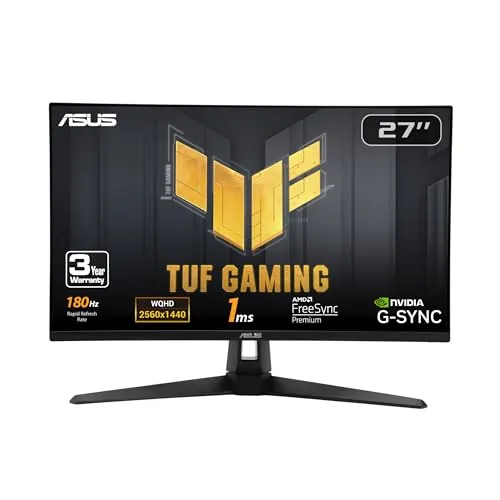
Both exact ASUS models are 27-inch 2560×1440 Fast IPS monitors with a listed maximum refresh rate of 180Hz. The connector path matters: ASUS lists HDMI up to 144Hz on both; ROG XG27ACS also lists DisplayPort and USB-C DisplayPort Alt Mode up to 180Hz, while TUF VG27AQ3A lists DisplayPort up to 180Hz. ROG adds USB-C with 7.5W power delivery and a stand that raises up to 120 mm and rotates to portrait. TUF has two HDMI inputs, built-in 2W × 2 speakers, tilt and swivel, but no stand height adjustment or pivot. Before buying, match the monitor input to your computer's output and decide whether you need to raise the screen or connect multiple HDMI sources.
Read comparison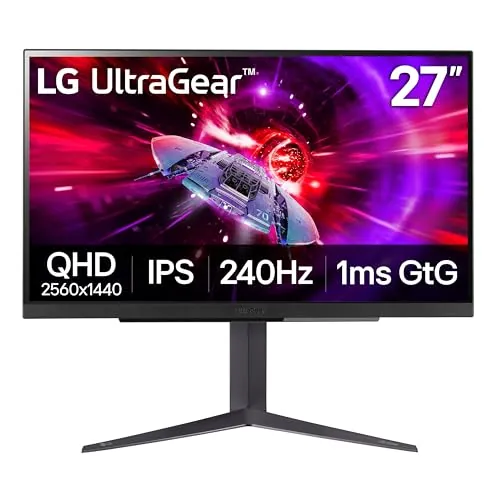
ASUS ROG Strix XG27ACS vs LG 27GR83Q-B.AUS: Refresh Rate, USB-C, and Stand Fit
Both are 27-inch QHD gaming displays, but the useful refresh ceiling depends on your cable path. ASUS XG27ACS carries video over USB-C DisplayPort Alt Mode and supports 180Hz through USB-C/DisplayPort, with HDMI listed to 144Hz. LG 27GR83Q-B.AUS offers two HDMI 2.1 inputs and DisplayPort, with up to 240Hz when the graphics card supports the required interface. Check the exact host output, cable and stand movement your desk needs before buying.
Read comparison