
Products compared
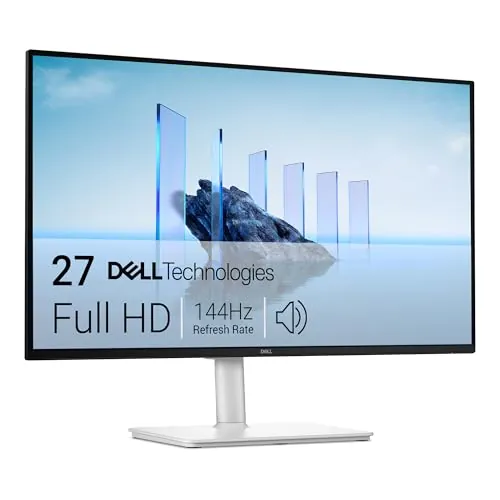
Dell
Dell S2725HSM 27 Plus Monitor
A 27-inch flat 1920 × 1080 display with two HDMI inputs and an included height-adjustable stand. Dell publishes 144 Hz support over HDMI 1.4 for this model.
Model S2725HSM (M80H5)
Amazon ASIN B0G4MVZMT6
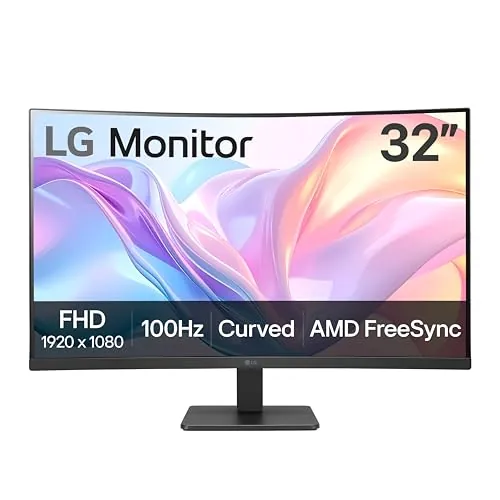
LG Electronics Inc.
LG 32MR50C-B.AUSQ 31.5-inch FHD Curved Monitor
The exact U.S. support/model suffix is .AUSQ. LG lists a 31.5-inch curved Full HD panel, two HDMI inputs, one D-Sub input, tilt adjustment and a 100 × 100 mm VESA pattern.
Model 32MR50C-B.AUSQ
Amazon ASIN B0CMC2FZFD
Differences that matter
What matters most to you?
Choose a priority to see what it changes.
Sources for Panel format and resolution
Sources for With-stand footprint (W × H × D)
Sources for Stand movement and mounting
Start with the monitor footprint, not the box label
Dell calls the S2725HSM a 27-inch FHD flat monitor. Its published maximum with-stand height is 19.65 inches and its depth with stand is 7.95 inches; height can compress to 15.32 inches. LG markets the 32MR50C-B as 32-inch, while its exact U.S. .AUSQ sheet specifies 31.5 inches. LG’s listed with-stand dimensions are 27.9 inches wide, 20.2 inches high and 9.2 inches deep.
Before choosing the larger curved LG, mark the screen and stand footprint on the desk and account for your keyboard, wall distance and cable bend. If the desk is shallow or the screen needs to move vertically through the day, Dell’s listed stand range is the more relevant distinction. Dimensions are manufacturer specifications; fit depends on your actual desk and routing.
Match the input to your computer and target mode
Both monitors are specified at 1920 × 1080. Dell lists two HDMI 1.4 inputs and documents support up to 1920 × 1080 at 144 Hz over HDMI 1.4. LG’s exact U.S. sheet lists two HDMI inputs and one D-Sub input, with 100 Hz as its maximum monitor refresh specification. The cited U.S. sheet does not provide a separate maximum for each LG input.
If an older PC or device only outputs VGA/D-Sub, LG’s listed D-Sub connection may be useful; check the source’s own output limits and the monitor manual for the mode you intend to run. For either monitor, an advertised maximum is not a promise that every computer, cable or application will deliver that mode.
Choose the stand movement you actually need
Dell lists height, pivot, swivel and tilt adjustments for the S2725HSM stand, and provides a 100 × 100 mm VESA pattern. LG lists tilt adjustment on the stand and a 100 × 100 mm wall-mount pattern for 32MR50C-B.AUSQ. If you routinely raise, rotate or turn a screen, that documented movement favors Dell’s included stand. If LG’s screen format is your preference but its tilt-only stand does not suit the desk, check an appropriate separate VESA mount and its package status before buying.
The listed attachment pattern alone does not confirm a particular arm, desk clamp or wall location is suitable. Check the exact monitor and mount instructions for the load and clearance requirements.
Three checks before checkout
1. Measure your desk’s usable width and front-to-back space, then compare them with the published W × H × D measurements. Keep room for cables and the screen position you want.
2. Write down your source-device output and desired resolution/refresh combination. Confirm the exact port and mode in the monitor and source documentation, particularly if using LG’s D-Sub input.
3. Decide whether you need movement from the included stand or will use a separately verified VESA mount. Confirm package contents for your exact offer instead of assuming a mount is included.
Product details
Dell S2725HSM 27 Plus Monitor
LG 32MR50C-B.AUSQ 31.5-inch FHD Curved Monitor
Before you buy
Community discussions
Checking a larger screen against an existing monitor row
Dell S2725HSM 27 Plus Monitor
An owner with two matching S2719DGF monitors is considering a third display and prefers the panels to line up; the post does not describe using the S2725HSM or a curved display.
What to check
Measure the space for a third screen and decide whether a larger curved panel fits your intended arrangement alongside the existing displays.
Common questions
Which one needs less front-to-back desk space?
The manufacturer lists Dell S2725HSM at 7.95 inches deep with its stand and LG 32MR50C-B.AUSQ at 9.2 inches deep with its stand. Measure your desk and allow additional room for cables; your own layout may differ.Dell S 27 Monitor - S2725HSM: specifications, dimensions and package contents32MR50C-B.AUSQ U.S. Specification Sheet
Will LG work with a VGA/D-Sub source?
LG’s exact U.S. specification sheet lists one D-Sub input alongside two HDMI inputs. Check the output and supported signal of your particular source. The sheet lists 100 Hz as the monitor’s maximum overall refresh rate but does not set a maximum for each input.32MR50C-B.AUSQ U.S. Specification SheetLG 32MR50C-B.AUSQ Product Support: Manuals, Warranty & More
Can either stand raise or rotate the display?
Dell lists height, pivot, swivel and tilt adjustment. LG lists tilt adjustment; it also lists a 100 × 100 mm VESA pattern. Verify a separate mount and its compatibility if that is your plan.Dell S 27 Monitor - S2725HSM: specifications, dimensions and package contents32MR50C-B.AUSQ U.S. Specification Sheet
Sources and scope
Manufacturer-specification comparison only; no monitor, image-quality, gaming, comfort or sound testing, no price analysis and no promise of fit with a specific desk or source.
Related comparisons
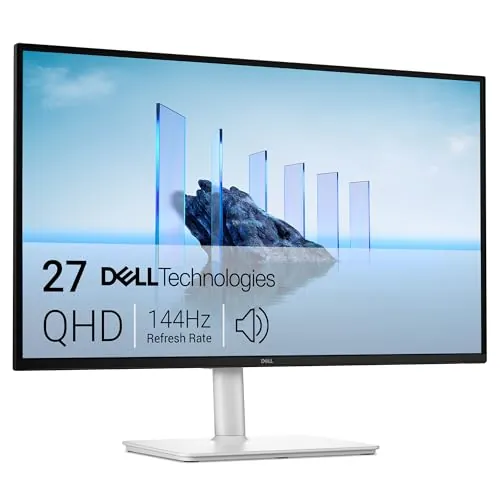
Dell S2725HSM vs S2725DSM: FHD, QHD and the Inputs on Your Desk
Both are 27-inch Dell monitors with height, pivot, swivel and tilt adjustment. The S2725HSM is 1920 × 1080 at up to 144 Hz over its two HDMI inputs. The S2725DSM is 2560 × 1440 at up to 144 Hz and adds DisplayPort 1.4, but has one HDMI input. Choose by the resolution your apps and source can use and the ports you need to keep connected; the monitor's listed maximum does not guarantee your computer, dock or cable can produce that mode.
Read comparison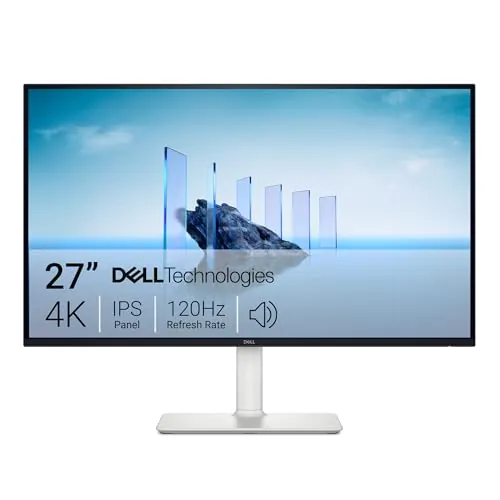
Dell S2725QS vs S2725HSM: 4K 120Hz or FHD 144Hz?
Choose Dell’s S2725QS for a 4K workspace at up to 120Hz with DisplayPort 1.4 or HDMI 2.1. Choose the S2725HSM if 1080p at up to 144Hz over HDMI fits your computer and setup. For either monitor, match the input and the available cable or dock to the mode your source actually supports.
Read comparison