
Products compared
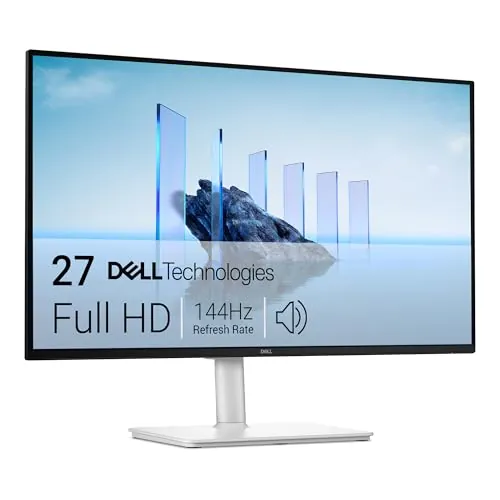
Dell
Dell 27 Plus Monitor S2725HSM
Ash White 27-inch 1920 × 1080 IPS monitor with the included adjustable stand; Dell part M80H5.
Model S2725HSM
Amazon ASIN B0G4MVZMT6
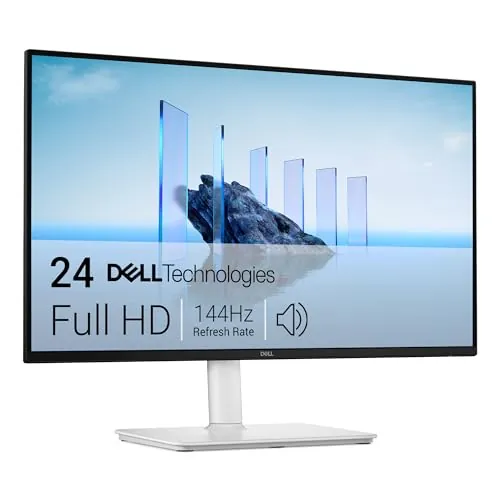
Dell
Dell 24 Plus Monitor S2425HSM
Ash White 23.8-inch 1920 × 1080 IPS monitor with the included adjustable stand; Dell part C2GFV.
Model S2425HSM
Amazon ASIN B0G49SZ24N
Differences that matter
What matters most to you?
Choose a priority to see what it changes.
Sources for Screen size at the same FHD pixel count
Sources for The desk needs to hold both the base and full panel width
Sources for Installed height and stand adjustment
Sources for Refresh, connections and built-in speakers
Sources for Stand, mounting and included cable
Start with the same resolution and different screen sizes
Both models display 1920 × 1080. Dell lists a 27-inch viewable panel and 82 PPI for the S2725HSM; its S2425HSM is 23.8 inches with 93 PPI. That gives you a larger physical panel on one side and a higher pixel-density specification on the other, while the total listed pixel count remains Full HD.
Use the PPI difference as a specification, not a promise that one will look sharper at your distance. If higher resolution is the goal, neither of these Full HD models meets it.
Check the base separately from the screen edges
The S2725HSM's base is listed at 10.08 inches wide and 7.95 inches deep, while the S2425HSM base is 9.53 inches wide and 7.55 inches deep. The full panels are wider: 24.00 inches for the 27-inch model and 21.17 inches for the 23.8-inch model.
Before buying, mark the base rectangle where it will stand and check that the panel width clears nearby objects. This avoids a common fit error: a base that sits on the desk does not mean the full screen will clear a shelf support or second display. The figures are Dell's published measurements; confirm fit against your actual setup.
Include the stand's height range in the shelf check
With the stand compressed or extended, Dell lists S2725HSM installed height at 15.32–19.65 inches. For S2425HSM, it lists 13.66–17.99 inches. Both stand pages list up to 4.33 inches of height adjustment and tilt, swivel and pivot adjustments.
If a hutch, shelf or camera must sit above the panel, compare the extended figure with your clearance rather than measuring only the base. Both models list a 100 × 100mm VESA mounting pattern if your setup uses a compatible arm; confirm the arm's capacity and clearance independently.
Do not assume the larger model adds ports or speakers
On Dell's U.S. model pages, both monitors list two HDMI 1.4 inputs, support 1920 × 1080 at 144Hz over HDMI, and include two 3W speakers. Dell also lists an adjustable stand and 1.8m HDMI 1.4 cable for each.
Those listed items do not separate the two sizes. If HDMI 144Hz or integrated speakers are important, both pages show the same listed configuration; verify the live offer's exact model and condition. Speaker wattage identifies the published rating but does not compare sound quality.
Choose the size that fits the room and desk
The S2725HSM is the larger-screen choice when the 27-inch panel is your priority and its width and maximum installed height fit the space. The S2425HSM is the smaller-panel choice when you want a 23.8-inch FHD screen and its more compact published base and panel dimensions are helpful.
Neither is established as the visual winner. If neither Full HD resolution nor the listed HDMI inputs fit your needs, use those as filters when looking at other exact models.
Product details
Dell 27 Plus Monitor S2725HSM
- Screen size and density
- 27-inch viewable screen; Full HD 1920 × 1080; Dell lists 82 PPI. Source
- Ports and refresh
- Dell lists two HDMI 1.4 inputs and supports 1920 × 1080 at up to 144Hz over HDMI. Source
- Stand dimensions
- Base: 10.08 in wide × 7.95 in deep. Panel with stand: 24.00 in wide and 15.32–19.65 in high. 100 × 100mm VESA mounting is listed. Source
Dell 24 Plus Monitor S2425HSM
- Screen size and density
- 23.8-inch viewable screen; Full HD 1920 × 1080; Dell lists 93 PPI. Source
- Ports and refresh
- Dell lists two HDMI 1.4 inputs and supports 1920 × 1080 at up to 144Hz over HDMI. Source
- Stand dimensions
- Base: 9.53 in wide × 7.55 in deep. Panel with stand: 21.17 in wide and 13.66–17.99 in high. 100 × 100mm VESA mounting is listed. Source
Before you buy
Community discussions
Adding a third display beside two matching 27-inch monitors
Dell 27 Plus Monitor S2725HSM
An owner with two matching S2719DGF monitors considers the S2725HSM as a third display and says lining up the frames matters to them; this is a fit question, not a report that the models align.
What to check
If a multi-monitor row matters, compare the exact 27-inch and 24-inch panel sizes and stand adjustment against your available desk width before choosing.
Common questions
Do the Dell S2725HSM and S2425HSM use the same resolution and refresh rate?
Dell lists both at 1920 × 1080 and up to 144Hz over their HDMI inputs. The 27-inch model lists 82 PPI and the 23.8-inch model lists 93 PPI.Dell 27 Plus Monitor - S2725HSM (M80H5)Dell 24 Plus Monitor - S2425HSM (C2GFV)
Which model needs less desk space?
The S2425HSM has the smaller listed stand base (9.53 × 7.55 inches versus 10.08 × 7.95 inches) and monitor width (21.17 versus 24.00 inches). Measure your own placement and clearance before deciding.Dell 27 Plus Monitor - S2725HSM (M80H5)Dell 24 Plus Monitor - S2425HSM (C2GFV)
Does either monitor include speakers or an adjustable stand?
Dell lists an adjustable stand and two 3W speakers for both models. This comparison does not assess speaker sound quality.Dell 27 Plus Monitor - S2725HSM (M80H5)Dell 24 Plus Monitor - S2425HSM (C2GFV)
Does the 93 PPI rating mean the S2425HSM will look sharper?
It means Dell lists more pixels per inch for the 23.8-inch model at the same resolution. These specifications do not establish perceived sharpness for every viewer or viewing distance; no matched viewing test was performed.Dell 27 Plus Monitor - S2725HSM (M80H5)Dell 24 Plus Monitor - S2425HSM (C2GFV)
Sources and scope
This guide compares Dell's U.S. product specifications and dimensions, not observed picture quality. Higher listed PPI does not establish which monitor looks sharper at a particular distance, and no matched visual, gaming, eye-comfort or audio testing was performed. Measure your own space and confirm the exact model before purchase.
Related comparisons
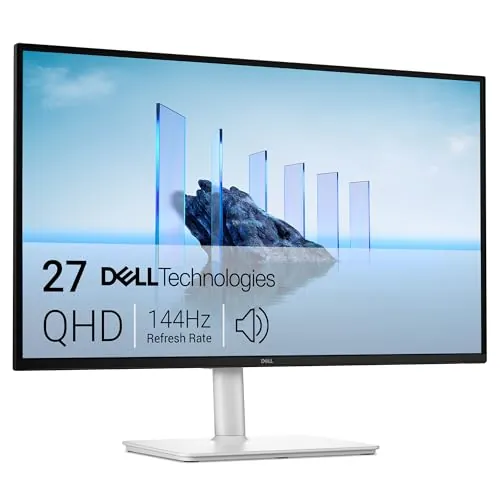
Dell S2725HSM vs S2725DSM: FHD, QHD and the Inputs on Your Desk
Both are 27-inch Dell monitors with height, pivot, swivel and tilt adjustment. The S2725HSM is 1920 × 1080 at up to 144 Hz over its two HDMI inputs. The S2725DSM is 2560 × 1440 at up to 144 Hz and adds DisplayPort 1.4, but has one HDMI input. Choose by the resolution your apps and source can use and the ports you need to keep connected; the monitor's listed maximum does not guarantee your computer, dock or cable can produce that mode.
Read comparison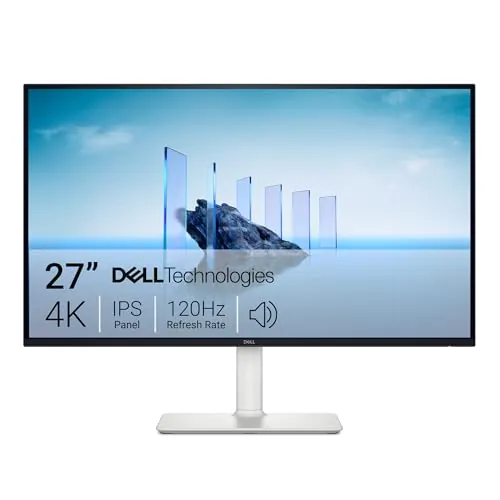
Dell S2725QS vs S2725HSM: 4K 120Hz or FHD 144Hz?
Choose Dell’s S2725QS for a 4K workspace at up to 120Hz with DisplayPort 1.4 or HDMI 2.1. Choose the S2725HSM if 1080p at up to 144Hz over HDMI fits your computer and setup. For either monitor, match the input and the available cable or dock to the mode your source actually supports.
Read comparison