
Products compared
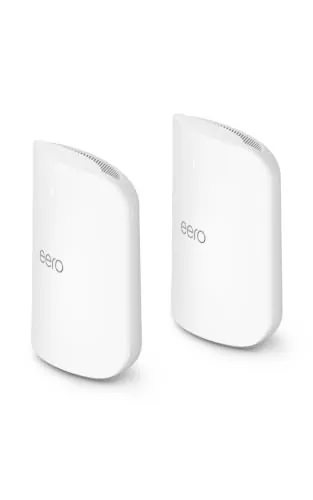
eero
eero Max 7 2-pack
The eero Max 7 in this comparison is a two-pack. eero identifies V010001 as Max 7 and lists its radio and Ethernet hardware per node; the system is managed through the eero app, and setup requires a smartphone.
Model eero Max 7 (V010001 per node)
Amazon ASIN B09HJGSNXB
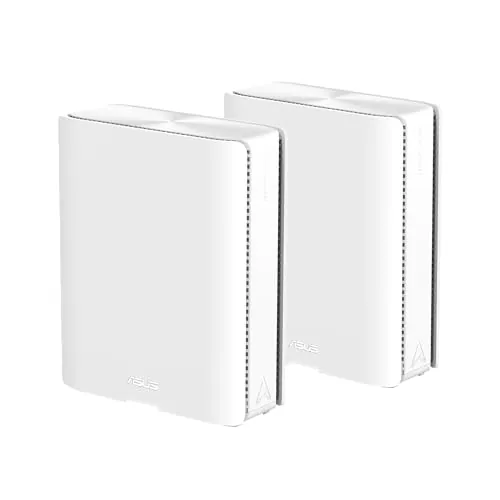
ASUS
ASUS ZenWiFi BQ16 Pro 2-pack
ASUS’s U.S. tech specs identify this two-pack variant as BQ16 Pro(W-2-PK). Each node has four listed radio bands, five Ethernet jacks and a USB 3.0 port; ASUS documents both the Router app and a browser-based Web GUI setup path.
Model BQ16 Pro(W-2-PK)
Amazon ASIN B0D398YQPN
Differences that matter
What matters most to you?
Choose a priority to see what it changes.
Sources for Per-node Wi-Fi band design
Sources for Ethernet jacks per node
Sources for USB and mobile-tethering option
Sources for Setup and configuration route
Start with the exact node and pack
Both products in this comparison are two-packs. The eero Max 7 has the same listed per-node radio and port hardware across the pack; the ASUS model here is specifically BQ16 Pro(W-2-PK). Check that the ASUS listing includes the Pro suffix and the two-pack designation; the separate BQ16 is not the model compared here.
The purchase choice turns on topology, not a coverage headline: note where the modem enters, where each node sits, which links can be Ethernet, and what wired gear lives beside each node.
Pick the backhaul design you actually plan to use
eero describes Max 7 as tri-band over 2.4, 5 and 6 GHz. ASUS lists BQ16 Pro as quad-band with 2.4, 5 and two 6 GHz bands, and its product materials describe the dual 6 GHz bands as dedicated wireless backhaul. That makes ASUS the documented fit if a dual-6-GHz wireless backhaul design is what you specifically want; it is not a claim that the network will be faster or reach farther in your home.
If you can wire the nodes, treat the cable route and the ports consumed by WAN and backhaul as the first check. Then choose port speeds to match your wired devices. Do not assume all Ethernet jacks remain free for clients.
Count Ethernet and USB needs per node
Each Max 7 node lists four auto-sensing Ethernet ports: two 10 GbE and two 2.5 GbE. Each BQ16 Pro node lists five Ethernet jacks: two 10 GbE positions and three 1 GbE positions, including two WAN/LAN sockets whose role is configurable. In the gateway node, one port must connect to the modem; with wired node backhaul or another WAN arrangement, count the remaining sockets for that exact diagram.
BQ16 Pro also lists a USB 3.0 port and 4G/5G mobile tethering. If you need modem-based WAN, check ASUS’s supported device and carrier conditions for your exact hardware. This guide does not infer that the eero lacks any feature not covered by the cited eero port specifications.
Choose the management path that fits your home
eero’s compliance information says an internet connection, modem, Ethernet cable and smartphone are required for setup; its Max 7 page describes app-guided setup and control. ASUS lists its Router app, and the exact BQ16 Pro manual also documents wired or wireless setup through a browser-based Web GUI. If browser configuration is a requirement, ASUS has a documented path; if smartphone app setup is fine, both manufacturers describe an app option.
Product details
eero Max 7 2-pack
ASUS ZenWiFi BQ16 Pro 2-pack
- Per-node radio layout
- Quad-band: 2.4, 5, 6 GHz-1 and 6 GHz-2; ASUS describes dedicated 6 GHz wireless backhaul Source
- Per-node Ethernet and USB
- One 10G WAN/LAN, one 10G LAN, one 1G WAN/LAN, two 1G LAN, plus USB 3.0 Source
- Setup/control paths
- ASUS Router app listed; BQ16 Pro manual documents browser Web GUI setup and configuration Source
Before you buy
Community discussions
Replacing a mesh kit with two nodes and a wired link
eero Max 7 2-pack
An eero Max 7 owner replaced three older units with a two-pack and connected the second node by Ethernet on the other side of the house.
What to check
Trace the cables between the Internet connection and the rooms where you want nodes. Check how many ports remain for wired devices at each location.
Placing nodes across several floors
ASUS ZenWiFi BQ16 Pro 2-pack
An ASUS ZenWiFi BQ16 Pro owner described using a mix of wired and wireless nodes in a townhouse.
What to check
Mark the locations where an Ethernet cable is available. Compare what each kit needs at the gateway and decide how the other nodes would connect.
Common questions
How many Ethernet ports are available on each mesh node?
eero lists two auto-sensing 10 GbE and two auto-sensing 2.5 GbE ports per Max 7. ASUS lists one 10G WAN/LAN, one 10G LAN, one 1G WAN/LAN and two 1G LAN ports per BQ16 Pro node. The WAN/LAN ports can each be used as WAN or LAN depending on your layout, so check your planned connections before counting free LAN jacks.Safety and Compliance Information — eero Max 7 V010001ASUS ZenWiFi BQ16 Pro — Tech Specs
Does the BQ16 Pro’s second 6 GHz band prove it will be faster across my home?
No. ASUS describes the BQ16 Pro as quad-band and calls its dual 6 GHz bands dedicated wireless backhaul, while eero describes Max 7 as tri-band. Those are product design descriptions, not a matched speed, coverage or stability test. Node placement, walls, client devices and whether you use wired backhaul affect the setup you need.eero Max 7ASUS ZenWiFi BQ16 Pro — Tech SpecsASUS Announces Availability of ZenWiFi BQ16 Pro and ZenWiFi BT10
Can I configure the ASUS system in a web browser, and what does eero require?
ASUS’s BQ16 Pro manual documents setup and configuration through its browser Web GUI; its U.S. specifications also list the ASUS Router app. eero says a smartphone is required for setup and its Max 7 page describes app-guided setup and control.ZenWiFi BQ16 Pro User GuideASUS ZenWiFi BQ16 Pro — Tech SpecsSafety and Compliance Information — eero Max 7 V010001eero Max 7 product page
Sources and scope
This is a model-and-topology feature comparison, not a throughput, coverage, latency, security or reliability test. ASUS’s dual-6-GHz backhaul description is a manufacturer design statement, not proof of real-world advantage in a particular layout. Port availability depends on WAN selection and whether a node is wired; confirm the chosen topology and ISP connection against the manuals.
Related comparisons
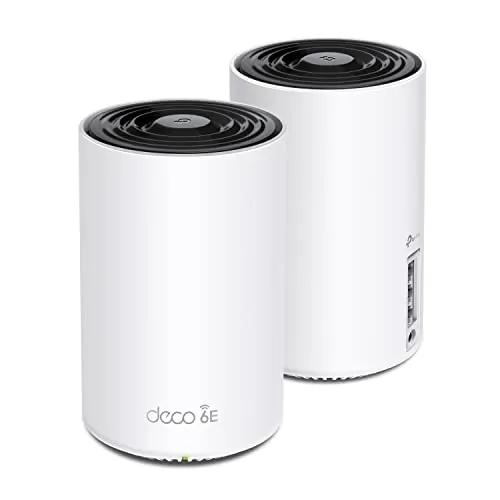
eero Max 7 2-Pack vs TP-Link Deco XE75 2-Pack: Ports, 6 GHz and Setup
These are both two-unit mesh kits, but their documented network interfaces differ: eero Max 7 has four auto-sensing multi-gig Ethernet ports per unit, while Deco XE75 has three auto-sensing Gigabit ports per unit. eero is Wi-Fi 7; XE75 is Wi-Fi 6E and defaults to using 6 GHz for mesh backhaul, with an option to offer that band to Wi-Fi 6E clients. Map your devices and wired paths before choosing; specifications do not predict coverage or real-world speed.
Read comparison
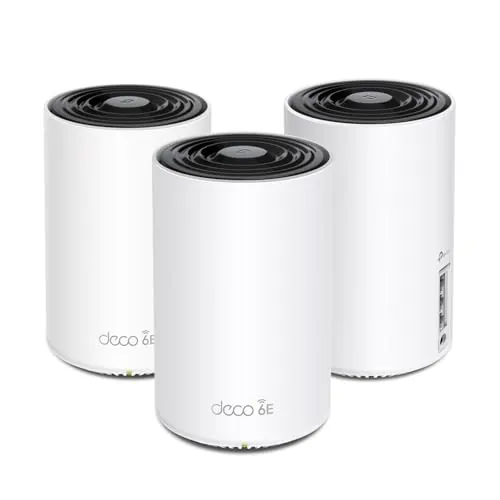
TP-Link Deco X55 vs XE75 (3-Pack): Wired Backhaul or Wi-Fi 6E?
Both assigned packages are three-unit Deco systems with optional Ethernet backhaul and three Gigabit ports on each node. The X55 is dual-band Wi-Fi 6; the XE75 adds a 6 GHz band and tri-band Wi-Fi 6E. If you can wire the satellite nodes and your important devices do not support Wi-Fi 6E, start by asking whether you need the XE75’s extra client band. If nodes must link wirelessly, verify the XE75’s exact hardware and current app behavior first: TP-Link’s Rev 2 guide describes 6 GHz dedicated-backhaul and client-network choices, while its current support page lists a newer guide that does not document the same setting. Published radio and coverage figures are not a head-to-head real-home speed result.
Read comparison