
Products compared
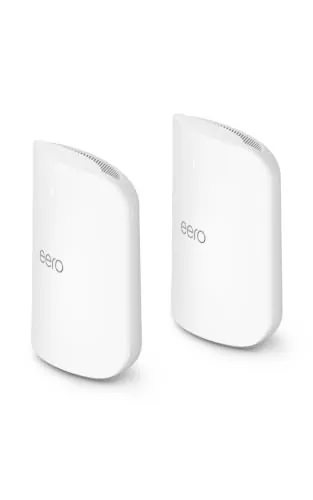
eero
Amazon eero Max 7 Mesh Wi-Fi System (2-Pack)
The assigned U.S. retailer offer is the white two-pack. eero's exact-model compliance listing identifies V010001 as a tri-band Wi-Fi 7 system with two auto-sensing 10 GbE ports and two auto-sensing 2.5 GbE ports per unit. The pack-size selector on eero's U.S. product page lists a two-pack configuration.
Model V010001
Amazon ASIN B09HJGSNXB
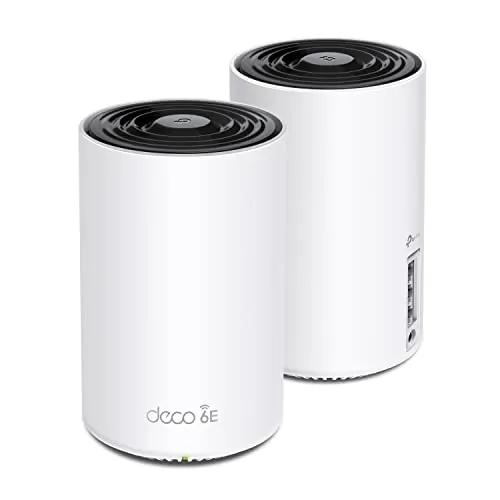
TP-Link
TP-Link Deco XE75 AXE5400 Tri-Band Wi-Fi 6E Mesh System (2-Pack)
The selected listing is the two-pack, not the XE75 Pro or a three-pack. TP-Link's U.S. V1 two-pack page lists Wi-Fi 6E/802.11ax tri-band and three auto-sensing Gigabit Ethernet ports per unit. Its XE75 manual says 6 GHz is dedicated to backhaul by default and can instead be enabled for a client network; only Wi-Fi 6E-capable devices can join that 6 GHz network.
Model Deco XE75 (2-pack)
Amazon ASIN B09VW5JHPH
Differences that matter
Wi-Fi 7 or multi-gig Ethernet for compatible equipment
Amazon eero Max 7 Mesh Wi-Fi System (2-Pack) · eero's V010001 documentation lists Wi-Fi 7 and 10/2.5 GbE ports. This preference applies only when the buyer's clients and wired path support those features.
View V010001 on Amazon (paid link)Sources for Per-node Ethernet ports and link classes
Sources for Wireless generation and compatible clients
Sources for How the 6 GHz band is used
Sources for Phone app, account and optional service tiers
Start with the clients you actually own
The Max 7 is the Wi-Fi 7 option in this exact pair. Its U.S. compliance entry lists model V010001 as tri-band Wi-Fi 7 and includes 320 MHz channels in 6 GHz. eero's compatibility guidance says older Wi-Fi clients can still connect using their existing standards, but only Wi-Fi 7-capable devices receive Wi-Fi 7 enhancements. These are standards and compatibility facts, not a speed result.
The Deco XE75 two-pack is Wi-Fi 6E, with Wi-Fi 6 (802.11ax) radios in 2.4, 5 and 6 GHz. Its manual says the 6 GHz band is dedicated mesh backhaul by default; the app can instead make it a client network, and only Wi-Fi 6E-capable devices can find and join it. Older clients can still use its 2.4/5 GHz bands. Check each device model rather than assuming that 'Wi-Fi 6' means it supports 6 GHz.
Count ports around the main node and the wired rooms
Each Max 7 unit lists two 10 GbE and two 2.5 GbE auto-sensing Ethernet ports. Each XE75 unit lists three auto-sensing Gigabit ports. Those counts give you a useful wiring check: count the modem or upstream connection at the main node, each wired backhaul connection, and every device you want plugged in at both locations. Then check that the switch, cabling and endpoints support the link class you intend to use.
If a multi-gig service, switch or wired endpoint is part of your plan, eero's labeled port classes are the relevant feature difference. If your planned wired links are Gigabit, the XE75's ports meet that listed link class. Neither product's label predicts a particular internet rate or wireless throughput; the actual topology and all devices in the path set the limit.
Plan both node locations, not a coverage-number contest
Both assigned products are two-packs, so sketch the two places you can actually power and place the nodes. Mark where wired Ethernet is available and which clients need 6 GHz or multi-gig links. This reveals practical constraints before purchase without assuming a particular home will receive the manufacturer's advertised coverage.
Do not compare eero's or TP-Link's advertised square-foot figures as if they shared a test method. This guide omits those figures because the manufacturers do not present a matched coverage basis, and no floor-plan test was performed.
Check the app, account and optional services
eero lists a mobile app and a compatible iOS or Android device as setup requirements, with iOS 15 or later or Android 9 or later and Bluetooth 4.0 BLE. It says activation can use a local phone number or an Amazon account. TP-Link's XE75 manual has setup through the Deco app and a TP-Link ID. If the setup phone or account flow is a concern, check it before ordering.
Services also use different names and boundaries. eero describes eero Plus as a subscription add-on. TP-Link says the Deco app is free to download and that some advanced parental-control schedules require HomeShield Pro; the XE75 manual describes HomeShield's Free Basic Plan. If you care about a particular security or parental-control function, compare that specific function and current terms in each app instead of assuming the subscriptions are interchangeable or required for the router hardware.
Product details
Amazon eero Max 7 Mesh Wi-Fi System (2-Pack)
TP-Link Deco XE75 AXE5400 Tri-Band Wi-Fi 6E Mesh System (2-Pack)
Before you buy
Community discussions
Checking both nodes in a two-unit setup
TP-Link Deco XE75 AXE5400 Tri-Band Wi-Fi 6E Mesh System (2-Pack)
An owner with two Deco XE75 units said the secondary node periodically lost connectivity while the main node stayed online. Rebooting the secondary node restored connections in that setup.
What to check
If two wired endpoints or a remote room matter, test connectivity at both nodes separately. Check where you can use Ethernet backhaul and whether your link needs gigabit or multi-gig speeds.
Planning which mesh unit stays wired to the modem
TP-Link Deco XE75 AXE5400 Tri-Band Wi-Fi 6E Mesh System (2-Pack)
A Deco XE75 user moved the unit that was connected by Ethernet to their modem into a bedroom. After disconnecting the Ethernet cable, the unit indicated that it could no longer connect.
What to check
If you want to move coverage away from the modem, reserve one node for the modem connection and plan which room the second node will serve.
Common questions
Will Wi-Fi 6 or older devices connect to either kit?
eero says older Wi-Fi standards remain compatible with its Wi-Fi 7 network, although those clients do not receive Wi-Fi 7 enhancements. TP-Link says older phones and laptops can use the XE75's 2.4 and 5 GHz bands; they cannot use 6 GHz without Wi-Fi 6E-capable hardware.What is Wi-Fi 7?Common Questions Regarding Wi-Fi 6E Deco
Can XE75 reserve 6 GHz for the mesh instead of client devices?
The XE75 manual says 6 GHz is used for dedicated backhaul by default. It can be configured as a Wi-Fi network for clients, but only Wi-Fi 6E-capable devices can join that network.Deco XE75 User Guide, Revision 2.0.0
Do the Max 7's 10 GbE ports guarantee 10-gigabit internet or file transfers?
No. The ports are listed interface capabilities. The modem or service, cable, switch, endpoint and network configuration must also support the intended link, and this guide includes no throughput test.Safety and Compliance Information: eero Max 7, Model V010001Deco XE75 AXE5400 Tri-Band Mesh Wi-Fi 6E System (U.S. V1 two-pack product page)
Does setup or ordinary mesh use require a paid security subscription?
The sources reviewed describe eero Plus as a subscription add-on and TP-Link's XE75 app documentation describes a Free Basic HomeShield plan, with some advanced scheduling options requiring HomeShield Pro. Check current app terms for the specific features you want; these services are not treated as equivalent here.How do I sign up for and manage my eero Plus subscription?Deco XE75 User Guide, Revision 2.0.0Introduction of Deco App: Features, Setup, and Settings
Sources and scope
This is a feature and setup-fit guide, not a matched speed, latency, coverage, interference, stability, security or reliability test. Advertised standards and port classes are capabilities, not end-to-end results; the client, cabling, switch, internet service, placement, walls and local conditions matter. Manufacturer coverage figures are omitted because their published bases are not comparable here. The current TP-Link listing data identifies the assigned two-pack as Deco XE75 but does not show a hardware revision; the cited U.S. TP-Link product page is the V1 two-pack page. Check the unit label and current firmware when revision-specific support is material. No price comparison is included.
- eero Max 7: 10GB Mesh Router
- Safety and Compliance Information: eero Max 7, Model V010001
- What is Wi-Fi 7?
- What do I need to set up eero?
- How do I sign up for and manage my eero Plus subscription?
- Deco XE75 AXE5400 Tri-Band Mesh Wi-Fi 6E System (U.S. V1 two-pack product page)
- Deco XE75 User Guide, Revision 2.0.0
- Common Questions Regarding Wi-Fi 6E Deco
- Introduction of Deco App: Features, Setup, and Settings
Related comparisons
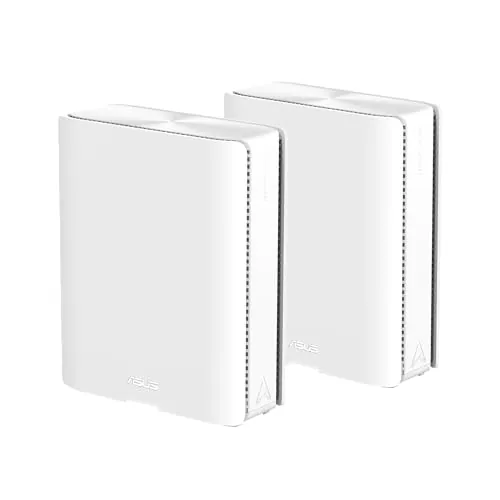
eero Max 7 2-Pack vs ASUS ZenWiFi BQ16 Pro 2-Pack: Backhaul and Port Planning
The eero Max 7 is a tri-band Wi-Fi 7 system with four multi-gigabit Ethernet ports per node and an app-guided setup that requires a smartphone. ASUS’s BQ16 Pro two-pack is quad-band with two 6 GHz bands, five Ethernet jacks per node (three are 1 GbE), a USB 3.0 port and a documented browser Web GUI. ASUS documents a dedicated 6 GHz wireless backhaul design; if you plan wired backhaul instead, map port use at each node before choosing.
Read comparison
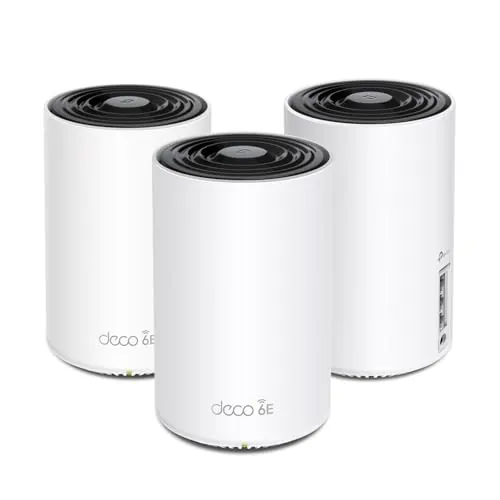
TP-Link Deco X55 vs XE75 (3-Pack): Wired Backhaul or Wi-Fi 6E?
Both assigned packages are three-unit Deco systems with optional Ethernet backhaul and three Gigabit ports on each node. The X55 is dual-band Wi-Fi 6; the XE75 adds a 6 GHz band and tri-band Wi-Fi 6E. If you can wire the satellite nodes and your important devices do not support Wi-Fi 6E, start by asking whether you need the XE75’s extra client band. If nodes must link wirelessly, verify the XE75’s exact hardware and current app behavior first: TP-Link’s Rev 2 guide describes 6 GHz dedicated-backhaul and client-network choices, while its current support page lists a newer guide that does not document the same setting. Published radio and coverage figures are not a head-to-head real-home speed result.
Read comparison