
Products compared

TP-Link
TP-Link Deco X55 AX3000 Whole Home Mesh Wi-Fi 6 System (3-Pack)
Three-unit US X55 package in the selected listing; TP-Link's US product page separately lists a 3-pack configuration.
Model Deco X55
Amazon ASIN B09PRB1MZM
TP-Link
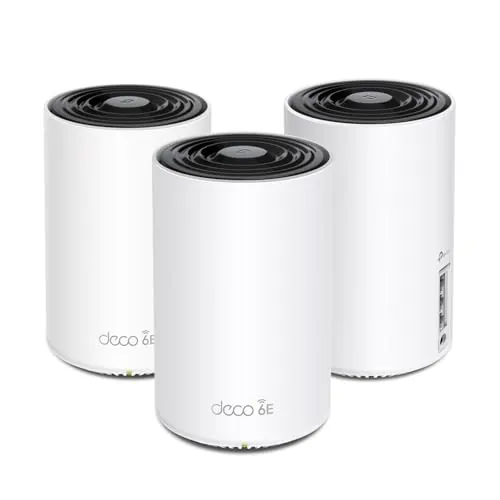
TP-Link Deco XE75 AXE5400 Tri-Band Mesh Wi-Fi 6E System (3-Pack)
Three-unit US XE75 package in the selected listing; TP-Link's US product page identifies its 3-pack configuration.
Model Deco XE75
Amazon ASIN B0B88T5RDY
Differences that matter
What matters most to you?
Choose a priority to see what it changes.
Sources for Can the nodes be wired together?
Sources for Will your devices use the 6 GHz client network?
Sources for Ports and three-pack contents
Plan the node connections before choosing
Draw the main Deco location and the two satellite locations in your home. Then mark the Ethernet cable route to each satellite. TP-Link lists optional Ethernet backhaul for both the Deco X55 and XE75, so a wired plan is available on either model. If you can wire both satellite nodes, decide whether you still need the XE75's additional 6 GHz band for compatible clients rather than selecting it on an assumption about wireless mesh speed.
If the nodes must connect wirelessly, review the XE75’s current hardware revision and app instructions. TP-Link’s Rev 2 user guide describes 6 GHz as dedicated backhaul by default and says a 6 GHz client network can be used instead; only Wi-Fi 6E-capable clients can join that client network. TP-Link’s US support page now lists a newer Rev 3.6 guide that does not document the same setting, and the exact ASIN record does not identify the hardware revision. Verify the current workflow for the specific unit rather than assuming the Rev 2 default applies.
What the extra band changes
The X55's listed radios are 2.4 GHz and 5 GHz. The XE75 adds 6 GHz. That band can be relevant to a wireless backhaul plan or to Wi-Fi 6E-capable client devices, but a device without Wi-Fi 6E support cannot join the 6 GHz client network. Check the specifications for the devices you expect to keep connected rather than assuming all newer phones or laptops support 6 GHz.
The manufacturer pages list aggregate radio rates and estimated coverage ranges, but their own notes say actual performance varies with the client, network conditions, obstacles, building materials and location. Those figures are not a measured comparison between these three-packs.
The port and box-content differences are limited
Both TP-Link product pages list three Gigabit Ethernet ports on each Deco unit and three units in the 3-pack. Each listed box also includes one RJ45 Ethernet cable and three power adapters. The reviewed specifications do not document multi-gig ports for either assigned model.
If your actual purchase is a retailer bundle, match the listing's product name and three-unit count before checkout. The ASIN is the current listing details for this comparison, while the official product pages are the source for the model-level package facts.
Product details
TP-Link Deco X55 AX3000 Whole Home Mesh Wi-Fi 6 System (3-Pack)
The X55 is the dual-band Wi-Fi 6 option in this comparison. TP-Link documents optional Ethernet backhaul and the same three Gigabit ports per node as the XE75, so a planned wired connection between mesh units is a concrete reason to compare the X55 on its own merits rather than assuming a newer wireless generation will be faster in a particular home.
- Wireless bands
- Dual-band Wi-Fi 6: 2.4 GHz and 5 GHz. Source
- Node backhaul and ports
- Optional Ethernet backhaul; three Gigabit Ethernet ports per Deco unit. Source
- Three-pack contents
- TP-Link lists three Deco X55 units, one RJ45 Ethernet cable, three power adapters and one Quick Installation Guide. Source
TP-Link Deco XE75 AXE5400 Tri-Band Mesh Wi-Fi 6E System (3-Pack)
The XE75 adds a 6 GHz radio and tri-band Wi-Fi 6E. TP-Link's US product page also lists optional Ethernet backhaul and three Gigabit ports per unit. Its Rev 2 user guide documents 6 GHz assignment for dedicated backhaul or client Wi-Fi, with 6E support required for clients to join that band; confirm how the current unit and app expose the setting before relying on that exact behavior.
- Wireless bands
- Tri-band Wi-Fi 6E: 2.4 GHz, 5 GHz and 6 GHz. Source
- Node backhaul and ports
- Optional Ethernet backhaul; three Gigabit Ethernet ports per Deco unit. The XE75 guide describes using 6 GHz for dedicated backhaul or for a client Wi-Fi network; only Wi-Fi 6E-capable devices can join that 6 GHz client network. Source
- Three-pack contents
- TP-Link lists three Deco XE75 units, one RJ45 Ethernet cable, three power adapters and one Quick Installation Guide. Source
Before you buy
Community discussions
Plan an upstairs mesh node around your actual floor plan
TP-Link Deco X55 AX3000 Whole Home Mesh Wi-Fi 6 System (3-Pack)
An X55 owner described a two-node layout with a weak upstairs connection and considered placement, another node, or a different backhaul arrangement. This is a single-home scenario, not a three-pack comparison.
What to check
Map likely node locations and decide whether Ethernet backhaul or an intermediate node is practical in your home before choosing a mesh configuration.
Common questions
What is the main difference between the Deco X55 and XE75 three-packs?
The X55 is dual-band Wi-Fi 6 with 2.4 GHz and 5 GHz. The XE75 is tri-band Wi-Fi 6E and adds 6 GHz. Those are feature differences; the TP-Link pages do not prove one will be faster or cover more rooms in a particular home.Deco X55 AX3000 Whole Home Mesh Wi-Fi 6 System — TP-Link USDeco XE75 AXE5400 Tri-Band Mesh Wi-Fi 6E System — TP-Link US
Do both packages support wired Ethernet backhaul?
Yes. TP-Link's US product pages list optional Ethernet backhaul for both Deco X55 and Deco XE75. Each page also lists three Gigabit Ethernet ports per node. Check your cable route and current manual for setup steps.Deco X55 AX3000 Whole Home Mesh Wi-Fi 6 System — TP-Link USDeco XE75 AXE5400 Tri-Band Mesh Wi-Fi 6E System — TP-Link US
Can any phone or laptop connect to the XE75's 6 GHz network?
No. TP-Link says only Wi-Fi 6E-capable devices can search for and join a 6 GHz client network. Older Wi-Fi devices can still use the XE75's 2.4 GHz and 5 GHz radios.Deco XE75 AXE5400 Tri-Band Mesh Wi-Fi 6E System — TP-Link USCommon Questions Regarding Wi-Fi 6E Deco — TP-Link USDeco XE75 User Guide, revision 2.0 — TP-Link
Does the XE75's 6 GHz band automatically give faster Wi-Fi?
The sources do not establish that. The band provides an additional configuration option, but actual throughput and coverage vary with clients, radio conditions, placement, obstacles and network conditions. Compare the feature you will use, not the rated aggregate signal-rate figures as if they were measured household results.Deco X55 AX3000 Whole Home Mesh Wi-Fi 6 System — TP-Link USDeco XE75 AXE5400 Tri-Band Mesh Wi-Fi 6E System — TP-Link US
Sources and scope
This is an exact-model, manufacturer-source comparison of the assigned three-packs, not a network performance test. The pages do not establish which system delivers better real-home speed, coverage, latency, roaming or reliability. The XE75 Rev 2 guide describes a 6 GHz backhaul/client-network setting, but the ASIN record does not identify the hardware revision of every unit sold; check the current manual and Deco app for the specific unit and firmware. Do not treat rated wireless signal rates or coverage figures as measured home results.
- Deco X55 AX3000 Whole Home Mesh Wi-Fi 6 System — TP-Link US
- Deco XE75 AXE5400 Tri-Band Mesh Wi-Fi 6E System — TP-Link US
- Deco X55 User Guide, revision 1.26 — TP-Link
- Deco XE75 User Guide, revision 2.0 — TP-Link
- Common Questions Regarding Wi-Fi 6E Deco — TP-Link US
- Download for Deco XE75 — TP-Link US Support
Related comparisons
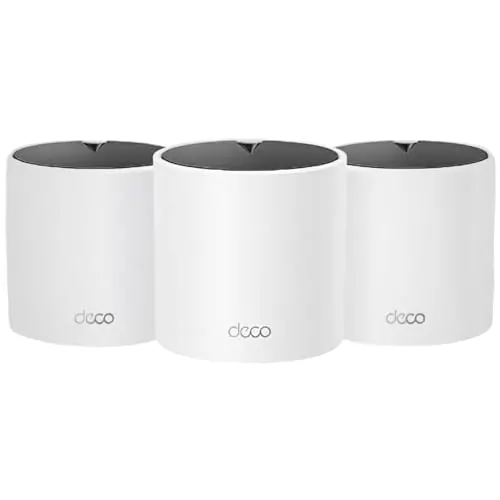
TP-Link Deco XE75 vs X15 3-Pack: Do You Need 6 GHz and Another Port?
Both assigned products are three-node TP-Link Deco kits with optional Ethernet backhaul. The XE75 is tri-band Wi-Fi 6E with a 6 GHz band and three Gigabit ports per unit; the X15 is dual-band Wi-Fi 6 with two Gigabit ports per unit. Pick the XE75 when its extra band or third port solves a specific need. If your devices use 2.4/5 GHz and two ports at each node are enough, the X15 covers those documented needs. Before buying, map the main Deco and two satellite positions, count wired devices at each, and mark any Ethernet cable route. The XE75's older Rev 2 guide describes a 6 GHz dedicated-backhaul setting, but the selected ASIN is not mapped to a hardware revision; verify current hardware and app behavior before relying on that setting. Published rates and coverage figures are not measured results for your home.
Read comparisonTP-Link Deco X15 vs X55 3-Pack: How Many Ethernet Ports Do You Need?
Both assigned TP-Link Deco bundles are three-packs of dual-band Wi-Fi 6 mesh units and both model pages list optional Ethernet backhaul. The X15 has two Gigabit Ethernet ports per unit; the X55 has three, so the X55 adds one physical port at each of the three nodes. For a useful pre-buy check, sketch your modem, main Deco and two satellite locations, then draw each wired backhaul and wired device connection. A node that needs three separate Ethernet connections can exceed the X15's two-port count; the X55 offers a third port, while a compatible switch is another possible layout choice. TP-Link's X55 page also lists an HE160 5 GHz mode, but the selected ASIN is not tied to a hardware revision here. Treat product-page wireless rates as specifications, not a measured speed comparison.
Read comparison