
Products compared
TP-Link
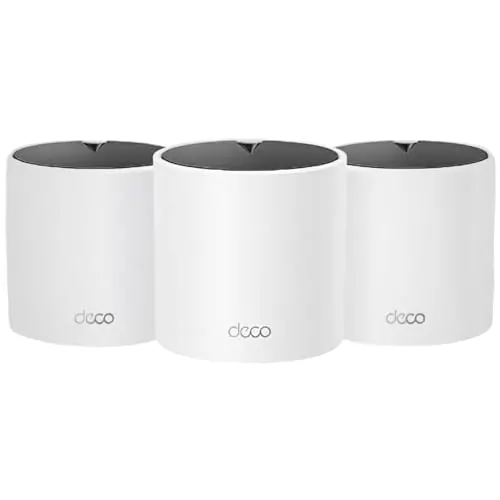
TP-Link Deco X15 AX1500 Dual-Band Wi-Fi 6 Mesh System (3-Pack)
The selected listing identifies a Deco X15 three-pack. TP-Link's US model page lists a three-pack option and two Gigabit Ethernet ports per Deco unit; it does not map this ASIN to color or exact hardware revision.
Model Deco X15
Amazon ASIN B0D7MKJ56S

TP-Link
TP-Link Deco X55 AX3000 Dual-Band Wi-Fi 6 Mesh System (3-Pack)
The selected listing identifies a Deco X55 three-pack. TP-Link's US model page lists a three-pack option, HE160 in its listed 5 GHz specifications and three Gigabit Ethernet ports per unit; the selected ASIN is not mapped to a specific hardware revision.
Model Deco X55
Amazon ASIN B09PRB1MZM
Differences that matter
What matters most to you?
Choose a priority to see what it changes.
Sources for Ports available at each Deco location
Sources for Wired or wireless satellite links
Sources for Wireless specification that may depend on your clients
Sources for What the model pages list for each 3-pack
Turn port counts into a real wiring plan
Put the main Deco and two satellites on a simple floor plan. At each location, mark the modem or router connection, any Ethernet cable that will link another Deco, and devices that need a wired connection. Both are three-unit packs, but each X15 has two Gigabit ports and each X55 has three. That makes the difference specific: a node that needs three separate cables may fit the X55's port count, while the X15 layout may need a compatible switch or another change.
Ports are WAN/LAN auto-sensing, so the count is not a promise that a given physical port is permanently assigned to one purpose. Check the intended Router or Access Point mode and make sure your exact cabling plan follows TP-Link's instructions.
Both model pages list wired backhaul
The X15 and X55 model pages both list optional Ethernet backhaul, so the X55 is not the only one with a documented wired-node option. TP-Link's Deco support guide says you can wire only the satellites that have cable runs and leave the others on Wi-Fi backhaul. Router and Access Point modes have different wiring rules; in Router mode, the guide says a satellite should connect to the main Deco's LAN port or a switch connected to it.
Keep radio specifications in their proper scope
TP-Link's US X55 page lists HE160 and a maximum 5 GHz PHY rate; the X15 page lists a lower maximum 5 GHz rate but does not name HE160 in the reviewed specifications. Do not interpret that omission as proof that no X15 hardware revision supports the mode. If the mode would change your decision, check your client specifications and the exact Deco revision. The listed values do not predict internet speeds, coverage, roaming or reliability in a particular home.
Product details
TP-Link Deco X15 AX1500 Dual-Band Wi-Fi 6 Mesh System (3-Pack)
The X15 is the two-port-per-node choice in this comparison. In a three-unit layout, list which node needs its internet or backhaul connection and which wired devices will be attached there. If your plan needs more physical connections at a node, compare the X55's third port or a compatible-switch layout before checkout.
- Wireless bands
- Dual-band Wi-Fi 6: 2.4 GHz and 5 GHz. Source
- Ethernet ports
- Two Gigabit ports per Deco unit; ports support WAN/LAN auto-sensing. Source
- Node backhaul
- TP-Link lists optional Ethernet backhaul for linking Deco units. Source
- Listed 3-pack contents
- Three X15 units, one RJ45 Ethernet cable, three power adapters and a Quick Installation Guide. Source
TP-Link Deco X55 AX3000 Dual-Band Wi-Fi 6 Mesh System (3-Pack)
The X55 adds a third Gigabit port per node, which can matter when the main node or a wired satellite has multiple Ethernet connections to serve. TP-Link also lists HE160 for the X55 model family. Verify that a particular client can use the mode and check the unit's hardware version before making that feature decisive.
- Wireless bands
- Dual-band Wi-Fi 6: 2.4 GHz and 5 GHz; TP-Link's US page lists HE160 on 5 GHz. Source
- Ethernet ports
- Three Gigabit ports per Deco unit; ports support WAN/LAN auto-sensing. Source
- Node backhaul
- TP-Link lists optional Ethernet backhaul for linking Deco units. Source
- Listed 3-pack contents
- Three X55 units, one RJ45 Ethernet cable, three power adapters and a Quick Installation Guide. Source
Before you buy
Community discussions
Testing connectivity at a satellite on another floor
TP-Link Deco X55 AX3000 Dual-Band Wi-Fi 6 Mesh System (3-Pack)
An owner with four Deco X55 nodes on wireless backhaul reported occasional trouble getting a newly started device online near a satellite. Restarting that satellite restored connectivity temporarily in their setup.
What to check
List the devices you plan to wire at the main node and each satellite. Trial the satellite location on the same backhaul you intend to use at home.
Common questions
What is the clearest practical difference between the Deco X15 and X55 three-packs?
Each X15 unit has two Gigabit Ethernet ports, while each X55 unit has three. Count the connections needed at the main node and each satellite; that shows whether an extra port would remove a switch or wiring change from your plan.Deco X15 | AX1500 Whole Home Mesh Wi-Fi 6 SystemDeco X55 | AX3000 Whole Home Mesh WiFi 6 System
Can both systems use Ethernet backhaul?
Yes. TP-Link lists optional Ethernet backhaul on both the X15 and X55 US model pages. TP-Link's Deco wiring guide explains that individual satellites can be wired or left on wireless backhaul and that wiring rules depend on Router or Access Point mode.Deco X15 | AX1500 Whole Home Mesh Wi-Fi 6 SystemDeco X55 | AX3000 Whole Home Mesh WiFi 6 SystemEthernet Backhaul for Deco: Setup, Wiring Rules and Troubleshooting
Does the X55 guarantee faster Wi-Fi than the X15?
No. TP-Link lists different maximum PHY specifications and an HE160 mode for the X55, but those figures do not establish measured throughput or coverage in a particular home. Client capability, unit revision, layout and network conditions matter.Deco X15 | AX1500 Whole Home Mesh Wi-Fi 6 SystemDeco X55 | AX3000 Whole Home Mesh WiFi 6 SystemDownload for Deco X55
Are the exact retailer box and hardware revision confirmed by these model pages?
No. The compared listings are three-packs. Check the exact retailer SKU and the hardware version printed on each X55 unit before relying on revision-specific setup or support details.Deco X15 | AX1500 Whole Home Mesh Wi-Fi 6 SystemDeco X55 | AX3000 Whole Home Mesh WiFi 6 SystemDownload for Deco X55
Sources and scope
This guide compares features listed on TP-Link's US model-family pages for the assigned three-pack listing data identities; it is not a controlled performance test. Both are dual-band Wi-Fi 6 model families and list optional Ethernet backhaul. The X55 page lists an HE160 mode and higher maximum PHY rate figures, but these are specifications rather than real-home throughput results. The selected X55 ASIN is not mapped to a hardware revision; TP-Link's support page lists multiple X55 revisions. Check the exact retailer SKU and device revision if a revision-dependent radio feature matters. TP-Link's model-family pages list three-pack contents, but do not map the assigned ASINs to the color or exact retailer box.
Related comparisons
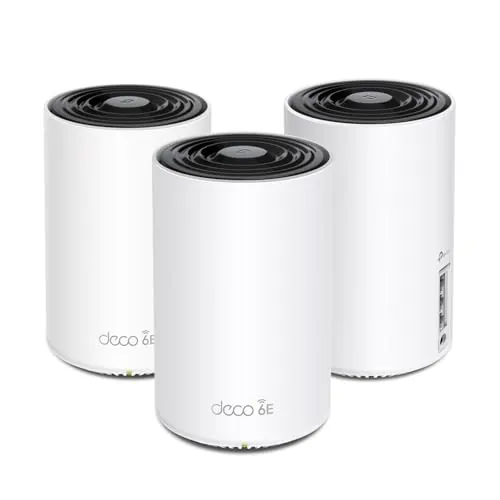
TP-Link Deco X55 vs XE75 (3-Pack): Wired Backhaul or Wi-Fi 6E?
Both assigned packages are three-unit Deco systems with optional Ethernet backhaul and three Gigabit ports on each node. The X55 is dual-band Wi-Fi 6; the XE75 adds a 6 GHz band and tri-band Wi-Fi 6E. If you can wire the satellite nodes and your important devices do not support Wi-Fi 6E, start by asking whether you need the XE75’s extra client band. If nodes must link wirelessly, verify the XE75’s exact hardware and current app behavior first: TP-Link’s Rev 2 guide describes 6 GHz dedicated-backhaul and client-network choices, while its current support page lists a newer guide that does not document the same setting. Published radio and coverage figures are not a head-to-head real-home speed result.
Read comparisonTP-Link Deco XE75 vs X15 3-Pack: Do You Need 6 GHz and Another Port?
Both assigned products are three-node TP-Link Deco kits with optional Ethernet backhaul. The XE75 is tri-band Wi-Fi 6E with a 6 GHz band and three Gigabit ports per unit; the X15 is dual-band Wi-Fi 6 with two Gigabit ports per unit. Pick the XE75 when its extra band or third port solves a specific need. If your devices use 2.4/5 GHz and two ports at each node are enough, the X15 covers those documented needs. Before buying, map the main Deco and two satellite positions, count wired devices at each, and mark any Ethernet cable route. The XE75's older Rev 2 guide describes a 6 GHz dedicated-backhaul setting, but the selected ASIN is not mapped to a hardware revision; verify current hardware and app behavior before relying on that setting. Published rates and coverage figures are not measured results for your home.
Read comparison