
Products compared

Elgato
Elgato Facecam 4K
Exact assigned US listing: Black Facecam 4K, listed model 20WAF9901 and Elgato SKU 10WAF9901. Elgato documents 2160p60 only in MJPG over USB 3.0, fixed focus at 4K, and no built-in microphone. The listed box contents include a monitor mount and USB-C to USB-C USB 3.0 cable.
Model 20WAF9901 / 10WAF9901
Amazon ASIN B0DVZG36J8
Insta360
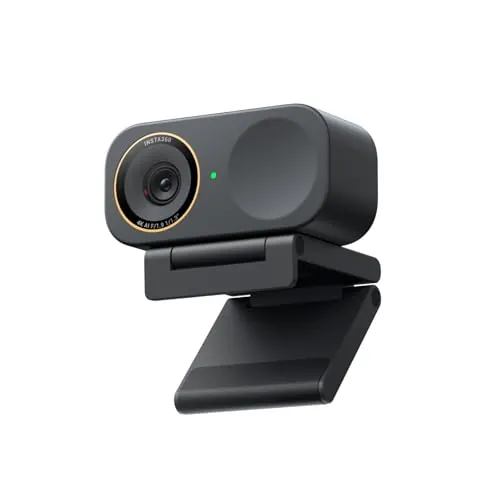
Insta360 Link 2C Pro 4K Webcam
Exact assigned US listing: Graphite Black Link 2C Pro, listed model CINSABPB and part number CINSABPB-S-B. Insta360's Link 2C Pro specification column lists 4K up to 30 fps, autofocus from 12 cm to infinity, two microphones, four audio modes and Auto Framing. It is the fixed-camera 2C Pro model with no gimbal; do not confuse its specifications with Link 2 Pro.
Model CINSABPB-S-B
Amazon ASIN B0G3SSQMJQ
Differences that matter
What matters most to you?
Choose a priority to see what it changes.
Sources for Highest documented 4K frame-rate path
Sources for Privacy, mounting and portrait setup
Start with the app and frame rate you actually use
The headline distinction is the listed 4K mode: Facecam 4K reaches 2160p60, but Elgato specifies MJPG only at that mode and requires USB 3.0 for its 4K modes. Link 2C Pro tops out at 4K30 in its official resolution table. That makes the Elgato the better match only when 4K60 is a real requirement in your capture workflow, not simply because a larger number sounds preferable.
Link 2C Pro's direct use in third-party camera software is separate from Insta360 Virtual Camera. The latter adds selected software features but has no 50/60 fps modes. Facecam's USB 2.0 path is also constrained to 1080p60. Before purchase, check the video device path in your preferred app, host USB port and format support rather than relying on a camera's product headline.
Match focus behavior to how you sit or move
Facecam 4K uses fixed focus, with Elgato listing 30–120 cm at 4K and describing the lens as optimized for desk use. It makes sense for a repeatable seated position inside that range. Link 2C Pro documents autofocus from 12 cm to infinity and Auto Framing through Link Controller or gesture, so its feature set better matches a presenter who changes distance or wants software to adjust framing.
Auto Framing is an electronic composition feature, not a gimbal: Insta360's exact Link 2C Pro spec table lists no gimbal. These published features help plan the interaction, but they do not show which camera keeps focus more reliably or produces a better-looking image in a real room.
Choose an audio path, then plan privacy separately
Facecam 4K has no built-in microphone, which can be a clean fit if you already route audio through a dedicated USB mic, headset or mixer. Link 2C Pro includes two microphones and four documented pickup modes: Standard, Wide, Focus and Original. The labels describe intended pickup behavior, not a controlled audio-quality result. For portrait 4K on Link 2C Pro, the available general FAQ does not clearly establish how its generic portrait audio note applies to the Pro-specific modes, so verify before depending on a particular preset.
The Link 2C Pro's sliding cover is a physical video-privacy control, but it does not mute its built-in microphone. Insta360 says Link 2C Pro does not support its 'Mute in Privacy Mode' option; mute audio separately in Link Controller or computer input settings. Elgato's cited Facecam material does not establish an equivalent physical cover or combined mute workflow, so inspect the exact camera setup you intend to use rather than assuming the two privacy systems match.
Check mounting and portrait accessories before checkout
Elgato lists a monitor mount and USB-C to USB-C USB 3.0 cable in the Facecam 4K box, and the camera body has a 1/4-inch thread for a desk stand or tripod. Insta360 documents a magnetic screen-edge mount for Link 2C Pro; its setup instructions say to use a tripod for vertical shooting, and the compatibility table marks the Mini 2-in-1 Tripod as sold separately.
Measure the monitor edge, camera-to-face distance and room for a tripod before choosing. If you stream vertically, add the accessory cost and connection path to your plan. The package contents here refer to manufacturer documentation; recheck the exact Amazon variant and seller listing because bundles can differ.
Product details
Elgato Facecam 4K
- 4K video modes
- 2160p60 in MJPG only over USB 3.0; 2160p30 in NV12 or MJPG. USB 2.0 is listed up to 1080p60. Source
- Focus and microphone
- Fixed focus; 30–120 cm at 4K. No built-in microphone. Source
- Mount and included connection
- 1/4-inch mounting thread; listed box contents include monitor mount and USB-C to USB-C USB 3.0 cable. Source
Insta360 Link 2C Pro 4K Webcam
- Video modes
- Landscape and portrait 4K at 24/25/30 fps; 1080p up to 60 fps. H.264 is unavailable in portrait 4K and portrait 1080p60. Source
- Focus, microphones and framing
- Autofocus from 12 cm to infinity; two microphones; Standard, Wide, Focus and Original audio modes; Auto Framing. No gimbal. Source
- Privacy and mount
- Physical sliding privacy cover; it does not mute Link 2C Pro's built-in microphone. Magnetic monitor mount has a 1/4-inch tripod hole; vertical shooting requires a tripod. Source
Before you buy
Community discussions
Facecam 4K owner asks about a dark, grainy desk preview
Elgato Facecam 4K
A new Facecam 4K owner says their preview looks dark and grainy under the room lighting and camera settings they describe, and asks for help. They mention the separate Facecam MK.2 as a comparison point; this post does not compare the Insta360 Link 2C Pro or establish a cause.
What to check
Before choosing a webcam for a fixed desk, test framing and image in the lighting and seating position you actually use. This is one owner's unresolved Facecam 4K setup, not evidence that the Link 2C Pro would perform better or that all Facecam 4K units need a particular lighting setup.
Common questions
Which webcam supports 4K at 60 fps?
Elgato lists Facecam 4K at 2160p60 only in MJPG over USB 3.0. Insta360 lists Link 2C Pro up to 4K30. Link 2C Pro can be used directly with third-party platforms, but Insta360 Virtual Camera does not currently support 50 or 60 fps.Facecam 4K — U.S. product page and technical specificationsLink Series: Photo & Video SpecificationsLink Series: Compatibility
Does the Facecam 4K focus automatically?
No. Elgato lists fixed focus and a 30–120 cm focus range at 4K. Link 2C Pro lists autofocus from 12 cm to infinity. Those specifications describe focus behavior and range, not a measured sharpness comparison.Facecam 4K — U.S. product page and technical specificationsInsta360 Link 2 Pro & Link 2C Pro — official product specifications
Does Link 2C Pro's privacy cover mute the microphone too?
No. Insta360 says Link 2C Pro uses a sliding physical privacy cover, but the model does not support Mute in Privacy Mode. Mute its built-in mic separately through Link Controller or the computer's input settings.Link Series: Privacy ModeLink Series: Audio & Microphone
Does Facecam 4K include a microphone?
No. Elgato says it omits a built-in microphone. Plan a separate microphone or another audio input. Link 2C Pro lists two microphones and four audio modes, but those feature listings do not establish which sounds better.Facecam 4K — U.S. product page and technical specificationsInsta360 Link 2 Pro & Link 2C Pro — official product specifications
Can I use Link 2C Pro for vertical video?
Insta360 lists portrait 4K at 24/25/30 fps and portrait 1080p up to 60 fps, with H.264 unavailable in portrait 4K and portrait 1080p60. Its setup guide says vertical shooting requires a tripod, sold separately according to the compatibility table.Link Series: Photo & Video SpecificationsSetting Up the DeviceLink Series: Compatibility
Sources and scope
This is a feature and setup comparison based on manufacturer specifications and support material. It includes no controlled image, focus, audio or low-light test, so it does not rank picture or sound quality. Actual output depends on the host, application, connection and selected camera mode. Insta360's documentation does not clarify whether its general portrait-4K audio FAQ applies to the Link 2C Pro's Pro-specific audio modes; verify that workflow directly if it matters.
- Facecam 4K — U.S. product page and technical specifications
- Elgato Facecam 4K — Quick Start Guide
- Insta360 Link 2 Pro & Link 2C Pro — official product specifications
- Link Series: Photo & Video Specifications
- Link Series: Compatibility
- Link Series: Audio & Microphone
- Link Series: Auto Framing
- Link Series: Privacy Mode
- Setting Up the Device
Related comparisons
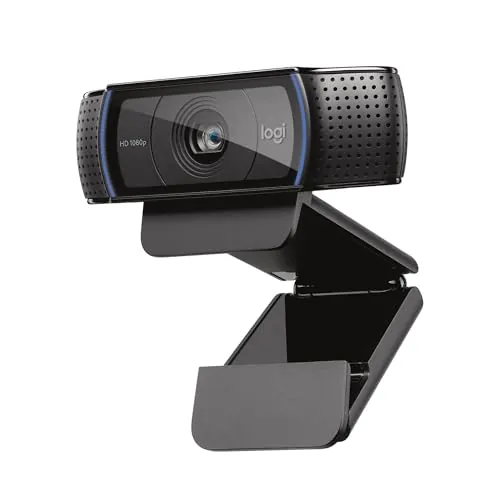
Logitech C920x vs Insta360 Link 2C Pro: Framing, Mounting and Privacy Fit
The Logitech C920x guide documents an attached USB-A cable, a universal mounting clip and tripod thread, while Link 2C Pro offers documented 4K and portrait modes, a magnetic adjustable mount, DeskView and a physical privacy-cover switch. Start with the resolution and framing tools you need, then check your computer, monitor edge, tripod plan and whether camera privacy must be physical. Logitech’s exact C920x guide does not state its field-of-view angle or current OS/app requirements, so those points need an exact-product check.
Read comparison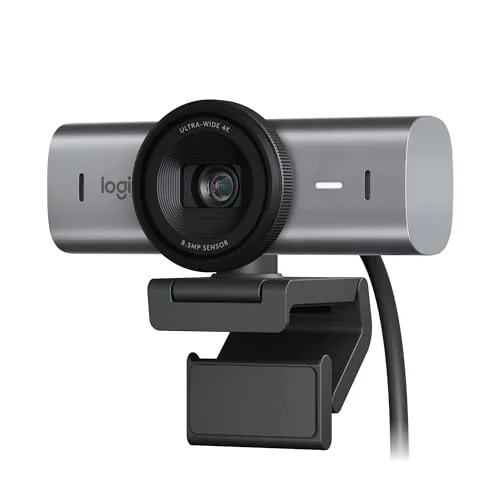
Elgato Facecam 4K vs Logitech MX Brio: Frame Rates, Focus and Desk Use
Elgato Facecam 4K can output 4K60, but only as MJPG over USB 3.0; USB 2.0 tops out at 1080p60. Logitech MX Brio's published maximum is 4K30 or 1080p60 and requires USB-C with USB 3.0 support. The Elgato uses fixed focus and has no built-in mic; MX Brio adds autofocus, dual mics and a rotating privacy shutter.
Read comparison