
Products compared
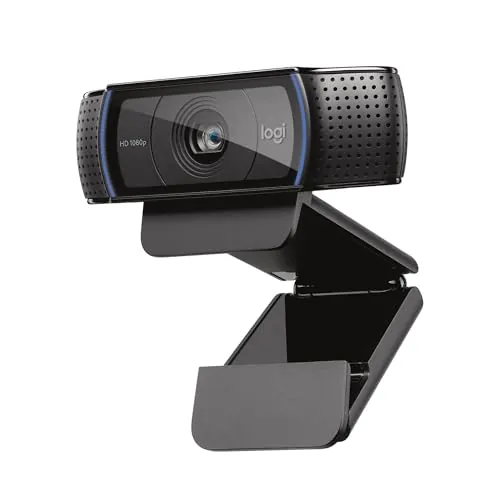
Logitech
Logitech C920x Pro HD Webcam
Black U.S. version; Logitech’s exact C920x setup guide identifies an autofocus HD 1080p lens and attached USB-A cable.
Model 960-001335
Amazon ASIN B085TFF7M1
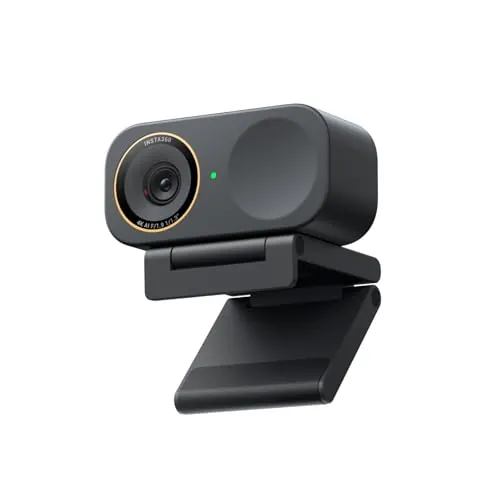
Insta360
Insta360 Link 2C Pro
Graphite Black version; fixed-position webcam with a magnetic mount and no gimbal.
Model CINSABPB
Amazon ASIN B0G3SSQMJQ
Differences that matter
What matters most to you?
Choose a priority to see what it changes.
Sources for Documented video modes and framing
Sources for Camera privacy and microphone mute
What the published video modes actually tell you
The exact Logitech C920x guide calls out an autofocus HD 1080p lens, but the reviewed document does not give a mode-by-mode frame-rate list or a numerical field-of-view angle. That leaves an important setup question unanswered if you need a specific view or capture mode; do not fill the gap with specs for a nearby C920 or C920s model.
Insta360’s Link 2C Pro table is more specific: it lists landscape capture through 4K/30 and portrait capture through 4K, 1080p and 720p. It also reports 71.4° horizontal, 56.9° vertical and 83.9° diagonal FOV. These are axis-specific figures; compare horizontal to horizontal and diagonal to diagonal only when both exact product sources supply them. Insta360 warns that the conferencing platform may limit the output, and its table calls out portrait encoding exceptions.
Mounting changes how you share a desk
C920x is documented with a universal mounting clip and tripod thread plus a fixed 5 ft (1.5 m) attached USB-A cable. Its guide says the tripod is not included. Check that the clip fits the display edge and that the cable reaches the computer without putting strain on the port.
Link 2C Pro uses a magnetic mount that you angle by hand and can attach to an external tripod through its 1/4-inch point. For portrait shooting, Insta360’s support says a tripod is required and portrait resolution must be enabled in Link Controller. DeskView is a separate desk-demonstration mode: place the camera on top of a laptop or monitor, adjust the mount and let the controller correct the view; no dedicated overhead mount is needed, and the support page says DeskView does not scan documents.
Separate basic webcam use from Link Controller features
Both guides describe a wired computer connection, but the software paths differ in what the manufacturer documents. Logitech’s C920x guide provides the USB-A hookup and does not establish current operating-system or conferencing-app requirements. Confirm support for your actual computer and application before choosing C920x based on compatibility.
Insta360 separates the basic Physical Camera Stream for video/audio from its Virtual Camera stream for advanced Controller effects. Its product specs list Windows 10 or later (not ARM Windows), macOS 11 or later for Link Controller and macOS 13 or later for Virtual Camera. A Link 2C Pro compatibility FAQ instead lists macOS 10.13 or later for Link Controller. Because those official pages conflict on older macOS, ask Insta360 before relying on Controller features below macOS 11. The product page lists a USB-C cable or USB-C-to-USB-A adapter and 5V/1A; its connection instructions recommend the included cable and either direct computer connection or a powered dock.
Treat lens privacy and microphone privacy separately
Insta360 documents a physical slide switch on Link 2C Pro for the lens privacy cover. Its support pages treat microphone mute separately; check and use the meeting application’s audio control before a call rather than assuming that the physical cover mutes the mic.
Logitech’s exact C920x setup guide shows an activity LED, universal clip and USB-A cable, but the reviewed exact-model material does not document a privacy cover or switch. That is an evidence limit, not proof that the product lacks one. If a physical cover is essential, verify the exact unit and package before ordering.
Product details
Logitech C920x Pro HD Webcam
Insta360 Link 2C Pro
- Documented video modes
- Landscape 4K at 24/25/30 fps, 1080p and 720p up to 60 fps, plus 360p; portrait supports 4K, 1080p and 720p at listed rates. Platform limits may reduce output. Source
- Field of view
- 71.4° horizontal, 56.9° vertical and 83.9° diagonal; these are separate measurement axes. Source
- Connection and mount
- USB-C cable or USB-C-to-USB-A adapter, 5V/1A; magnetic mount with a 1/4-inch tripod point. Source
- Camera privacy
- A physical slide switch opens or closes its privacy cover; microphone muting is a separate control and should be checked in the meeting app. Source
Before you buy
Community discussions
A C920x user asks about using the camera with two computers
Logitech C920x Pro HD Webcam
A Logitech C920x user connected the camera to a monitor shared by an Apple laptop and a PC and wanted to use the webcam with both.
What to check
If you plan to use the camera through a monitor with more than one computer, check your monitor’s USB upstream and switching setup against those exact hosts before choosing.
Common questions
Does Link 2C Pro deliver 4K in every video-call app?
No guarantee follows from the camera specification alone. Insta360 lists 4K capture modes, but notes that platform limits affect video resolution. Check the selected app’s current camera-resolution support and the required Virtual Camera software path.Link Series: Photo & Video Specifications | Insta360 SupportLink 2 Pro & Link 2C Pro product specifications | Insta360Connecting to Computer | Insta360 Link 2C Pro Support
Which webcam has the wider field of view?
The reviewed Link 2C Pro specification reports 71.4° horizontal, 56.9° vertical and 83.9° diagonal. Logitech’s exact C920x guide does not state an angle, so these sources cannot establish which camera frames more of a room. Compare views using the exact units at your intended desk distance if that determines your choice.C920x Pro HD Webcam Complete Setup GuideLink Series: Photo & Video Specifications | Insta360 Support
Does the Link 2C Pro privacy switch also mute its microphone?
Insta360 documents the switch as a camera privacy-cover control and treats microphone mute as separate. Use the meeting app’s mic control and test it before a call; do not assume that covering the lens mutes audio.Link Series: Privacy Mode | Insta360 Link 2C Pro SupportLink Series: Privacy Protection | Insta360 Link 2C Pro Support
Sources and scope
This is a model-specific documentation comparison, not a camera test. The opened Logitech material for C920x identifies an HD 1080p lens and mounting hardware but does not give a frame-rate mode list, FOV angle, current operating-system/app matrix or privacy-cover function. Insta360’s FOV values are available, but a direct numerical field-of-view comparison is not possible from the reviewed exact-model Logitech source. No image, microphone, tracking or low-light superiority is claimed. Insta360’s product specifications state macOS 11 or later for Link Controller while its compatibility FAQ states macOS 10.13 or later; confirm if using an older Mac.
- C920x Pro HD Webcam Complete Setup Guide
- QSG - C920x Pro HD Webcam | Logitech Support
- Link 2 Pro & Link 2C Pro product specifications | Insta360
- Link Series: Photo & Video Specifications | Insta360 Support
- Setting Up the Device | Insta360 Link 2C Pro Support
- Connecting to Computer | Insta360 Link 2C Pro Support
- Link Series: Compatibility | Insta360 Link 2C Pro Support
- Link Series: Privacy Mode | Insta360 Link 2C Pro Support
- Link Series: Privacy Protection | Insta360 Link 2C Pro Support
- Link Series: Portrait Mode | Insta360 Link 2C Pro Support
- Link Series: DeskView Mode | Insta360 Link 2C Pro Support
Related comparisons

Elgato Facecam 4K vs Insta360 Link 2C Pro: 4K60 or Autofocus and Built-In Audio?
These webcams suit different desk routines. Elgato lists Facecam 4K at 2160p60 over USB 3.0 in MJPG, with fixed focus tuned for a desk position and no built-in microphone. Insta360 lists Link 2C Pro at up to 4K30, with autofocus, software auto-framing and two microphones. Your video app, USB port, subject distance, audio setup and privacy routine matter more than the resolution label alone.
Read comparison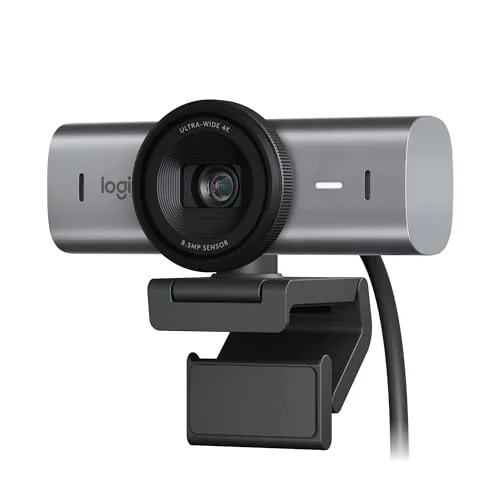
Logitech MX Brio vs Insta360 Link 2C Pro: Framing, Mic Controls and Desk Setup
The exact Logitech MX Brio 960-001545 and Insta360 Link 2C Pro CINSABPB-S-B are both computer webcams, but they solve desk presentation and meeting setup differently. MX Brio physically tilts into Show Mode and exposes image adjustments through Logitech software. Link 2C Pro keeps a fixed camera body, uses digital crop for Auto Framing, adds portrait capture and DeskView, and documents four microphone pickup modes. Check the Link 2C Pro's portrait H.264 limits and whether your computer supports the controller features you want before choosing.
Read comparison